
Your renders sell the project before a single brick is laid. But producing them shouldn't eat up half your week or require a $5,000 workstation.
The key is picking the right architectural visualization software for your firm's workflow, one that lets you produce client-ready visuals fast enough to keep projects on schedule.
We compared the most popular architectural visualization programs used by architecture and interior design firms today. Below, you'll find what each tool does best, what it costs, and who it's built for, so you can match the right software to your workflow without the guesswork.
Best for: Quick client presentations and design iterations
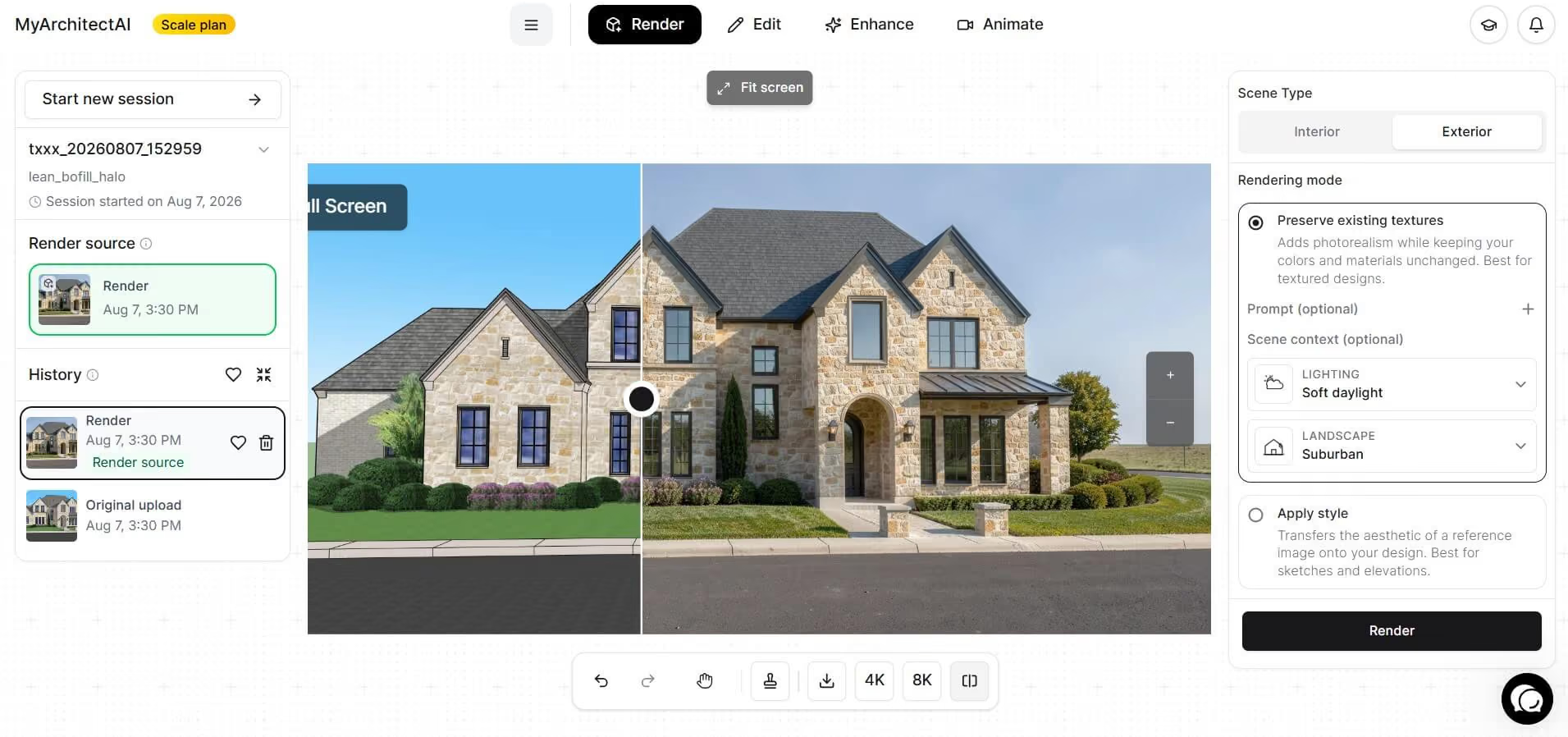
MyArchitectAI is the fastest way to turn your CAD models into photorealistic visuals. Upload a screenshot or export from SketchUp, Revit, Archicad, Rhino, or any other design tool, and you'll have a finished render in 10–30 seconds. No lighting setup or material tweaking, and definitely no GPU requirements.
The tool runs entirely in your browser, which means it works on any device, including Macs and older laptops. The AI engine handles texturing, lighting, and atmosphere automatically, so you don't need any visualization experience to get professional-looking results.
After rendering, you can use the built-in editing tools to swap materials or add and remove objects without re-rendering the entire scene. The AI Enhancer adds a final polish to textures and vegetation with one click, and Animate lets you turn your stills into short video clips using camera motion presets.
Pros:
Cons:
Pricing: $29/month for unlimited renders. The free plan gives you 10 renders.
Best for: Competition-winning photorealistic renders
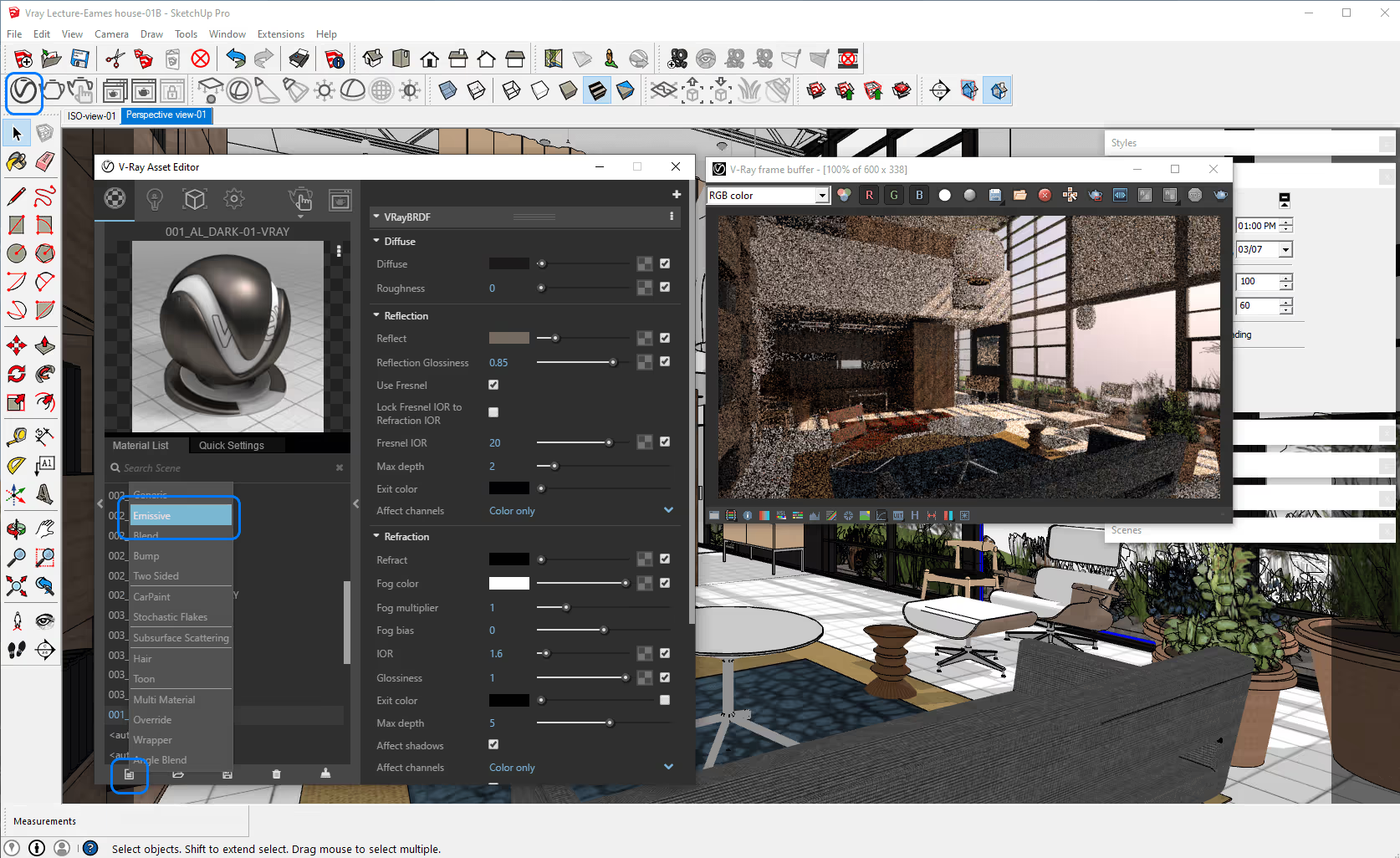
V-Ray is the industry standard for photorealistic rendering, used by most of the top 100 architecture firms. It gives you granular control over every aspect of your scene: lighting, materials, global illumination, caustics, and camera settings. If your firm regularly produces hero shots for competitions or high-end marketing materials, V-Ray delivers unmatched realism.
V-Ray works as a plugin for SketchUp, Revit, Rhino, 3ds Max, and several other platforms, so it likely integrates with whatever you're already using.
The trade-off is time and complexity. Expect a significant learning curve and render times that can stretch to hours for complex scenes. If you can't afford to spend the time on learning it, consider a lightweight V-Ray alternative.
Pros:
Cons:
Pricing (can vary by reseller and region): Solo starts at $540/year. The Premium plan (with 10 render nodes) costs $718.80. 30-day free trial available. Full breakdown here.
Best for: Real-time design feedback inside your CAD tool
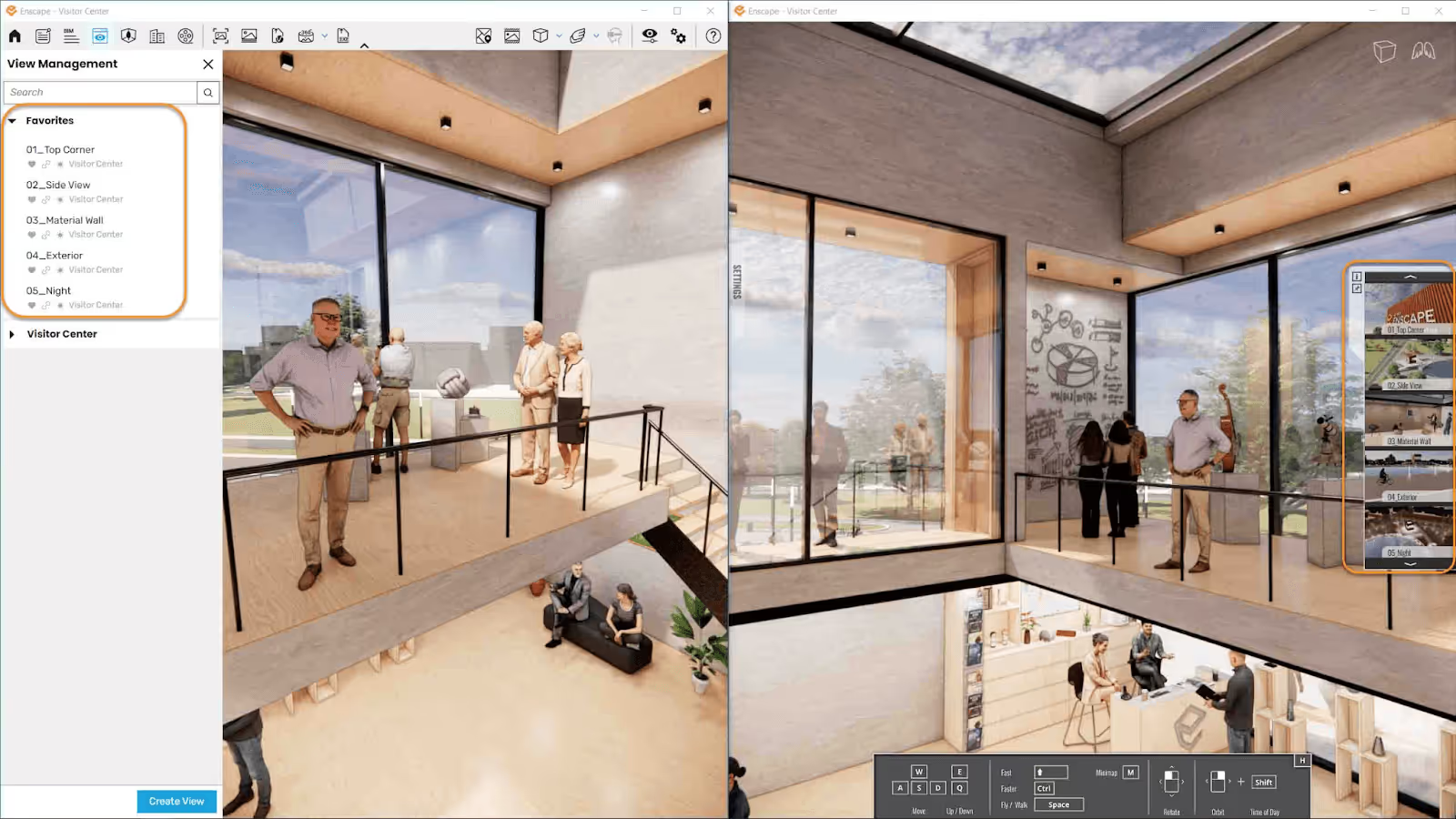
Enscape plugs directly into Revit, SketchUp, Rhino, Archicad, and Vectorworks, giving you a live-rendered view of your model as you work. Change a wall material in Revit, and you see the update in your render immediately.
This makes Enscape especially valuable during the design phase when you're iterating quickly. It's also great for creating walkthroughs and standalone 3D files you can share with clients who don't have any design software installed. The Premium tier now also includes Veras, an AI-powered visualization tool for generating design concepts using text prompts.
Pros:
Cons:
Pricing: Solo at $574.80/year. Premium (includes Veras) at $634.80/year. Free trial available. Full pricing details here.
Best for: High-quality animations and landscape visualization
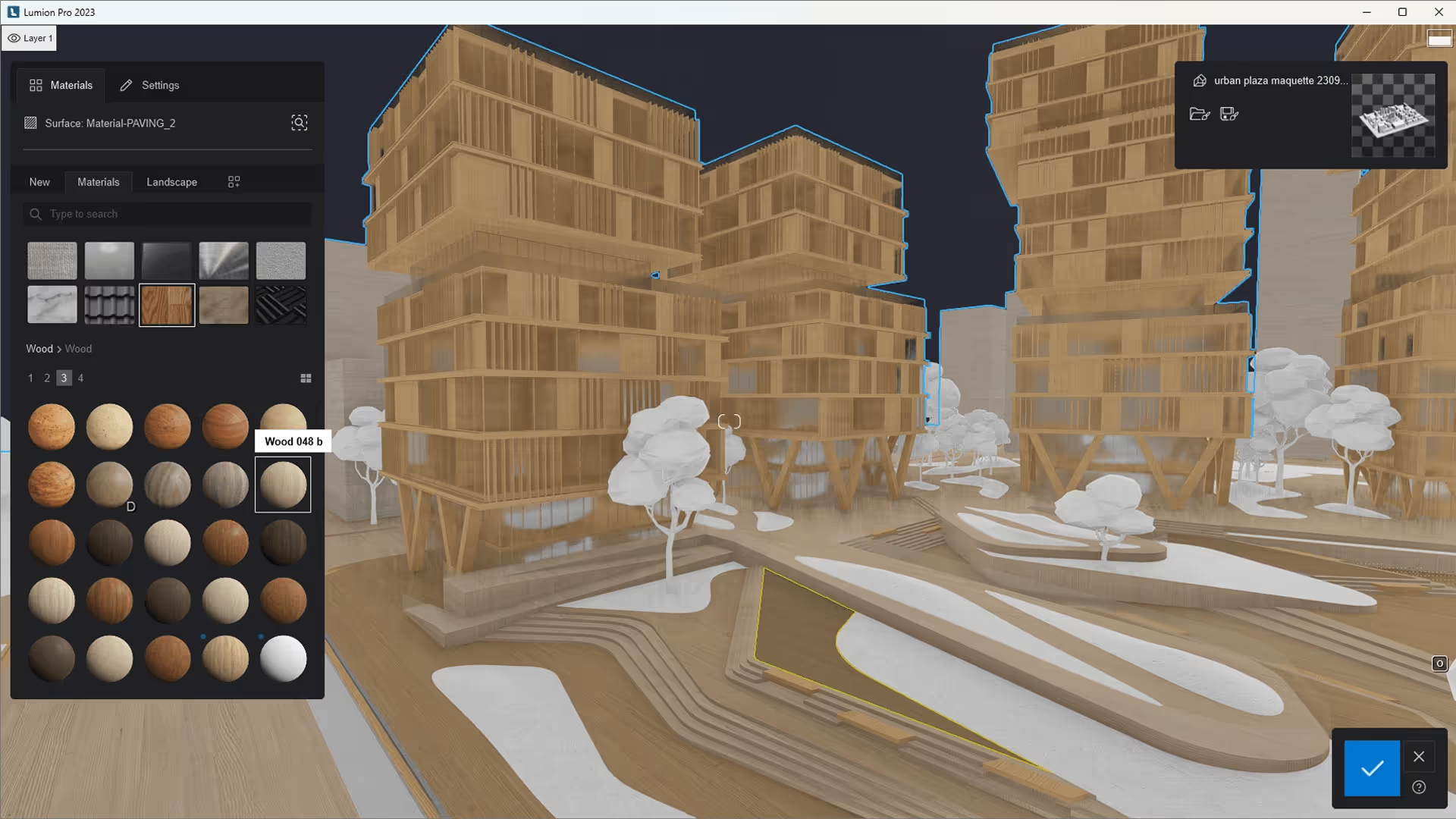
Lumion is the go-to 3d architectural visualization software for firms that need polished animations, 360° panoramas, and richly detailed exterior scenes. Its library of nearly 10,000 objects (including an excellent selection of vegetation and landscape elements) lets you populate scenes quickly and convincingly.
The Lumion View plugin brings real-time rendering directly into SketchUp and Revit for early-stage design work, while Pro handles the full production pipeline. An AI upscaler introduced in 2025 lets you also render at lower resolutions and upscale to 8K, cutting render times.
Pros:
Cons:
Pricing: Lumion View at $229/year. Lumion Pro at $1,149/year. Lumion Studio (Pro floating + View) at $1,499/year. 14-day free trial for both View and Pro. Full pricing details here.
Best for: Real-time rendering with a generous free tier
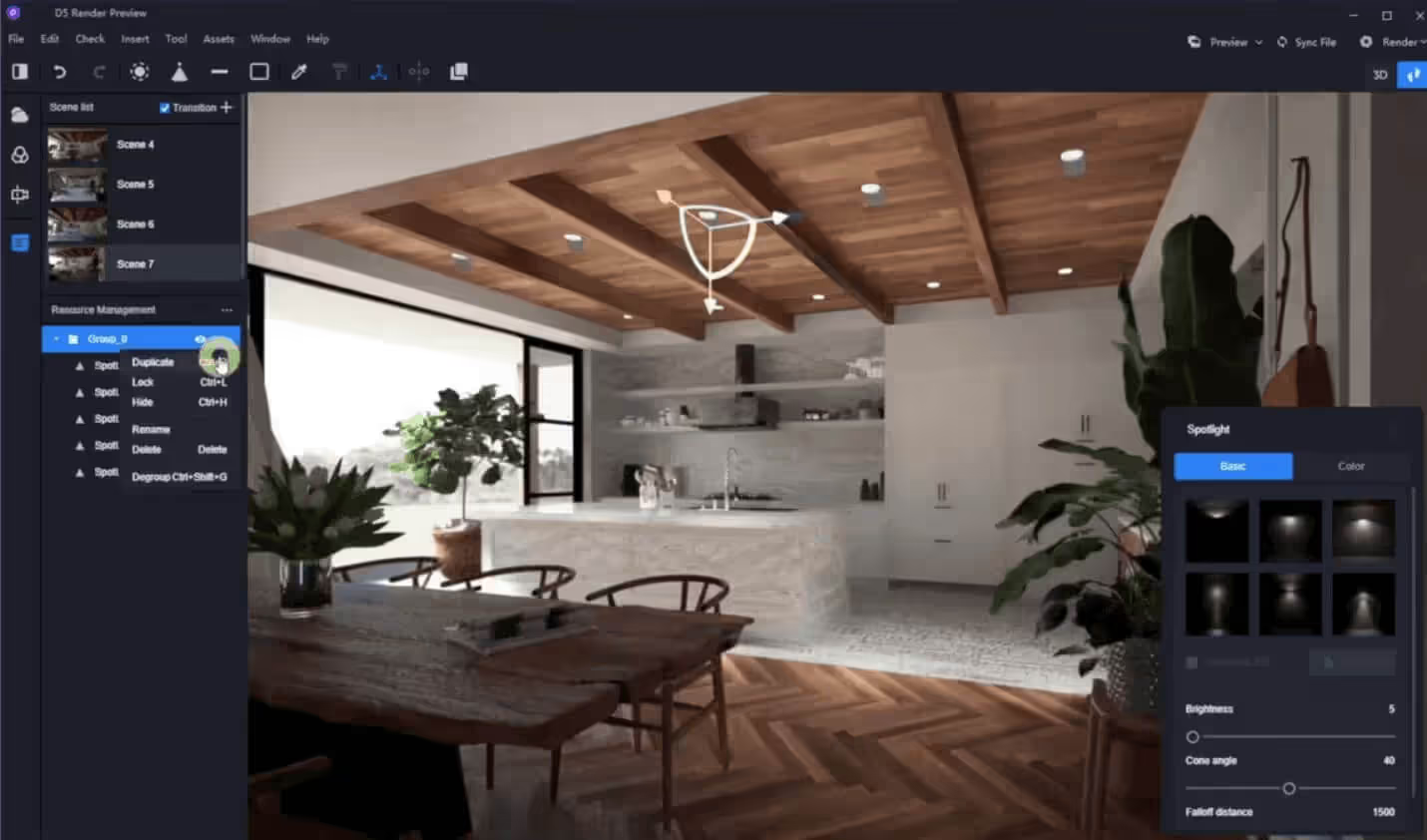
D5 Render has gained serious momentum among architects looking for a real-time visualization tool that rivals pricier options. It uses ray tracing for realistic lighting and reflections, and its AI Atmosphere Match feature lets you replicate the lighting from any reference photo in seconds.
The free Community version is genuinely usable; there are no watermarks or resolution limits, plus it includes over 2,000 assets. Pro bumps the library to 13,000+ items and unlocks commercial use rights. LiveSync plugins keep your model synchronized with SketchUp, Revit, Archicad, Rhino, and 3ds Max in real time.
Pros:
Cons:
Pricing: Community plan is free for non-commercial use. Pro at $360/year ($38/month). Teams from $708/year per seat. More details here.
Best for: Quick design iterations and VR experiences
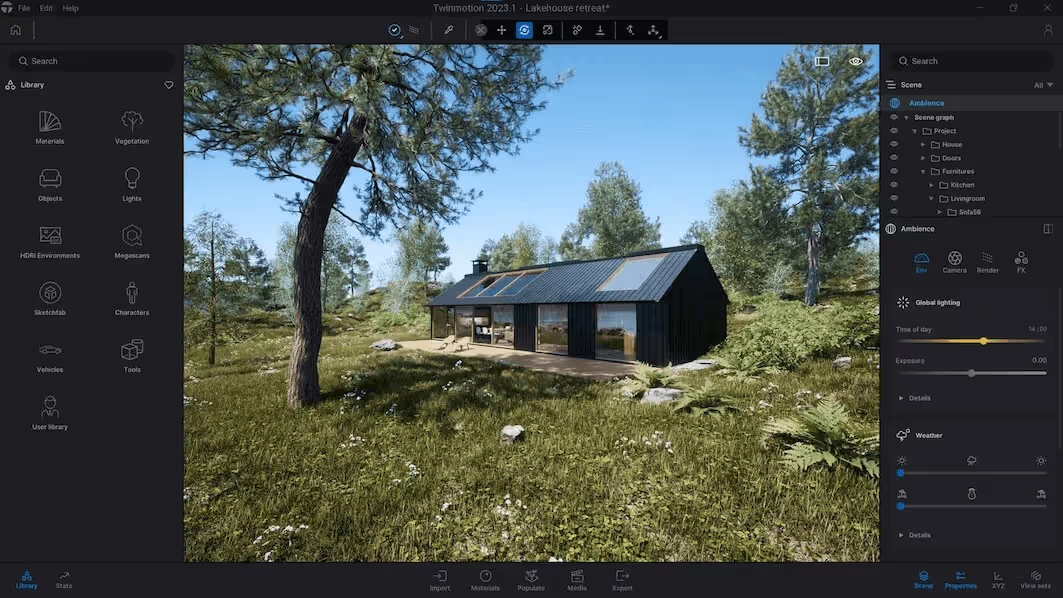
Powered by Unreal Engine, Twinmotion offers an intuitive interface and a surprising level of visual quality for its price point. It's particularly strong in VR, supporting major headsets for 1:1 scale design reviews. The one-click sync with Revit, SketchUp, Archicad, Rhino, and other BIM tools keeps your visualization up to date as your model evolves.
The pricing model is hard to beat. Companies earning under $1 million in annual revenue get the full version for free (not a limited trial, but the complete software). Twinmotion Cloud lets you share interactive presentations via a browser link, so clients don't need any software installed.
Pros:
Cons:
Pricing: Free for companies under $1M revenue. $445/year per seat above that threshold. Unreal Subscription (Twinmotion + Unreal Engine + RealityCapture) at $1,850/year.
Best for: Archviz studios that want easy photorealism
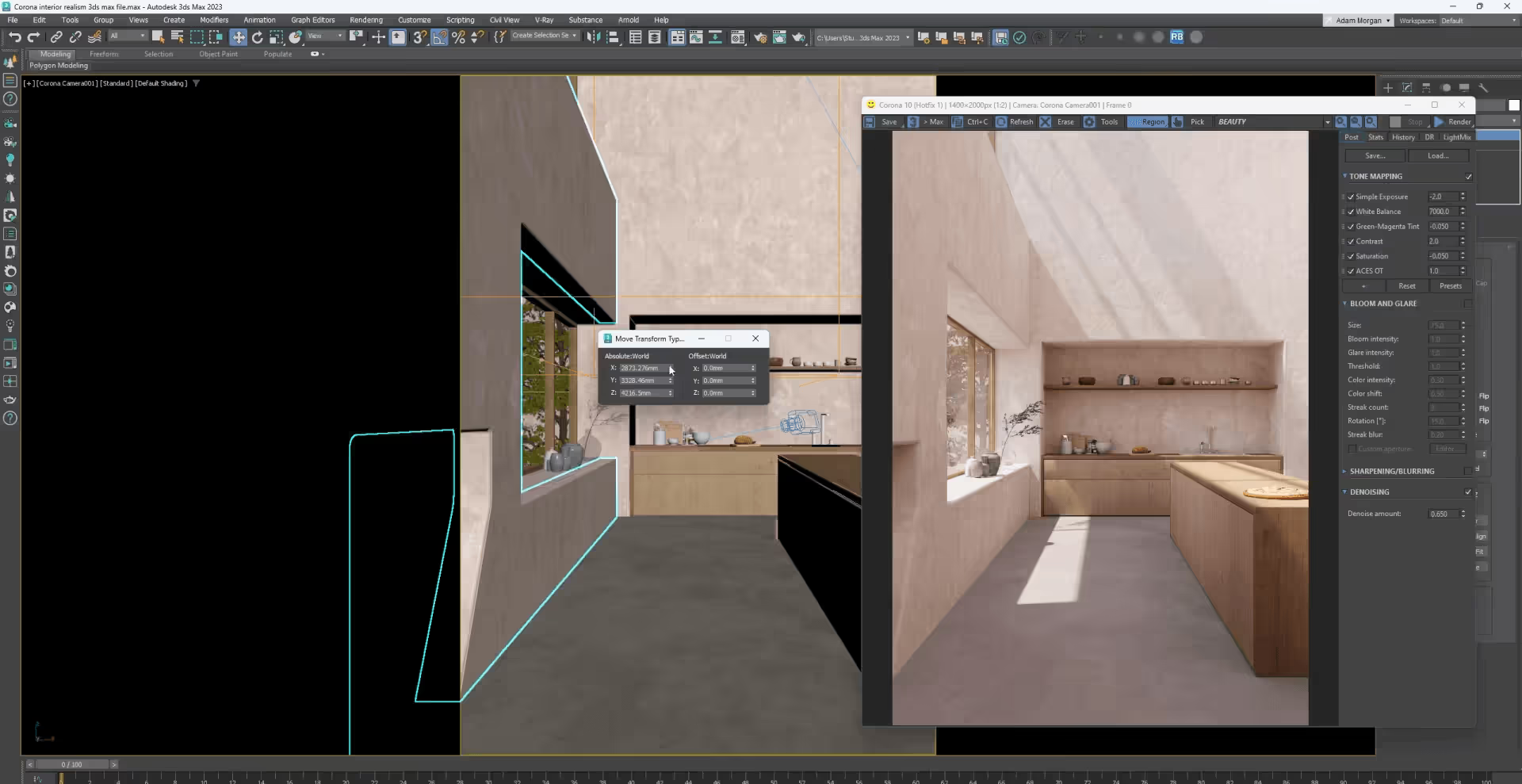
Corona (by Chaos, the same company behind V-Ray) is the CPU-based renderer that archviz specialists love for its simplicity and natural-looking output. While V-Ray gives you maximum control, Corona gets you to photorealistic results with fewer settings to manage. Lighting just works, and materials behave predictably out of the box.
The interactive rendering preview lets you see changes in near real-time while adjusting your scene. Corona also generates panoramic virtual tours with automatic hotspot creation, which is handy for client presentations. It works as a plugin for 3ds Max and Cinema 4D.
Pros:
Cons:
Pricing: From $59/month (Solo). Premium and collection bundles available. 30-day free trial.
Best for: Full-service visualization studios
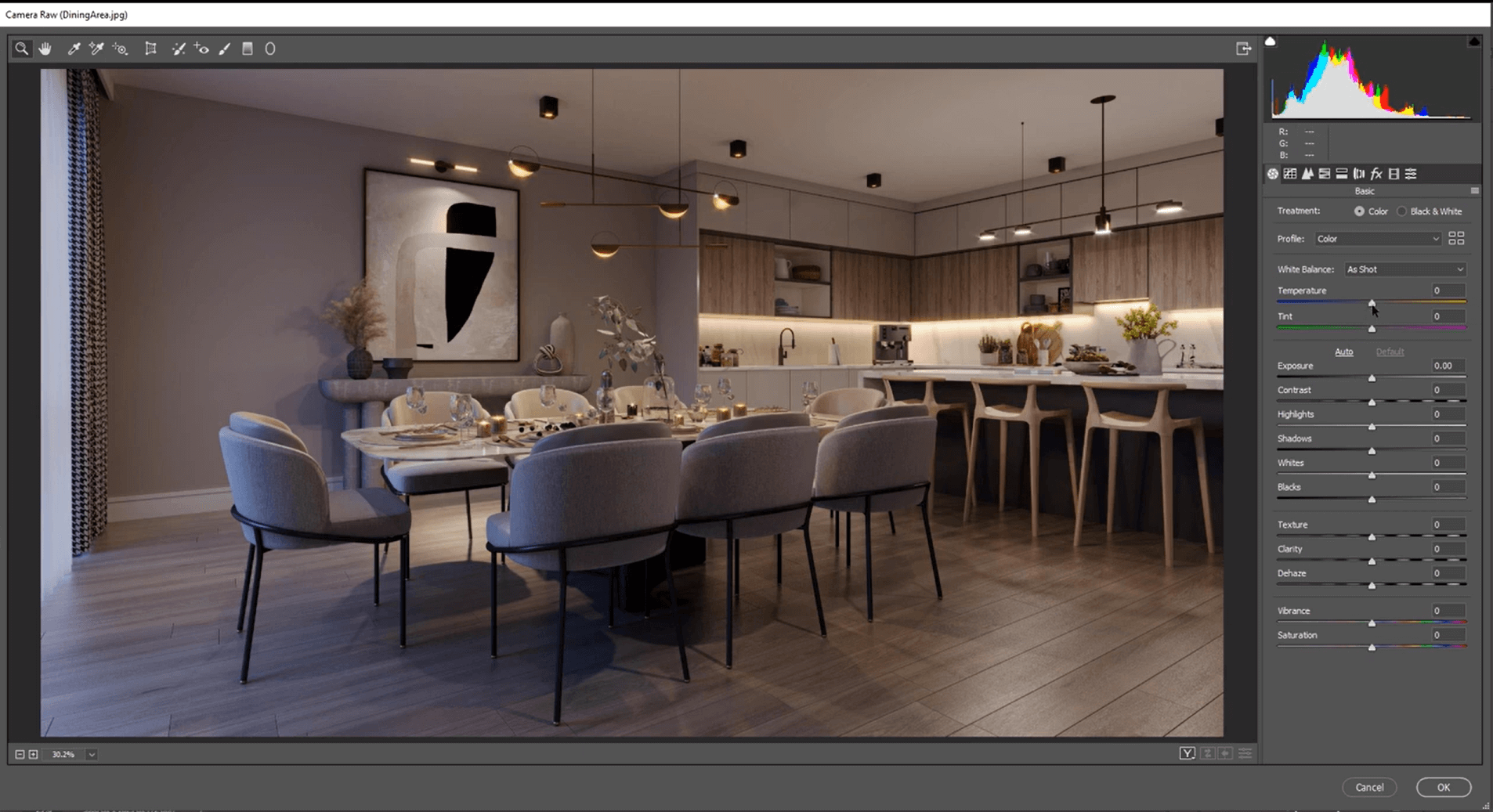
3ds Max is the backbone of many dedicated archviz studios. It's not just architectural visualization software; it's a complete 3D modeling, animation, and rendering platform. When paired with V-Ray or Corona, it produces the highest-quality visuals in the industry.
The software excels when you need complex animations, detailed entourage, or scenes that go beyond standard architectural walkthroughs. Most top-tier visualization competitions are won using 3ds Max workflows. But it's a specialist tool with a steep learning curve that doesn't make sense for firms doing occasional in-house renders. There are plenty of easier 3ds Max alternatives out there.
Pros:
Cons:
Pricing: $2,575/year standalone. Also included in the Autodesk AEC Collection. 30-day free trial.
Best for: Budget-conscious users who want maximum flexibility
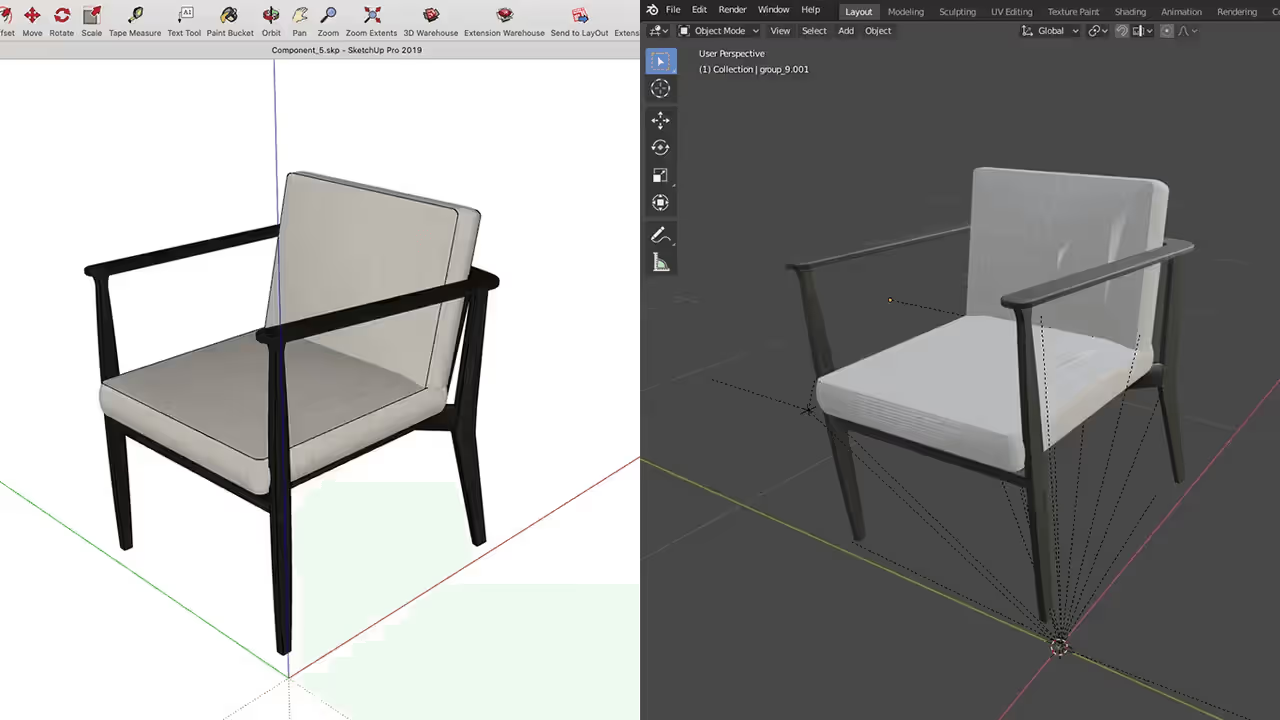
Blender is the free, open-source 3D suite that punches way above its weight. With its built-in Cycles renderer, you can produce photorealistic architectural visualizations that rival paid software. The catch is the learning curve: Blender wasn't designed specifically for architects, so its interface and workflow are less intuitive than those of purpose-built architectural 3D visualization programs.
That said, the community is massive and the resources are endless. Blender's Geometry Nodes system opens up parametric design possibilities, and regular updates keep it competitive with commercial tools. For firms that can invest the time upfront, it's genuinely capable.
Pros:
Cons:
Pricing: Free.
Best for: Product visualization and material studies
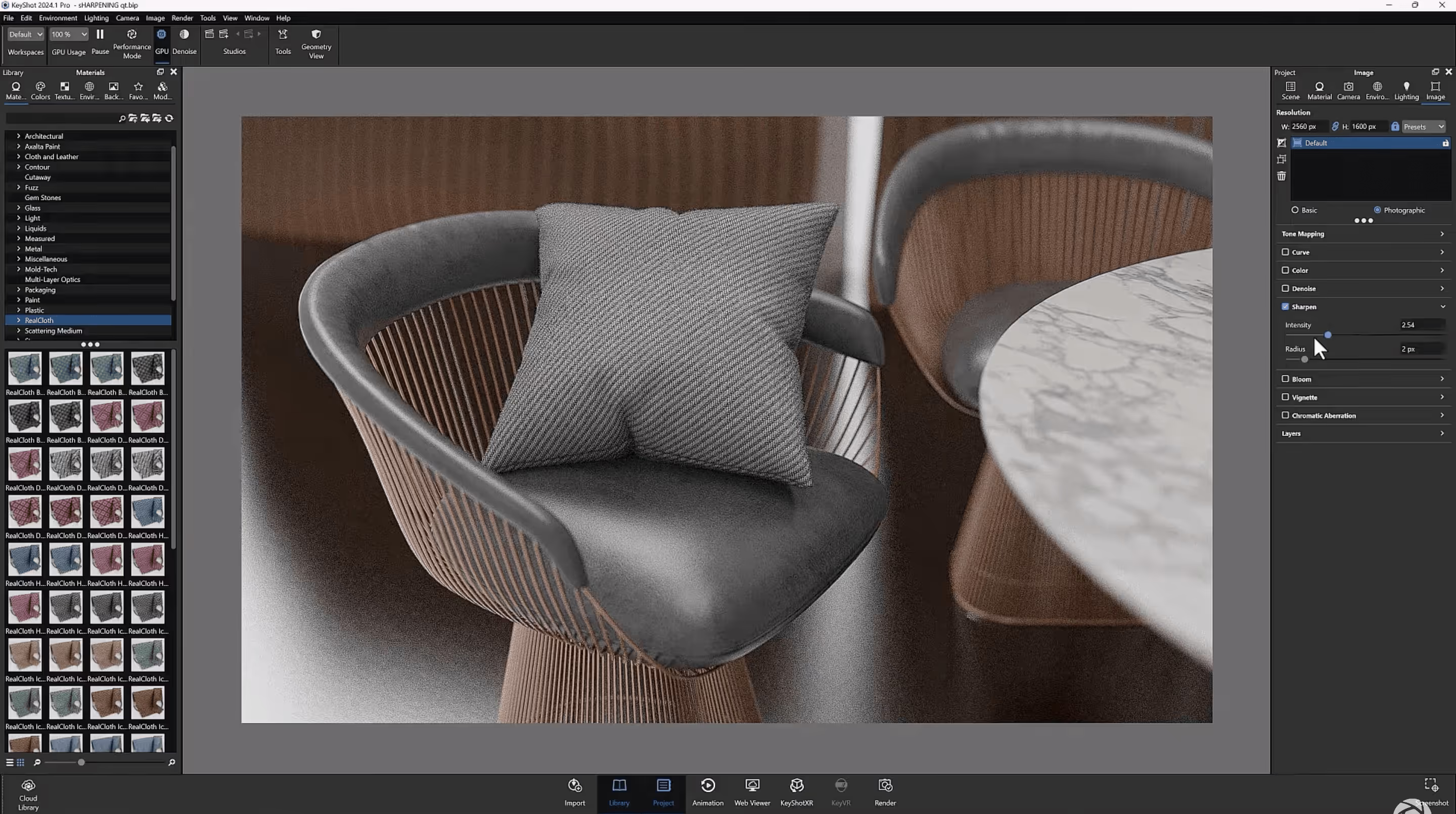
KeyShot stands out among the best architectural visualization software for its material accuracy and drag-and-drop simplicity. While it's primarily known for product rendering and industrial design, architecture firms use it for furniture renders, material studies, and close-up detail shots where surface quality matters most.
The cloud library includes thousands of scientifically accurate materials (including Pantone and RAL color libraries), and the real-time rendering preview lets you fine-tune your scene as you work. GPU rendering on Windows delivers clean 2K stills in a couple of minutes.
Pros:
Cons:
Pricing: $1,188/year. 14-day free trial available.
The best architectural visualization software depends on your firm's priorities. Here's a quick decision guide:
For daily client presentations with minimal effort: MyArchitectAI gives you photorealistic results in seconds without any visualization skills or hardware investment.
For maximum photorealism in hero shots: V-Ray or Corona paired with 3ds Max remains the gold standard for competition-level imagery.
For real-time design feedback: Enscape offers the tightest BIM integration. D5 Render and Twinmotion are strong alternatives, especially if budget is a factor.
For animations and exterior scenes: Lumion's asset library and animation tools are hard to beat for landscape-heavy projects.
For teams on a tight budget: Twinmotion (free for firms under $1M revenue), D5 Render Community, or Blender all deliver capable results at zero cost.
MyArchitectAI has essentially zero learning curve since the AI handles all lighting and materials for you. Among traditional renderers, Enscape and Twinmotion are the easiest to pick up, with most users becoming productive within a day.
It depends on the tool. Cloud-based options like MyArchitectAI run in your browser and don't require any specific hardware. Real-time renderers like Enscape, D5 Render, and Lumion need a dedicated GPU (NVIDIA RTX series recommended). Offline renderers such as V-Ray and Corona are CPU- or GPU-intensive and benefit from high-end workstations.
Check our article on the best GPUs for rendering for some recommendations.
Some tools support Mac natively: MyArchitectAI (browser-based), Twinmotion, Enscape, Corona, and Blender. Others like Lumion and D5 Render are Windows-only. Check Mac-compatibility before committing to a subscription.

