
Enscape and V-Ray are often compared as direct competitors, but they serve very different purposes in the design industry. This distinction became even clearer when Enscape merged with Chaos, the company behind V-Ray. According to Chaos Group CEO Christian Lang, the merger was about leveraging both teams' technologies to "provide better solutions for visualizing ideas and designs."
V-Ray, first released in 1997, has long been considered an industry standard for high-end rendering. While Enscape, introduced in 2015, entered the market much later with a focus on real-time visualization and speed.
Now operating under the same Chaos umbrella, they remain separate tools built for different workflows.
Enscape is designed for speed and accessibility. Architectural firms use it for live client walkthroughs, quick design iterations, and early-stage concepts. Its tight integration with BIM and CAD software means changes happen instantly.
V-Ray is the go-to for highly detailed, photorealistic final renders, marketing images, and high-end presentations, but that level of flexibility and realism comes with a steeper learning curve and requires a solid understanding of the rendering process.
So which one better fits your workflow?
Below, we compare them across ease of use, render quality, performance, pricing, learning curve, and ideal use cases. We'll also introduce MyArchitectAI, a lightweight AI-powered alternative for firms that prefer a truly one-click rendering experience.
Winner: Enscape
When comparing V-Ray and Enscape, ease of use is one of the biggest differences, where both sit at opposite ends of the spectrum, with very different barriers to entry.
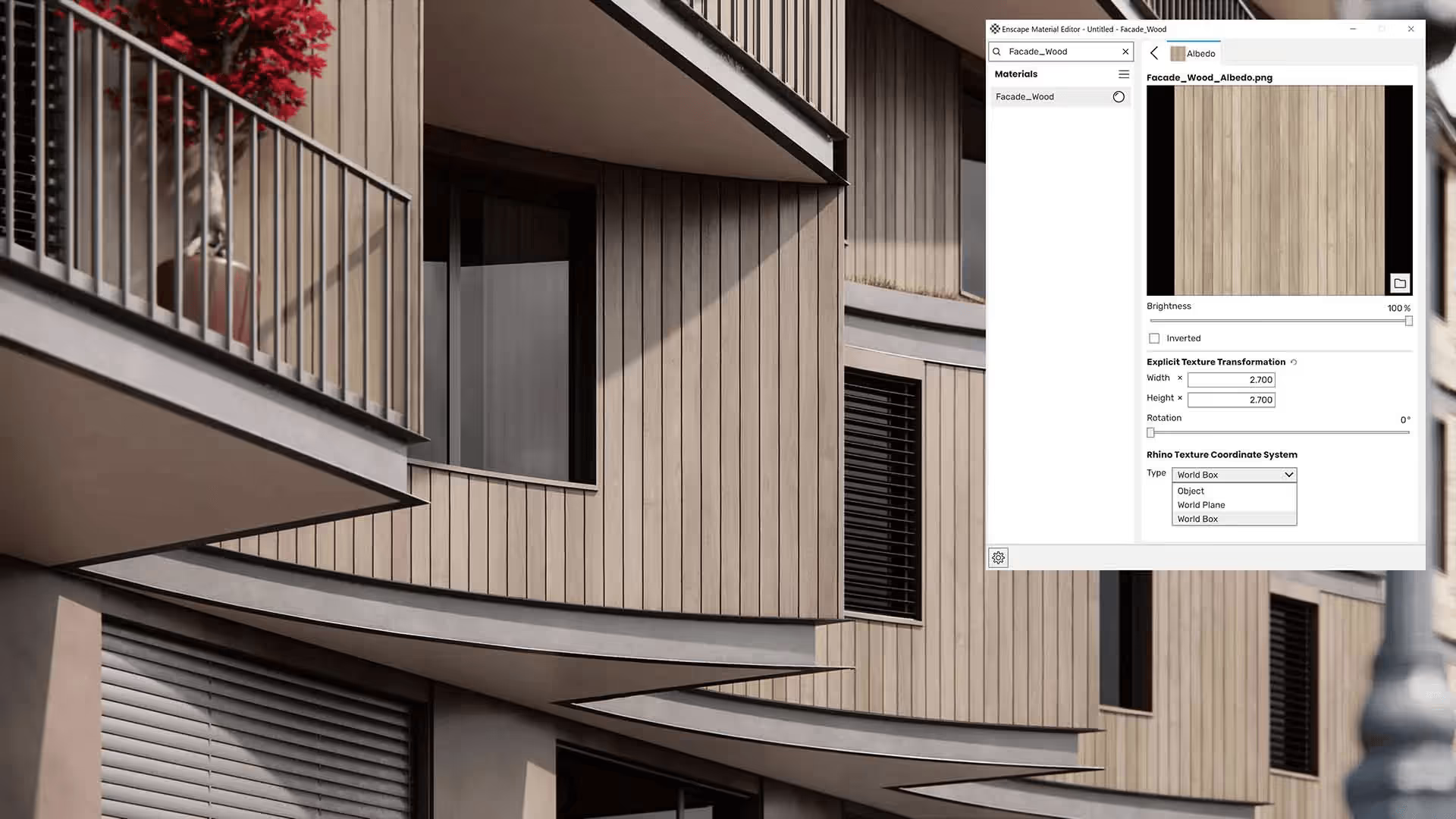
Enscape is one of the easiest rendering engines out there with a very user-friendly interface. Most users can become comfortable with its core features within a few hours using basic tutorials, without needing deep technical knowledge of rendering.
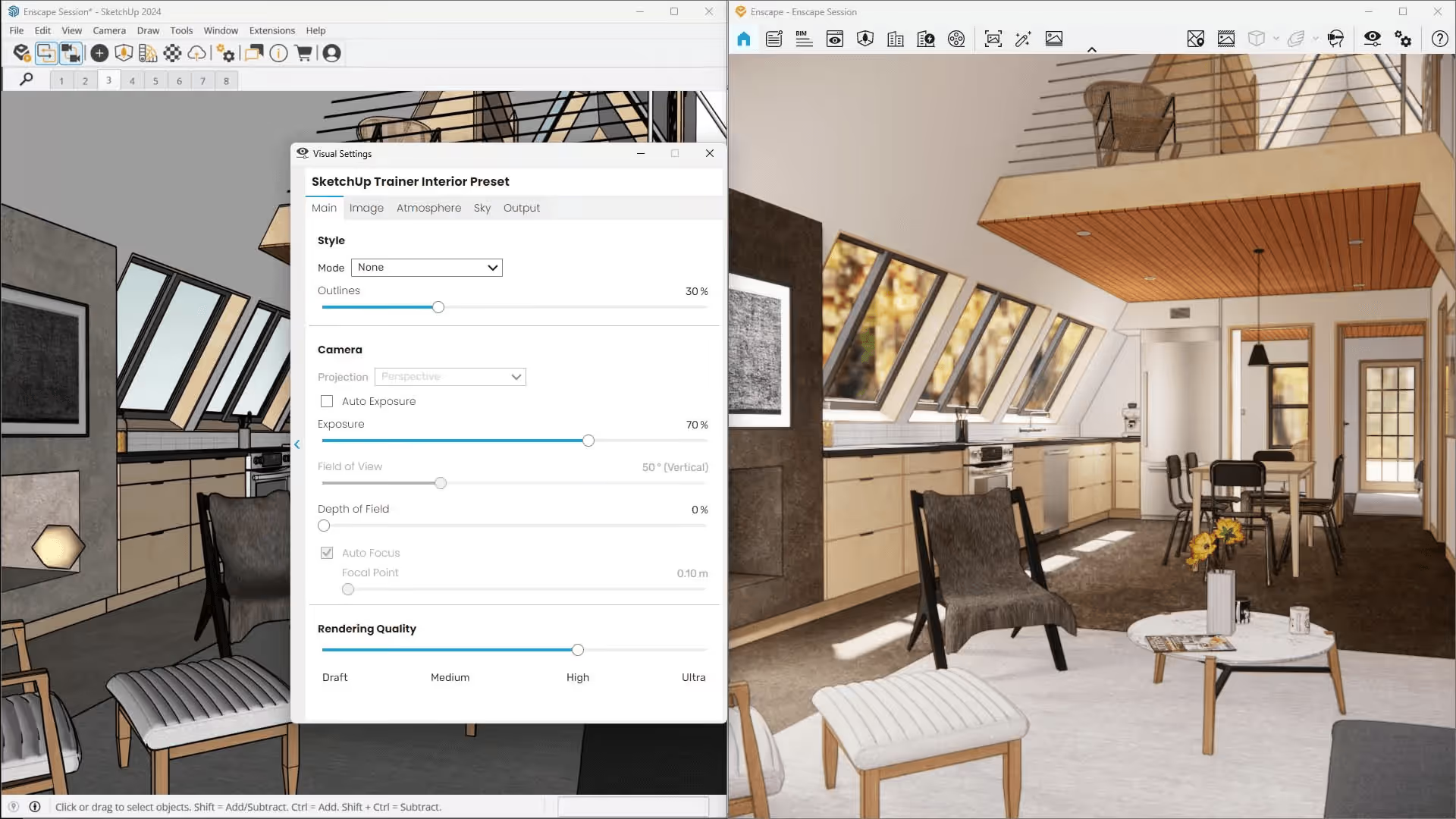
Upon installation, Enscape appears as a toolbar inside the host design software. Launching a live rendering requires only a single click, and any changes made in the modeling environment are reflected instantly in the Enscape window. This real-time feedback loop makes it easy to experiment, iterate, and present ideas without interrupting the design process.
V-Ray, by comparison, is known for its steeper learning curve. While this reputation is well earned, it is also worth noting that V-Ray’s interface has improved significantly over the years. Getting started is no longer difficult, and users can produce acceptable results early on, especially when relying on default settings.
Ricardo Eloy, an architect and the host of V-Ray Master Talk, explains this perfectly in one of his Chaos blog posts. He said:
“Let’s assume you have never used V-Ray before. How do you start? Honestly, you can just hit “render”. V-Ray’s default settings are the result of careful development and user feedback. That means you can basically not worry about any settings and still render a great-looking image very fast.”
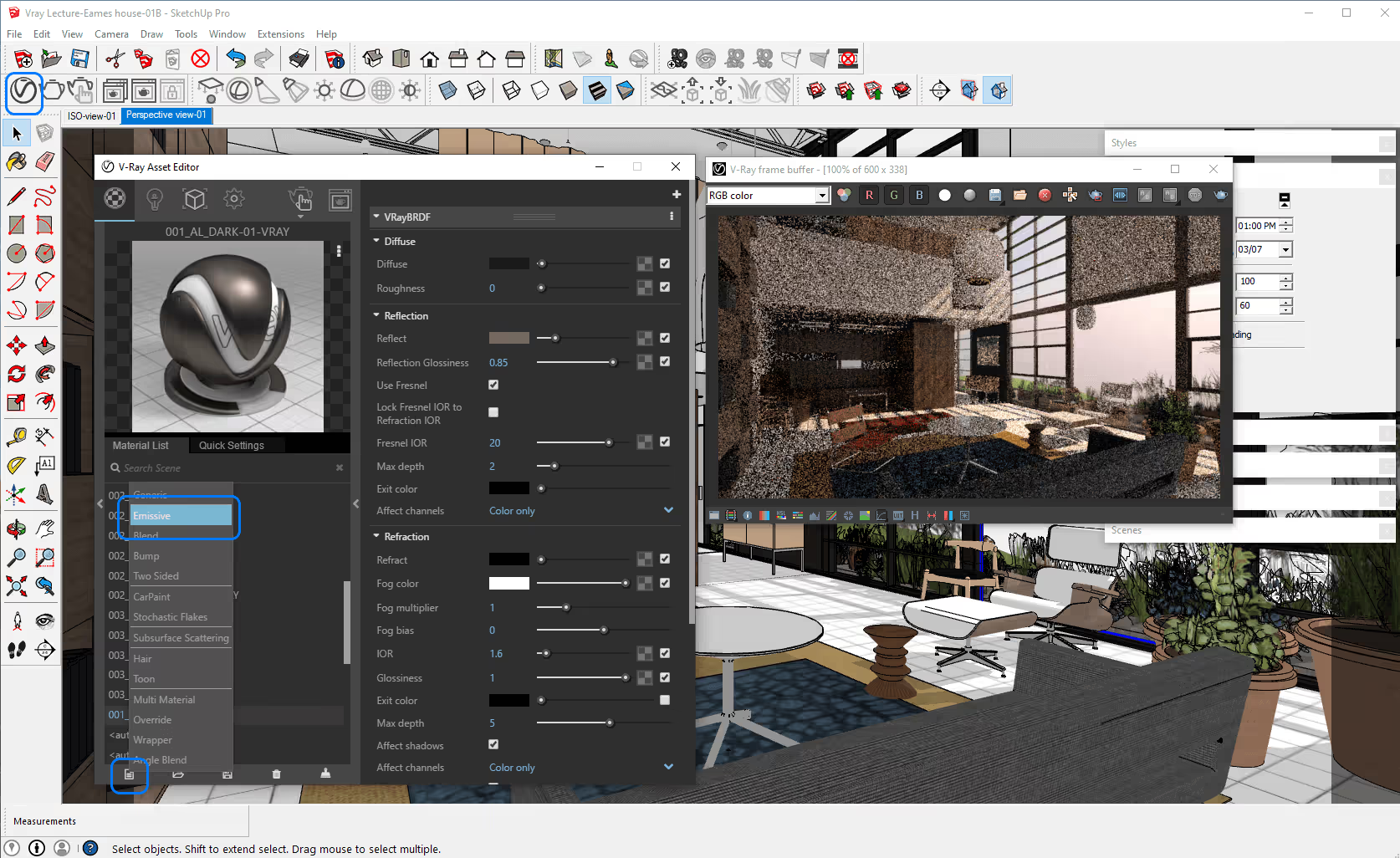
However, while it is true that V-Ray’s default settings make V-Ray rendering easier and approachable for beginners, the difference becomes clear when comparing out-of-the-box results.
With minimal to no setup, Enscape tends to produce cleaner, more consistent visuals immediately. V-Ray can achieve higher-quality results overall, but reaching that level usually requires manual adjustment of its many settings. Without that extra tuning, its default output is generally less forgiving than Enscape’s.
To master V-Ray, there are plenty of comprehensive courses available online, so you won't be left on your own.
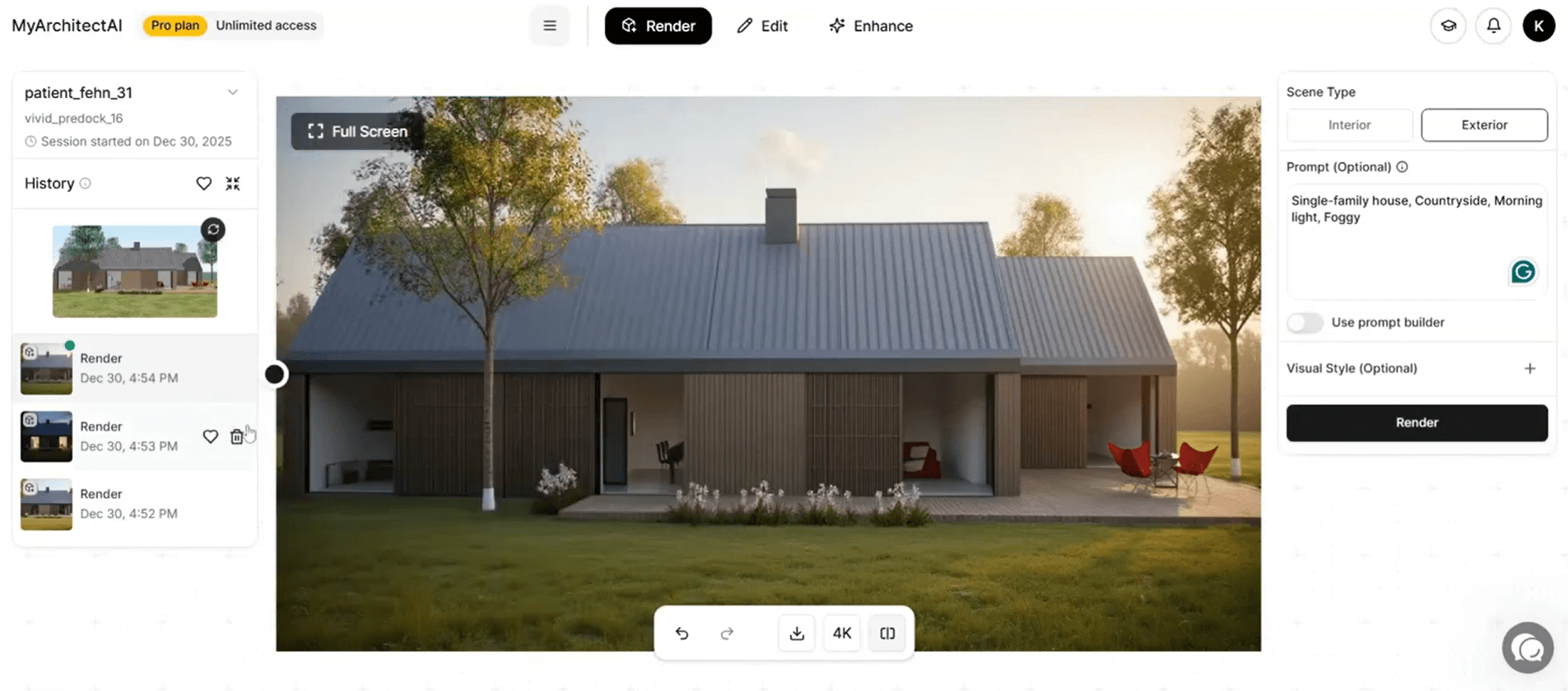
If you can't afford to waste time on learning new software, MyArchitectAI might be a better fit. All the manual setup needed in V-Ray and Enscape is handled by AI, so all you have to do is upload your scene and click 'render'.
Winner: Enscape
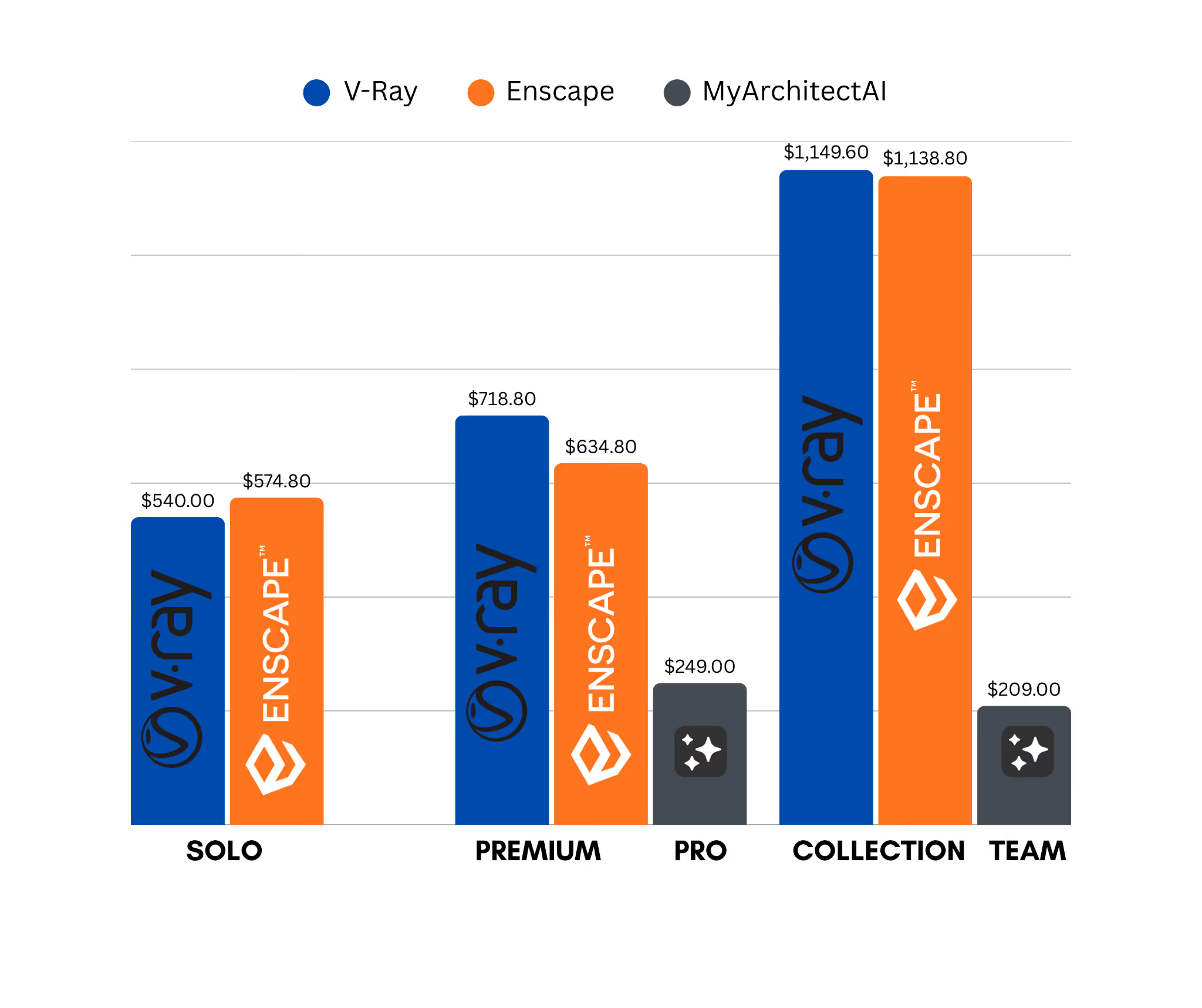
In the V-Ray vs Enscape pricing comparison, the difference is relatively small, but if every dollar counts, Enscape comes out ahead.
Enscape offers a more affordable entry point with its Solo monthly plan, while V-Ray’s Solo annual plan is about $30 cheaper overall. This makes V-Ray slightly more cost-effective if you’re committing to a yearly subscription at the Solo level.
Now, when it comes to Premium features, Enscape has a clear advantage. Its annual Premium plan is $84 cheaper than V-Ray’s equivalent plan.
But, here’s the kicker. Enscape does not offer a monthly option for its Premium plan, while V-Ray does. For users or firms that prefer monthly payments over a larger annual commitment, V-Ray’s Premium plan may be the more economical and flexible choice.
For teams, the ArchDesign/ArchViz Collection for both Enscape and V-Ray is only available as an annual subscription. In this case, Enscape is slightly cheaper, with a price difference of $10.80.
Here's an overview of V-Ray and Enscape pricing plans:
For a detailed pricing breakdown check our full guides:
If budget is a major concern, MyArchitectAI is also worth considering. Its pricing is substantially lower at $249 per year per seat, with an even cheaper entry point for solo users at $29 per month.
Winner: Enscape
Enscape is extremely fast if you’re comparing it directly with V-Ray. A render that takes an hour in V-Ray will most likely take a minute in Enscape. However, the speed comes with some trade-offs, especially in lighting and shadows.
Enscape takes shortcuts to cut rendering times, often producing lighting and shadow effects that are visually appealing but aren’t realistically accurate. Still, the quality is more than enough for client walkthroughs, quick design iterations, and early-stage concepts.
To increase or decrease realism, you can adjust Rendering Quality. You can choose between Draft, Medium, High, and Ultra. Draft gives you the fastest results. Ultra creates more realistic lighting with more light bounces.
V-Ray generally takes longer to render because it prioritizes physically accurate light and reflection calculations. It simulates how light realistically bounces, reflects, and diffuses throughout a scene. This approach produces more realistic results, but it also increases render times, especially in complex scenes.
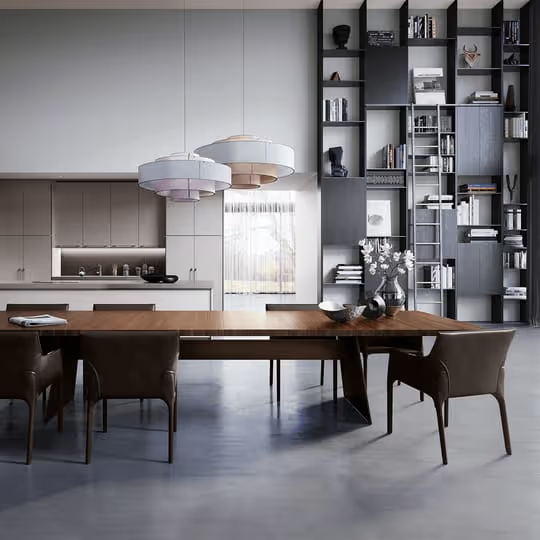
Image quality and render time are closely correlated factors in rendering. Higher image quality generally requires longer render times, while faster render times usually come at the cost of lower visual quality.
If you’re using V-Ray and want faster results without sacrificing visual quality, a practical approach is to render at lower settings and enhance the image in post-processing. ArenI-powered enhancers like MyArchitectAI can help upscale and refine renders, improving overall image quality without long render times.
Winner: V-Ray
In terms of realism, V-Ray vs Enscape is less a competition and more a question of priorities.
Pick V-Ray if you’re after top-notch photorealism, and Enscape if you’re after speed.
V-Ray has all the tools needed to achieve true photorealism. There is practically no ceiling to how realistic V-Ray renders can get. The final result depends on your hardware, render settings, the level of detail in your model, and how much time you are willing to spend processing an ultra-realistic image.
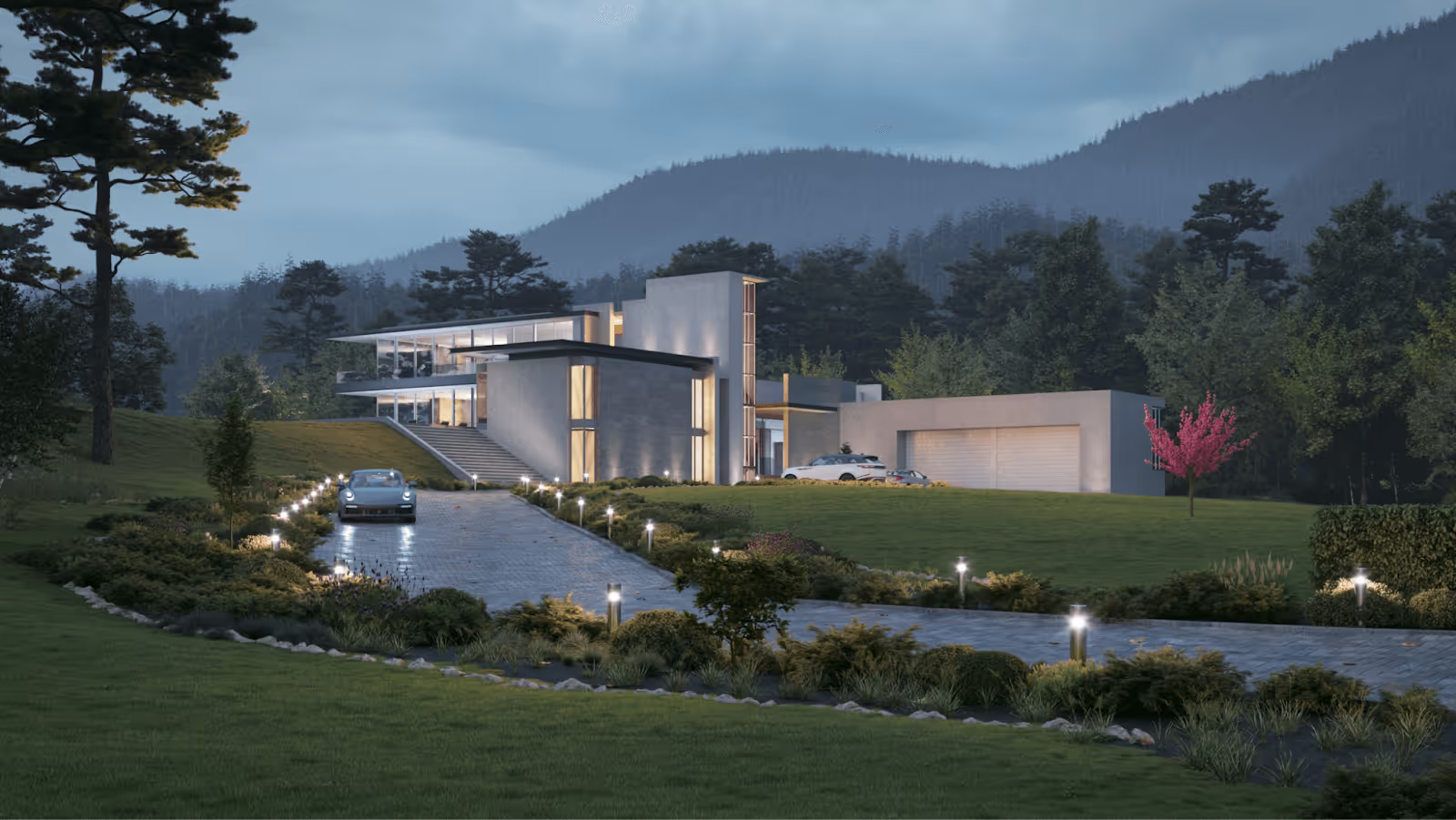
Enscape, on the other hand, does have a noticeable ceiling when it comes to photorealism. While it can produce realistic-looking renders, it does not reach the same level of detail and accuracy as V-Ray. Enscape’s speed comes from making compromises in realism, which means reflections, indirect lighting, shadows, and other fine details are not as refined as what V-Ray can achieve.
To learn more about getting the most out of Enscape, check our guide on the best settings for realistic renders.
That said, there’s really no need to choose between the two. Both tools can be used together to your advantage.
Enscape works well for real-time rendering, interactivity, and ease of use, making it ideal for quickly preparing scenes and iterating on design options during the early stages of a project. Once the scene is finalized, it can then be rendered in V-Ray to achieve the highest level of photorealism and visual fidelity.
.avif)
Winner: V-Ray
Since both V-Ray and Enscape are now under the Chaos umbrella, they both use the Chaos Cosmos ecosystem. However, they don’t offer the same asset scope or access.
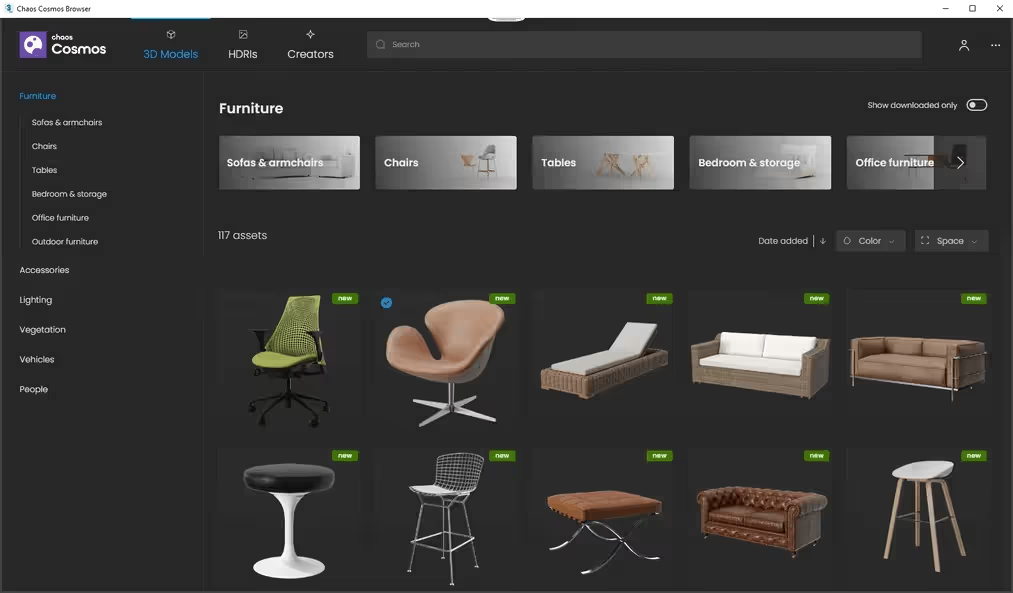
V-Ray does not include a traditional built-in asset library, but it provides access to 13,000+ high-quality, render-ready assets through Chaos Cosmos.
Enscape’s built-in Asset Library, by comparison, includes just over 3,000 assets. For users on Enscape 4.11, the original library has been replaced by Chaos Cosmos, which currently offers more than 2,000 assets.
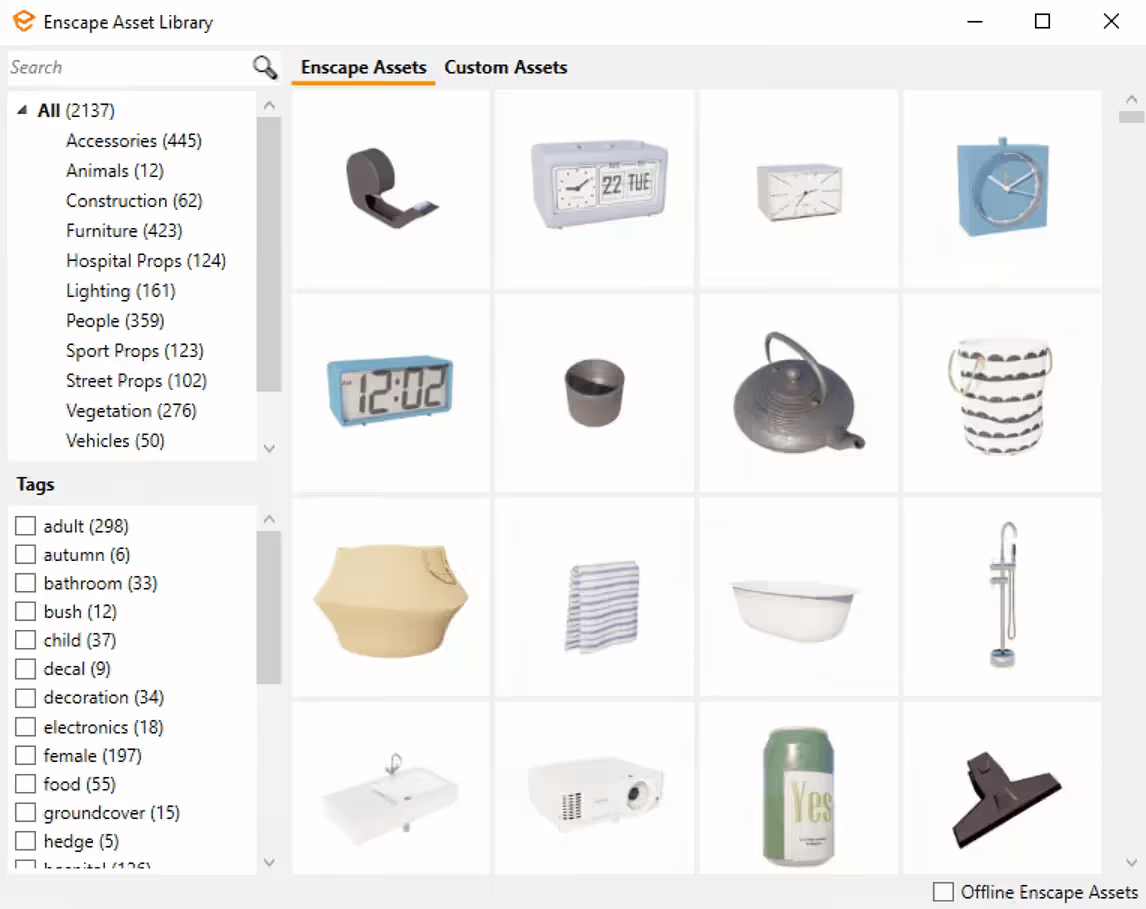
This gap in asset count is not a major limitation for Enscape users. Since version 2.9, Enscape has supported a Custom Asset Library, allowing users to import their own 3D models and reduce reliance on built-in assets.
If the asset library is crucial to your projects, you might want to consider Lumion, which library is often praised as the best in the industry. Read how Lumion compares with Enscape, and V-Ray.
Winner: V-Ray
We place V-Ray as the winner in this section because it offers significantly greater precision in material customization, backed by a physically accurate material creation system. While both tools provide core controls for materials, V-Ray takes each setting much deeper.
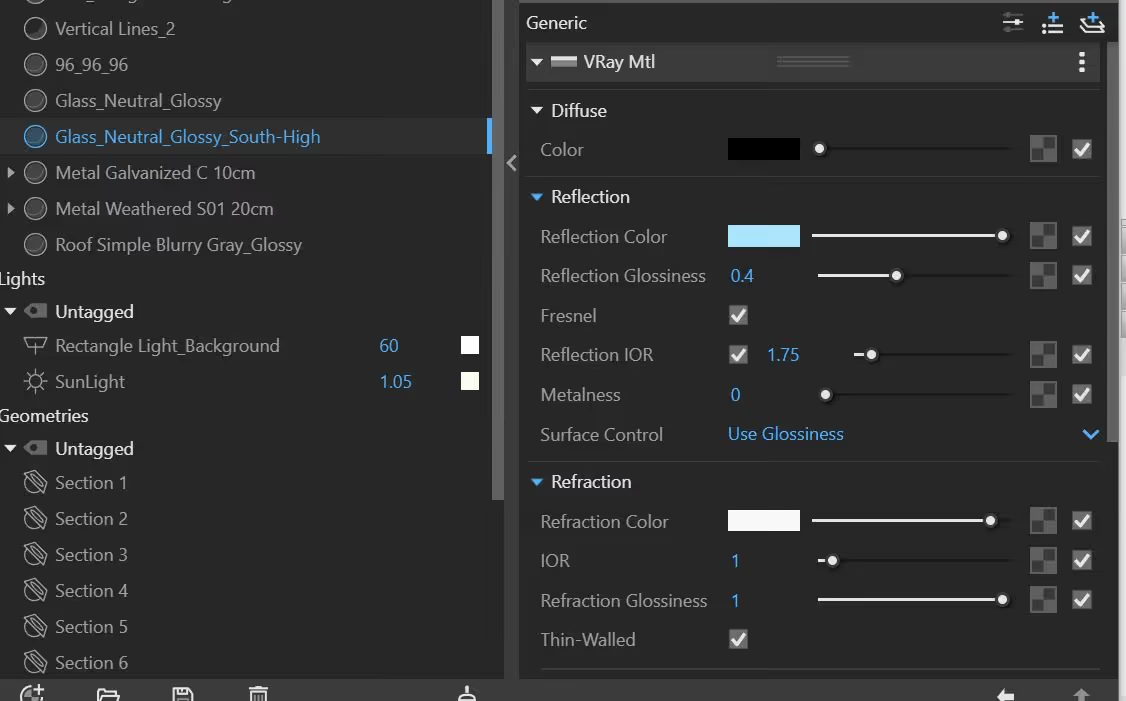
For example, both platforms support reflections, but V-Ray gives detailed control through Fresnel reflections, Fresnel IOR, glossiness, metalness, reflection depth, and more, allowing precise adjustment of how materials respond to light and viewing angles.
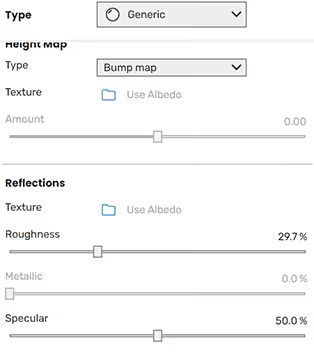
Enscape uses easy-to-use sliders to give users quick, intuitive control over reflections, making it easier to achieve good-looking results without complicated settings. This gives less control, but faster results.
The same depth applies to displacement. V-Ray includes advanced options such as mode, amount, shift, resolution, edge length, and view-dependent settings, which are not available on Enscape.
In short, Enscape emphasizes speed and ease of use, making it ideal for quick workflows, while V-Ray provides deeper material customization for achieving maximum realism.
Winner: V-Ray
Both V-Ray and Enscape offer extensive environmental controls, but V-Ray stands out for its more advanced, physics-based customization. It allows users to fine-tune how the environment influences lighting, reflections, fog, and atmospheric effects, giving greater precision and control over the final result.
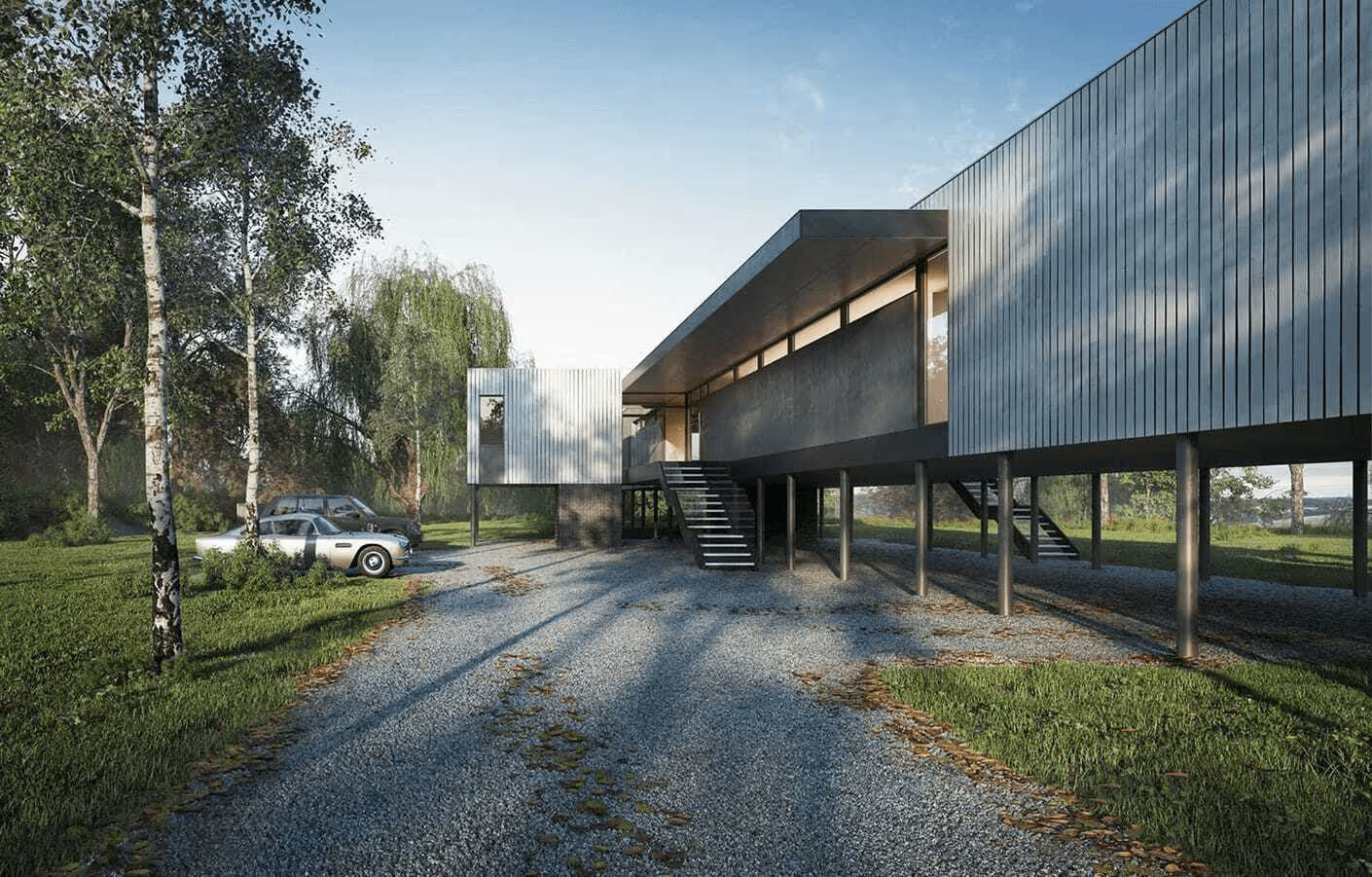
Enscape’s environmental controls excel in speed and simplicity. It provides easy-to-use sliders for time of day, sun position, sky, clouds, and weather, making it quick to create visually appealing scenes without diving into complex settings. However, this simplicity also means fewer advanced options and less room for detailed fine-tuning compared to V-Ray.
Winner: V-Ray
Lighting is one of the most important factors in creating a realistic render. Even with a highly detailed model, poor lighting can make a scene feel flat, artificial, and unconvincing.
Both Enscape and V-Ray are capable of producing realistic results when lighting is set up correctly. However, V-Ray takes the lead in this aspect.
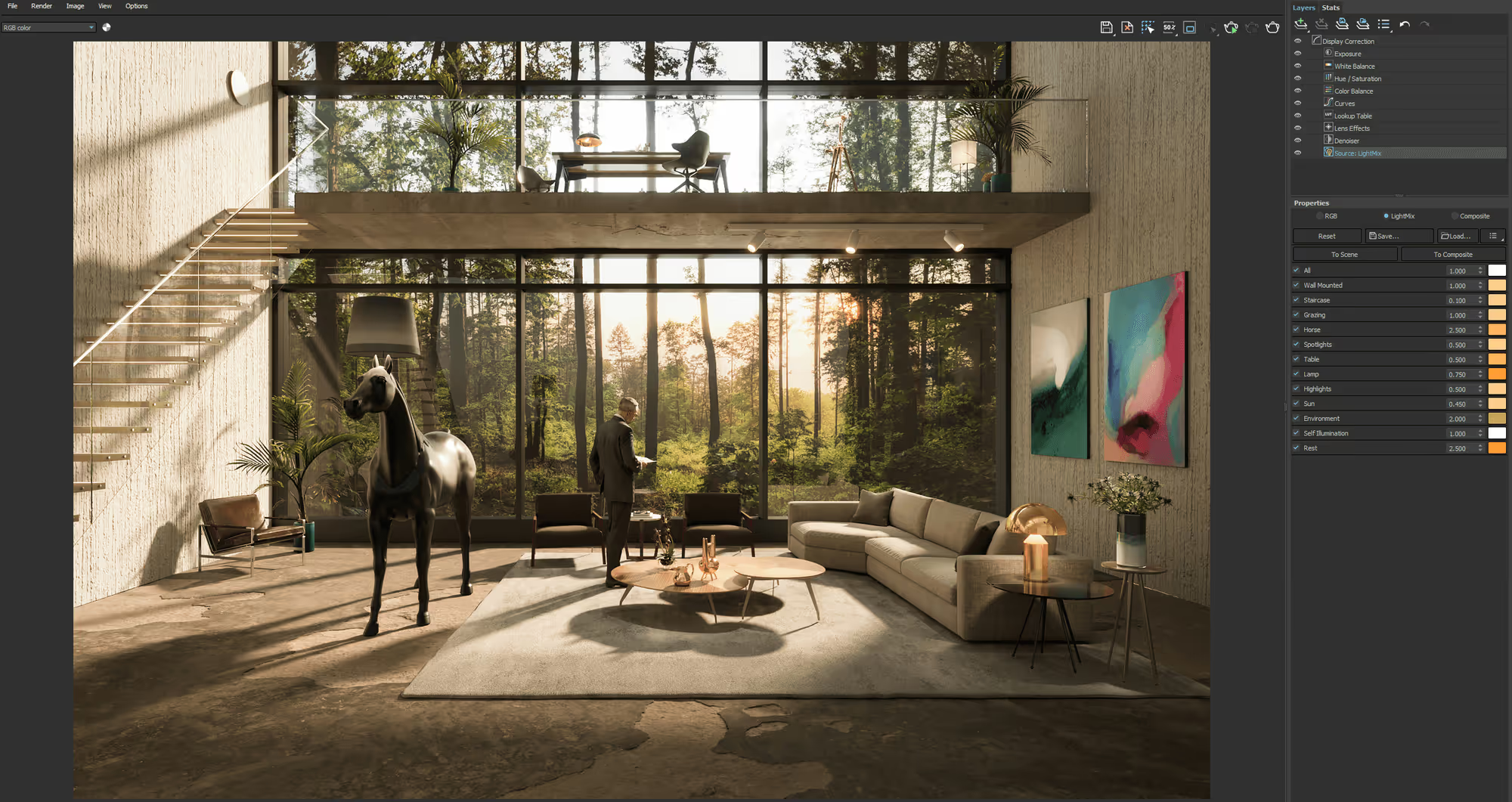
V-Ray offers more accurate and detailed control over lighting by prioritizing physical accuracy. It allows users to define lights using real-world values such as watts, lumens, and color temperature (Kelvin), making it easier to replicate real lighting conditions and achieve consistent, predictable results.
When combined with V-Ray’s advanced global illumination and light sampling systems, this level of control produces more natural light distribution, softer shadows, and a higher degree of realism—particularly in interior and architectural scenes.
Enscape, by contrast, focuses on simplicity and ease of use. While it also relies on physically based lighting under the hood, it reduces the number of technical settings and complex parameters. Lights are quicker to place and easier to adjust using simplified controls, which makes Enscape well-suited for fast workflows, but with less fine-grained control compared to V-Ray.
Winner: Enscape
Chaos has been steadily investing in AI-driven tools to speed up visualization workflows and reduce manual setup across its rendering ecosystem. These tools are designed to help users generate materials faster, enhance image quality, explore design ideas, and even automate documentation with less technical overhead.
Both V-Ray and Enscape give you access to:
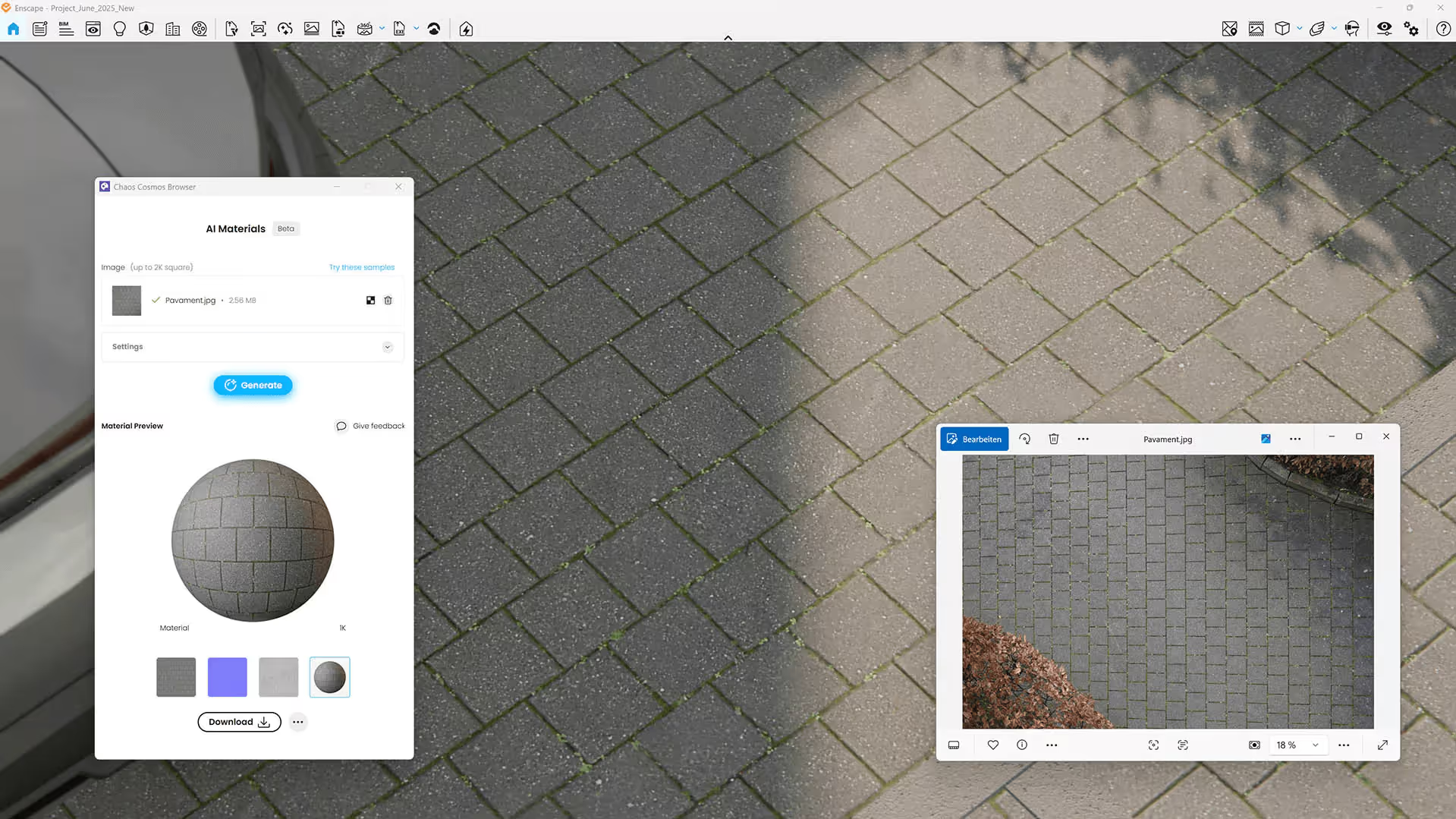
Now, here is how Enscape stands out in this area.
While Enscape is already optimized to be fast and easy-to-use, Chaos developers still decided that’s not enough and acquired Veras. It’s now a built-in tool for Enscape Premium and ArchViz Collection users.
Veras is an AI-powered visualization tool that turns your existing Enscape 3D models into stylized concepts, which is a great way to explore different design ideas in an instant. Veras features pre-designed presets, geometry override slider, render selection, and render same seed, among other functionalities.
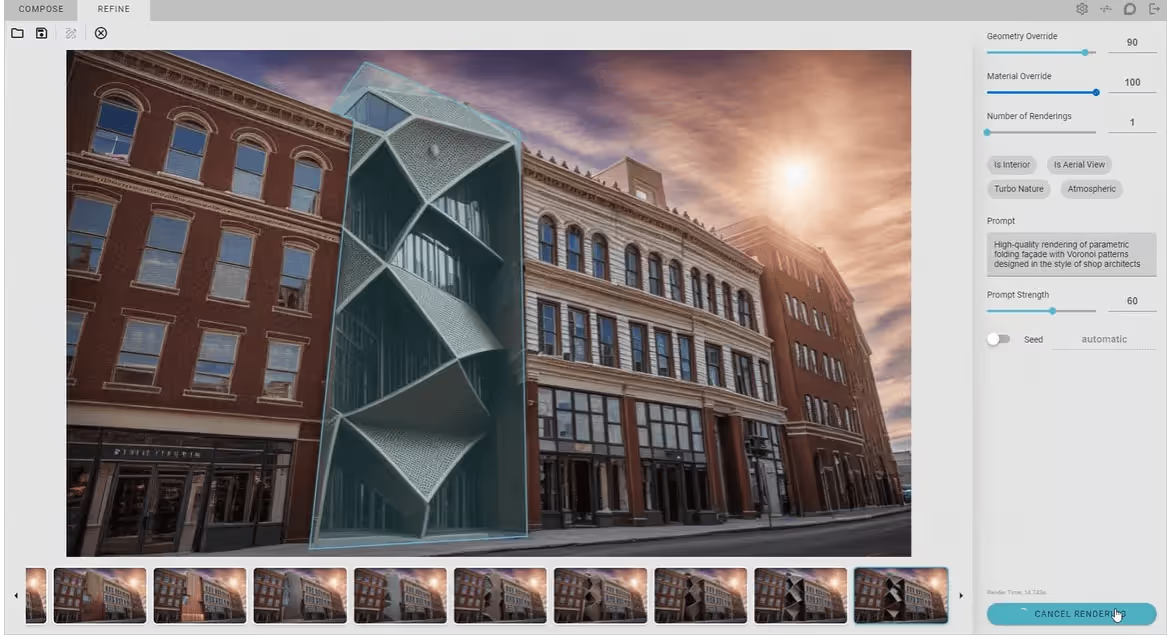
For an additional $178 over the Solo plan (by upgrading to Enscape Premium), you can gain access to Veras as a built-in tool, which is a lot cheaper compared to the $348 annual cost of the standalone Veras subscription.
Notably, Veras is not included with any V-Ray subscription, which gives Enscape a clear advantage.
For V-Ray users who want AI-powered image enhancement or concept exploration without the higher cost, third-party tools like MyArchitectAI can serve as a more affordable alternative. The only downside is that they're not directly integrated with Enscape ort V-Ray.
Winner: Enscape
Effective client presentations require speed, clarity, and interactivity, all of which Enscape handles exceptionally well. Its real-time rendering allows designers to explain ideas, make live adjustments, and explore spaces interactively during presentations.
Enscape’s standalone executable function also makes it a superior presentation tool.
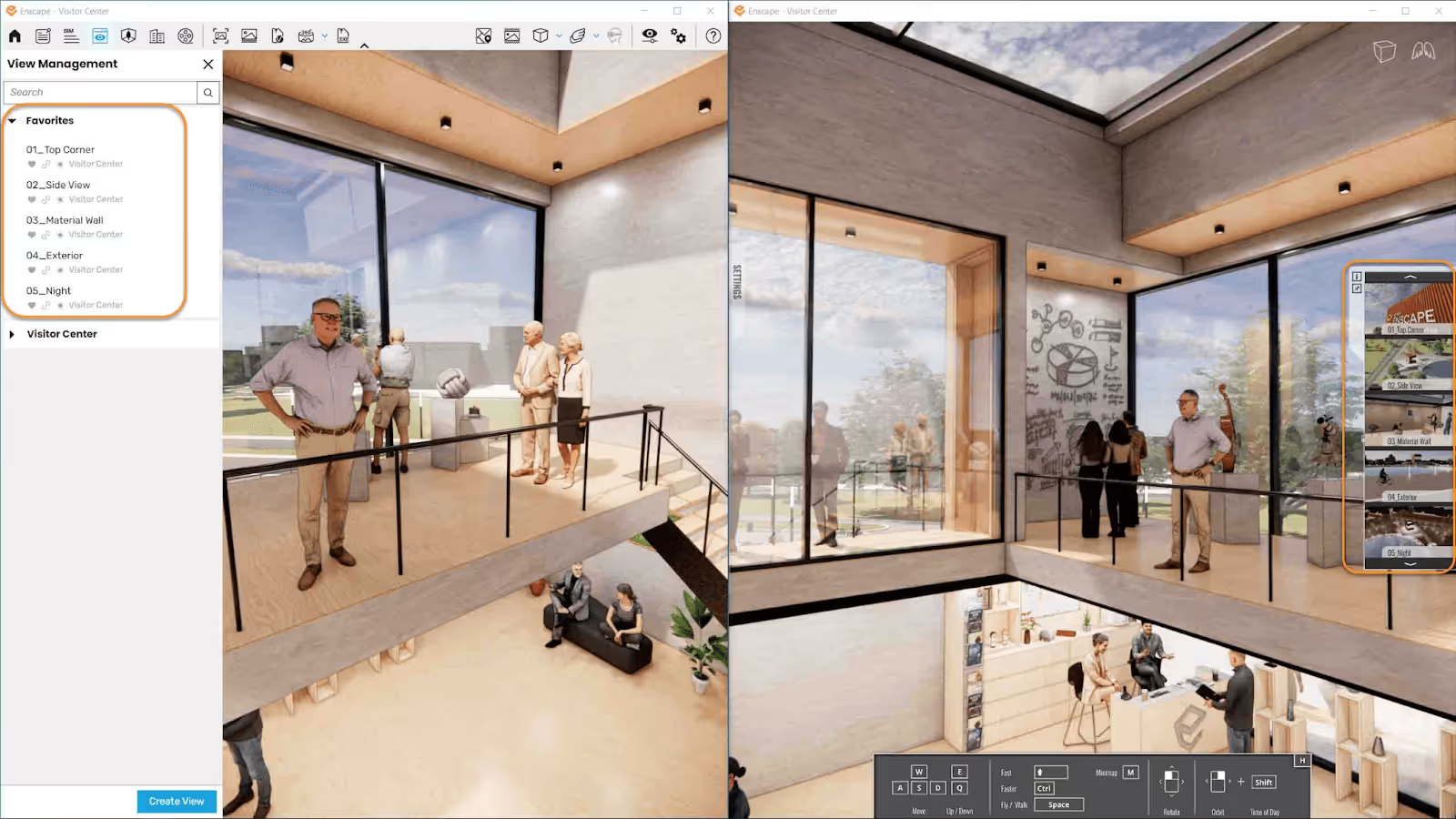
This feature allows an Enscape scene to be packaged into an .EXE file that runs independently, without requiring the design software or Enscape to be installed. These files can be shared directly with clients, who can open and explore the project on their own devices even without the Enscape software.
The standalone also supports one-click VR. However, take note that the device viewing the standalone should meet Enscape’s VR requirements.
V-Ray, by contrast, excels at producing highly realistic final renders. For presentation purposes, it is often paired with third-party tools. While V-Ray Vision, discussed in the next section, is a strong feature for client walkthroughs, Enscape’s presentation workflow remains more streamlined and accessible.
Winner: Enscape
Both Enscape and V-Ray offer native VR support, but they are designed for very different use cases.
Enscape’s VR is built for real-time interaction. Users can enter VR almost instantly with minimal setup, walk through the project, and make live changes as they design. This makes it especially effective for client presentations, design reviews, and early-stage decision-making, where speed and interactivity are critical.
V-Ray, by comparison, focuses on high-quality, pre-rendered VR experiences such as panoramas and detailed visual outputs. These workflows require longer setup and rendering times. While V-Ray can deliver higher realism, Enscape’s smooth, responsive, and presentation-ready VR workflow makes it the more practical choice for everyday architectural visualization.
Winner: Enscape
Enscape makes collaborative design workflows more fluid for teams of all sizes. A common bottleneck for many firms is collaboration itself, which includes sharing visuals, gathering feedback, and keeping everyone aligned without slowing down the design process.
With Enscape, these tasks can happen simultaneously through its built-in file sharing and feedback system. Team members can access the same project, review visuals in real time, and leave feedback without breaking the workflow.
This is enabled through Enscape’s Collaborative Annotations feature. Users working on a shared file can create issues by adding markers with thumbnails directly in the viewport. Each issue includes a status: New, In Progress, Done, or Removed. Statuses are visible to everyone working on the same project, making coordination clearer and more efficient.
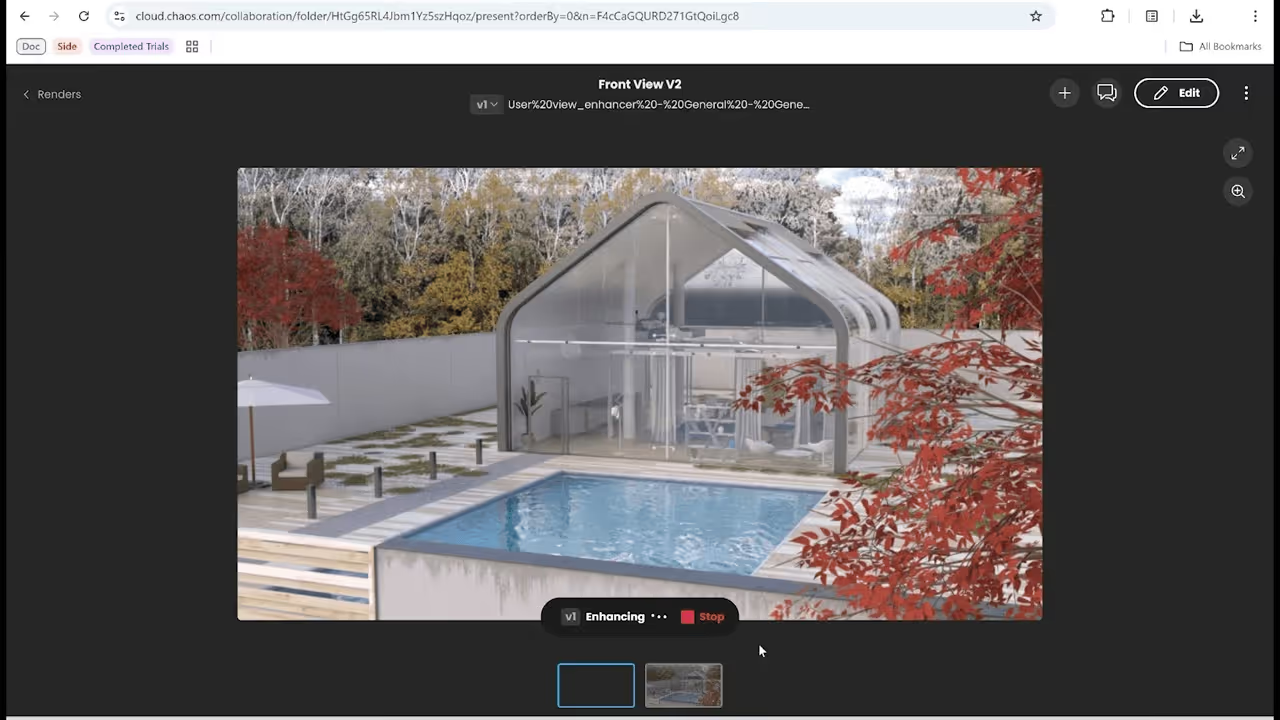
V-Ray relies solely on Chaos Cloud Collaboration, Chaos’ cloud-based platform that allows designers to share visual tours and design reviews with clients and teammates, and receive feedback in return. It currently does not have a built-in collaboration feature like Enscape.
Winner: V-Ray
Enscape relies heavily on the GPU to deliver fast, real-time, and responsive results. V-Ray focuses on maximum realism and can leverage both CPU and GPU resources to achieve higher-quality output.
In this case, V-Ray takes the lead because it allows users to switch between CPU rendering, GPU rendering, or a hybrid mode that uses both.
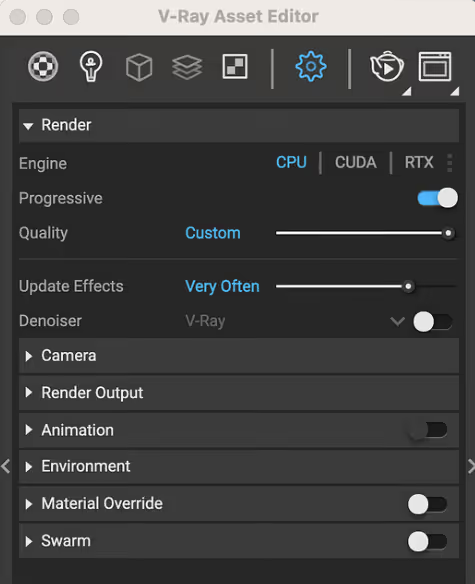
This flexibility makes V-Ray easier to adapt to different hardware setups, whether a system is CPU-heavy, GPU-focused, or well-balanced. It also gives users more control over how computing resources are used, allowing them to prioritize speed, visual quality, or hardware efficiency depending on the project’s needs.
And if you don't have access to a high-end workstation, cloud-based tools like MyArchitectAI offer a lightweight alternative. Thanks to running fully in the cloud (in your browser), you can render your designs on any device (Macs and tablets included).
Winner: Enscape
Enscape prioritizes fast, real-time rendering and relies heavily on GPU performance, which makes its system requirements more straightforward and easier to meet for most users. With a modern, supported graphics card, Enscape runs smoothly and delivers consistent results without requiring extreme hardware setups.
V-Ray is designed for complex scenes and high-end photorealistic output. Because it supports CPU, GPU, and hybrid rendering, system requirements can vary significantly depending on the chosen workflow. High-quality V-Ray projects often benefit from powerful CPUs, large amounts of RAM, and high-end GPUs, especially when working with large scenes and advanced lighting calculations. As a result, V-Ray is generally more demanding, particularly for professional-grade renders.
Minimum system requirements of Enscape and V-Ray:
Winner: V-Ray
V-Ray clearly wins in terms of compatibility and integrations, as it supports a much broader range of host applications across both Windows and macOS. From industry staples such as 3ds Max, Maya, and Cinema 4D to Blender, Houdini, and Unreal Engine, V-Ray fits seamlessly into a wide variety of production pipelines. This extensive compatibility makes V-Ray a stronger choice for studios working across multiple software platforms or managing complex visualization, animation, and real-time workflows.
For Windows:
For Mac:
For Windows plug-in:
For Mac plug-in:
Winner: Tie
Since both V-Ray and Enscape are developed by Chaos, they have access to the same high level of customer support. Users of either tool have access to the Chaos Help Center, which offers comprehensive documentation on licensing, product activation, subscriptions, account management, and detailed product tutorials.
For learning and onboarding, Chaos provides a wealth of resources, including video tutorials, sample projects, a knowledge base, a content hub, and an extensive resource library to support users across different skill levels.
Beyond official documentation, Chaos maintains active and supportive community forums, where users can interact with fellow professionals and Chaos employees to ask questions, share insights, and troubleshoot issues.
Choosing between Enscape and V-Ray comes down to how you work and what you need at each stage of the design process.
Enscape is built for speed, simplicity, and real-time interaction. It's the stronger choice for early-stage design, client walkthroughs, live presentations, and rapid iteration. If your workflow prioritizes quick feedback and smooth collaboration, Enscape is hard to beat.
V-Ray is built for maximum realism and creative control. It excels at producing photorealistic renders where lighting accuracy, material detail, and visual fidelity matter most. It requires more time, experience, and hardware, but the results are often unmatched for final marketing visuals, competitions, and polished architectural presentations.
This doesn't have to be an either-or decision either. Many professionals use both: Enscape for fast visualization during design development, then V-Ray for final renders that demand the highest level of realism.

