
Enscape and Lumion are two of the most popular real-time rendering software programs among architects and interior designers.
While both renderers offer similar features and let you create beautiful visuals relatively quickly, each of them is a better fit for different needs.
Enscape is a better choice if you value speed, ease of use, and VR capabilities the most. It works as a plugin for most major CAD tools (SketchUp, Revit, Archicad, Rhino, and Vectorworks), so you’re editing assets and materials directly in your design software.
Lumion is best for creating final presentation quality renderings thanks to its more advanced customization and post-processing features. It's also more suitable for exterior projects thanks to its large and high-quality asset library. Lumion functions as a standalone tool that offers real-time synchronization with your CAD model.
This Enscape vs Lumion guide will explore what sets the two renderers apart and help you pick the right one for your workflow.
We'll compare their features, pricing, ease of use, rendering times and quality, asset libraries, collaboration features, and more.
Also, we'll introduce MyArchitectAI, an AI-powered alternative to Enscape and Lumion.
Let's dive in.
Enscape is a real-time rendering software originating from Germany, initially released in 2015. It's mostly used in architecture, landscaping, interior design, and construction fields. In 2022, it merged with Chaos Group, the company behind V-Ray and Corona. That means if you're already in the Chaos ecosystem, Enscape integrates tightly with Chaos Cloud and Chaos Cosmos assets, and shares a licensing account with V-Ray.
Lumion was created by the Dutch company Act-3D and launched to the market in 2010. Since then, it's been widely adopted in architecture, landscaping, urban planning, and interior design.
Here's how Enscape vs Lumion compare.
Enscape runs as a live plugin inside your host app (Revit, SketchUp, Archicad, Rhino). You model and see the render update in real time. Lumion is a standalone application: you export your model from your CAD tool, open Lumion separately, and build the scene there. This changes daily workflow more than any feature comparison, as Enscape users tweak geometry and see results instantly, while Lumion users batch their work and move to Lumion for polish and presentation. Neither is better, but one fits how you actually work and the other doesn't.
Enscape dominates in BIM-centric architecture firms, especially Revit-heavy practices. Lumion has deeper roots in landscape architecture and urban design firms, where its terrain, vegetation, and atmospheric tools pull ahead. Interior designers prefer Enscape for the live feedback loop, while film-style presentation specialists usually choose Lumion. If you're switching industries or firms, the tool of record often follows the practice type.
Let's now compare each of these features one by one.
Winner: Enscape
Both Enscape and Lumion are known for their intuitive user interfaces and low learning curves which make them popular choices among busy architecture and interior design firms.
Enscape is slightly easier to learn and use than Lumion—the basics can be picked up in a matter of hours.
Setting up views is straightforward, adjusting the layout and materials is quick, and users get immediate visual feedback thanks to Enscape's direct integration with most major CAD software.
While mastering the more advanced settings and achieving higher-quality results takes more time, Enscape remains one of the easiest-to-use renderers available.
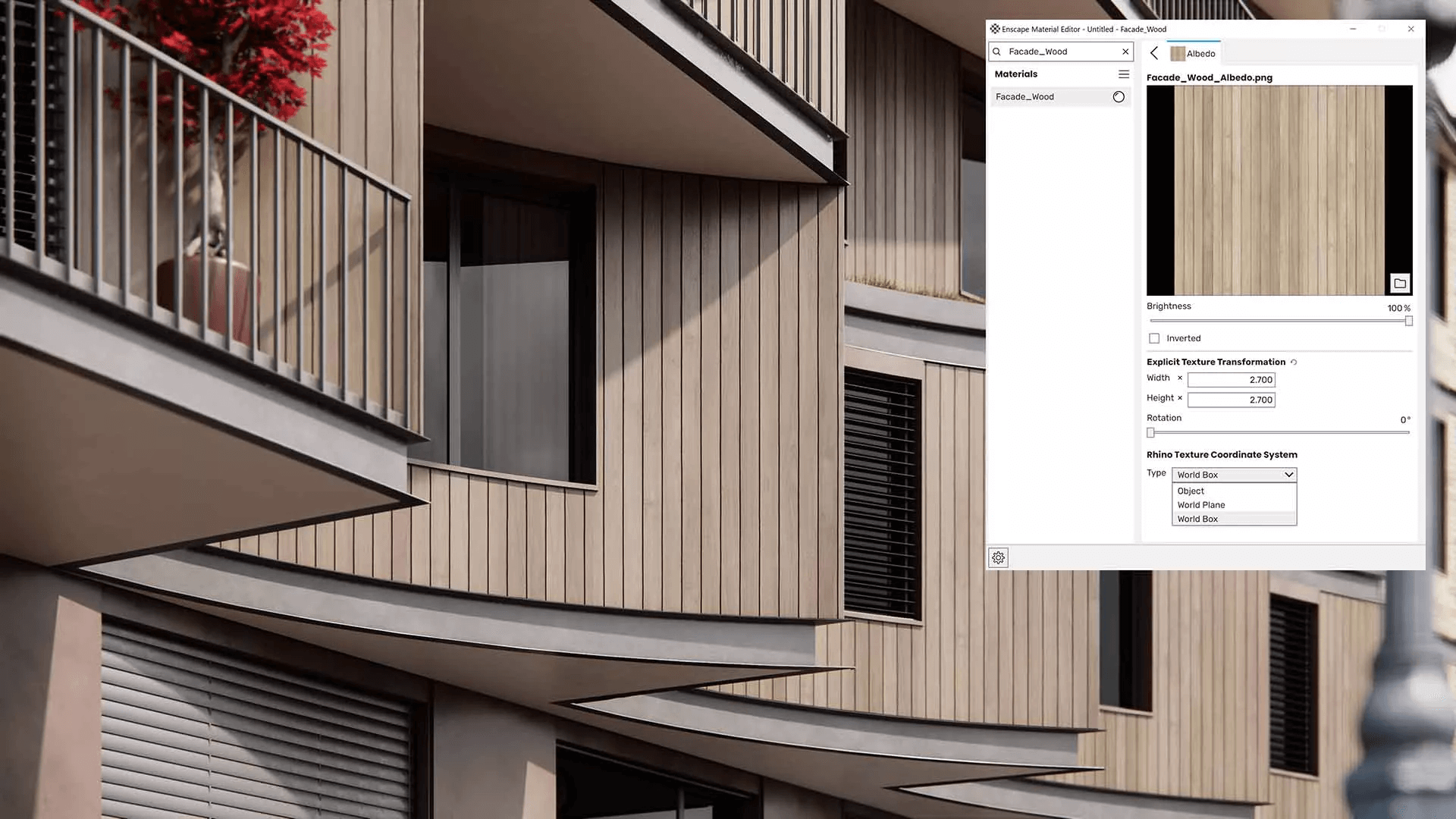
Lumion has a steeper learning curve than Enscape due to its advanced customization features and post-processing effects. However, these features enable users to create more realistic renderings than those possible with Enscape.
Lumion's user interface is very intuitive and has a more modern design than Enscape's. Its preset-based workflow makes it relatively easy to learn, even for architects with no rendering experience.

While getting decent rendering quality in both Lumion and Enscape is not hard, achieving high realism takes a lot more time and effort.
So if you don’t want to spend hours perfecting camera angles and lighting, MyArchitectAI is the right renderer for you. Its AI rendering engine takes care of everything with a single click, delivering presentation-ready renderings in seconds.
Winner: Enscape
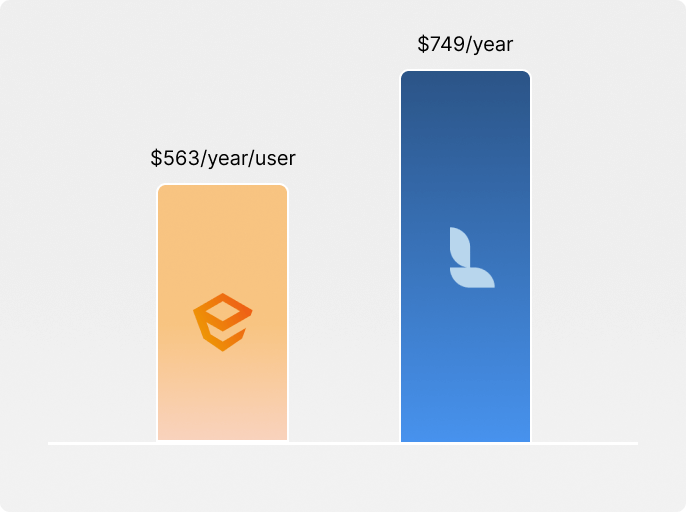
With plans starting at $563/year per user, Enscape is more affordable than Lumion.
Lumion pricing plans range from $790 to $1,575/year.
Additionally, Enscape offers monthly plans at $85/month, which Lumion does not provide.
Both Enscape and Lumion offer free 14-day trials, allowing you to test them at no cost.
For students, Lumion is completely free, and Enscape costs $149/year.
And if you prefer a more affordable alternative with flexible plans, MyArchitectAI costs only $29/month.
Winner: Lumion
Lumion allows you to achieve greater realism in your renderings than Enscape, as it prioritizes output quality over speed.
It’s also a better choice for exterior and landscape rendering, thanks to its comprehensive asset library, advanced weather controls (more on this later), and extensive range of post-processing effects.
However, achieving superior photorealism comes at a cost, as you’ll spend more time manually setting up scenes and waiting for the rendering to process. More on the best settings for realism in Lumion in our other guide.

Enscape's goal is to produce good enough realism without spending hours on manual work. This makes it ideal for early-stage renders where quick iteration matters more than perfectly polished visuals.
It’s also a better choice for interior rendering, thanks to its accurate light bounce calculations using path-tracing technology and its extensive PBR materials library. It offers a variety of rendering styles to showcase your design in different lights:
And if you need to take your Enscape renderings from good to great, you can seamlessly transfer your scene to V-Ray thanks to a one-directional bridge introduced after the Chaos merger in 2022.
This feature lets you transfer materials, lights, and compatible 3D assets from Enscape without needing to recreate them from scratch. You can then replace them with V-Ray's superior assets to create high-end renderings needed in the final stages of the project.
Related: Enscape vs V-Ray comparison.

Probably the biggest downside of both Enscape and Lumion is that achieving high realism takes a lot of manual effort in modeling, texturing, and lighting. And not everybody has the time and skills for that.
So if you need a renderer with "one-click photorealism", MyArchitectAI is your best bet. It lets you create photorealistic renderings quickly with no manual work involved.
Winner: Enscape
Enscape and Lumion both offer quick rendering times, taking just seconds to minutes to complete, though Enscape tends to be the faster option.
Both tools offer true real-time visualization, letting you see instant updates while you work, making monitoring your progress and previewing the final result easy.
So the difference is that Enscape focuses on sheer speed and quick iterations, while Lumion is able to produce higher realism at the expense of longer rendering times.
And if you're looking for the best realism-to-speed ratio, you should give MyArchitectAI a try. You'll visualize any scene, no matter the complexity, in less than 10 seconds without sacrificing quality.
Winner: Lumion
Lumion provides a larger, higher-quality, and more diverse content library than Enscape.
Lumion's built-in library contains 9,496 high-quality assets that help you bring your scene to life. It offers quick access to a diverse range of elements, from trees and plants to furniture, decoration, vehicles, and people. It offers extensive customization options, a layer organization system, and easy navigation.
You can also import your own assets if you need something really specific.
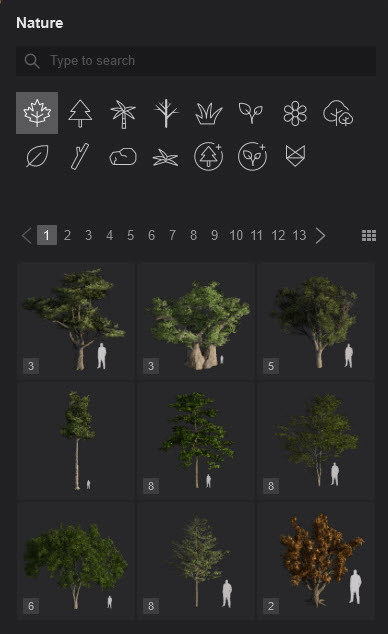
Enscape's content library has over 3,000 assets available across all supported CAD platforms. The collection is easily searchable thanks to categories, tags, and the adding to favorites feature. Like Lumion's, it can be extended by importing custom models from third-party sources.
With Dynamic Asset Placement, you can select, place, and edit assets directly in the Enscape rendering window, with changes instantly visible in your design software. A big time-saver.
Compared to its competitor though, the assets are not as specific and the quality varies.

Winner: Lumion
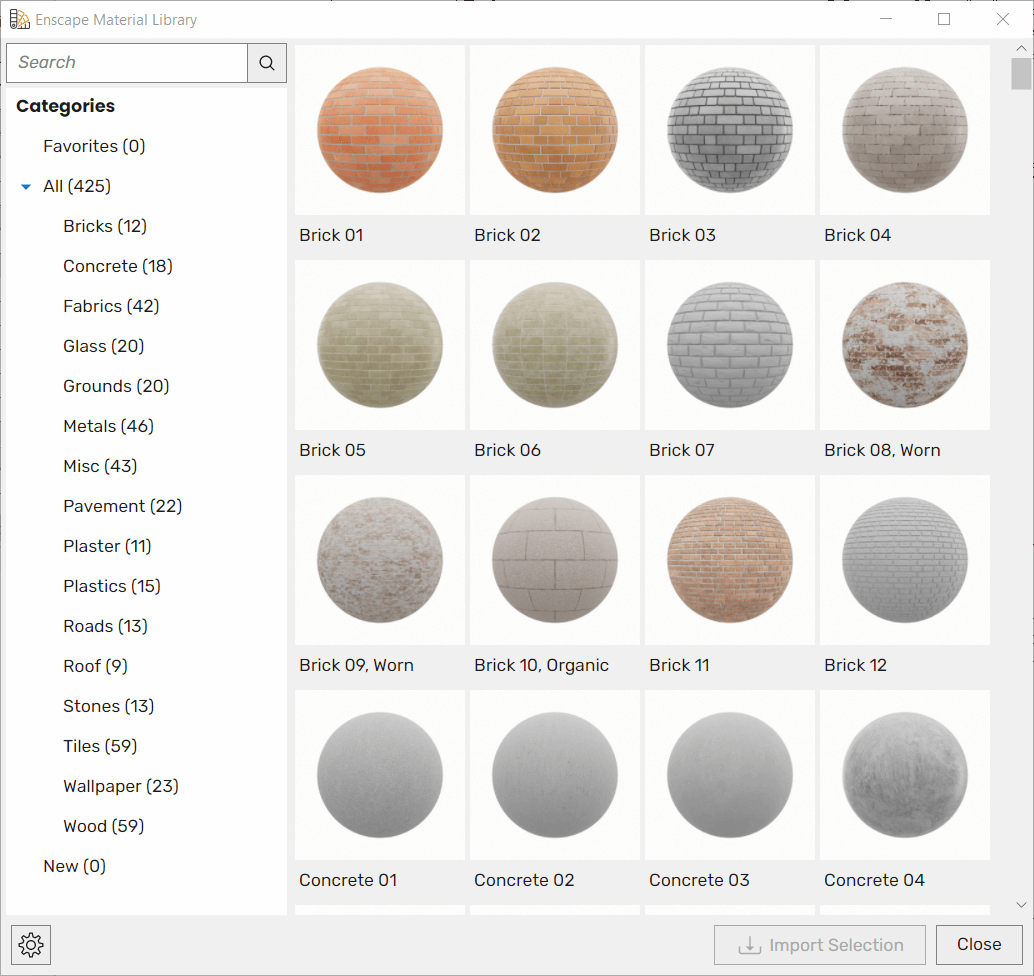
Lumion offers a larger selection of PBR materials, with 1,574 available compared to Enscape's 425.
Most of them are standard materials, so you can fine-tune their properties and save them as custom materials to quickly reuse them later in other models.
You can also import custom textures (in .JPG, .PNG, .PSD, .BMP, .TGA, .TIF, .DDS, and even .MP4 formats) and load additional texture maps for other settings such as relief, roughness, reflectivity, metalness, emissiveness, displacement, and Opacity, giving you full PBR material control and quality.
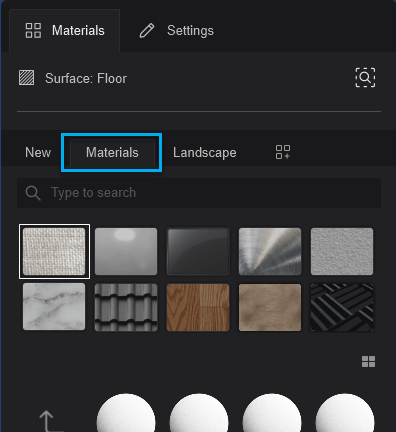
Enscape's material library is much smaller and contains 425 pre-made PBR materials. However, the tool allows you to customize them using its native Material Editor and save as custom materials.
Winner: Lumion
Lumion is also superior to Enscape when it comes to environmental settings.
Its weather features include:

Enscape's atmospheric controls are much more limited compared to Lumion. While it allows for real-time visualization of environmental changes and integrates with building performance metrics for climate analysis, it doesn't let you customize the environment as precisely as Lumion.
Winner: Enscape
Both renderers added AI-powered tools in the 2024-2025 cycle, but Enscape has a clear edge here. It offers three AI tools through its parent company, Chaos. Lumion has one.
Enscape introduced:
All three tools process through Chaos Cloud and require an internet connection. Chaos has noted that early versions of the Enhancer can occasionally produce unwanted artifacts, and the company is still refining its masking system. Organization admins can disable AI features via an environment variable if company policy requires it.
Lumion added a built-in AI image upscaler in its 2025 release. This is currently Lumion's only AI feature; it renders at half the target resolution and upscales it up to 8K. Lumion claims up to 5x faster ray-traced renders, which is most notable on machines with less than 12GB of VRAM. No cloud connection needed.
Per Lumion's documentation, detail loss in low-contrast areas is still an issue, but it should be fixed as the company moves toward broader AI integration.
While both renderers' AI features are useful, neither replaces an AI-native tool built for efficiency from scratch, like MyArchitectAI.
Winner: Enscape
Enscape is best for real-time visualization and immediate VR feedback, while Lumion focuses on high-quality static panoramas rather than interactive VR experiences.
Enscape offers some of the most advanced real-time VR features available for architectural visualization. It supports two major VR headsets: Meta Quest 3 and HTC Vive Pro 2, offers direct VR integration with CAD software with one-click access, includes immersive sound and ergonomic features, and allows cloud-based sharing of VR panoramas via web links.

Lumion's VR capabilities are much more limited, focusing mostly on creating 360° panoramas, suitable for VR viewing. Lumion’s panoramas are available as high-quality photo bubbles that let your clients explore the space from any chosen viewpoint.
These immersive experiences can be uploaded to MyLumion, Lumion's VR platform, and shared with stakeholders using a link (example) to view on any browser or device.

Another render with advanced VR features you may want to consider is Twinmotion—here's how it compares with Lumion.
Winner: Enscape
Enscape's advantage is giving multiple team members simultaneous file access enabling real-time collaboration, while in Lumion, users can only work on separate files that can be later merged.
Enscape's collaborative annotations feature offers:

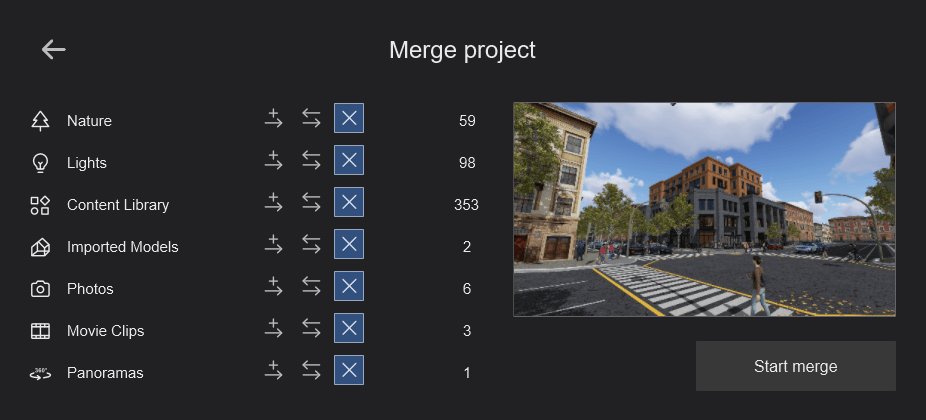
Lumion approaches collaboration quite differently. Multiple team members can work simultaneously on different parts of a project (e.g. one person working on landscaping while another focuses on architecture) and then need to combine different project files into one scene using the "merge" feature.
Winner: Enscape
Both tools perform their renders using your graphics card (GPU) using ray tracing as the light simulation method and require dedicated VRAM.
Enscape is more accessible though, with lower hardware requirements and supporting both Windows and Mac computers. VR features are only available on Windows.
Here are Enscape's hardware requirements for Windows:
And here are the requirements for Mac:
Enscape doesn't have any specific CPU requirements as the CPU doesn't take part in the rendering process but a good CPU can speed up Enscape’s loading times.
Lumion is currently only available on Windows PCs (Windows 10 or later). Its developer doesn't plan to develop a Lumion for Mac version anytime soon. So if you're a Mac user, you might want to consider alternatives instead.
Here are Lumion's hardware requirements.
Both renderers tend to have driver and hardware compatibility issues leading to irritating system crashes. Some common problems include:
For Enscape:
For Lumion:
So if you don't want to ever worry about crashes and compatibility issues, and run renders from any device (even a mobile phone), you should consider MyArchitectAI as a lightweight alternative to Enscape and Lumion.
It runs in the cloud, so you don't even need to install the software. Just log in through your browser and start visualizing your designs right away.
Winner: Enscape
The main difference between Lumion vs Enscape in terms of compatibility with CAD and BIM software is that Enscape works as a plugin directly within the modeling software, while Lumion functions as a standalone tool offering real-time synchronization through its LiveSync technology.
This makes the transition from CAD/BIM to Enscape smoother, while Lumion requires a few extra steps and tinkering.
Enscape's compatibility differs based on the operating system:
Lumion supports DAE, SKP, FBX, DWG, DXF, glTF, 3DS, OBJ, and MAX file formats and integrates with SketchUp, Revit, Archicad, Vectorworks, AutoCAD, Rhinoceros, BricsCAD, AutoDesk FormIT, and AllPlan.
Winner: tie
Lumion has a large collection of tutorials, a community forum, and technical support through their own team and resellers.
Enscape also has plenty of tutorials, a forum, and technical support provided via a ticketing system.
While it's not very common, some Enscape users report having to wait days for the technical support team to reply.
So which renderer is better: Enscape or Lumion?
The answer depends on what's most important to you:
Better for exteriors: Lumion
Better for interiors: Enscape
Quicker: Enscape
More affordable: Enscape
Easier to learn: Enscape
Higher photorealism: Lumion
Lower hardware requirements: Enscape
Works on Mac: Enscape
Better for VR: Enscape
In general, Enscape is best for smaller firms that need good enough visuals without spending too much time and effort, while Lumion is best for firms working on larger projects that require a higher level of customization and realism.
Busy studios that can't afford to spend hours per render pick MyArchitectAI. This lightweight alternative renders any scene in under 10 seconds, doesn't require installations, and offers flexible month-to-month plans starting at just $29/month.

