BFCM OFFER Get 50% off annual plan with the code BF50. Ends today!

Lightning-fast SketchUp rendering software you'll love

Generate photorealistic renders from any SketchUp view in under 10 seconds using AI. No installs, no GPU, no learning curve.
User ratingUser ratingUser ratingUser ratingUser rating
5-star rating
architectural SketchUp rendering of a modern residential homeSketchUp model

Turn any sketch into a
photorealistic render in seconds

Pencil, marker, tablet, CAD linework. Upload it, pick a style, and get a render that keeps your lines where you drew them.
User ratingUser ratingUser ratingUser ratingUser rating
5-star rating
4.9
Loved by architects and designers from 90+ countries
7,500,000+
Renders generated to date
9.3s
Average rendering time
0
Time to learn needed

Sketch to render in 3 steps

01

Upload your sketch

CAD drawing, pencil sketch, Procreate design, or any other untextured architectural or interior design image will do.
02

Add a reference image

Upload an image of the style you'd like to apply to your drawing. Our AI engine will intelligently transfer the aesthetic while keeping your input's geometry unchanged.
03

Render and download

About 15 seconds later you have a photorealistic image. Download it as is or create a free account to fine-tune it in the built-in render editor.

What is sketch to render AI?

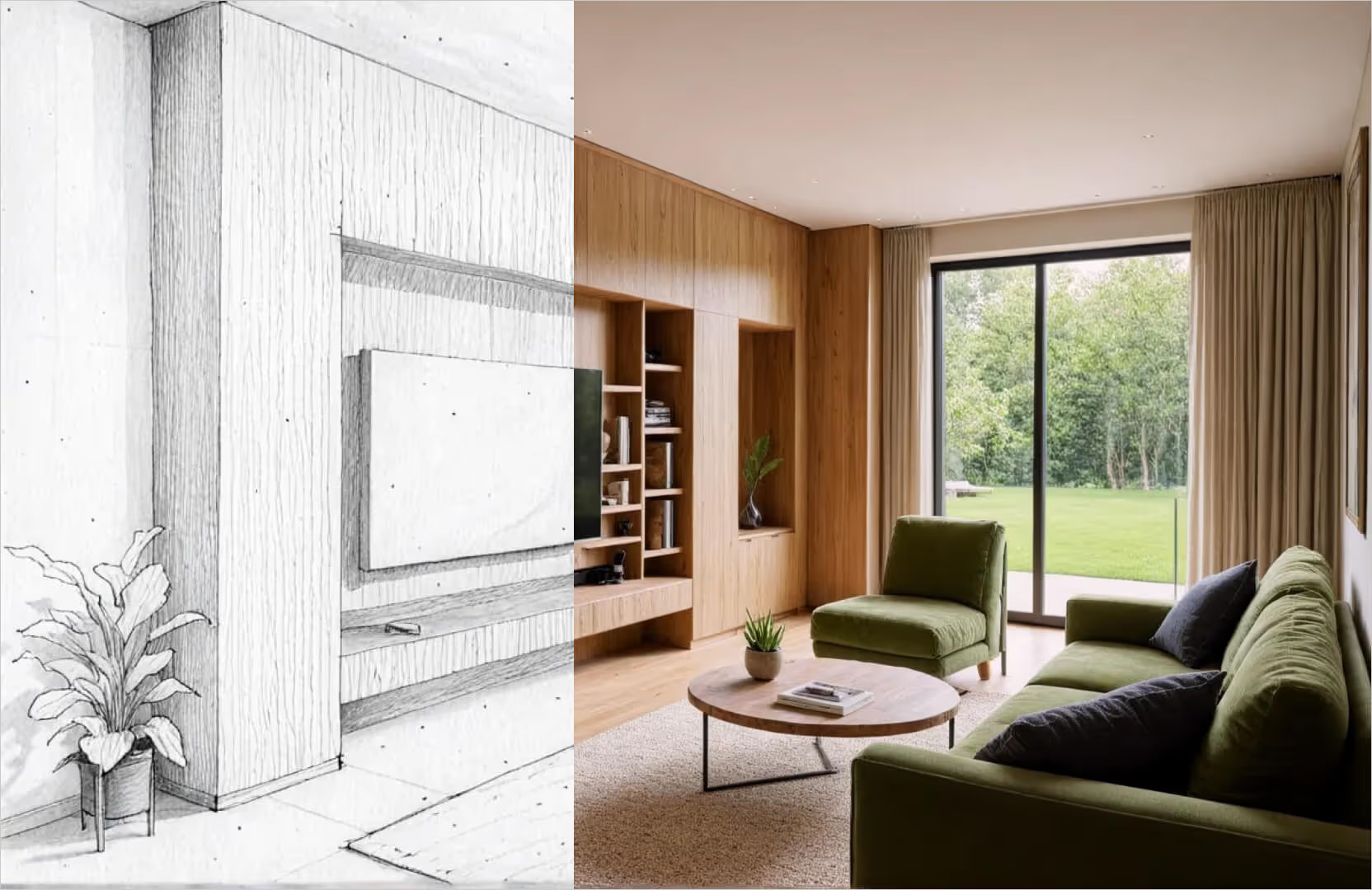
AI-powered sketch to render software turns a 2D line drawing into a photorealistic image. The AI adds materials, lighting, shadows and context, but your sketch controls the composition. The result matches what you drew, not what a text prompt happened to produce.

The old way was modelling the design in SketchUp or Revit, exporting to V-Ray or Lumion, and waiting. Hours per view, plus a GPU that could handle it. When all you need is to show the idea, you can skip the model entirely.

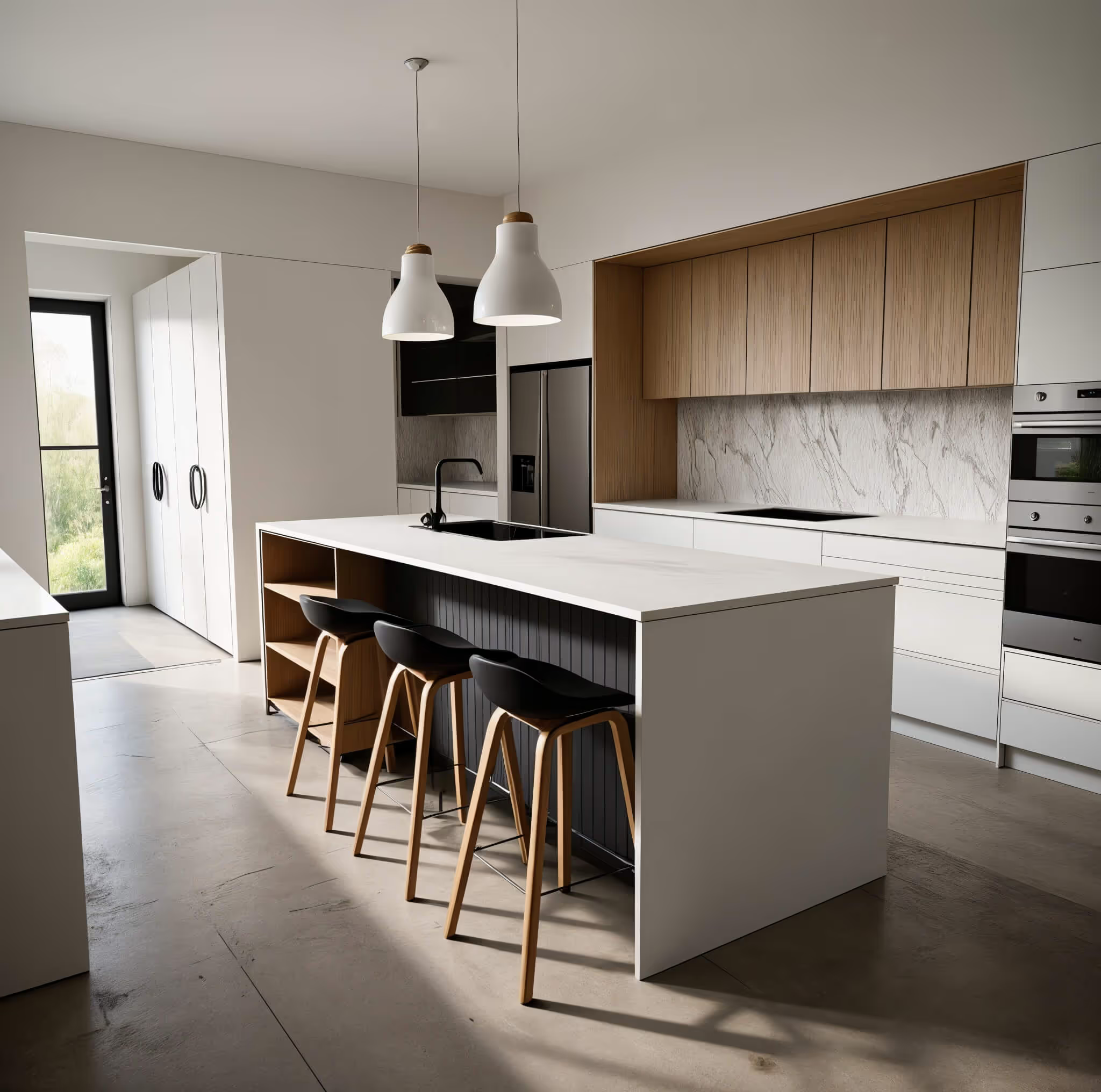
SketchUp architectural rendering of a modern house

Supports all kinds of inputs

Paper sketches

Pencil, pen, marker. Take a photo with your phone and upload it. Crooked lines and coffee stains are fine.

Tablet drawings

Procreate, Morpholio Trace, Concepts. Just export a JPG/PNG.

CAD linework

Hidden-line exports from AutoCAD, Revit, Archicad and Vectorworks render as well as hand drawings do.

Untextured 3D models

A grey screenshot from SketchUp or Rhino is enough. The AI will apply the materials and lighting from your reference image.

Elevations

Flat drawings become rendered facades or cutaway views.
SketchUp architectural rendering of a modern house

Keep the geometry, experiment with styles

The render follows the geometry you drew. Walls, openings and proportions don't drift. Accuracy to geometry is the key aspect of sketch to render tools like MyArchitectAI.

Need to test other variations? Try our conceptual style presets and AI render editor.

Built for architects, designers
and design-build teams

For architects

Sketch a massing idea in the morning, show the client three rendered options after lunch. Competition boards and concept meetings without opening a 3D model.

For interior designers

A hand-drawn room plus a reference photo is enough to test furniture, finishes and lighting until the space feels right.

For furniture and product designers

Napkin sketch to showroom-style shot. Preview walnut against oak before you order a prototype.

Why MyArchitectAI for sketch rendering

"Incredibly realistic renderings in seconds"

I have tried most of the other rendering programs on the market and they don't even come close to the speed and quality. It is also very helpful to have a team of professionals at your fingertips, that can answer any questions within seconds.
Eric Carlson
Owner, Carlson Design Group

"Best AI rendering software"

I'm so glad we found MyArchitectAI. It's been the best AI tool I've found for our architectural renderings. In addition to being easy to use, it gets us the best result of any product we've tried and is an incredible value!
Travis Billingham
Real Estate Advisor, Compass

"Stands out for its simplicity and efficiency"

My main goal when I started using MyArchitectAI was to find an alternative to V-Ray and Twinmotion, as rendering with both is extremely time-consuming. MyArchitectAI stood out to me thanks to its low learning curve and the ability to produce rapid results—something that has made a big difference in my workflow.
Mac architectural render of herwig
Herwig Hostens
Interior Designer & Decorator

Your new favorite sketch to render software

No installs needed

Say goodbye to buggy installations and high system requirements of traditional software. Thanks to running in your browser, MyArchitectAI runs on Mac, Windows, Linux, iOS, and Android.

No learning curve

Our AI engine takes care of all lighting and texturing, while the intuitive user interface lets you seamlessly add MyArchitectAI into your design workflow without productivity loss.

Blazing fast

Using the latest AI technology, MyArchitectAI’s rendering engine visualizes your architectural and interior design drawings in under 10 seconds per scene.

Helpful support

Our rendering engine is powered by AI, but our support is 100% human. If you need any help, you’ll get it directly from the founders (via email or live chat).

Resource-efficient

No need for expensive hardware—your sketches and drawings are rendered using MyArchitectAI’s powerful cloud-based GPUs.

Image editing built-in

Fine-tune your renders using MyArchitectAI’s AI editing tools. No need for external software.

Works with designs from most CAD software

Render your sketches in record time

No installs, experience, or high-end hardware needed.

Sketch to render FAQ

Is there a free sketch to render AI?
Yes. MyArchitectAI lets you render your first sketch free, no account needed. Signing up gets you more free renders. After that, plans start at $29 a month with unlimited renders and 4K downloads.
Can I render online without downloading anything?
Yes. MyArchitectAI runs entirely in the browser. There is no desktop app to download and nothing to install, which is also why it works on tablets and phones.
Does it work with hand-drawn sketches on paper?
Yes. Photograph the sketch with your phone in decent light and upload the photo. Cleaner lines give more predictable results, but rough sketches render too.
Can AI turn a sketch into a 3D model?
Not here. Our sketch to render tool produces a 2D photorealistic image of the view you drew, not a 3D file. If you need several angles, sketch each view and render it separately. Most concept presentations only need two or three.
How accurate is the render to my sketch?
The geometry follows your lines. What changes is materials, lighting and context.
What is the best sketch to render AI for architecture?
MyArchitectAI is optimized to respect your geometry, lets you edit the result without starting over, and runs on any device, so is one of the top picks. For a side-by-side of the tools out there, see our roundup of sketch to render AI tools.