
Lumion and Twinmotion are two of the top architectural rendering tools on the market.
Both renderers can produce stunning visualizations relatively quickly, but each is better suited for slightly different use cases.
While Twinmotion is a better choice for real-time rendering and quick iterations, Lumion stands out for creating final presentation quality visuals thanks to its more advanced customization and post-processing features.
Picking the right software for your specific needs can dramatically improve your workflow efficiency.
That's why we've done the research and put together this in-depth Twinmotion vs Lumion comparison to help you make an informed decision.
In this guide, we'll cover everything from features and ease of use to pricing and customer support, including each tool's strengths and weaknesses.
We'll also introduce a leading AI rendering software, MyArchitectAI, as a quick and lightweight alternative to Twinmotion and Lumion.
Let's dive right in.
Twinmotion is a real-time rendering software launched in 2005 that's widely used in the architecture, automotive, fashion, and product design industries. It was acquired by Epic Games (maker of Unreal Engine) in 2019.
Lumion, developed by the Dutch company Act-3D, was first released in 2010 and is mainly used in architecture, landscaping, urban planning, and interior design.
Here's how Lumion vs Twinmotion stack up.
| Lumion | Twinmotion | |
|---|---|---|
| Pricing | $790/year | $445/year/user |
| Free testing plan | 14-day trial | 30-day trial |
| Ease of use | Moderate | Easy |
| Rendering quality | High | High |
| System requirements | High | High |
| System compatibility | Windows only | Windows and Mac |
| Rendering engine | GPU-based, ray tracing | GPU-based, path tracing |
| Real-time sync | Bi-directional updates | One-way updates (from CAD to Twinmotion) |
| Asset library | 9,496 assets | Small built-in library but extendable with millions of assets from Sketchfab and Megascans (included) |
| Environmental controls | Advanced | Advanced |
| VR/AR support | Basic VR support | Advanced VR and AR support |
| Real-time collaboration | Limited | Strong collaboration features |
| Customer support | Via email, forum, and resellers | Via forum and resellers |
Now, let's take a deeper look into each of them.
Winner: Twinmotion
Both Lumion and Twinmotion are praised for their modern and intuitive user interfaces that make them easy to navigate.
Twinmotion is slightly easier to use and learn and lets you achieve decent visuals relatively quickly thanks to its streamlined workflow and interface based on gaming movement logic. One such example is the ability to apply materials to specific, auto-selected objects, while in Lumion, each object must be selected individually.
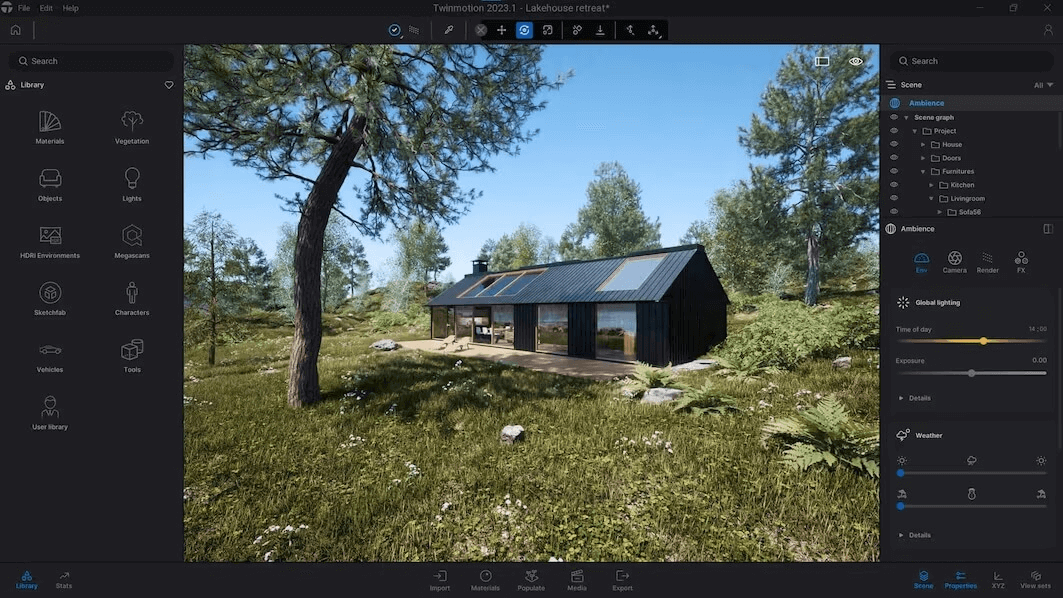
Lumion takes more time to master but provides greater control over the final output because of its advanced customization features and post-processing effects. Even fine-tuning the lighting and shadows takes more effort than in Twinmotion but the results are usually more realistic.
Check our guide to achieving photorealism in Lumion to make the most of it.

Winner: Twinmotion
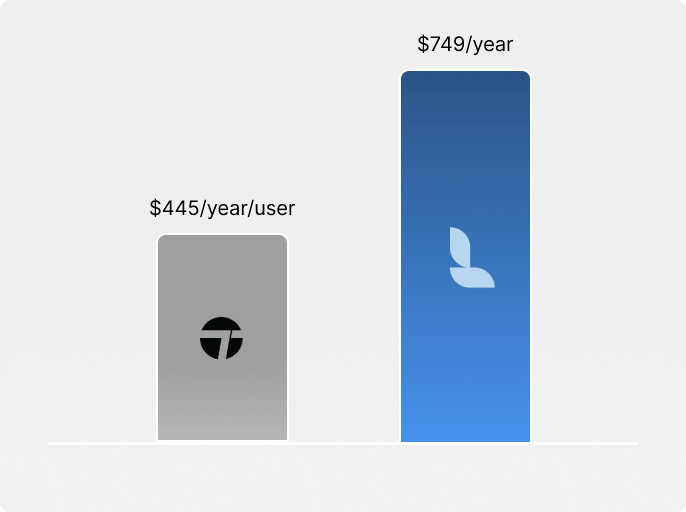
Before subscribing to a paid plan, you can test both renderers for free—Lumion offers a 14-day trial, and Twinmotion a 30-day trial.
After the trial period, Lumion's prices range from $790 to $1,575 a year. The higher pricing tier offers more assets, as well as more rendering and atmospheric effects.
Twinmotion's pricing starts at $445 a year per user and go up to $1,850 a year per user if you need access to Unreal Engine and RealityCapture.
While Twinmotion is a more affordable Lumion alternative, the downside of both tools' pricing models is that you have to commit to an annual subscription. If you prefer a flexible monthly plan, MyArchitectAI offers an affordable $29/month subscription.
Both Twinmotion and Lumion offer free plans for students.
Winner: Twinmotion
When rendering in Twinmotion and Lumion, you should expect rendering times to range from minutes to hours per scene, depending on factors such as:
While both tools are GPU-based, their underlying technologies differ a lot.
Twinmotion's rendering engine is based on Unreal Engine technology (as Epic Games owns it) and uses path tracing as its light simulation method.
Lumion uses ray tracing and lets users achieve higher visual quality thanks to its more comprehensive post-processing features.
In short, the key difference between the two renderers is that Twinmotion prioritizes real-time visualization and quick iterations, while Lumion focuses on higher-quality output at the expense of longer processing times.
| Lumion | Twinmotion | |
|---|---|---|
| Rendering time | Slower | Faster |
| Realism | Higher | Lower |
| Rendering engine | GPU-based | GPU-based |
| Light simulation method | Ray tracing | Path tracing |
And if you're working on tight deadlines and can't afford to spend hours on every render, you should consider MyArchitectAI as a much quicker alternative to both tools. It lets you visualize any scene in under 10 seconds without sacrificing realism. It also doesn't require any 3D modeling skills.
Winner: Lumion
Lumion prioritizes quality over quantity with its built-in library of 9,496 high-quality assets that help you bring your scene to life. It offers quick access to a diverse range of elements, from trees and plants to furniture, decoration, vehicles, and people.
Lumion's asset library is also more varied and contains more specific objects than those offered by Twinmotion.
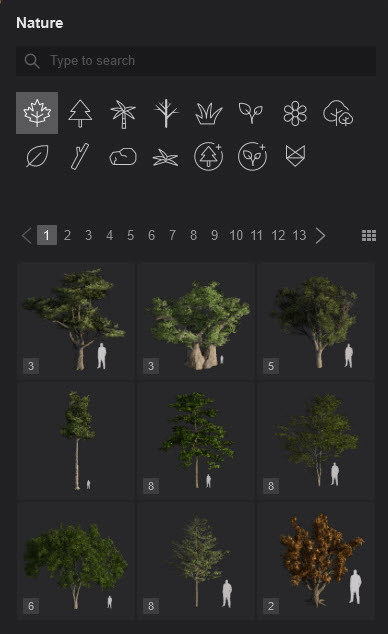
Twinmotion on the other hand, has a rather limited built-in library. However, after being acquired by Epic Games, it integrates with Sketchfab and Megascans (also owned by Epic Games) which gives you access to a virtually unlimited number of assets.

Winner: tie
Both tools offer comprehensive environmental settings, giving users advanced vegetation controls (age, season, growth), comprehensive lighting features, and detailed wetness and rain controls.
Lumion has slightly more refined precipitation and sky control settings, while Twinmotion excels in dynamic effects like wind simulation and HDRI features.
Winner: Lumion
AI integration in both tools is still in its early stages, though Lumion has moved first with a its first AI-powered feature. Twinmotion has only outlined a broader AI roadmap for 2026 so far.
Lumion introduced a built-in AI image upscaler in its 2025 release, which is currently the only native AI feature in the software. It works by rendering an image at half the target resolution and then upscaling it to the full size, up to 8K. According to Lumion, this can speed up ray-traced renders by up to 5x compared to rendering at native resolution. The trade-off is that fine textures can lose detail in low-contrast areas. Lumion has described this as "the first step in bringing AI to your workflow," suggesting more AI features are in development.
.jpeg)
Twinmotion doesn't currently include any native AI-powered rendering or upscaling tools. However, it does support NVIDIA DLSS 4 (added in version 2025.1.1), which uses neural rendering to boost frame rates and image quality in the real-time viewport. On the roadmap side, Epic Games has confirmed that a suite of AI tools is planned for Twinmotion in 2026. The main focus is on stylization and making renders more photorealistic.
Winner: Twinmotion
Twinmotion has more advanced VR features for experiencing designs at a 1:1 scale than Lumion. It supports major VR headsets such as Meta Quest (previously called Oculus Quest) and Varjo, helps prevent VR motion sickness by matching the rendering frame rate to the refresh rate of the VR headset, and offers real-time adjustments of weather and materials.
It has two viewing options:
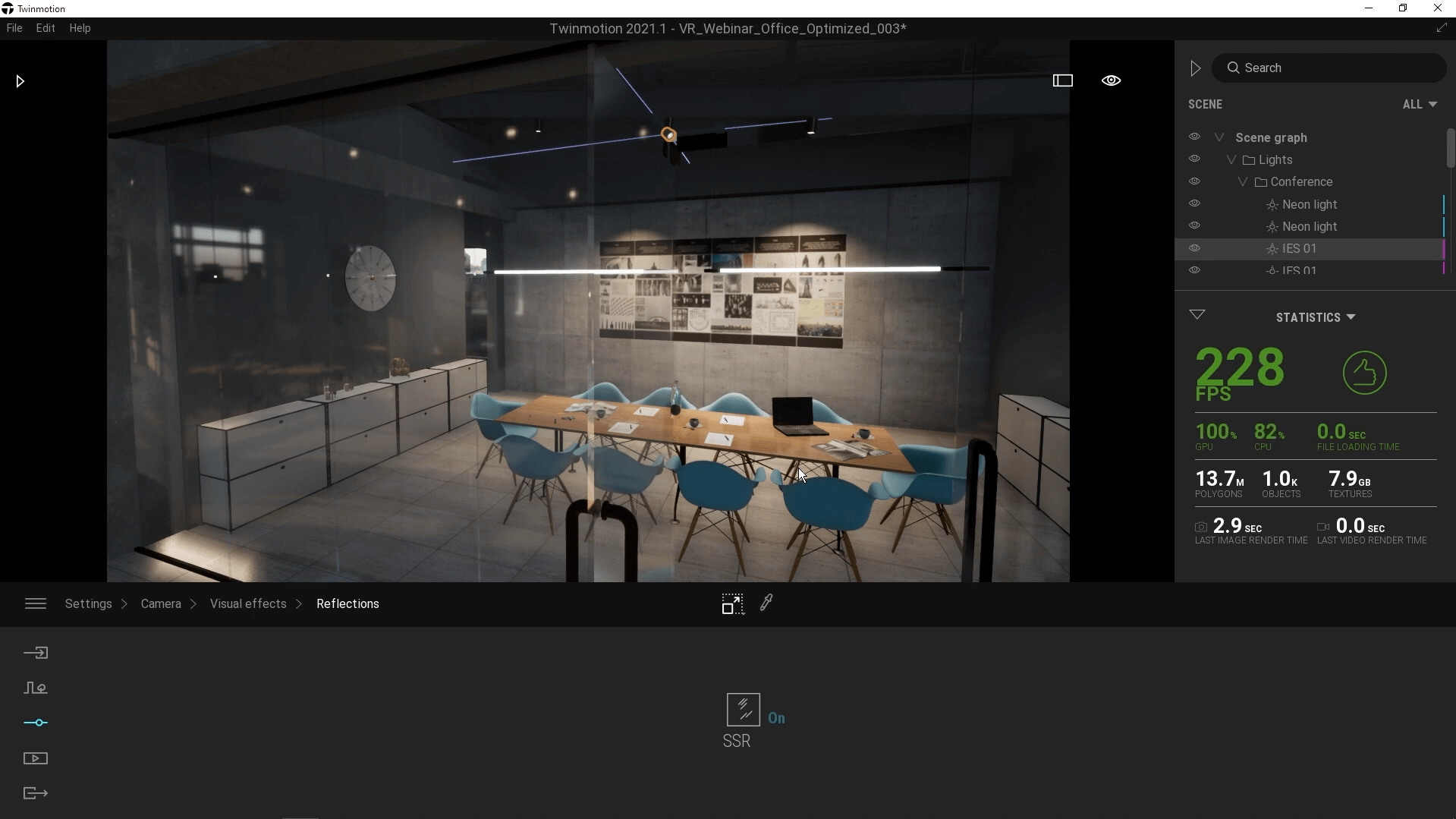
Twinmotion also lets you create Panorama Sets, which is an interactive way of sharing your project with stakeholders as pre-rendered 360° panoramas. This lets viewers move smoothly between panoramas and experience an immersive 3D virtual tour of your scene.

Lumion's VR features are more basic and VR headset compatibility is more limited. It does let you create 360 panoramas that are suitable for VR but the navigation and real-time adjustment settings are not as advanced as in Twinmotion. It also doesn't offer any anti-nausea features.

Winner: Twinmotion
The key difference between Lumion's and Twinmotion's collaboration features is that while both tools lack real-time collaboration, Twinmotion offers a more structured approach to team workflows through its comprehensive merge system, while Lumion provides a simpler merging solution for basic collaborative needs.
A typical workflow in Twinmotion looks like this:
Winner: Twinmotion
While you can't really call Twinmotion a lightweight Lumion alternative, it is less resource-intensive than its competitor and works on both Windows and Mac computers.
Twinmotion is available for Windows 7, 8, or 10 (64-bit), and macOS 10.14.6 or later.
Here are Twinmotion's hardware requirements for Windows:
| Minimum | High-end | |
|---|---|---|
| GPU | GPU with a G3DMark of 10,000 or higher with at least 6 GB VRAM | GPU with a G3DMark of 20,000 or higher with at least 12 GB VRAM |
| CPU | Intel/AMD processor scoring a single thread CPUMark of 2,000 or higher | Intel/AMD processor scoring a single thread CPUMark of 2,500 or higher |
| RAM | >16 GB | >64 GB |
| Hard drive space | >30 GB | >30 GB |
And here are the requirements for macOS:
| Minimum | High-end | |
|---|---|---|
| System | macOS Monterey 12.5 | macOS 14.6.1 Sonoma |
| GPU | Apple Silicon M Series processor or a GPU with at least 6 GB VRAM or a G3DMark of 10,000 or higher | Apple Silicon M2 Max Processor or better |
| CPU | Apple Silicon M Series Processor or an Intel processor with a CPUMark of 2,000 or higher | Apple Silicon M2 Max Processor or better |
| RAM | >32 GB | >64 GB |
| Hard drive space | >30 GB | >30 GB |
Lumion is only available on Windows PCs (Windows 10 or later) and doesn't have plans to make the software available on macOS anytime soon. While you can run it on a Mac via Boot Camp, this is far from an optimal setup.
Below are Lumion's hardware requirements.
| Minimum | High-end | |
|---|---|---|
| GPU | GPU with a G3DMark of 8,000 or higher with at least 6 GB VRAM | GPU with a G3DMark of 22,000 or higher with at least 16 GB VRAM |
| CPU | Intel/AMD processor scoring a single thread CPUMark of 2,200 or higher | Intel/AMD processor scoring a single thread CPUMark of 3,000 or higher |
| RAM | >16 GB | >64 GB |
| Hard drive space | >105 GB | >105 GB |
And if you don't want to invest thousands of dollars in powerful hardware, MyArchitectAI is a lightweight alternative. As a cloud-based renderer, it runs on any device and operating system. All you need to do is log in through your browser.
Here are some other Mac-compatible Lumion alternatives.
Winner: Lumion
Lumion and Twinmotion support files from most major CAD, BIM, and 3D modeling software.
The biggest difference is that Lumion maintains better material and hierarchy preservation across its supported formats, while Twinmotion has a tiered system where only certain formats retain full functionality.
Lumion supports DAE, SKP, FBX, DWG, DXF, glTF, 3DS, OBJ, and MAX file formats.
It offers real-time synchronization through LiveSync with SketchUp, Revit, Archicad, Vectorworks, AutoCAD, Rhinoceros, BricsCAD, AutoDesk FormIT, and AllPlan.
Twinmotion fully supports SKP, FBX, OBJ, and C4D. Other file formats are also supported but with limited functionality: 3DS, DAE, DXF, IV, KMZ, LE, LWB, LWM, LWO, LXO, PLY, STL, WRL, and VRML.
It offers one-way synchronization with 3ds Max, Allplan, Archicad, BricsCAD, CET, Modo, Revit, Rhino (including Grasshopper), RIKCAD, SketchUp, SOLIDWORKS, and Vectorworks.
Winner: Lumion
Lumion offers an extensive library of tutorials, a community forum, as well as technical support through their team and resellers.
Twinmotion provides support only through the Epic Games community forum and users aren't generally happy with the level of support they're getting.
So which rendering software is better—Lumion or Twinmotion?
As you've noticed above, each of them has its strengths and weaknesses, so it depends on your needs.
Twinmotion is best for smaller studios that need fairly realistic renderings without spending too much time and effort. It's also a more affordable option, and completely free for small firms.
Lumion is best for firms working on larger projects requiring a higher level of customization and realism.
And if you don't have the time and budget to invest in heavyweight CGI rendering software, you might want to consider a lightweight alternative—MyArchitectAI. It renders any scene in <10 seconds, doesn't require installations, and offers flexible month-to-month plans starting at just $29/month. You can test it for free here.

