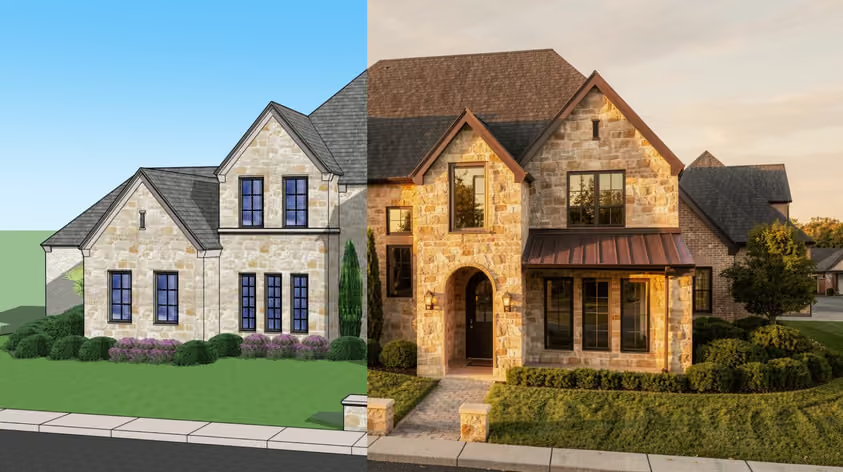
Ask around any architecture office and you'll hear a strange split. Some people have never needed anything past SketchUp. Others will tell you SketchUp stopped working for them the day their project stopped being made of flat planes.
Both groups are describing the same trade-off from opposite ends: SketchUp prioritizes speed, while Rhino prioritizes geometric control.
These two programs disagree about something basic: what a 3D model is actually made of. So we went through what that disagreement means for your work in 2026, from geometry through to cost.
Winner: Rhino
Everything else here follows from one fact: SketchUp builds models out of flat polygons.
When you draw a circle in SketchUp, you get a 24-sided polygon that reads as round from a normal viewing distance. Push-pull it and you have a cylinder with 24 flat faces. For a building, that works fine, but for a fabricator asking you for a true radius, it becomes a problem. SketchUp's community forum has carried a long-running feature request for mathematically accurate curved surfaces since 2018, and faceted geometry also means volume calculations on curved forms come out approximate.
Rhino stores curves and surfaces as NURBS, which is math. A cylinder is a cylinder at any zoom level. Rhino handles SubD for organic shapes and plain meshes too, so one file can carry several kinds of geometry side by side. You get geometry precise enough for CNC production, but reaching it takes longer: surface modeling makes continuity part of each decision, which push-pull tools largely sidestep.
If your work is walls, floors, roofs, and volumes, SketchUp's approach is quicker. Once double-curved surfaces or parametric facades enter the picture, SketchUp vs Rhino stops being a close call.
Winner: SketchUp
SketchUp is still one of the fastest 3D modelers a designer can pick up. The toolset is small on purpose, inference snapping does a lot of the thinking for you, and you can produce usable massing quickly. Trimble supports that with free self-paced courses on SketchUp Campus, and there are plenty of SketchUp courses for architects beyond it.
.avif)
Rhino asks more of you upfront: hundreds of commands, a command line that rewards typing over clicking, plus concepts like surface continuity with no SketchUp equivalent. McNeel's 90-day evaluation of the full version lets you find out whether you get on with it. Saving and plugins switch off once that runs out, so pair the trial with one of these Rhino courses and tutorials.
.avif)
Before you decide, know that Rhino lets you grab edges and faces of an object directly through sub-object selection, while SketchUp's loose geometry sticks together unless you keep it apart with groups and components.
Winner: Tie
McNeel positions Rhino for freeform roofs, parametric facades, repetitive components, versatile shapes, and complex structures. The reason is Grasshopper, which comes with Rhino and lets you define a facade once, then change the whole thing by moving a slider.
.avif)
SketchUp's strength shows earlier in the process. Massing studies and quick client-facing volumes are where it wins, with PreDesign supplying climate data at the concept stage on Pro and Studio. SketchUp 2026.2 added Analysis Hub, starting with Advanced Shadows for solstice and equinox studies, with daylight tools in Public Labs preview.
.avif)
Neither program is a BIM authoring tool out of the box. Rhino reaches BIM through paid add-ons such as VisualARQ, which currently supports Rhino 7 and 8, and it links to Revit through McNeel's Rhino.Inside.Revit. On the SketchUp side, Studio bundles a Revit importer.
So Rhino vs SketchUp for architecture usually comes down to project type. Orthogonal buildings and repeating typologies rarely need what Rhino brings.
Winner: SketchUp
SketchUp has 3D Warehouse behind it, with unlimited downloads on every paid tier and an enormous catalog of furniture and fixtures, including models uploaded by manufacturers.
.avif)
Rhino has no first-party library on that scale. What it offers is control over millwork and custom pieces headed for a workshop. Designers doing bespoke cabinetry or a sculptural reception desk often model those elements in Rhino, then bring them back into a wider SketchUp model for presentation.
For most fit-out work, Rhinoceros vs SketchUp resolves in SketchUp's favor on speed alone. The exception is anyone whose drawings go straight to a fabricator.
Winner: Tie
Both programs will get you a drawing set, though they arrive by different routes.
LayOut comes with SketchUp Pro and Studio as a separate application. Model views you place and annotate on sheets update when the model does. Its new graphics engine became the default in 2026.2 after a long run in Labs, bringing better text rendering and clipping masks for groups.
.avif)
Rhino keeps drafting inside the same file: layouts, details, dimensions, hatches, and Make2D all live in the modeling environment. The Rhino 9 beta adds layout groups, non-rectangular details, a redesigned hatch panel, and a proper block editor.
.avif)
Winner: Tie
Rhino comes with Rhino Render, built on the Cycles engine. It runs as a real-time raytraced display mode, with a separate render window and post effects like fog and depth of field.
SketchUp has no traditional renderer below the Studio plan, which bundles V-Ray (Studio is Windows only). Every paid tier now gets AI Render, introduced in 2026.1, which generates images from your viewport using a prompt or a preset, with in-painting tools for edits. Credits can run out quickly though, as the tool uses 10 AI credits per generation. Go includes 100 credits a month, Pro 150 and Studio 200.
Both also connect to the usual external engines, including Enscape, V-Ray, D5 Render, and Twinmotion.
Credit limits and GPU requirements are two reasons to move this stage into the browser. MyArchitectAI takes an image exported from either program and returns a photorealistic still in under 10 seconds, with nothing to install and no workstation to buy. AI-powered post-processing and animation tools are included. That suits fast iteration during design development, with a traditional engine kept for final deliverables.
.avif)
See our SketchUp rendering and Rhino rendering pages for more details.
Winner: SketchUp
SketchUp's Extension Warehouse is the strongest argument for staying inside SketchUp, and it opens up on Pro and Studio. Whatever the native toolset lacks, someone has usually built a plugin for it.
.avif)
Rhino's plugins are available through Food4Rhino and its built-in package manager. Many are Grasshopper plugins for structural analysis, environmental simulation, fabrication, and daylighting. The Rhino 9 beta adds Python 3.13 with matplotlib support for scripted and computational workflows.
.avif)
Winner: Tie
On hardware, SketchUp vs Rhino is closer than you might expect: both recommend 8 GB of RAM and need similar disk space. The differences show up in operating systems and graphics. SketchUp's new graphics engine needs DirectX 12 on Windows or Metal 2 on Mac, and it falls back to the classic engine if your machine can't meet that.
Winner: Rhino
Rhino costs roughly two and a half years of SketchUp Pro, then stops costing anything. There are no maintenance fees and upgrades are optional, so you keep using Rhino for as long as your operating system cooperates. See this Rhino pricing breakdown for every license type.
SketchUp's subscription buys continuous updates and cloud services, which has real value if you use them, but also means the software goes away when you stop paying.
All prices below are US list prices from Trimble and McNeel, before tax.
Winner: Rhino
Rhino reads and writes SKP directly. The Rhino 8 documentation states support up to the 2021 file format, though a McNeel developer said in 2024 that Rhino 8 uses SketchUp's 2023.2 SDK.
Going from Rhino to SketchUp is messier. SketchUp can't import 3DM files natively, so you export SKP from Rhino. Rhino 8's SKP export can't wrap objects in groups, so geometry can land as loose faces and edges that stick together once you edit them. The Rhino 9 beta improves this with a Group objects option in SKP export and layer names carried across as tags.
SketchUp's year has been about AI and analysis: 2026.1 added SketchUp AI, including an AI Assistant that answers in-app questions and generates 3D objects from prompts, plus PDF import on Windows, and 2026.2 added Analysis Hub.
Rhino's year has been about Rhino 9. McNeel opened the public beta on June 23, 2026, for any licensed Rhino 8 user. It installs alongside Rhino 8, writes a new file format, and has no release date yet. Highlights include a Direct3D display engine on Windows, caustics and dispersion in rendering, and USD support. Grasshopper 2 is included, though McNeel advises keeping production work in Grasshopper 1 for now.
Pick SketchUp if:
Pick Rhino if:
If neither fits, weigh these SketchUp alternatives.
For precision modeling and anything heading to fabrication, yes. SketchUp's polygon meshes can't match the accuracy of Rhino's NURBS geometry, and SketchUp has no built-in visual scripting equivalent to Grasshopper. On speed and access to ready-made furniture, SketchUp wins comfortably. "Better" depends entirely on what your models need to do next.
In Rhino, go to File > Import and pick your .skp file. Importing faces as trimmed planes gives you cleaner surfaces, though Rhino warns that files with very high mesh counts can crash Rhino if your computer runs out of memory. "Add objects to groups" keeps SketchUp's group structure, and "Use group layers" puts grouped objects on their group's layer. If the import fails, reopen the model in SketchUp and save it to an earlier SKP version.