
SketchUp shines in early-stage modeling and rapid iteration. As projects evolve, however, certain limitations become more apparent, especially around advanced BIM workflows, parametric modeling, and high-quality visualization.
That’s where SketchUp alternatives come into play. Depending on your workflow, you may benefit from software that offers deeper control, more robust documentation, or better performance on specific platforms.
In this guide, we cover the best SketchUp alternatives in 2026. We compare features, integrations, and real-world usability to help you find software that complements or extends what SketchUp already does well.
But first…
For firms that need more advanced capabilities, such as parametric modeling, structural analysis, or native BIM documentation, SketchUp may not always be the most efficient fit.
SketchUp’s extension ecosystem can help cover some of these gaps, but relying heavily on third-party plugins often increases setup complexity and makes workflows harder to maintain over time. Tools like V-Ray for rendering, Profile Builder for construction details, or Quantifier Pro for takeoffs can extend functionality, yet they typically operate alongside the core model rather than as part of a unified system.
Because of this, some firms explore other tools that handle these requirements more natively, with fewer moving parts and tighter integration across modeling, documentation, and coordination.
Common reasons firms prefer alternatives to SketchUp include:
Best for: Full BIM workflows, large commercial projects, multidisciplinary coordination
.jpeg)
Revit is the industry standard for BIM in commercial architecture. Unlike SketchUp's object-based approach, Revit uses intelligent building elements that carry data; e.g., walls know their fire ratings, doors know their hardware specs. When you change a floor plan, elevations, sections, and schedules update automatically.
Plus, there are plenty of Revit AI plugins that help you automate repetitive tasks like annotations, documentation, clash detection, and more.
On a less shiny side, the learning curve is steep compared to SketchUp. Expect weeks to become productive. The family system (Revit's component library) requires understanding parametric relationships, and customization often means diving into family editing or even Dynamo scripting.
Native rendering is also pretty limited, so you’ll need a third-party renderer to visualize your Revit designs.
But for firms doing large-scale commercial work or needing tight coordination with MEP and structural engineers, Revit is hard to beat. It's the de facto standard for BIM, especially in North America.
Pricing: $380/month or $3,005/year. The AEC Collection ($3,675/year) bundles Revit with AutoCAD, Civil 3D, and more.
Platform: Windows only
Best for: Mac-based firms, design-focused BIM, Grasshopper integration
.png)
Archicad is Revit's main competitor and runs natively on both Mac and Windows—a major advantage for Mac-heavy firms looking for an alternative to SketchUp with proper BIM. The interface feels more design-oriented than Revit, with smoother 3D navigation and faster visual feedback. Many users find Archicad more intuitive for early-stage design work.
The Grasshopper-Archicad live connection opens up algorithmic design workflows that SketchUp can't match. You can push complex parametric geometry directly into your BIM model and maintain that connection throughout the project. Archicad's documentation tools are also mature, producing construction drawings that meet professional standards.
To speed up your workflow, you can extend Archicad with AI tools that generate renders directly from your model, clean up floor plans, optimize layouts, and apply client changes in seconds instead of hours.
Pricing: Subscription-based, starting at $2,414/year/seat for Studio and $2,840/year/seat for Collaborate. Contact Graphisoft for regional pricing.
Platform: Windows and macOS
Best for: Residential design, remodelers, kitchen and bath specialists
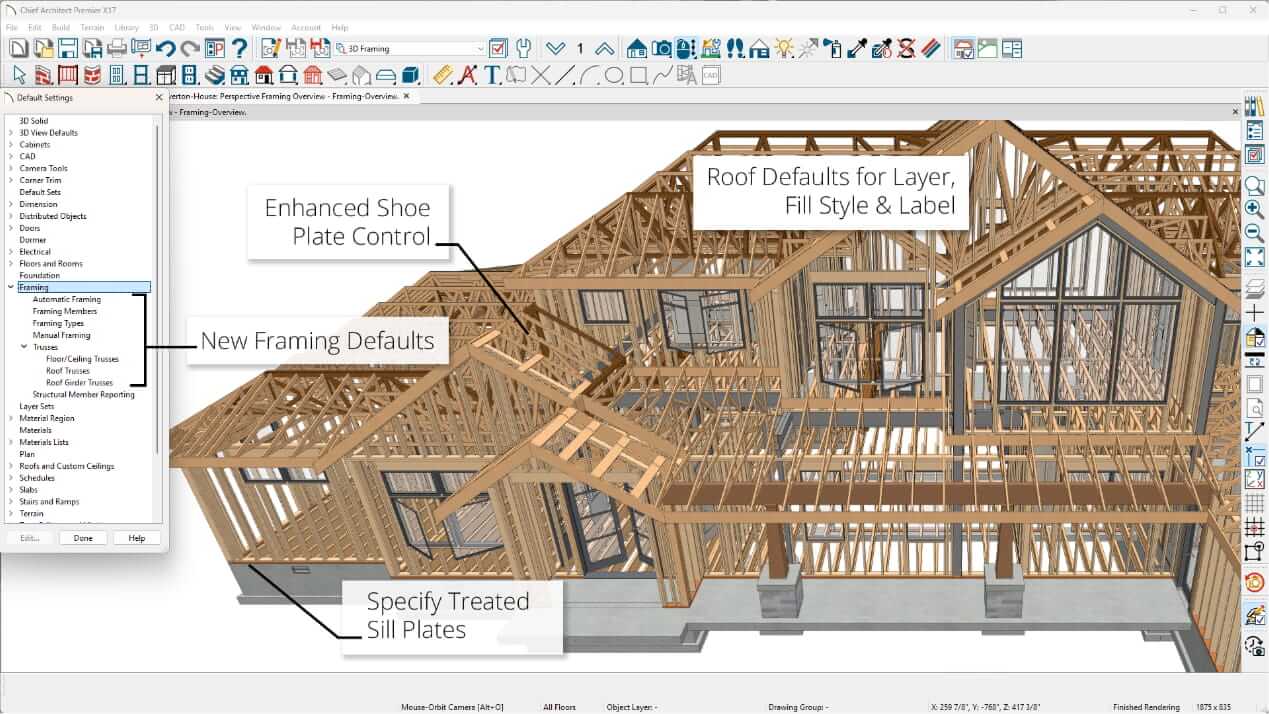
If you're focused on residential work, Chief Architect is purpose-built for houses. Draw a wall, and it automatically generates framing, drywall layers, and a materials list. Stairs and foundations all follow residential construction logic, while roofs generate from room boundaries with proper overhangs and fascia. With this kind of automation, SketchUp feels almost manual by comparison.
Moreover, real-time rendering is fast enough for client presentations on-site. You can walk through a design and swap finishes; all updates will be visible immediately. No need to wait for renders.
For an in-depth comparison, read our SketchUp vs Chief Architect guide.
Pricing: Premier subscription starts at $229/month or $1,995/year. Full pricing details here.
Platform: Windows and macOS
Best for: Complex geometry, organic forms, computational design
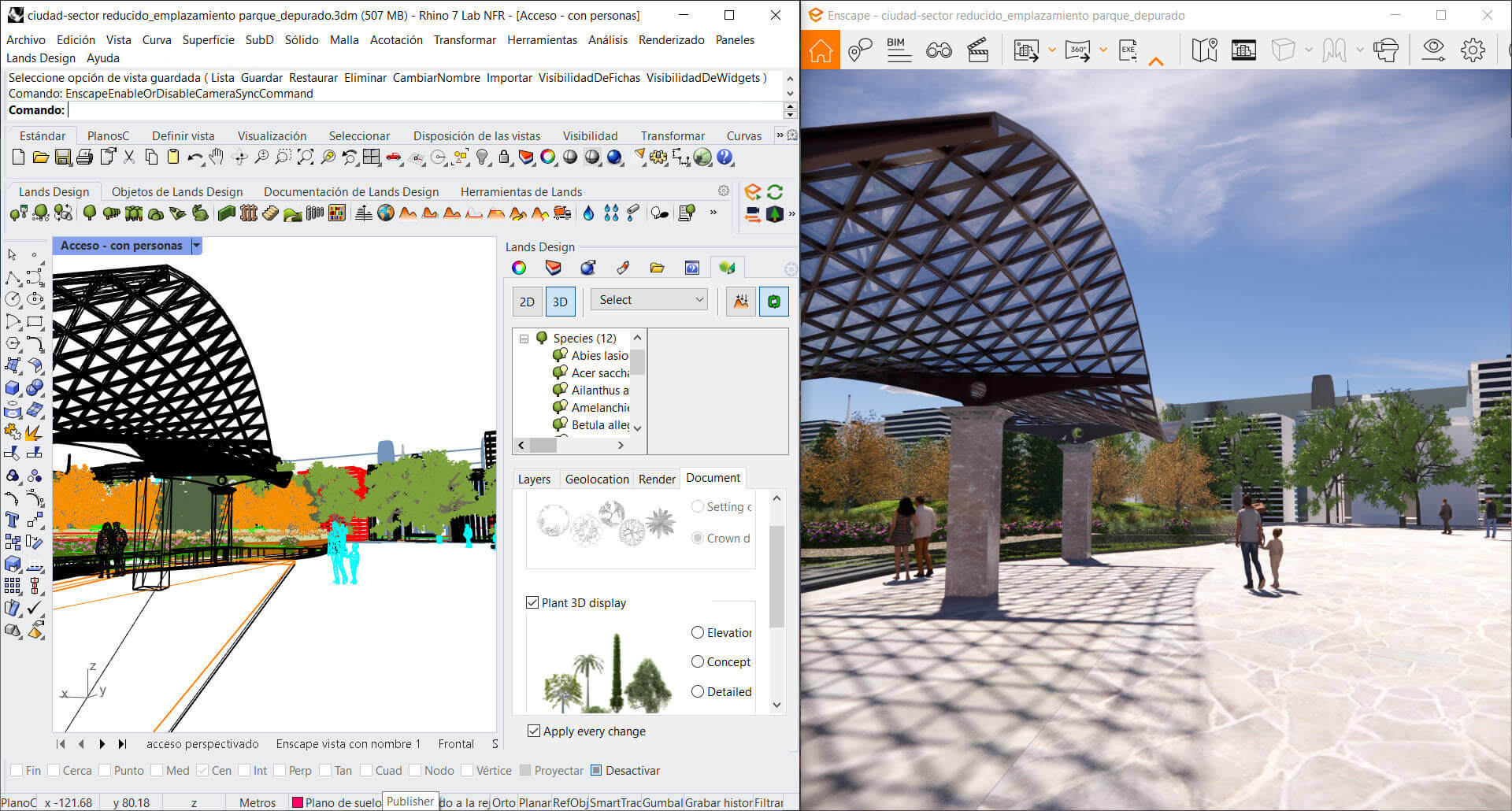
Rhino (Rhinoceros 3D) handles free-form surfaces that would choke SketchUp. NURBS modeling means curves stay mathematically precise at any scale. Where SketchUp approximates curves with faceted geometry, Rhino maintains accurate mathematical definitions.
Grasshopper, Rhino's visual scripting environment, is where things get powerful. Define relationships between design parameters, and the geometry updates automatically when you adjust inputs. This is parametric modeling at its finest, far beyond what SketchUp's Dynamic Components offer.
Firms doing computational design or generative architecture often pair Rhino with Revit or Archicad, using Rhino for geometry development and BIM software for documentation.
Rhino can also be extended with AI-powered tools that assist with Grasshopper script debugging, mesh optimization, quick rendering, and other tedious tasks.
Pricing: $995 perpetual license (one-time purchase). Student licence costs $195. Upgrades cost extra but aren't mandatory.
*Note: Rhino’s student license allows for some commercial work, such as freelance projects or selling designs or models created with the edu license. It’s valid while you are a student or educator, and it can’t be used by non-eligible staff as a substitute for commercial seats.
Platform: Windows and macOS
Best for: Visualization, animation, budget-conscious studios
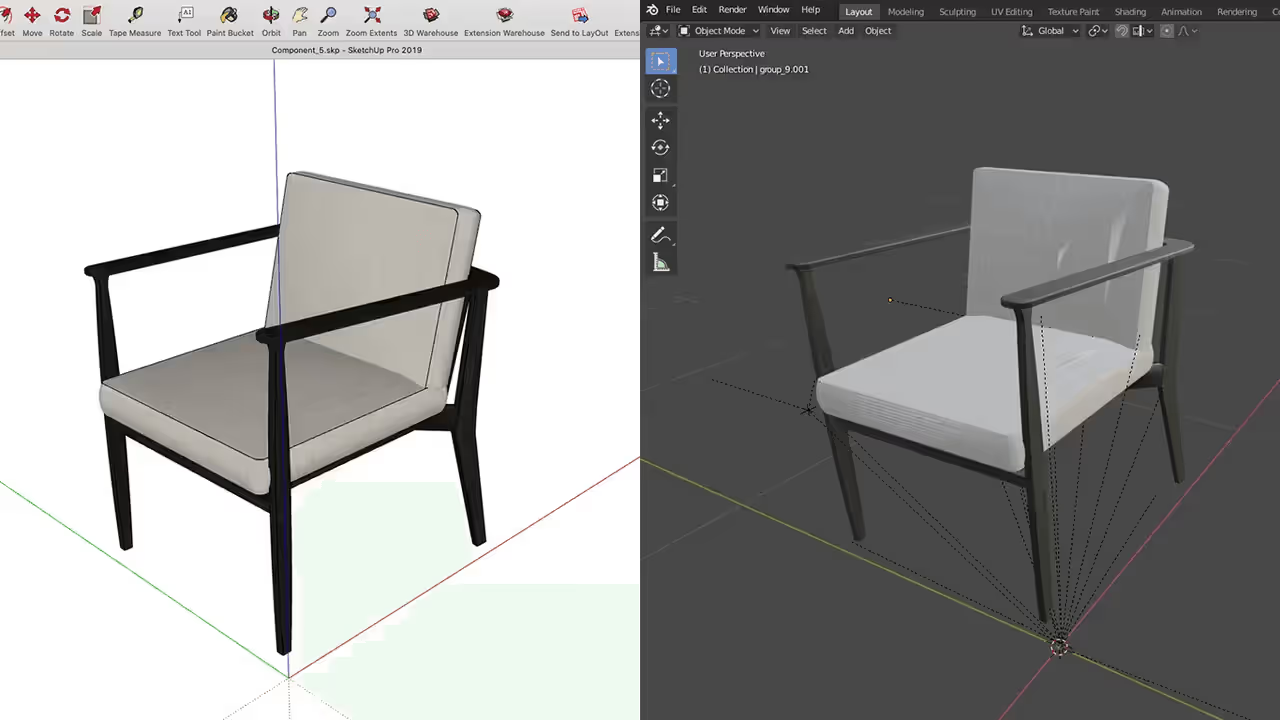
Blender is the heavyweight open source SketchUp alternative. It's completely free, runs on Windows, Mac, and Linux, and produces architectural visualizations that rival paid renderers. The Cycles render engine can create photorealistic imagery that SketchUp can't match without third-party plugins. In addition, Eevee, Blender's real-time renderer, offers fast viewport previews for iterating on materials and lighting. The community support and tutorial ecosystem are also exceptional.
For some of the most useful tools extending Blender's functionalities, check our article on the best AI tools for Blender.
But here’s the tradeoff: Blender's interface takes serious time to learn. It's built for 3D generalists, so as an architect, you'll need to customize your workflow. There's no built-in understanding of building elements. Still, for firms that want professional-quality renders without paying for V-Ray or Enscape, Blender delivers.
Pricing: Free and open source
Platform: Windows, macOS, and Linux, which makes it a genuine SketchUp alternative for Linux users
Best for: AutoCAD users, DWG-centric workflows, cross-platform needs

BricsCAD reads and writes native DWG files without translation issues, and that’s another thing SketchUp struggles with. It's not as mature as Revit's BIM ecosystem, but it's improving fast.
The interface will feel familiar to anyone who's used AutoCAD, with similar commands and keyboard shortcuts. You can also work in direct modeling mode, which feels closer to SketchUp's push-pull workflow. BricsCAD BIM, meanwhile, adds AI tools that can automatically classify geometry as building elements.
Pricing: Lite starts at $314/year, Pro at $711/year, and BIM at $1,060/year. These are subscription single licences; network and perpetual license types are also available.
Platform: Windows, macOS, and Linux
Best for: Real estate marketing, quick floor plans, non-technical users
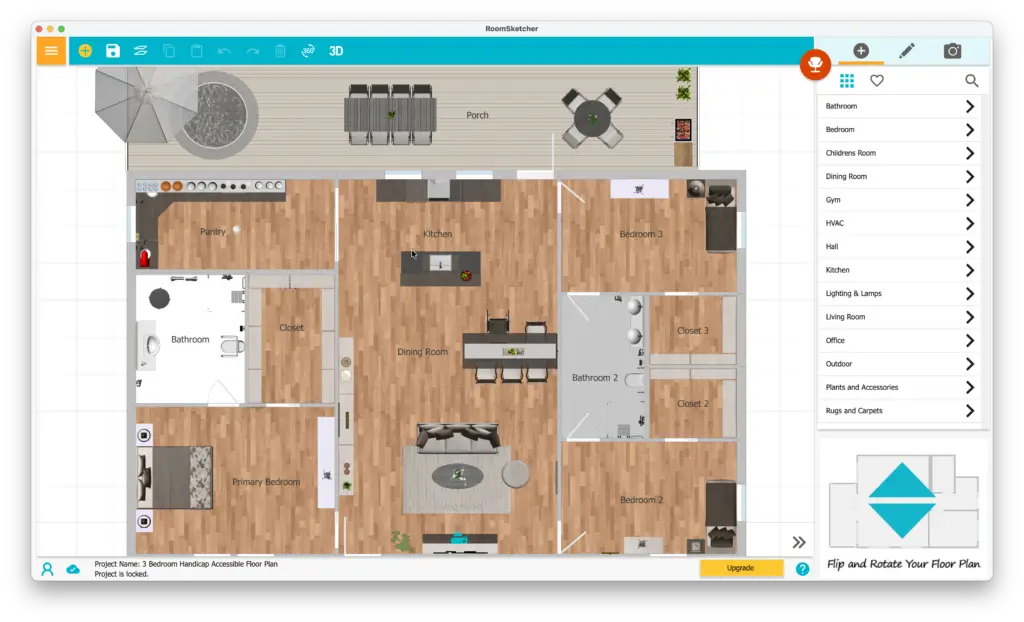
RoomSketcher is the simplest option on this list. If you need floor plans fast, like for space planning or client presentations, it gets the job done. This is also an online SketchUp alternative that runs entirely in your browser, so there's nothing to install or update.
Draw walls, drop in furniture from the library, and generate 2D floor plans or 3D visualizations. The output looks polished enough for marketing materials, and the credit-based system means you only pay for what you produce.
Pricing: Free tier available. Pro at $24/month or $120/year, Team at $70/month or $360/year.
Platform: Web-based (Windows, Mac), plus iPad and Android tablet apps; a solid SketchUp alternative for iPad users
Best for: Small-to-medium firms, landscape architects, entertainment design
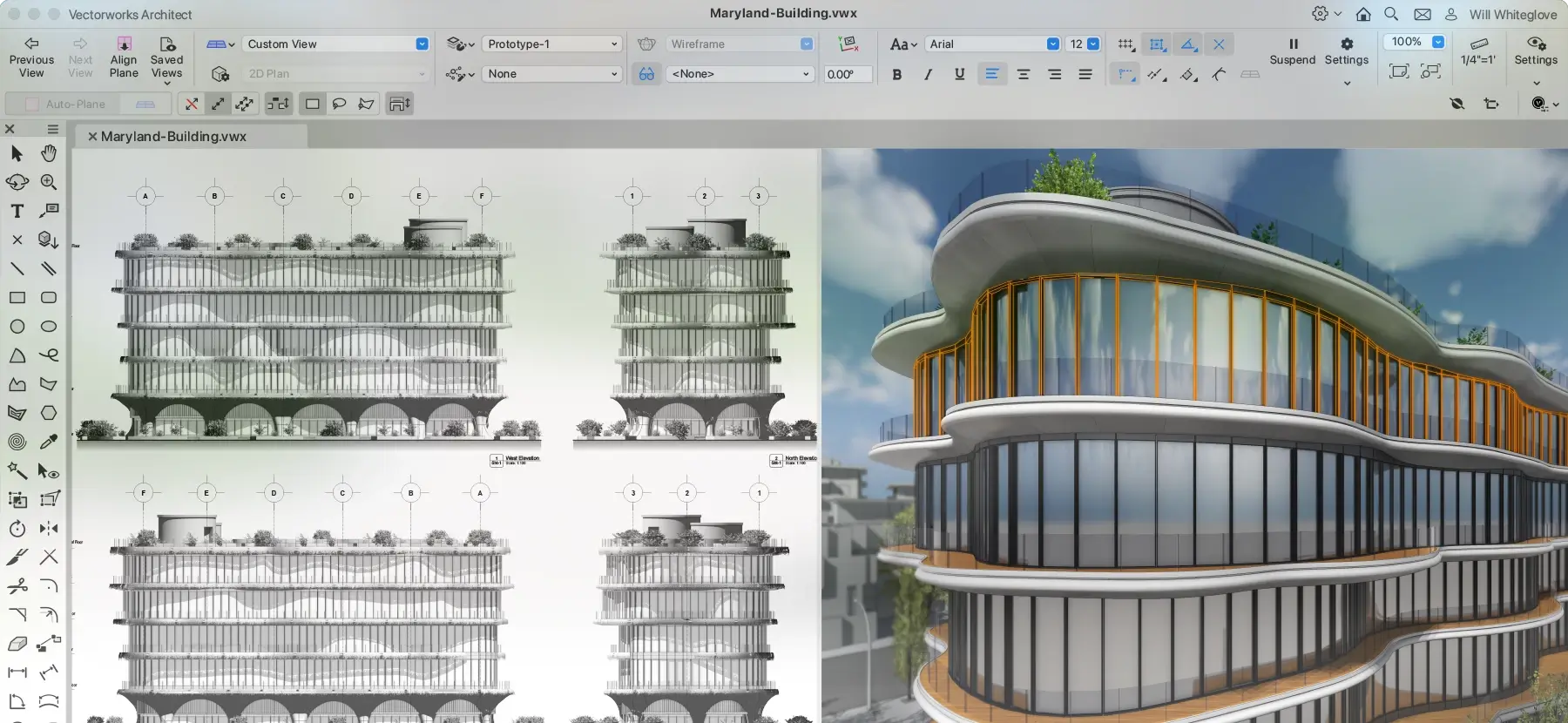
Vectorworks Architect combines 2D drafting flexibility with 3D BIM capabilities in a way that feels less rigid than Revit. You can sketch freely, then gradually add intelligence to your model, which is quite an architect-friendly workflow.
The software also covers landscape design (Vectorworks Landmark) and entertainment/lighting design (Vectorworks Spotlight), making it versatile for multidisciplinary practices. Native Mac support is excellent, and the rendering engine produces quality output without additional plugins. For small-to-medium firms that find Revit overkill, Vectorworks hits a sweet spot.
Pricing: $170/month or $1,530/year subscription. Perpetual licenses available through resellers.
Platform: Windows and macOS; this is one of the best SketchUp alternatives for Mac
Best for: Budget-conscious firms, open-source advocates, Linux users
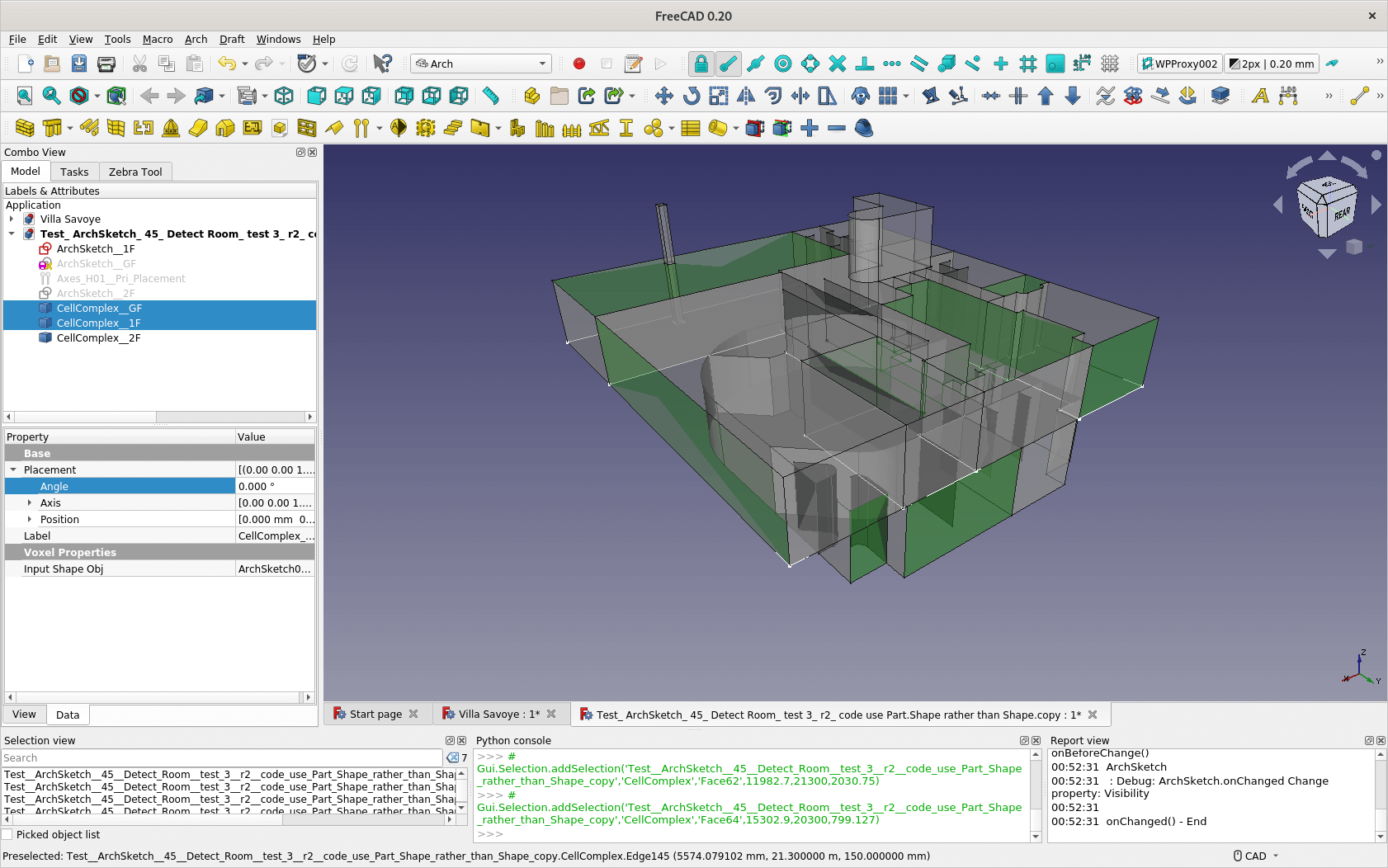
FreeCAD is a parametric 3D modeler, completely free and open source. The Arch workbench specifically targets architectural workflows, with tools for walls, windows, structural elements, and IFC export for BIM interoperability. Version 1.0 was released recently and significantly improved both stability and usability; as a result, this is no longer beta-quality software.
On the downside, it’s not as polished as commercial alternatives, and the learning curve can be steep since documentation is community-driven. But for firms that want true parametric modeling without licensing costs, FreeCAD is the genuine open source SketchUp alternative. The Python scripting capability allows deep customization, and the active development community keeps adding features.
Pricing: Free and open source
Platform: Windows, macOS, and Linux
Best for: 2D documentation, industry-standard DWG workflows, precision drafting

AutoCAD remains the gold standard for 2D drafting and technical documentation. While it's not a direct modeling replacement for SketchUp, it excels at the production drawing side that SketchUp handles poorly. Many firms use both: SketchUp for quick massing and design exploration, AutoCAD for final construction documentation and coordination with consultants who expect DWG files.
AutoCAD 2026 introduces expanded AI-assisted and automation features—such as Smart Blocks and Markup Assist—along with performance improvements. The Architecture toolset includes intelligent walls, doors, and scheduling tools purpose-built for buildings. Web and mobile apps let you view and mark up drawings on-site, though serious editing still requires the desktop version.
Its native rendering engine is quite clunky, and creating realistic visuals is hard. That's why a third-party AutoCAD rendering software will save you lots of time and headaches.
Pricing: $260/month or $2,095/year. AutoCAD LT (2D only) runs $60/month.
Platform: Windows and macOS
The best alternative to SketchUp depends on what's actually limiting you. Avoid changing software for hype; switch because it solves a specific problem you have.
Here's a quick decision framework:
Most of these SketchUp alternatives offer free trials. Download two or three and model the same small project in each. You’ll be able to see which one feels most natural. Pay attention to how documentation works, how files are exchanged with your consultants, and how the rendering workflow fits your presentation needs. If the built-in output falls short, a dedicated SketchUp rendering tool can produce photorealistic results from the same model file.
Blender and FreeCAD are the best free SketchUp alternatives for professional use. Blender excels at visualization and rendering, while FreeCAD offers true parametric modeling. Both are open source and run on Windows, Mac, and Linux. RoomSketcher also has a free tier for basic floor plans.
RoomSketcher works well on iPad for floor plans and space planning. For more serious modeling, SketchUp alternatives such as Shapr3D might be worth exploring. SketchUp itself now also has an iPad app, though it requires a subscription.
Archicad and Vectorworks have the gentlest learning curves for SketchUp users moving to BIM. Both allow flexible 3D modeling during early design phases, unlike Revit which expects you to think in terms of building elements from the start. Rhino is another good option if you need complex geometry but not full BIM.
Yes, but to varying degrees. Revit, Archicad, Rhino, and Blender all read SketchUp geometry, sometimes requiring import via intermediary formats or plugins. However, imported files can become dumb geometry, and you might lose component definitions or layer organization. Materials don’t always transfer correctly either. For active projects, you're generally better off rebuilding in your new software rather than trying to convert complex models.
Rhino offers perpetual licenses at $995 (one-time purchase). BricsCAD also sells perpetual licenses starting at $708 for Single Lite and going up to $2,382 for the full BIM version. Blender and FreeCAD are completely free with no licensing costs whatsoever.
Blender offers the most powerful built-in rendering with its Cycles and Eevee engines, completely free and capable of photorealistic output. Rhino pairs well with V-Ray or its native Rhino Render. Chief Architect includes real-time rendering suitable for client walkthroughs. For the others, you'll likely add third-party renderers: V-Ray and Enscape integrate with Revit and Archicad.
Yes. Blender, FreeCAD, and BricsCAD all run natively on Linux (although not all Brics editions are equally supported). Blender is the most feature-complete for architectural visualization, while BricsCAD offers professional CAD and BIM capabilities with native DWG support. FreeCAD provides parametric modeling with an architectural workbench.

