
At first glance, SketchUp and Chief Architect look similar.
In practice, they’re designed for different types of architectural and interior design work. The right choice comes down to your workflow and your preference for manual vs automated tools.
Choose SketchUp if you want a flexible, general-purpose 3D modeling tool that adapts to many types of projects. It gives you a blank canvas and full control, which works well if your workflow spans architecture, interiors, landscape, or custom design work.
Choose Chief Architect if your focus is on residential or light commercial projects and you want automation built in. It’s designed to handle roofs, framing, foundations, and construction documents for you, saving lots of time on manual work.
Here’s how SketchUp vs Chief Architect compare.
Let's now explore each comparison point in detail.
The first fundamental difference in this whole SketchUp vs Chief Architect comparison is how you create models.
SketchUp: SketchUp uses a freeform modeling approach. You draw shapes, push/pull them into 3D forms, and build models manually. This gives you complete creative freedom, but also means everything requires manual work.

Chief Architect: This tool relies on a "smart object" method. When you draw a wall, the program automatically creates a 3D model. Place a door, and it cuts the opening and adds framing. Draw a roof, and the software generates proper roof planes, fascia, and structure. This automation is efficient for residential design but less flexible for unconventional projects.

Here’s another point where Chief Architect clearly separates from SketchUp.
Chief Architect: Chief Architect automatically generates floor plans, elevations, cross-sections, framing plans, electrical plans, and site plans from your model. Dimensions update automatically when you make changes. Schedules for doors, windows, and materials are generated with a click. For permit drawings and contractor communication, this automation saves significant time.
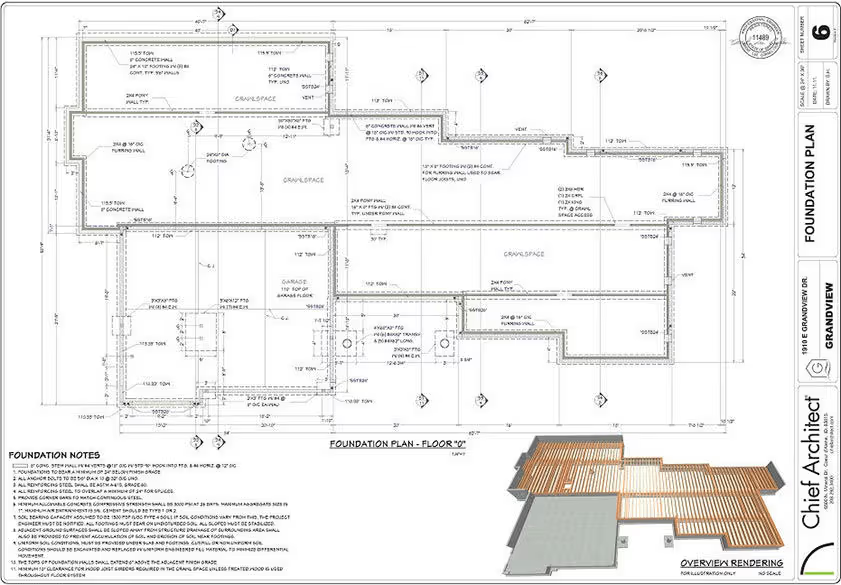
SketchUp: SketchUp Pro includes LayOut for 2D documentation. It's capable, and you can create professional drawings with annotations and title blocks, but again, it requires more manual work. Note that tags from SketchUp now translate to layers in DWG exports, which helps when collaborating with engineers and contractors.

Chief Architect: Its standout feature is its automated building tools:
SketchUp: None of these built-ins exist in SketchUp. You can add similar functionality through extensions like PlusSpec or Medeek, but these are separate purchases and don't integrate as seamlessly. If you're designing residential projects and need construction documents, Chief Architect's automation is hard to beat.
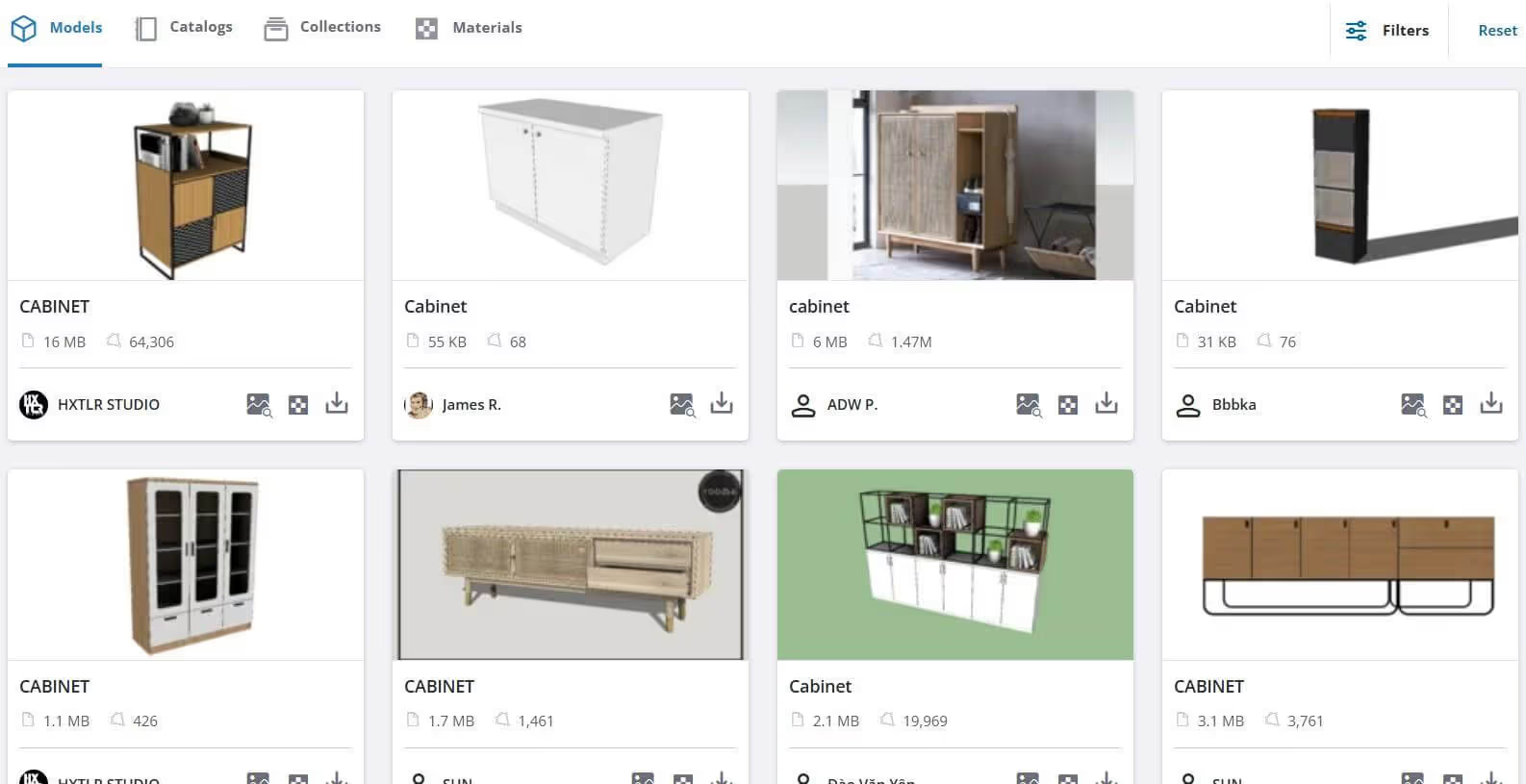
SketchUp: Gives you access to 3D Warehouse, a massive library of over 5 million free models. Furniture, fixtures, vehicles, building elements—you can find almost anything. In addition, the newer versions introduced Live Components, configurable objects you can customize with parameters.
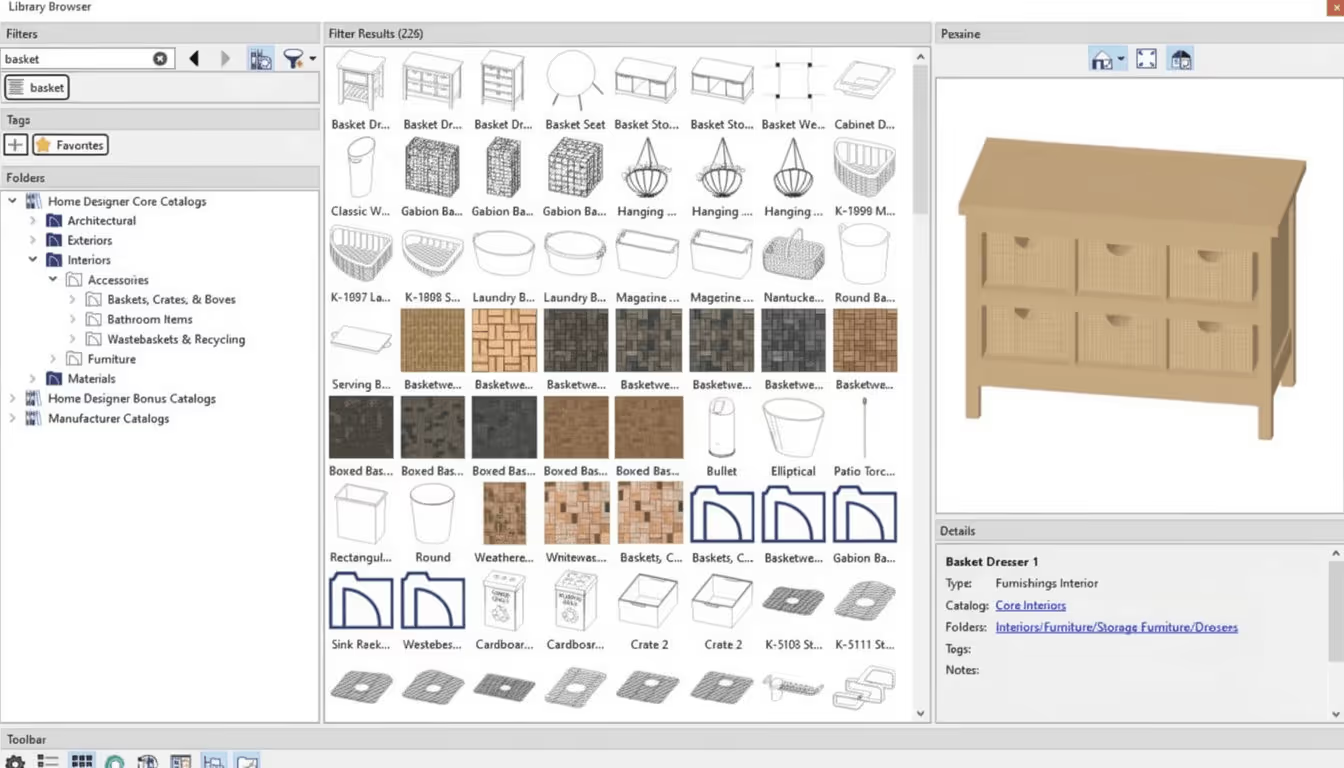
Chief Architect: Offers a curated 3D library with thousands of manufacturer-specific objects—cabinets from Diamond, Kemper, and Homecrest; appliances from major brands; windows and doors with accurate specifications. These include real product data for specifications and ordering, plus over 4,000 plants with hardiness zone information.
Chief Architect's advantage is fully integrated rendering; SketchUp's advantage is access to a wider ecosystem of specialized rendering tools.
SketchUp 2025 introduced Photoreal Materials with physically-based rendering (PBR) textures and Environment lighting via HDR/EXR images. These new features bring realistic materials and lighting directly into SketchUp without external renderers. In the previous version, Trimble added SketchUp Diffusion, their own AI renderer. Community feedback hasn't been great though and users prefer to use dedicated SketchUp renderers.
For higher-end rendering, SketchUp Studio includes V-Ray, one of the industry's top rendering engines. SketchUp Pro users can also integrate with Enscape, Lumion, Twinmotion, and dozens of other renderers through extensions.
Chief Architect includes built-in ray tracing, with real-time preview and final rendering handled by the CPU. They have also introduced a Physically Based Rendering (PBR) mode that uses the GPU for real-time, physically based visualization, separate from the CPU-based ray-tracing renderer.
You can generate photorealistic views, 360° panoramas, and walkthrough videos without additional software. The program also offers artistic rendering styles—line drawings, watercolor effects—useful for client presentations. For highest realism, a dedicated Chief Architect renderer is recommended.
To get a better understanding of how the rendering process works in both programs, read our guides on how to render in SketchUp and Chief Architect.
Winner: SketchUp
SketchUp has a clear lead here, as Chief Architect has no AI features at all.
Trimble has launched SketchUp AI, a suite with two AI-powered tools.
AI Render (formerly SketchUp Diffusion), which is a generative image tool. It combines a model's viewport with a text prompt to produce quick rendered visuals. Controls include reference images, inpainting, and negative prompts. It's useful for early-stage concept exploration and quick client presentations, though the community feedback on output quality has been mixed.
Read our full review for more details and example results.
.avif)
The second tool is the AI Assistant, which includes the Generate Object option. You can describe the objects you need in text or drag in a reference image, and SketchUp generates a 3D model with PBR textures directly in the workspace. AI Assistant also includes a help chatbot for in-app guidance.
SketchUp AI runs on a credit system: AI Render costs 5 credits per image, and Generate Object costs 30. Every subscription tier includes a monthly credit allowance; additional credits cost $11.99/month for 1,500 credits.
Chief Architect currently offers no AI-powered tools, and no AI features are announced on its roadmap.
When comparing SketchUp vs Chief Architect on ease of use, SketchUp wins hands down.
SketchUp’s push/pull tool—its signature feature—lets you transform 2D shapes into 3D forms intuitively. Most users can create basic models within hours of first opening the program. The interface is clean, the tools are clearly labeled, and the web-based version lets you get started without installing anything.
And if you need help getting up to speed, there are many solid SketchUp courses worth checking out.
Chief Architect has a steeper learning curve. The automation that makes it powerful also means more settings to understand and more to configure. According to user feedback, expect at least a few weeks of dedicated learning before you're productive. There's plenty of training courses as well.
For collaboration with other design tools, SketchUp offers more flexibility. For standalone residential workflows, Chief Architect's tighter integration may actually be an advantage.
SketchUp exports to SKP, DWG, DXF, DAE, IFC, FBX, OBJ, and many other formats. The Extension Warehouse offers over 1,000 plugins for specialized workflows—parametric modeling, BIM tagging, rendering, analysis, and more. We curated a list of some of the most useful SketchUp extensions in another article.
Chief Architect imports and exports DWG/DXF files and can import AutoCAD files with a CAD-to-Walls tool for quick conversion to 3D. There's also a 3D Viewer app for sharing models with clients and subcontractors—recipients can explore the model on phones, tablets, or computers without installing software. However, the plugin ecosystem is much smaller than SketchUp's.
Using both tools together also works, but with some friction. Chief Architect exports to SketchUp's native SKP format via File > Export > SketchUp. Materials and basic geometry survive the trip. Chief Architect's parametric smart objects don't: walls, cabinets, and stairs come out as static geometry.
You can also go the other direction and import a SketchUp SKP into Chief Architect as reference geometry, but it won't drive the automated plan generation that's the whole point of Chief Architect. DWG is the cleaner interchange for 2D information and works both ways.
A common production setup is: build the model in Chief Architect to drive construction docs, then export to SketchUp for presentation rendering in Enscape or V-Ray. Same source, two deliverables.
Both programs run on Windows and Mac, though their system requirements differ in some important ways.
SketchUp 2025's new graphics engine requires DirectX 12 on Windows or Metal 2 on Mac for full feature support. Apple Silicon Macs (M1/M2/M3) are fully supported.
Find more details on SketchUp's recommended specs here.
Important note: Chief Architect no longer supports Intel Macs—only Apple Silicon (M1 or newer). Windows ARM processors (like Snapdragon) are not supported. Real-time ray tracing requires an NVIDIA RTX or AMD Radeon RX series card on Windows; Mac users get ray tracing through Apple Silicon.
Based on user experience, both programs can become sluggish with complex models on underpowered hardware. Chief Architect's automated features put more demand on your system during operations like generating framing or roofs.
Finally, pricing is where the Chief Architect vs SketchUp comparison shows the biggest difference, as Chief Architect is roughly 5x the cost of SketchUp Pro.
For professionals doing residential design full-time, the Chief Architect’s automation can justify the premium—the time savings on construction documents alone may pay for the difference. For occasional residential work or general 3D modeling needs, SketchUp's price point is more accessible.
Both programs offer free testing versions: SketchUp gives you a full-featured 7-day trial; Chief Architect offers an unlimited free plan with saving, printing, and exporting disabled. Check our full breakdown of Chief's pricing here.
Chief Architect sells two separate product families. A lot of "Chief Architect" price shock comes from confusing them:
If you're comparing Chief Architect to SketchUp for a small residential practice or a side business, the real comparison is often Home Designer Pro vs SketchUp Pro: a $400 one-time purchase against a $399/year subscription. That's a very different decision from Premier vs SketchUp.
Here's a quick SketchUp vs Chief Architect breakdown of strengths and weaknesses.
Pros:
Cons:
Pros:
Cons:
How does the SketchUp vs Chief Architect experience differ in daily use? Based on user feedback across forums (SketchUp Community, ChiefTalk, Capterra, and contractor forums), here's what actual users report.
SketchUp users consistently praise the software's accessibility and speed for quick visualizations. Interior designers mention being able to show clients ideas rapidly. The criticism centers mainly on documentation—generating professional construction drawings takes more effort compared to BIM-focused tools.
Chief Architect users often describe it as a "complete solution" for residential design. Builders and remodelers appreciate going from concept to permit drawings in one program. The common complaints are the learning curve and price.
Some professionals use both tools: SketchUp for quick conceptual modeling, then Chief Architect for construction documents when a project gets approved.
Choose SketchUp if you:
Choose Chief Architect if you:
Deciding between SketchUp and Chief Architect ultimately comes down to specialization.
Look at it this way: Chief Architect is the specialist, exceptionally good at residential design but less flexible outside that niche. SketchUp, on the other hand, is the generalist. It’s capable of nearly anything, but requires more manual work and plugins for specialized residential workflows.
For dedicated residential design with construction documents, Chief Architect is a great alternative to SketchUp thanks to its automated building tools. Roofs, framing, foundations, and materials lists generate automatically, which saves considerable time. However, SketchUp is faster for quick conceptual modeling and costs significantly less. Your choice depends on whether you need full construction documentation or primarily visualization.
Yes, SketchUp Pro and Studio include LayOut, which creates 2D documentation from 3D models. You can produce floor plans, elevations, sections, and detail drawings with dimensions and annotations. The 2025 version improved DWG export so SketchUp tags translate to CAD layers.
Yes, but only on Apple Silicon Macs (M1, M2, M3, or newer). Intel-based Macs are no longer supported as of the current version. Chief Architect runs natively on Apple Silicon with full feature support; ray tracing is CPU-based.
Some professionals do exactly this. They use SketchUp for fast conceptual modeling and client presentations, then switch to Chief Architect for construction documentation once a project is approved. You can export SKP files from SketchUp, though direct integration between the programs is limited.
For professionals doing residential design full-time, many users say yes. The automation in construction documents and framing generation can save hours per project. At $1,995/year vs SketchUp Pro's $399/year, you'd need to save roughly 10-15 hours annually to break even. Full-time residential designers often save much more. If that's still outside of your budget, there are plenty of Chief Architect alternatives to consider.

