
Are you trying to speed up your Rhino workflow? Is post-processing taking longer than it should? Do long render setups slow you down? Or does modeling complex geometry take more time than the actual design decisions?
That’s exactly where Rhino AI tools come in.
Modern AI-powered tools can reduce or eliminate many of Rhino’s most time-consuming tasks, from rendering setup to repetitive modeling steps, freeing time for higher-value design work.
Let’s have a look at our picks.
Best for: turning your Rhino models into photorealistic visuals in one click.
.avif)
MyArchitectAI is a web-based AI rendering tool for Rhino that turns 3D views, both interior and exterior, into realistic, geometry-accurate still images in about 10 seconds.
Instead of setting up cameras, materials, and lighting from scratch, you upload images of your 3D model exports in JPG or PNG format, and generate photorealistic renders in a couple of clicks. Because it runs entirely in the browser, it works on both Mac and Windows with no local installation required.
Beyond speed, MyArchitectAI stands out for its steady pace of development. The team ships frequent updates and publishes a public roadmap so users can see which features are coming next.
Key features:
Pricing: Free plan includes 10 renders. The Pro plan costs $29 per month and includes unlimited renders.
Our guide on how to render in Rhino covers MyArchitectAI and other approaches in detail.
Best for: fast AI-powered environmental and microclimate simulations and analysis.
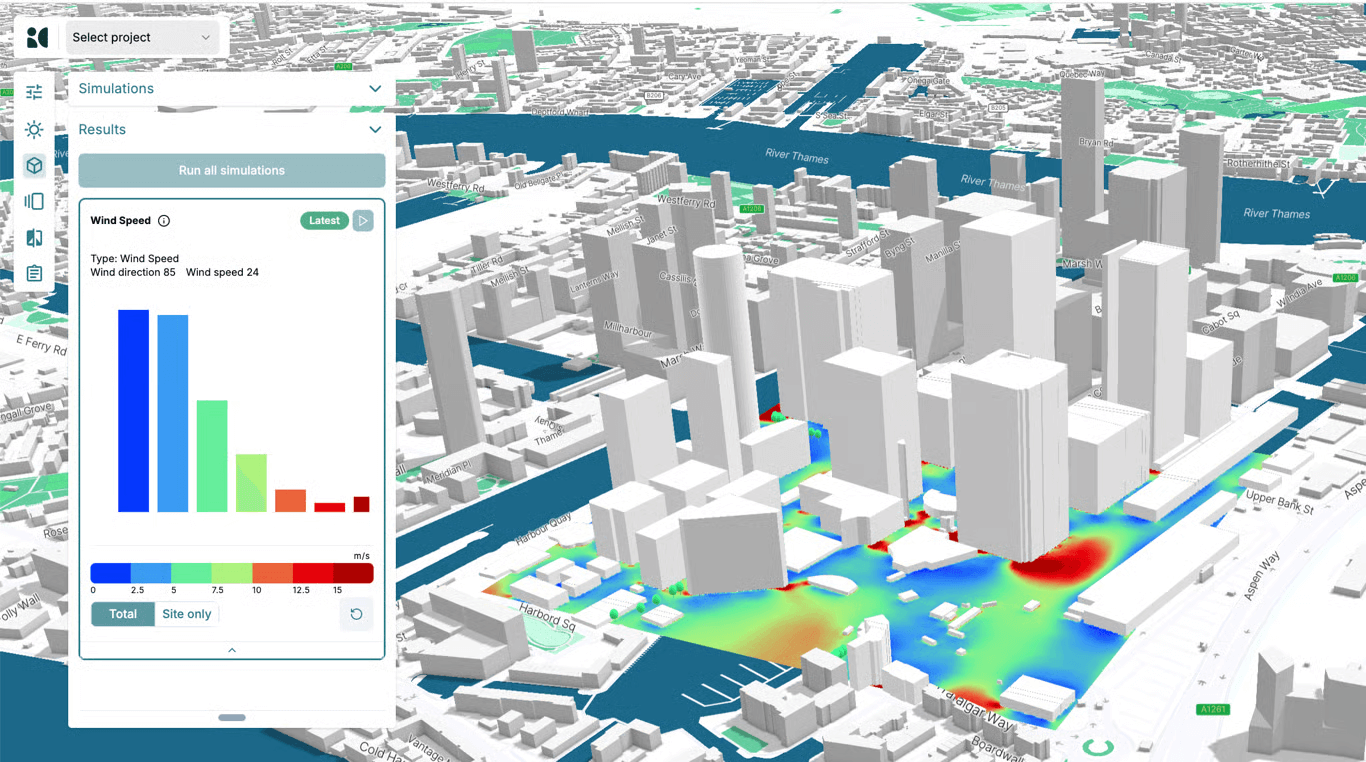
Design is not just about how a model looks. It is also about how a building performs and responds to its environment.
InfraredCity is a Rhino AI plugin that replaces slow, setup-heavy environmental simulations with AI-driven analysis that delivers usable feedback in seconds. It allows designers to assess environmental impact early in the process and make data-backed decisions without breaking their existing Rhino workflow.
Here are its key AI-powered features.
Environmental Analysis
InfraredCity provides AI-powered analysis for:
These simulations help designers understand how buildings interact with their surrounding environment and how design choices affect human comfort at ground level.
Automated Reporting
Simulation results can be converted into clear, structured documentation using InfraredCity’s AI Reporting System. It automatically generates written explanations that highlight key findings, critical areas, and potential optimization strategies.
Reports can be customized using editable templates and shared as interactive web links. This makes it easy to present results to clients or stakeholders without requiring Rhino 3D or specialized software.
AI Assistant
InfraredCity includes an Rhino AI Assistant powered by multiple language models trained in urban microclimate principles, building physics, and local climate data. It analyzes your project’s geometry, context, and location to deliver project-specific, actionable recommendations.
Pricing: starts at $50/month
Best for: parametric design with Grasshopper through natural language. No virtual scripting knowledge required.
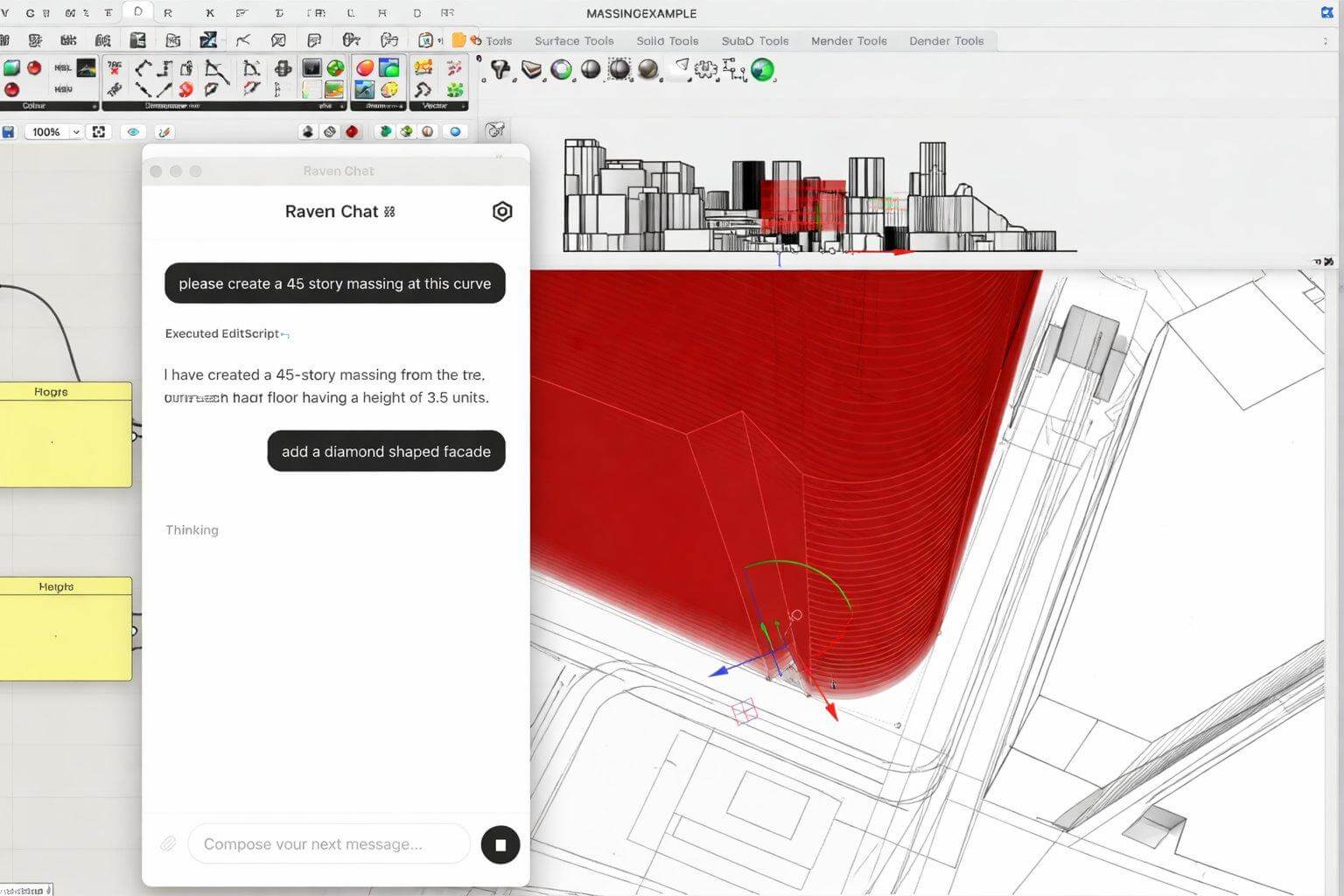
While Grasshopper is powerful, it demands time, scripting literacy, and comfort with abstract logic.
That’s where Raven comes in. This AI plugin for Grasshopper lets you interact with parametric systems using natural language instead of visual scripting. Once installed, it adds a chat interface directly inside Grasshopper. You describe the structure or behavior you want, and Raven generates the corresponding definitions automatically in your Rhino scene.
What you can do with Raven:
Pricing: free hobby plan (limited), then $49/month (extensive limits)
Best for: AI-powered 3D model generation for interior, landscape, and product design.
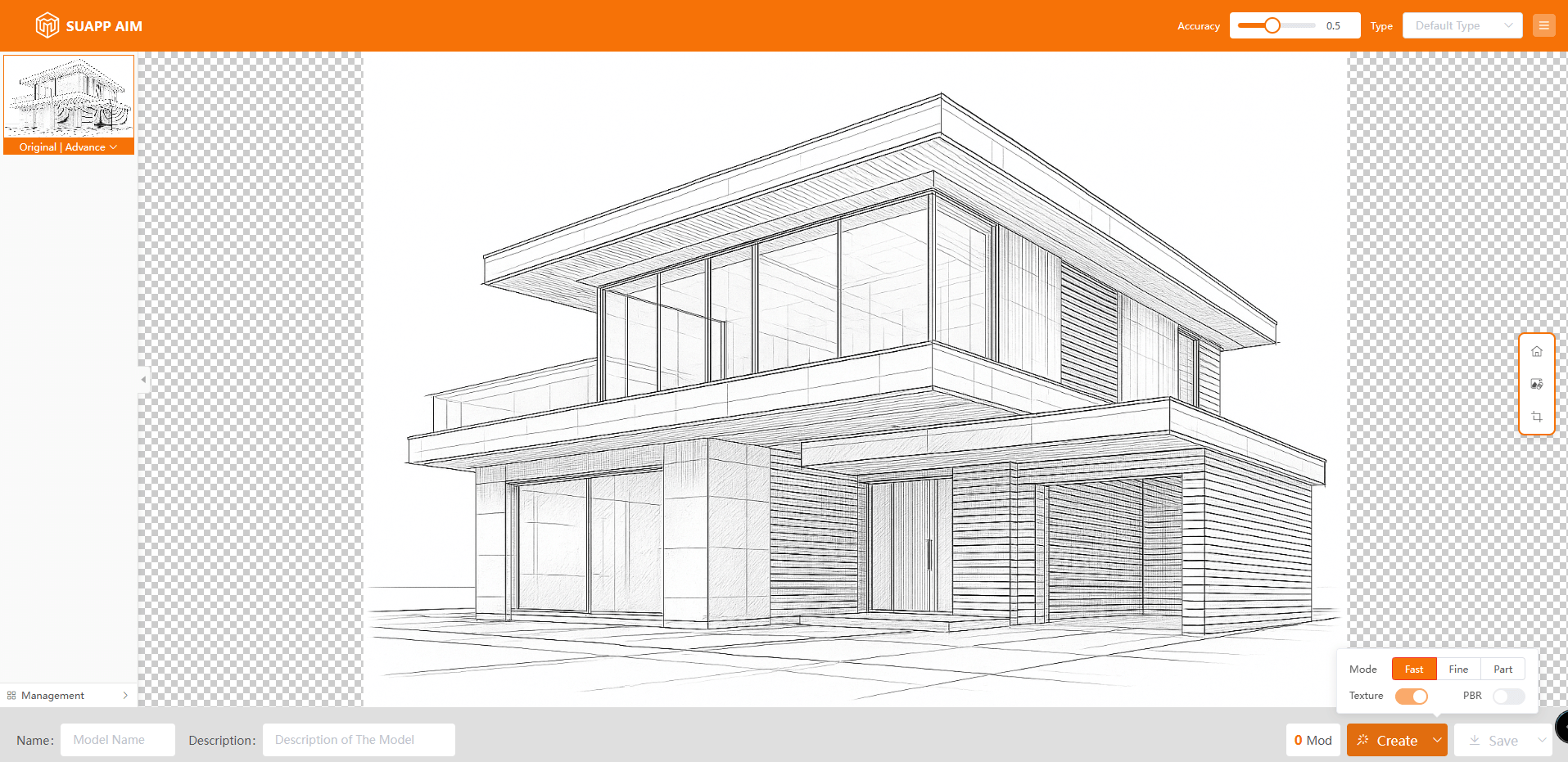
Can’t find a ready-made asset, or don’t want to spend time modeling a one-off object from scratch? SUAPP AIM converts 2D images into usable 3D models that can be placed directly into your Rhino scene.
It’s designed to reduce the time spent on secondary assets, so you can focus on core architectural and engineering decisions instead of manual cleanup and modeling.
AIM generates 3D models using three modes: Fast, Fine, and Part, depending on the level of detail and control you need.
You can choose from four generation methods, depending on how much input and control you want:
For finer control over the result, AIM also includes:
Pricing: starts at $99 for three months and includes limited render credits per month.
Best for: quick and simple rendering directly inside Rhino.
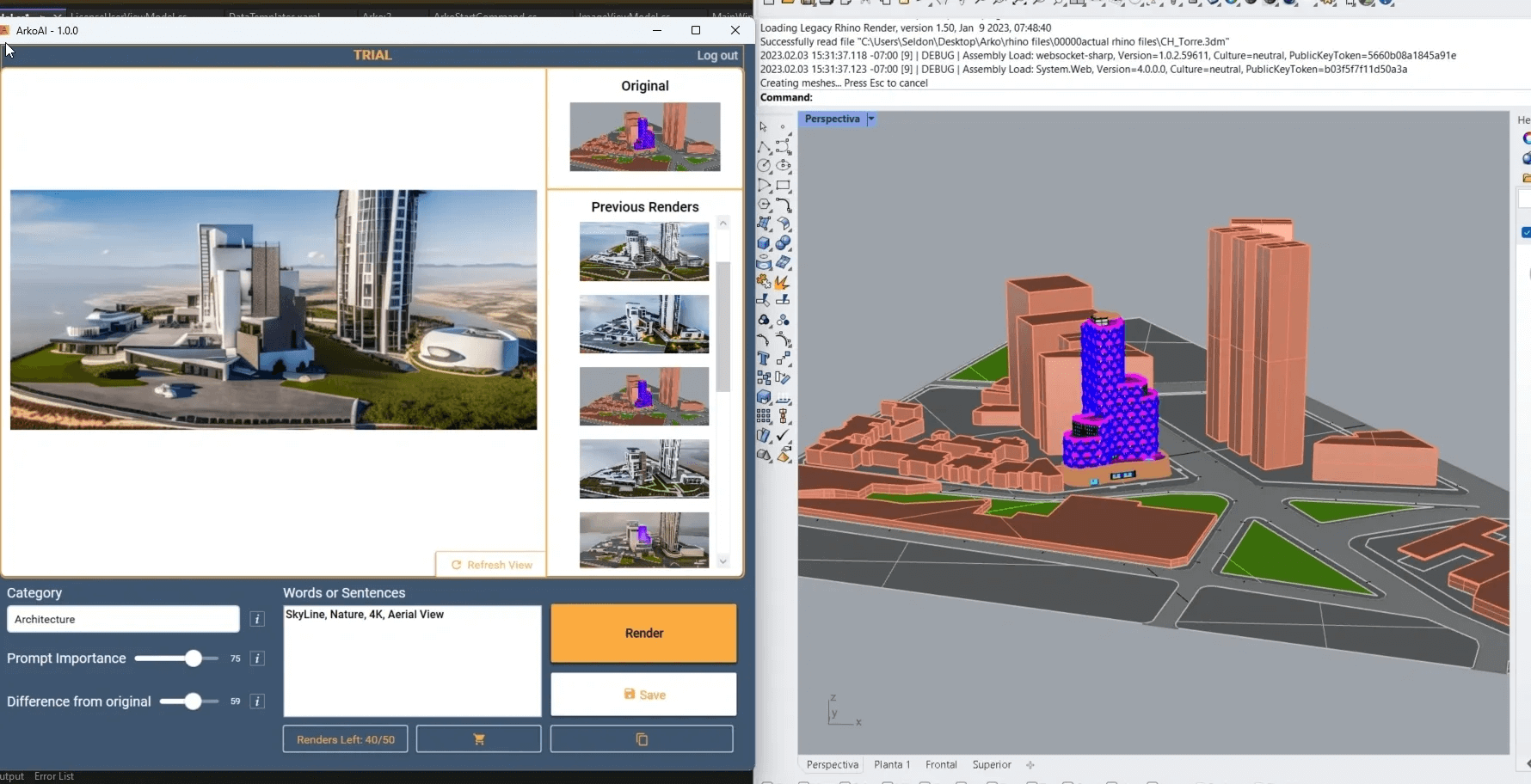
Arko AI is an AI renderer similar in concept to MyArchitectAI, with one key difference: it integrates directly into Rhino 7.
This Rhino AI plugin mirrors your active viewport, so you can render without exporting images or switching to a separate platform. The tradeoff is platform support. It’s currently available only on Windows.
This setup makes Arko AI a good fit for architects and designers who want fast visual feedback while modeling, especially during early design exploration or client reviews where speed matters more than fine-grained photorealistic control.
Arko AI uses a lightweight rendering workflow with a small set of adjustable parameters:
To use Arko AI in Rhino, install the plugin via Rhino’s Package Manager. After installation, run the Arko AI start command from the Rhino command line. Your active viewport is then streamed directly to Arko AI for rendering.
The downside is that the level of realism and post-processing tools that Arko provides are far below leading AI renderers like MyArchitectAI.
Pricing: Plans start at $39, with unlimited renderings included.
Here’s an overview of the tools and plugins listed above:
AI tools for Rhino 3D are not trying to replace core modeling workflows. Their value is in reducing friction, speeding up iteration, and removing setup-heavy steps that slow design momentum.
Whether it’s faster visualization, lighter parametric experimentation, or quicker access to usable assets, these tools work best as accelerators layered on top of Rhino, not as all-in-one replacements. Used selectively, they help shift time away from technical overhead and back toward design decisions.

