
Grasshopper AI plugins are changing how designers approach parametric workflows. By integrating AI directly into Grasshopper, you can generate scripts from natural language, automate repetitive tasks, and iterate on complex designs faster than ever.
If you’re already comfortable with Grasshopper’s node-based environment, adding AI-powered tools to your Rhino toolkit is the next step. These tools won’t replace your expertise, though. They’ll amplify it, helping you spend less time on tedious scripting and more time on design.
Here are our picks.
Best for: writing, building, and editing scripts more efficiently
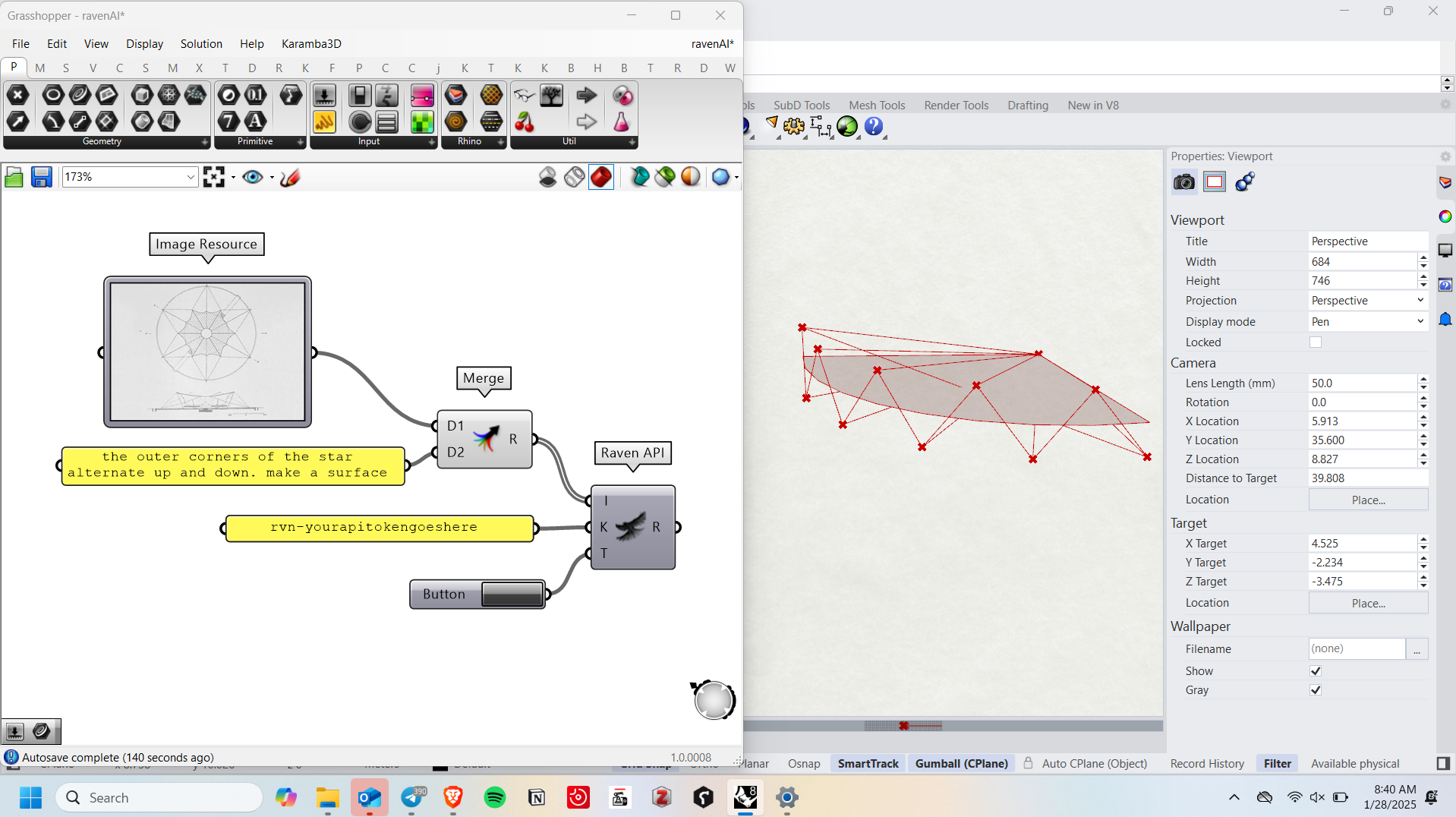
Raven is an AI tool for Grasshopper that lets you ‘talk’ to Grasshopper. Instead of writing scripts manually, you can describe what you want, and Raven does it for you. It’s ideal for beginners who are still learning parametric design, as well as professionals who want to speed up workflows or simplify complex Grasshopper tasks.
Features:
Pricing: free Hobby plan; exclusive features start at $49/month
Best for: testing different floor plan layouts for performance testing
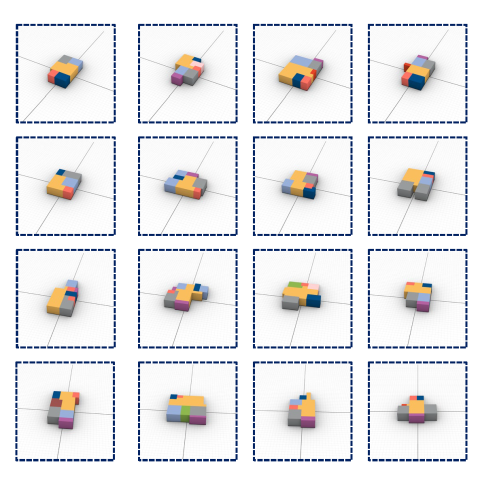
Venis is built based on the RPLAN dataset, a collection of around 90,000 real residential floorplans. These can be converted into 3D models and analyzed in Grasshopper using performance tools like Ladybug to evaluate daylight access, energy use, thermal comfort, and airflow.
It's already been used in several research projects focused on early-stage building performance, so it's a solid option if you want to understand how different layouts perform before committing to detailed modeling.
Features:
Pricing: free
Best for: getting instant help building, understanding, and fixing Grasshopper definitions using simple, natural language prompts instead of complex scripting
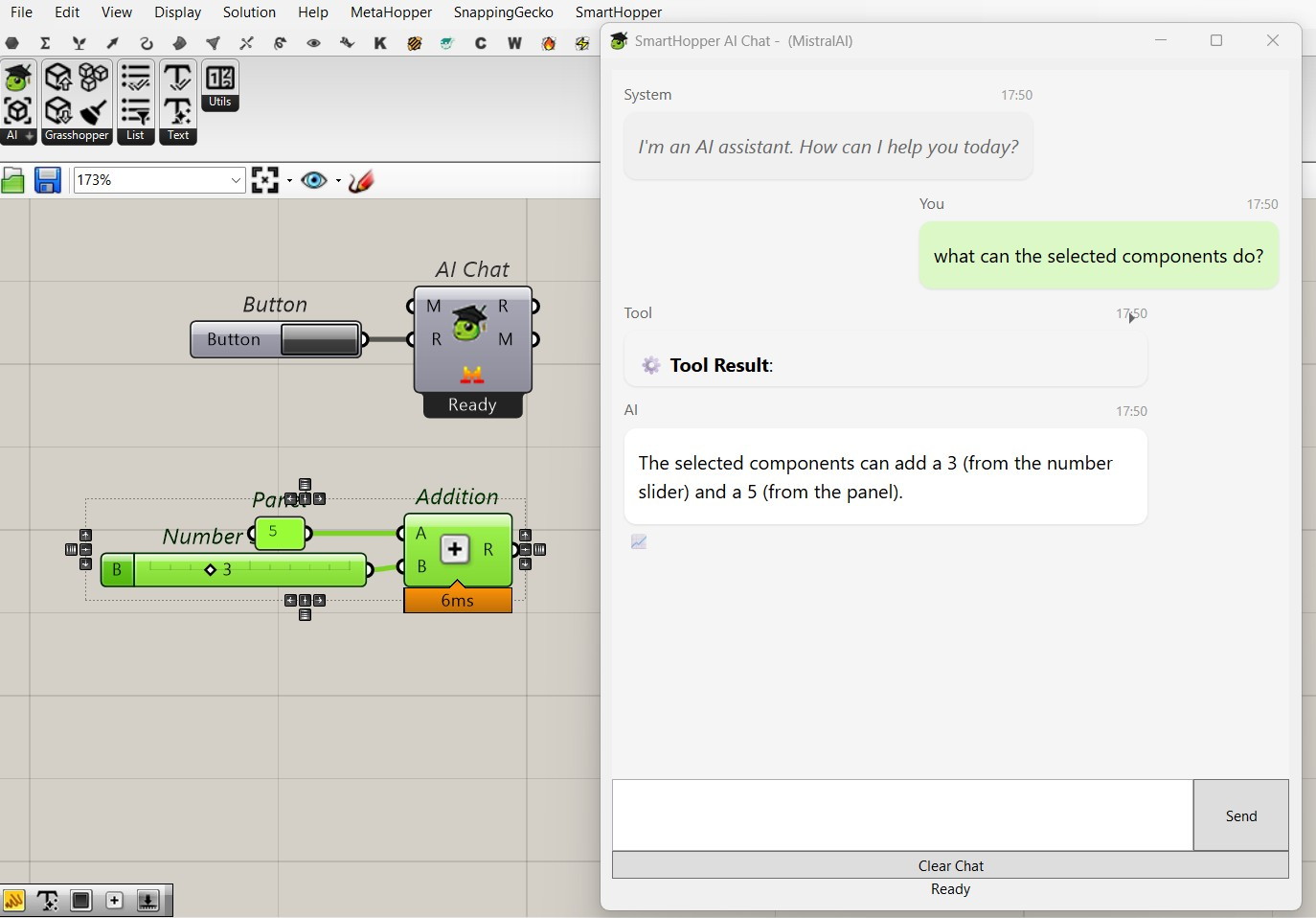
Smarthopper, currently in alpha stage, is a powerful AI assistant for Rhino 3D users that focuses on the technical side of Grasshopper. Unlike Raven, which helps with design concepts and parametric exploration (early stage design and concept development), Smarthopper assists with executing, troubleshooting, and refining Grasshopper mechanics. It works like an on-demand technical assistant, helping you understand what’s happening in your definition and fix issues as you build.
Features:
Pricing: free and open-source
Best for: fast, AI-powered environmental and microclimate analysis that turns complex simulations into real-time, actionable design insights.
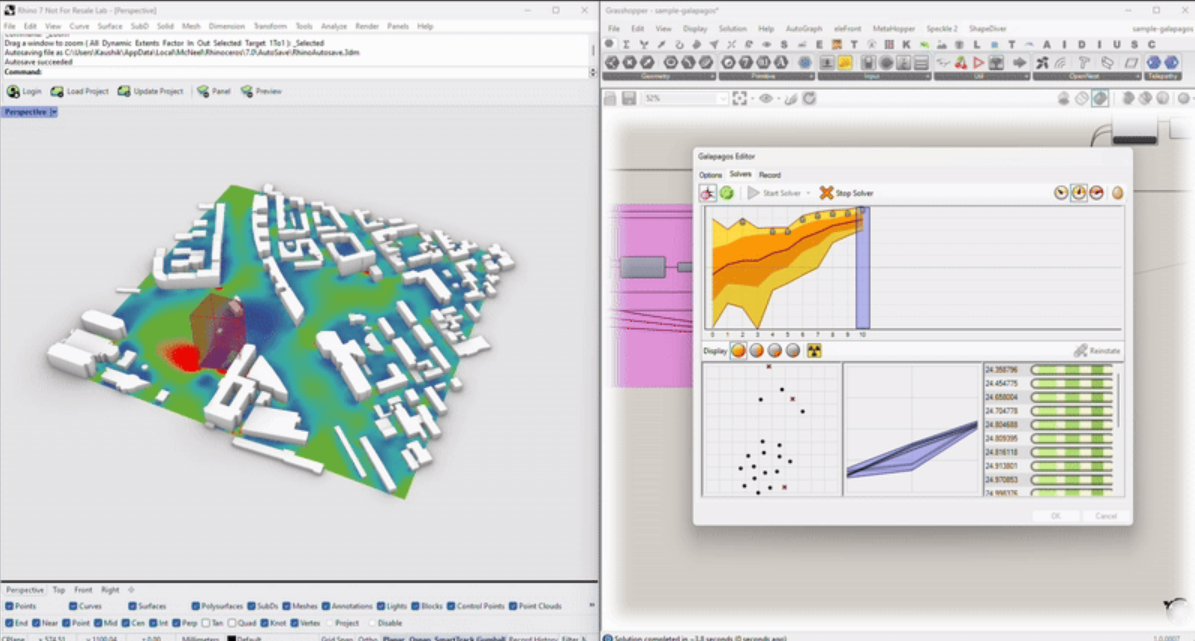
Infrared City is an AI-driven climate simulation platform that provides designers with real-time insight into microclimate conditions and comfort performance. It simplifies complex environmental analysis, integrates seamlessly with CAD and BIM tools, and allows teams to test, iterate, and optimize sustainable design decisions in minutes rather than days.
Features:
Pricing: starts at $50/month
Best for: creating AI-powered workflows within Grasshopper
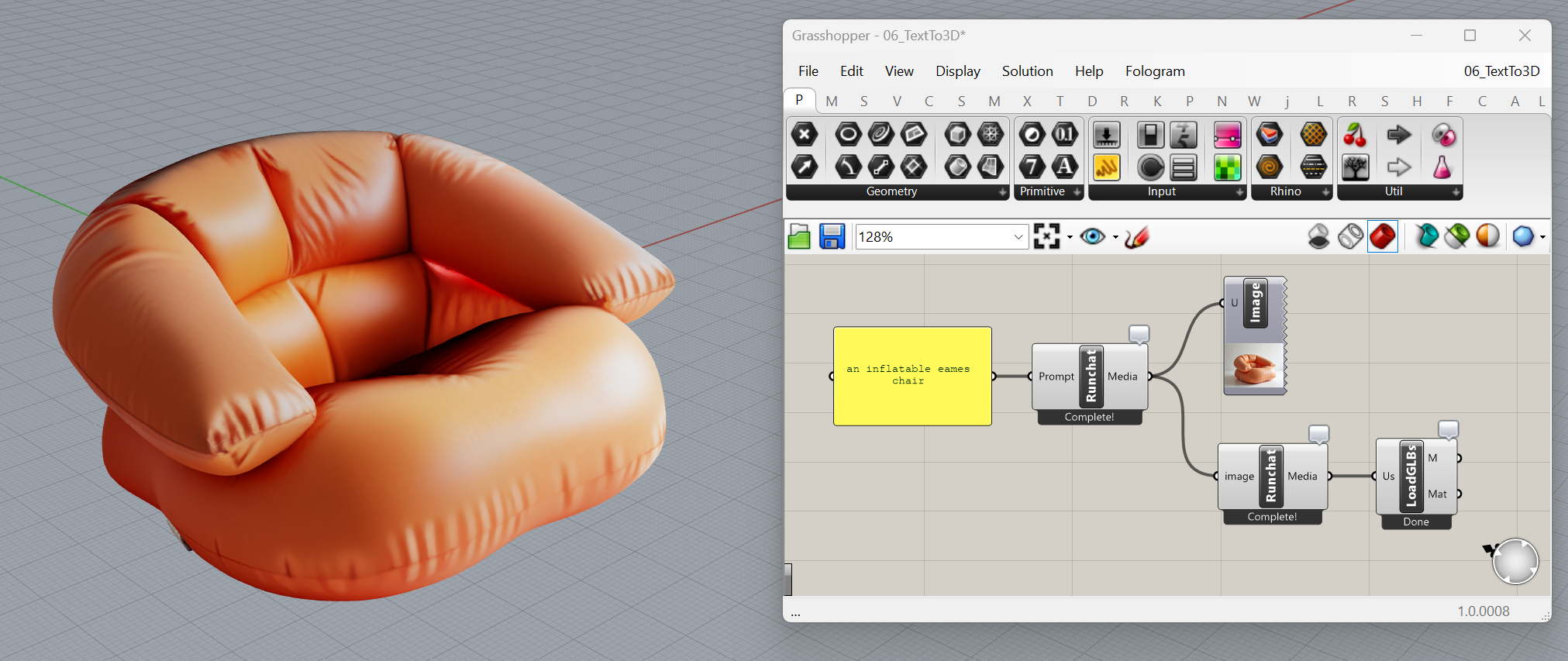
Instead of integrating an external tool, Runchat lets you add AI capabilities directly into your Grasshopper workflow and customize exactly how AI is used.
It works with four core building blocks:
It sounds more complex than it actually is, but Runchat offers detailed tutorials to help you get started.
Use cases:
Pricing: starts at $15/month; free version available with 500 credits per month.
Best for: creating AI-powered workflows within Grasshopper using advanced language models running through Ollama
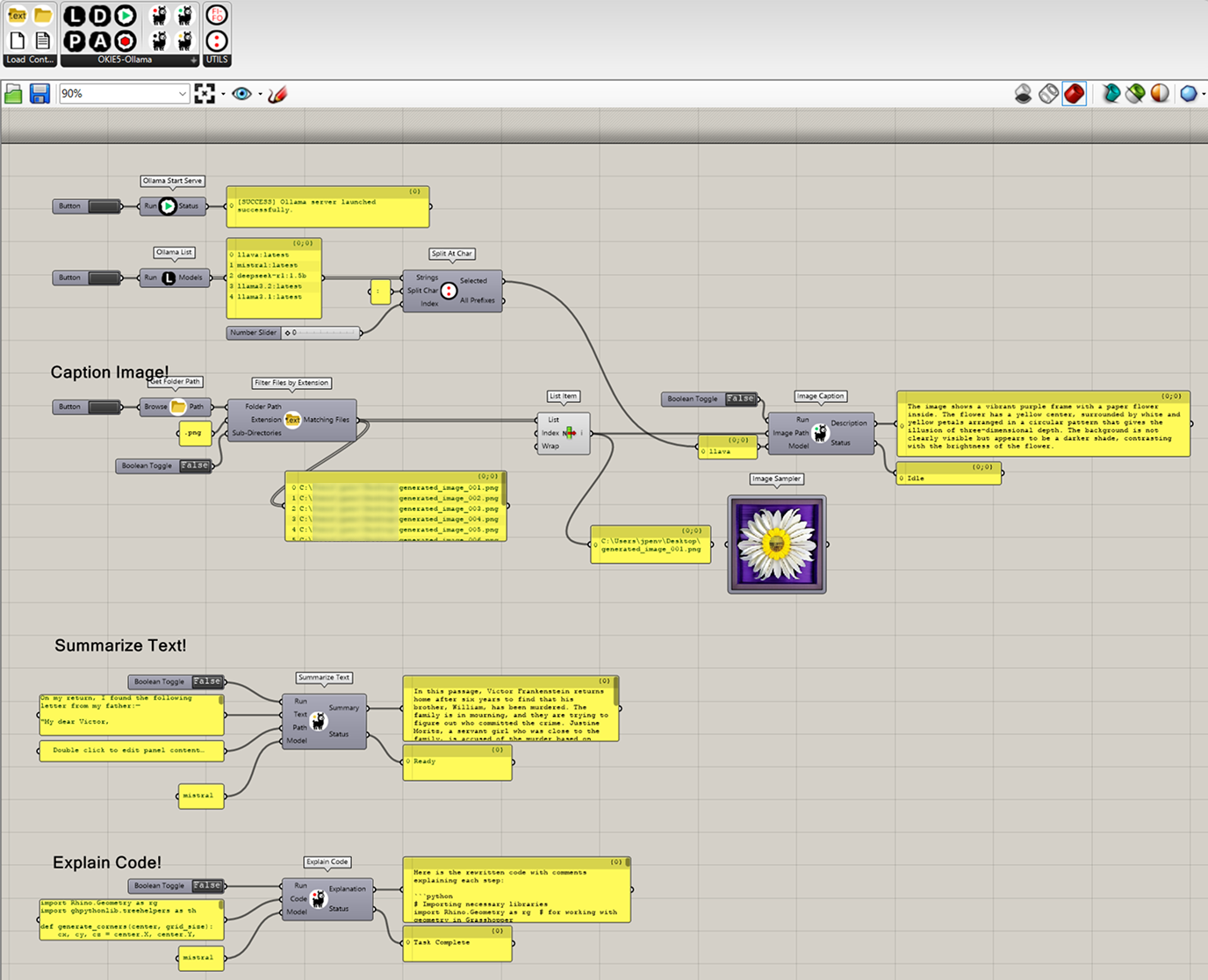
OKIE-5 is similar to Runchat but uses specific Ollama language models like LLaVa, Mistral, and Deepseek. It allows you to run these models locally in Grasshopper, enabling natural language-driven workflows, real-time context-aware modeling, and intelligent agent-based task routing, all within a fully local and secure setup.
Use cases:
Pricing: Free
Best for: generating components with natural language
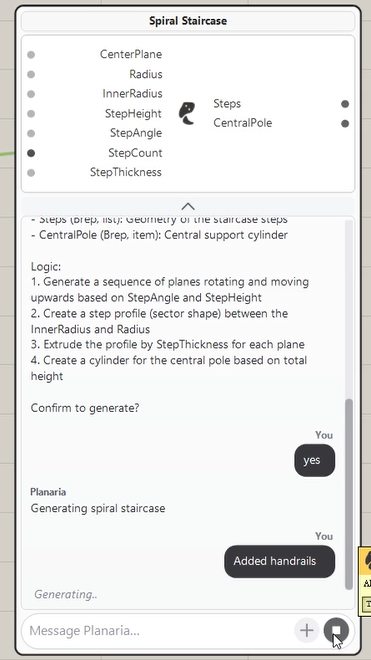
Planaria AI is a Grasshopper AI plugin that streamlines Grasshopper modeling by generating components with AI. Built specifically for Grasshopper with deep RhinoCommon knowledge, it avoids common API errors, understands Grasshopper component structures, and self-corrects. All you need to do is describe what you want, generate the components, and iterate.
Features:
Planaria AI is used in:
Pricing: starts at $29/month, free version available (50 credits/month).
| Tool | Best For | Pricing |
|---|---|---|
| Raven | Using natural language to create, modify, and build on Grasshopper | Free Hobby plan; Pro plans start at $49/month |
| Venis | Early-stage floor plan performance testing | Free |
| Smarthopper | Debugging and understanding Grasshopper definitions | Free (open-source) |
| Infrared City | AI-powered environmental and microclimate analysis | From $50/month |
| Runchat | Building custom AI workflows inside Grasshopper | Free (500 credits/month); Pro plans start from $15/month |
| OKIE-5 | Local, secure AI workflows using Ollama models (LLaVa, Mistral, Deepseek, etc.) | Free |
| Planaria AI | Generating Grasshopper components from plain language | Free (50 credits/month); Pro plans start from $29/month |
If you want to make your Rhino workflow more efficient, or you're a beginner looking to explore parametric design, give these Grasshopper AI tools a try. You might be surprised how much faster your workflows can get when you don't have to manually script, debug complex definitions, or spend hours wiring components together.

