Commercial Rhinoceros license price is $995, and that hasn't changed in years. You pay once, you own it; there's no annual bill waiting for you next January.
In a market where almost every other design tool has pushed users onto subscriptions, that alone makes Rhino pricing worth a closer look.
But does the sticker number tell the whole story? Whether $995 for Rhino 8 is a smart spend depends on what you actually do with the software and what else you'll need to buy alongside it. Also, how it stacks up against the tools you might pick instead.
That's the gap this guide sets out to close with a full breakdown of Rhinoceros pricing in 2026: every license tier, the student deal, the hidden extras, and an honest answer to whether it's worth it.
McNeel keeps the structure refreshingly simple. Here's how Rhino 3D pricing breaks down across the tiers most people care about:
And this is what stands out:
If you're enrolled at a school or teaching at one, Rhino pricing drops to $195, and this is one of the better education deals in the design software world.
Here's why it matters: the educational version is the exact same software as the $995 commercial release, without watermarks or feature lockouts. No expiry date either. You can even use it for paid commercial work. The only real catch is that the license can't be transferred to another person later, so you can't sell it after you graduate.
.avif)
Students upgrading from an older version of Rhino pay just $95. Of course, you'll need to verify your status with proof of enrollment when ordering. Schools setting up computer labs have their own pricing too, starting at $975 for a 30-seat lab license.
The $995 license is the headline number, but a working Rhino setup usually involves a little more. Here's what else you might expect to land on the bill:
Even with a plug-in or two, the total Rhinoceros cost remains modest next to subscription tools that bill you every year whether you open them or not.
Rhino doesn't directly compete head-on with every tool in this list. It's a 3D modeler, while Archicad is a full BIM platform and AutoCAD is built around drafting. But these are the tools designers most often weigh against each other; thus, here's how the money compares.
The gap is striking, especially if you run the math over five years. SketchUp Pro in that period runs close to $2,000, AutoCAD past $10,000, and Archicad past $12,000, while Rhino still sits at $995 (a bit more if you buy an optional upgrade). For a solo designer or small studio watching cash flow, that math is hard to argue with.
But you're not always comparing like with like. Archicad and AutoCAD carry documentation and coordination toolsets that Rhino doesn't natively match. If your work depends on BIM deliverables or precise 2D drafting, the higher spend buys the capability you'd otherwise have to assemble through plug-ins. But for pure 3D modeling, Rhino pricing is in a league of its own on value.
Rhino includes Cycles (the same render engine Blender uses) built right into the software. It handles reflections, refraction, and physically based materials well, and you pay nothing extra for it. But then comes the matter of speed.
Cycles can be slow once a scene gets detailed, and Rhino users say so openly. On the McNeel forum, one user benchmarking Cycles across recent releases found the engine had actually grown slower version to version. According to their findings, a simple test sphere that resolved in 2 seconds on Rhino 6 took 14 seconds on the Rhino 9 work-in-progress. And with interior scenes, things seem even worse: another forum member reported a single Cycles image taking 47 minutes on a GPU, and over two hours on CPU.
That's the time you might not have, and also where AI renderers come to aid.
MyArchitectAI generates a photorealistic image from your Rhino model in under 10 seconds, entirely in your browser. There's no GPU requirement and nothing to install, so it works the same on a MacBook as on a desktop tower. You upload a view of your design and optionally adjust a few settings, and get a client-ready render back. If it needs edits, describe them in words, e.g., “swap the cladding to charred timber,” to have the tool regenerate only that part.
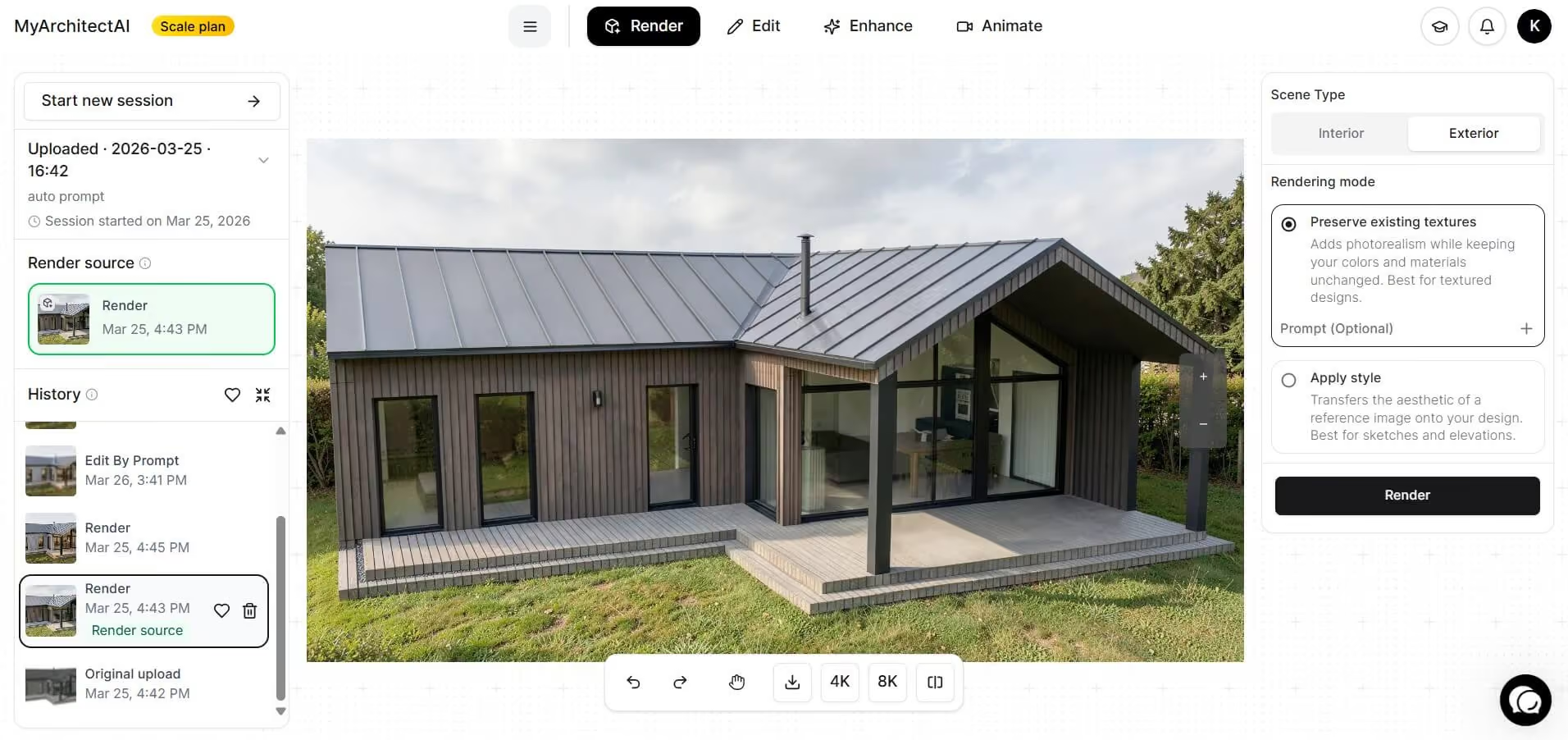
Read our full guide on how to render in Rhino to see how the AI workflow fits in.
For most designers, yes, and the reasoning is simple.
You pay $995 once and own the software. Students get an even sweeter deal at $195 for the identical software, and that license keeps working long after graduation.
Rhino earns its keep best if you're doing 3D modeling, product design, architecture concepts, or anything heavy on free-form geometry. If your job is strictly BIM documentation or 2D drafting, a dedicated tool may serve you better despite the higher cost – though many firms simply run Rhino alongside those tools and still come out ahead.
The smartest move before buying: take the free 90-day evaluation. It's the full software with no card required, which is plenty of time to know whether the $995 is right for you.
Not permanently. McNeel offers a free 90-day evaluation with every feature unlocked, and you can even use it for commercial work during that window. After 90 days, the trial saves and plug-in features stop working until you buy a license. There's no free tier the way SketchUp offers one, but the trial is genuinely generous.
Yes. A Rhino license is a perpetual, one-time purchase of $995 for the commercial version. It never expires, and the price includes support and service releases for that version. Future major-version upgrades are optional and discounted, but you're never required to pay again to keep using the software you bought. This is what keeps Rhino pricing predictable from one year to the next.
Generally, yes. SketchUp is built to be picked up fast and is famously beginner-friendly. Rhino has a wider toolset and handles complex free-form surfaces SketchUp can't, which comes with a steeper learning curve. Nevertheless, once you're comfortable, Rhino does far more, plus McNeel's free tutorials and guides smooth the climb along the way.
Yes, with one limit. Through McNeel's Cloud Zoo, you can install Rhino on as many of your own computers as you like and sign in with your Rhino account on any of them (although the license runs on one machine at a time). So your desktop and laptop are both covered; you just can't model on both at the same moment. Single-computer licensing, which locks to one specific machine, is the other option.