
When comparing Revit and Archicad, you’re looking at two of the most powerful BIM platforms available.
Both can take complex projects from early concept to construction documents, but they’re built around very different workflows. Understanding those differences can save you time, money, and a lot of frustration.
Revit, developed by Autodesk, is the go-to choice for large, multi-disciplinary teams that need tight coordination between architecture, structural engineering, and MEP. It's the industry standard in many markets, particularly in North America and on many government projects that mandate specific BIM deliverables.
Archicad, developed by Graphisoft, takes a more design-centric approach. It's built by architects for architects, with an interface that prioritizes creative flexibility. It also has a smoother learning curve compared to Revit. Archicad has a strong following in Europe, Australia, and among smaller firms that value workflow efficiency over raw feature depth.
This guide breaks down everything you need to know to pick the right tool for your projects.
| Archicad | Revit | |
|---|---|---|
| Best for | Concept-driven BIM, architectural design, smaller to mid-size teams | Large-scale BIM projects, multidisciplinary coordination, enterprise workflows |
| Pricing | $3,005/year | From $2,414/year to $2,840/year |
| Ease of use | Easier to learn, more intuitive UI | Steeper learning curve |
| Core philosophy | Design-first, architect-centric | Data-first, document-centric |
| Documentation | Automated, clean drawings with less setup | Extremely powerful, but setup-heavy |
| Collaboration | Teamwork with BIMcloud, good for smaller teams | Best-in-class collaboration with worksharing |
| Industry adoption | Popular in Europe and among architecture-focused firms | Industry standard in large firms, especially in the US |
| Customization & automation | Good, but more limited | Very powerful via families, Dynamo, add-ins |
| Ecosystem & integrations | Smaller ecosystem, fewer third-party tools | Massive ecosystem, deep Autodesk integration |
| Platform support | Windows and Mac | Windows only |
Both platforms offer robust 3D BIM modeling, but they approach it differently.
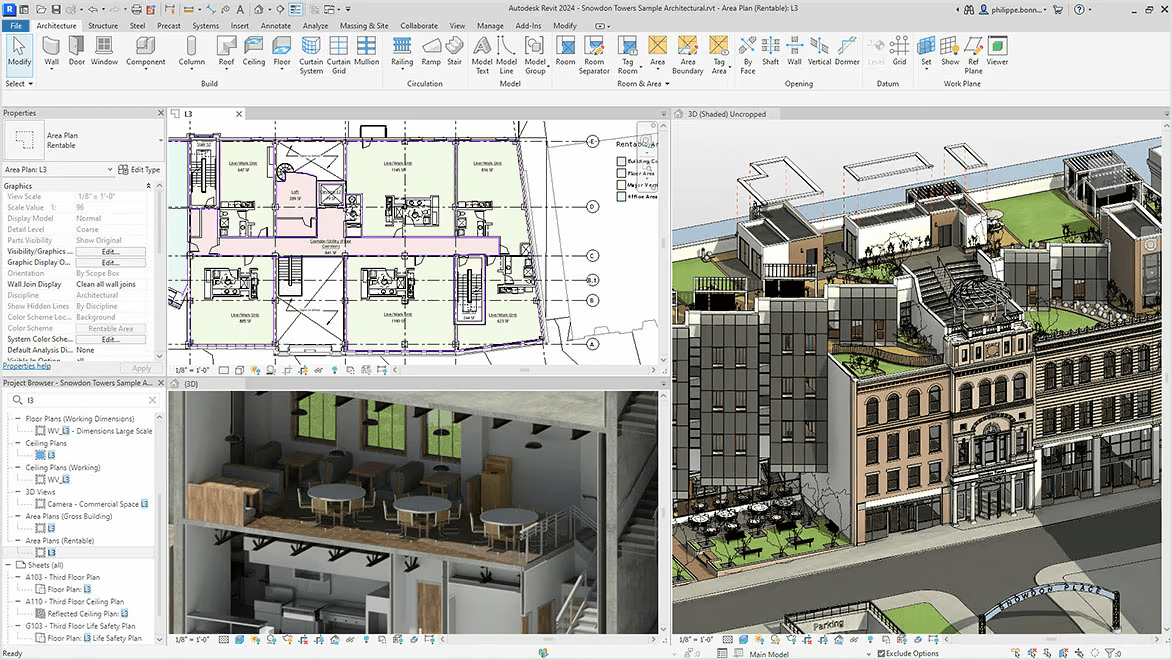
Revit: Revit uses parametric families as its foundation. Every element—walls, doors, windows, custom fixtures—is built from families that contain geometric and data parameters. This creates a consistent, data-rich model that updates automatically when you change parameters.
For complex commercial or institutional projects where precision and coordination matter, it’s the approach that pays off. Revit’s Family Editor also gives you granular control over component creation, though it takes time to master.
Archicad: Archicad uses what Graphisoft calls the "Virtual Building" concept. You work with intuitive tools where walls, slabs, roofs, and stairs behave more like traditional architectural elements. The interface in general feels more natural for design exploration. Archicad's GDL (Geometric Description Language) lets you script custom objects, though most users rely on the extensive built-in library.
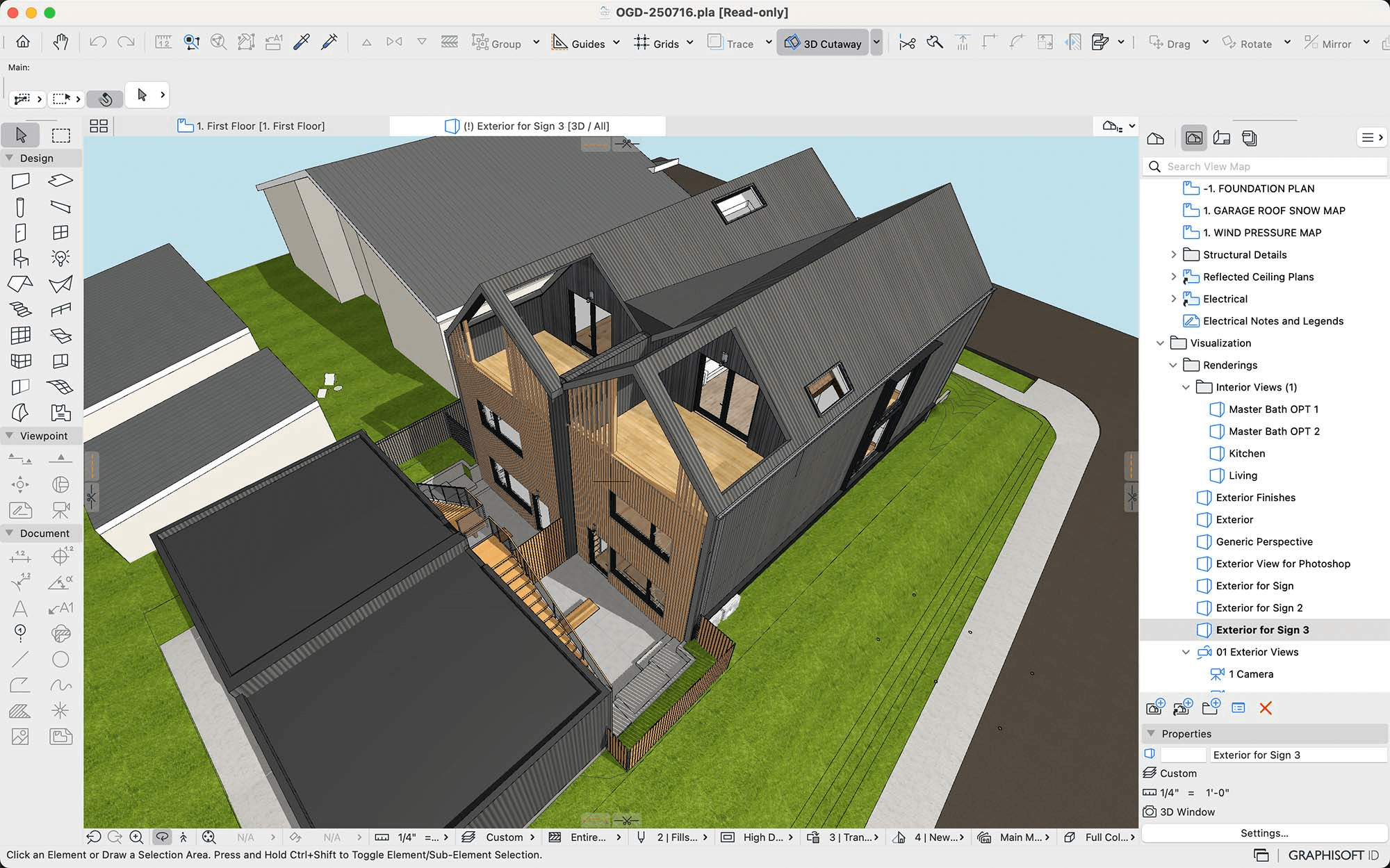
When it comes to organic or freeform geometry, Archicad handles complex shapes more gracefully out of the box. Revit commonly requires workarounds or integration with tools like Rhino for non-orthogonal designs.
While neither Revit nor Archicad is a dedicated rendering engine, both offer built-in visualization and connect to external renderers.
Revit includes basic rendering capabilities and integrates tightly with Enscape, Lumion, V-Ray, and Twinmotion. Enscape is particularly popular because it runs as a plugin directly inside Revit, allowing real-time visualization as you model. Lumion connects via LiveSync but requires model exports.
Archicad includes the CineRender engine (based on Maxon technology) for in-software rendering. Recent versions added the Redshift rendering engine for GPU-accelerated photorealistic output, though you'll need an NVIDIA CUDA-capable GPU on Windows, or a supported AMD GPU or Apple Silicon on macOS. Archicad also connects to Enscape, Lumion, and Twinmotion through plugins and export workflows.
Both platforms are well-supported by the major real-time rendering tools. Users who value speed and ease of use usually pick AI-powered renderers though. For Archicad users, a dedicated Archicad rendering tool can cut turnaround time significantly. Revit teams can do the same with a purpose-built Revit rendering tool.
To learn more about how rendering works in both tools, check our guides on how to render in Revit and Archicad.
This is where the Revit and Archicad diverge significantly.
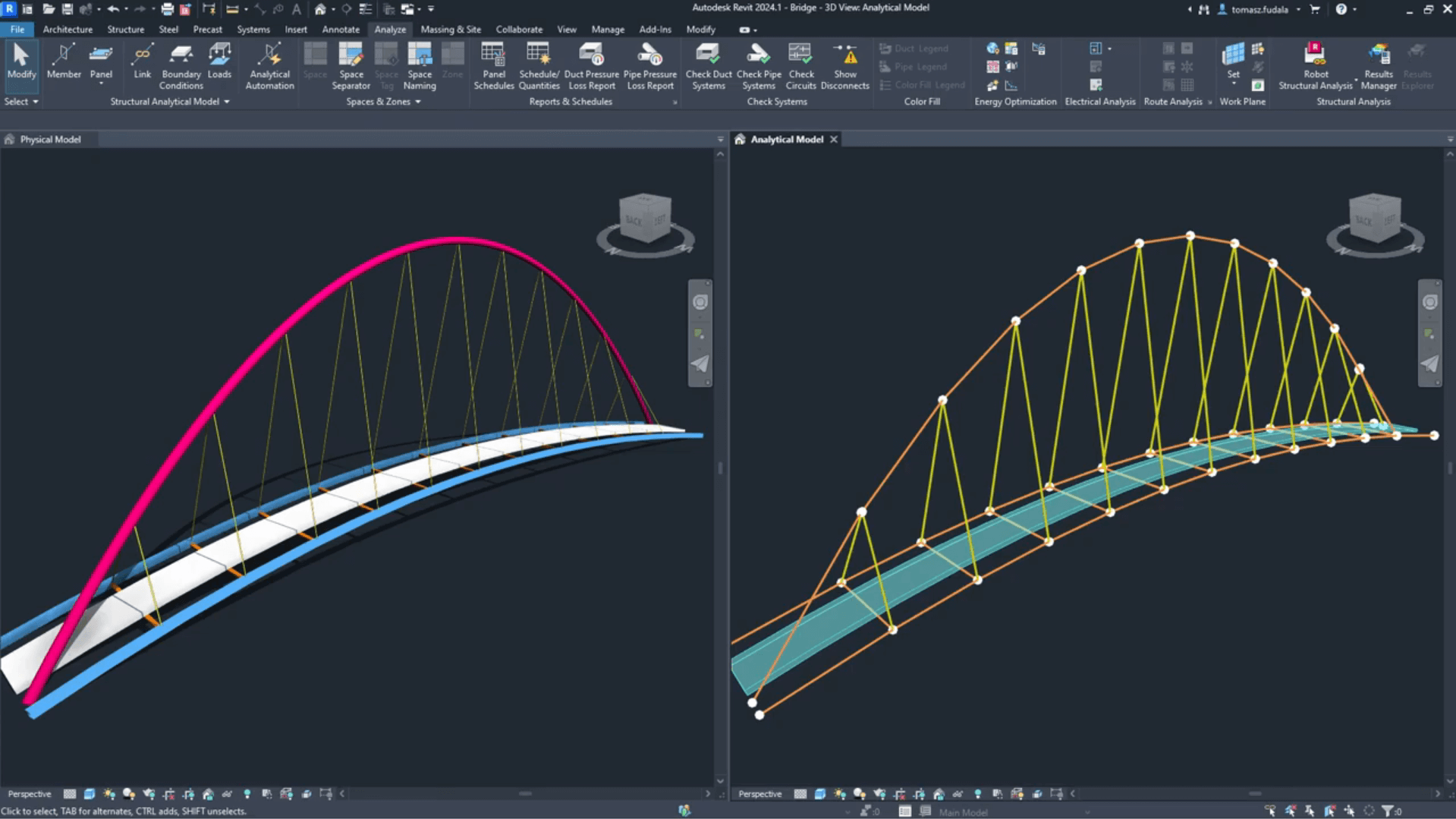
Revit: Revit includes dedicated toolsets for architecture, structural engineering, and MEP (mechanical-electrical-plumbing). You can prepare analytical models for structural analysis, coordinate ductwork with beam clearances, and run interference checks within one platform. For firms handling full multi-discipline projects in-house, this integration is a major advantage.
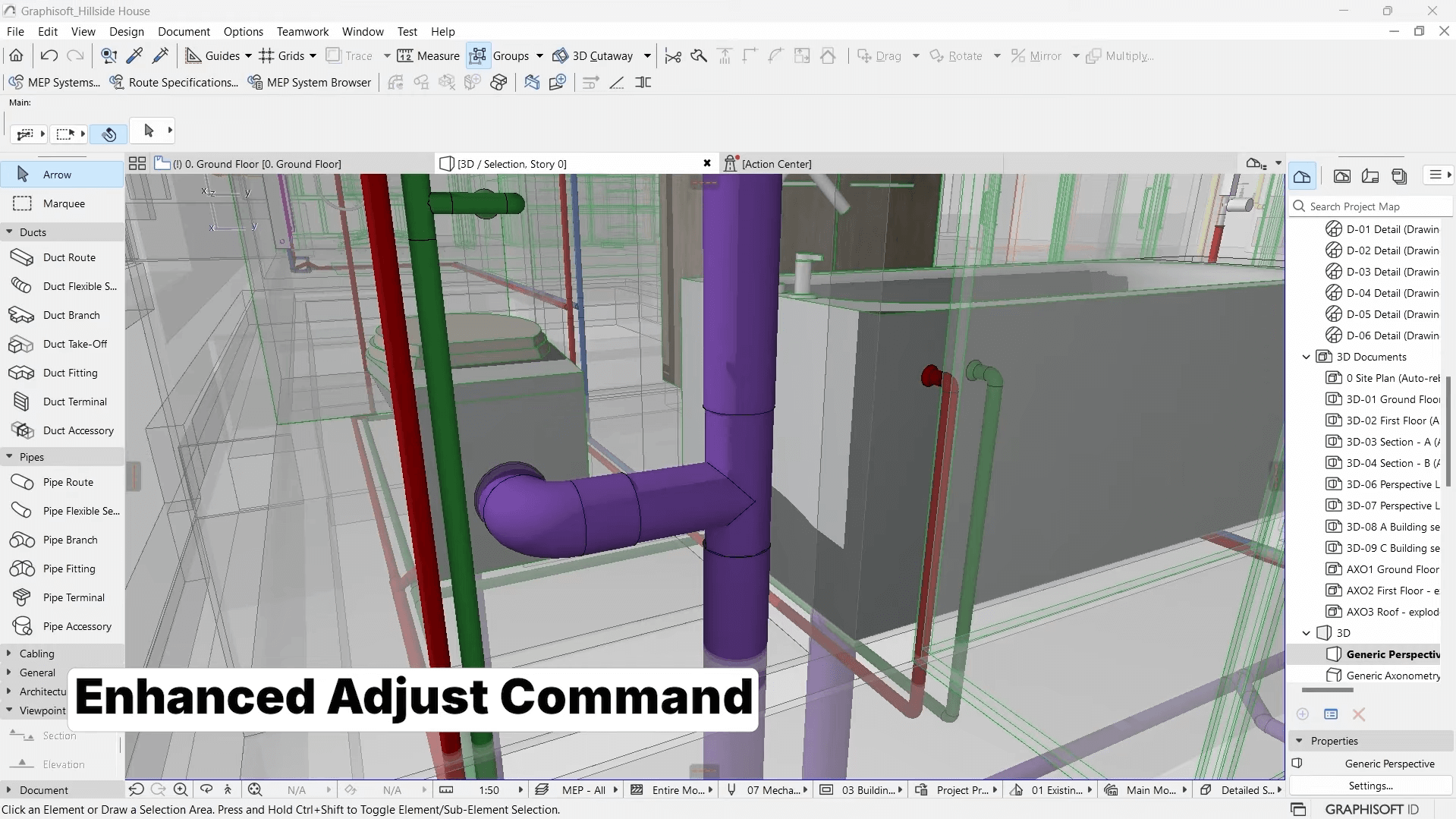
Archicad: Archicad focuses primarily on architectural workflows. While you can model structural and MEP elements, the tools aren't as comprehensive. The MEP Designer add-on (included in Archicad Collaborate) improves this, but it doesn't match Revit's depth for engineering-heavy projects. Nevertheless, if your structural and MEP consultants use other software, Archicad's Open BIM approach and strong IFC support help bridge the gap.
Both platforms generate construction documents directly from the 3D model. Floor plans, sections, elevations, schedules, and details are all kept in sync.
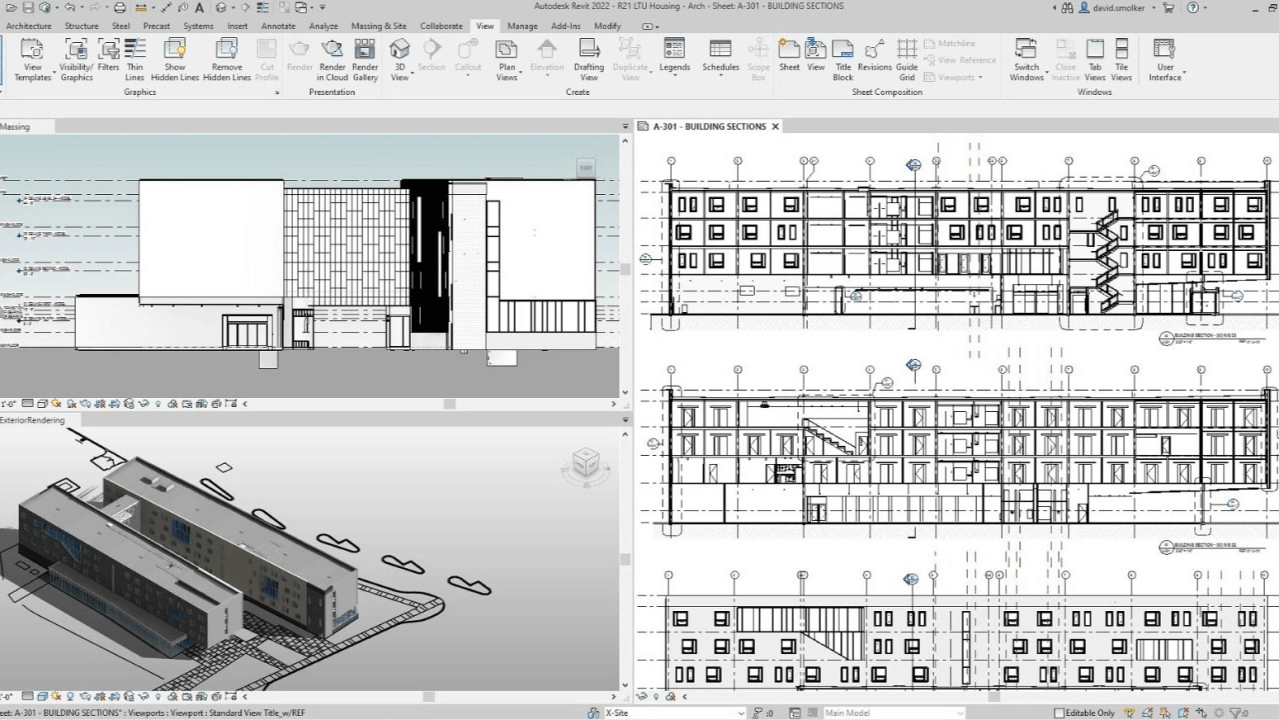
Revit: Revit's documentation tools are robust and highly automated. Change a door in the model, and every plan, schedule, and door tag updates instantly. The annotation and detailing tools are comprehensive, though some users find the 2D graphics output less refined than they'd like.
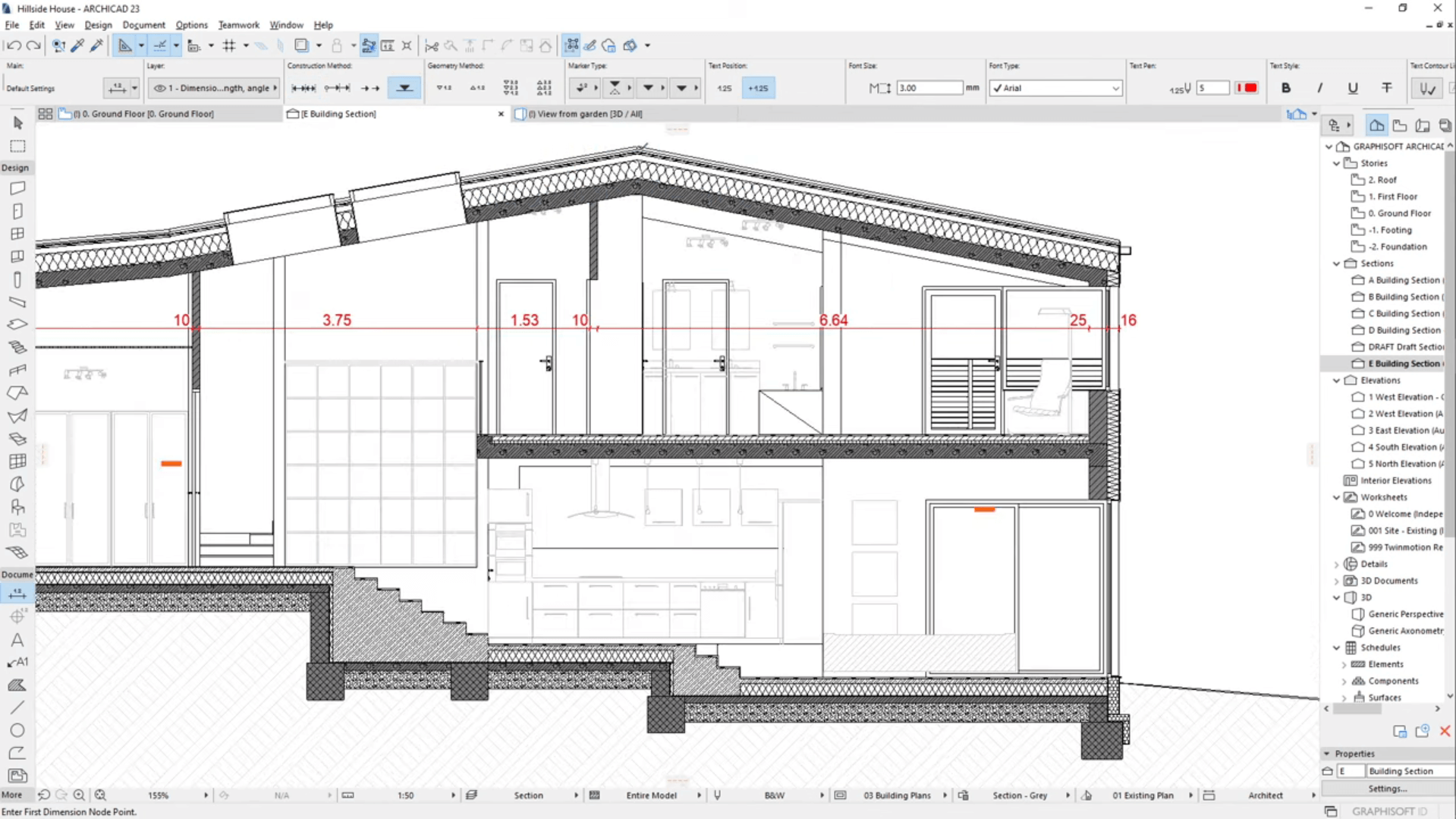
Archicad: Archicad users often praise its documentation quality, particularly for 2D graphics and sheet presentation. The software produces cleaner line weights, hatches, and fonts straight out of the box. Users say that transitioning from Archicad to Revit often means adjusting expectations for visual polish in printed documents.
Archicad introduced the AI Visualizer in version 28, powered by Stable Diffusion. It generates concept images directly from your model's 3D view using text prompts, adjustable style and creativity sliders, and a brush tool for selective editing.
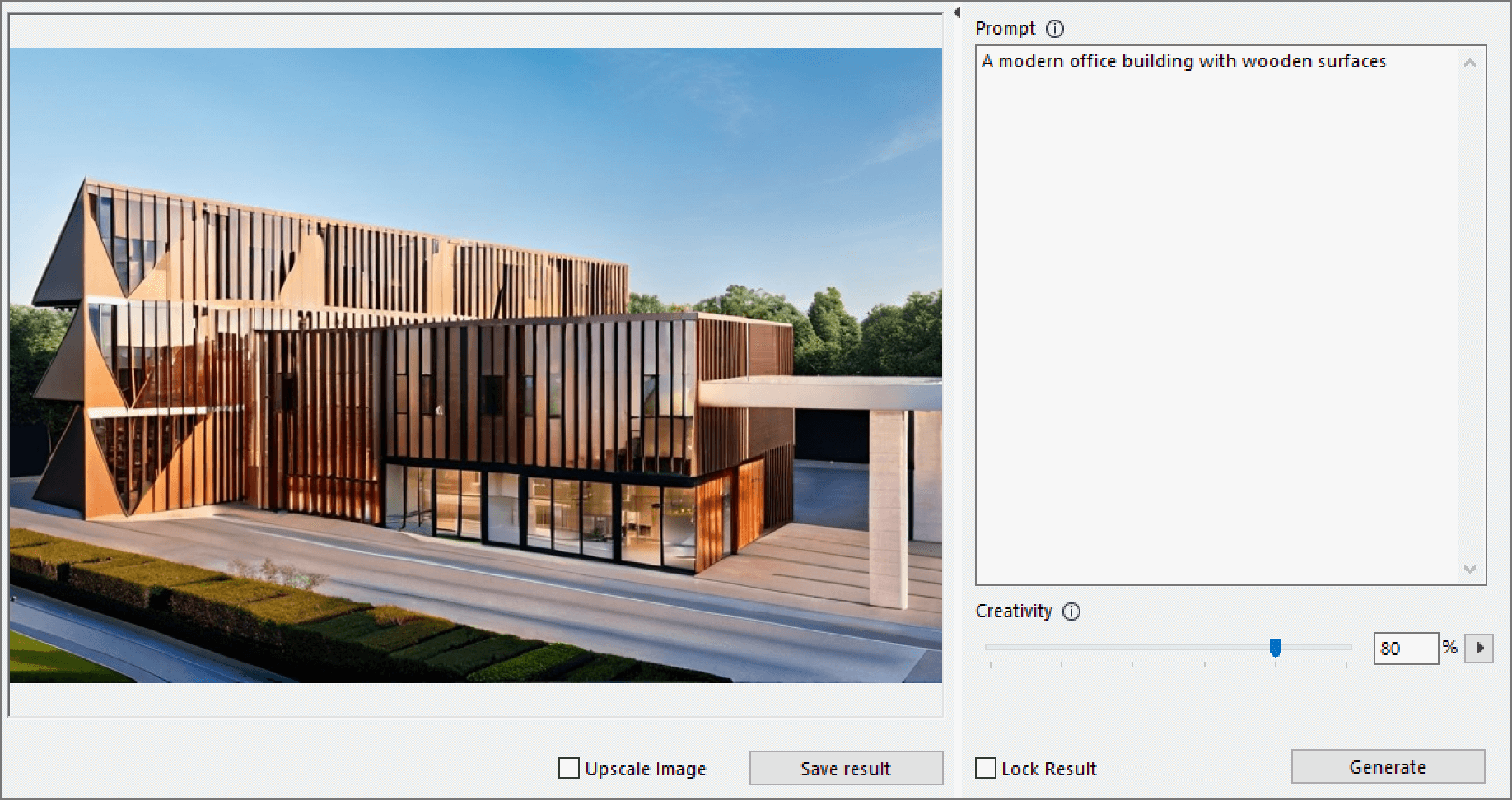
Version 2.0 (Archicad 29) added before/after comparison and the ability to save outputs directly in the project. Processing happens in the cloud, so no local GPU is required. However, access is limited to Collaborate subscribers and educational licenses, which means solo and perpetual license holders cannot use it.
Archicad 29 also launched the AI Assistant (in beta). This is an embedded chatbot trained on Graphisoft's documentation and course transcripts. It answers workflow questions and helps navigate features. It can also filter BIM model elements by criteria through natural language.
Regulatory guidance is currently limited to UK building codes. Graphisoft plans to integrate the Assistant with the Visualizer, and a full commercial release is expected in 2026.
Revit has no native AI features. Autodesk's own support page confirms this as of version 2026. At AU 2025, the company previewed "neural CAD", a generative AI foundation model it claims could automate up to 80–90% of routine design tasks, but the technology remains pre-beta.
There are plenty of third-party AI tools for Revit though.
Users consistently favor Archicad for accessibility. The interface is more intuitive, and new users typically become productive faster, describing switching from Revit to Archicad as "a breath of fresh air."
Revit has a steeper learning curve. The software is powerful, but the workflow can feel rigid until you understand how parameters, families, and views interact. Small tasks that seem simple—like navigating between floors or adjusting zones—can require multiple steps compared to Archicad's more streamlined approach.
That said, Revit's complexity becomes an advantage once you're proficient. The depth of control over scheduling and data extraction is hard to match.
For beginners or small firms without dedicated BIM managers, Archicad's gentler onboarding often makes it the practical choice. For teams that can invest in training and need Revit's coordination capabilities, the learning curve is worth it.
Related: best Archicad courses for any level.
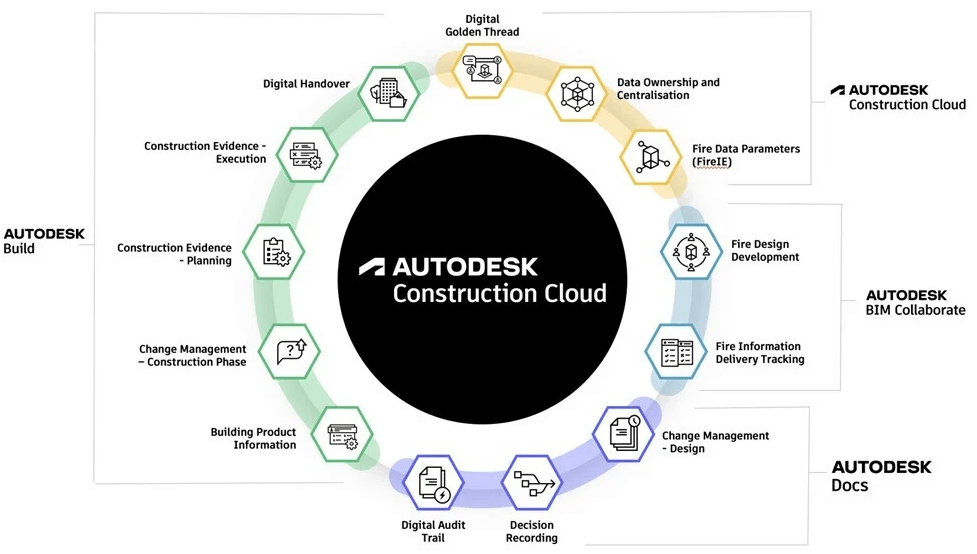
Revit uses a Worksharing model where multiple users work on a central file. Changes sync through save operations, and element ownership prevents conflicts. This works well for teams in the same office or connected through Autodesk's cloud services (BIM 360 and Autodesk Docs via the Autodesk Construction Cloud ecosystem).
For large, geographically distributed teams, Revit's cloud worksharing and coordination tools are mature and well-documented. The integration with Navisworks for clash detection, along with the broader Autodesk Construction Cloud ecosystem, makes Revit attractive for enterprise-scale operations.
Archicad's collaboration centers on Teamwork, powered by BIMcloud. Team members reserve elements (rather than entire worksets), make changes, and send updates to the server. The delta-server technology sends only changed data, making it faster on limited connections.
BIMcloud Basic handles local office collaboration. For distributed teams, BIMcloud SaaS provides cloud-based access, though Graphisoft recommends at least 15 Mbps symmetrical bandwidth and latency under 120ms for smooth performance.
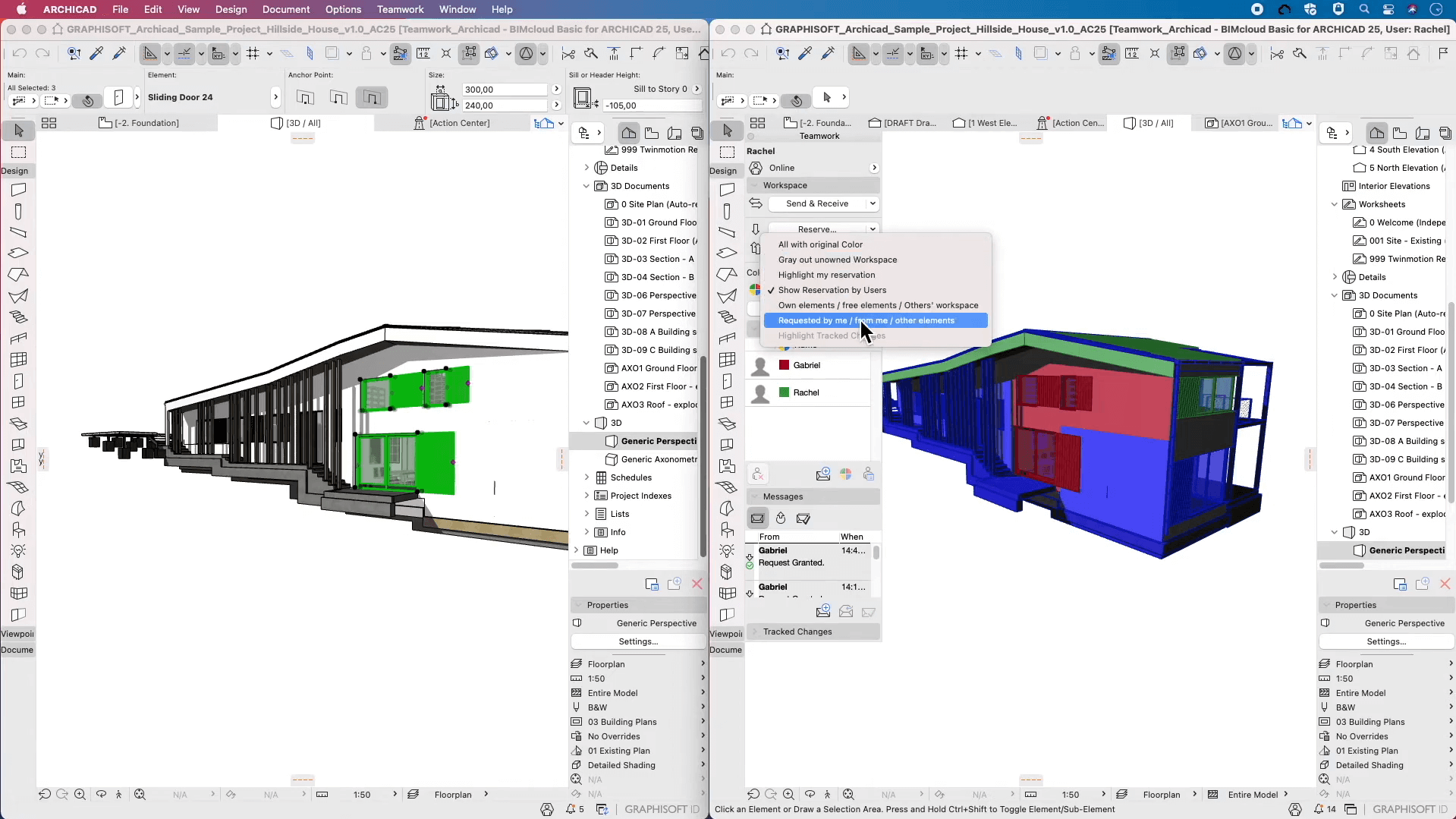
User feedback suggests Archicad's Teamwork is sufficient for smaller teams, yet it doesn't scale as well as Revit's worksharing for massive multi-discipline projects with dozens of concurrent users.
Revit integrates seamlessly with other Autodesk products: AutoCAD, Navisworks, Civil 3D, Dynamo (for visual programming), and the Autodesk Construction Cloud. If your firm uses multiple Autodesk tools, data flows smoothly between them. The plugin ecosystem is massive: pyRevit, Ideate, DiRoots, and hundreds of others extend Revit's capabilities.
The trade-off is ecosystem lock-in. Revit works best within Autodesk's world. IFC export exists but isn't as polished as Archicad's.
Graphisoft has positioned Archicad as an Open BIM champion. IFC import and export are robust, making it easier to collaborate with consultants using different software. Archicad also connects to Rhino and Grasshopper for computational design workflows.
If your projects involve multiple firms on different platforms, Archicad's interoperability can reduce friction. This is particularly relevant in Europe, where Open BIM mandates are more common. Read our guide to the best Archicad add-ons to see what's available.
Both programs also integrate with a wide range of AI-powered tools that automate tedious processes.
| Component | Minimum | Recommended |
|---|---|---|
| System | Windows 10/11 64-bit | Windows 10/11 64-bit |
| CPU | Intel i-Series/Xeon, AMD Ryzen, 2.5GHz+ | High clock speed (5GHz+), modern cores |
| RAM | 16GB | 32–64GB for complex models |
| GPU | DirectX 11, Shader Model 5, 4GB VRAM | Mid-range RTX card, 4GB VRAM |
| Storage | 30GB | NVMe SSD strongly recommended |
Many forum threads suggest that Revit's published minimum requirements might be misleading. According to members, real-world projects demand 32 GB RAM minimum, and a fast NVMe SSD makes a noticeable difference in model open/save times and BIM 360 caching.
Read our full guide on Revit's system requirements here.
| Component | Entry-Level | Mid-Range | High-End |
|---|---|---|---|
| System | Windows 10/11 or macOS 13–15 | Same | Same |
| CPU | Intel Core i5 / AMD Ryzen 5 / Apple M1 | Core i7 / Ryzen 7 / M2 | Core i9 / Ryzen 9 / M2 Max |
| RAM | 16GB | 32GB | 64GB |
| GPU | DirectX 11 compatible, 4GB VRAM | 6GB VRAM | 8GB VRAM (NVIDIA/AMD for Redshift) |
| Storage | SATA SSD | NVMe SSD | NVMe SSD |
Archicad runs natively on both Windows and macOS, including Apple Silicon. This cross-platform support is a significant advantage for Mac users.
Full system specs and performance optimization tips in our guide to Archicad system requirements.
Both platforms have moved to subscription models. Perpetual licenses are being phased out.
Archicad's annual subscription is roughly 20% less expensive than standalone Revit. The gap narrows if you need the AEC Collection's additional tools.
Both platforms offer free educational licenses for students and educators, as well as 30-day free trials.
Revit's pricing is slightlky higher than Archicad's:
The AEC Collection, which bundles Revit with AutoCAD, Civil 3D, Navisworks, and other tools, costs approximately $3,675/year and offers better value if you need multiple Autodesk products.
Autodesk also offers Flex tokens ($300 for 100 tokens, with Revit consuming 10 tokens per day) for occasional users.
| Plan | Monthly | Annual |
|---|---|---|
| Archicad Studio | $345/month | $2,414/year |
| Archicad Collaborate | $406/month | $2,840/year |
Archicad Studio includes the core BIM tools plus BIMcloud Basic for local collaboration. Archicad Collaborate adds cloud-based BIMcloud SaaS and MEP Designer.
For a full breakdown of what each plan offers, check our Archicad pricing guide.
User feedback across forums and review sites paints a consistent picture:
Revit users appreciate the depth and coordination capabilities but frequently mention frustration with the interface, the time required to master families, and performance issues on complex models. One common complaint from Archicad migrants is that simple navigation tasks take more clicks in Revit.
Archicad users praise the intuitive workflow and design freedom, but acknowledge limitations when collaborating with Revit-dominated consultant teams or on projects requiring deep engineering integration.
The transition between platforms is possible but takes time. Users report that understanding BIM concepts transfers well, but operational differences require relearning habits.
Pros:
Cons:
Pros:
Cons:
Choose Revit if:
Choose Archicad if:
For some firms, the answer is actually—both. Larger practices may use Revit for documentation and coordination while exploring designs in Archicad or other tools, exchanging data via IFC.
For others, especially doing residential projects, SketchUp or Chief Architect may be a better fit.
And you’re looking beyond traditional workflows, consider one of the emerging AI-powered BIM tools.
Yes. User feedback consistently reports a gentler learning curve with Archicad. The interface is more graphical and intuitive, and new users typically become productive faster. Revit's parametric family system and view management take more time to master.
Not directly. Both platforms can import and export IFC files for data exchange, but native file formats are not cross-compatible. Archicad's IFC implementation is generally considered more reliable for this purpose.
Revit has a larger global market share, particularly in North America, the UK, and on major commercial projects. Archicad has stronger adoption in continental Europe, Australia, and among smaller architecture practices worldwide.
Yes. Archicad runs natively on macOS, including Apple Silicon (M1, M2, M3 series). Revit is Windows-only—Mac users must run Windows via Boot Camp or a virtual machine.
Archicad's streamlined workflow and lower cost make it well-suited for residential work. Revit's multi-discipline tools are often overkill for smaller projects unless you need them for consultant coordination.

