
D5 Render and Twinmotion are both real-time renderers built for architects, and both produce strong results. But they're made for different workflows, and the right pick depends on what your firm actually needs.
D5 Render is the stronger pick if you prioritize photorealism and AI-powered workflow tools. It costs roughly a third of Lumion Pro and includes live-sync plugins for most major CAD tools.
Twinmotion is best for VR presentations, Mac-based firms, and studios earning under $1M in revenue (where it's completely free for commercial use). Its Megascans integration also gives it the largest asset ecosystem.
This guide breaks down the full comparison across rendering quality, pricing, AI features, system requirements, and more.
If you'd rather skip heavy local hardware, MyArchitectAI is a browser-based option worth weighing alongside both. More on that later.
D5 Render, developed by the Chinese company Dimension 5, was first released in 2021 and has rapidly gained traction among architects and 3D visualization professionals. It's built on NVIDIA RTX technology and uses real-time ray tracing and path tracing to deliver high-quality visuals. Version 3.0 was released in early 2026.
Twinmotion was originally launched in 2005 and acquired by Epic Games (maker of Unreal Engine) in 2019. It's widely used in architecture, construction, automotive, and product design industries. Powered by Unreal Engine 5, it uses Lumen for dynamic global illumination and a built-in Path Tracer for higher-quality final renders.
Here's how they compare:
| D5 Render | Twinmotion | |
|---|---|---|
| Pricing | Free (Community); $38/month or $360/year (Pro) | Free (under $1M revenue); $445/year per seat |
| Free testing plan | Community version (unlimited, non-commercial) | 30-day trial; free for firms under $1M revenue |
| Ease of use | Easy | Easy |
| Photorealism | High | Moderate to high |
| Rendering times | Seconds to minutes | Seconds to minutes |
| System requirements | High (Windows only) | High (Windows and Mac) |
| Rendering engine | GPU-based, real-time ray tracing + path tracing | GPU-based, Lumen + Path Tracer (Unreal Engine) |
| Integration with CAD software | LiveSync plugins (real-time sync from CAD/BIM to D5) | Direct Link (one-way sync) |
| Asset library | 13,000+ (Pro); ~2,000 (Community) | 10,000+ built-in; unlimited via Megascans |
| VR/AR support | Basic VR (panoramas, XR Tour) | Advanced VR (headset support, Cloud sharing) |
| Customer support | Forum, knowledge base, tutorials | Forum, documentation, Epic community |
Winner: tie
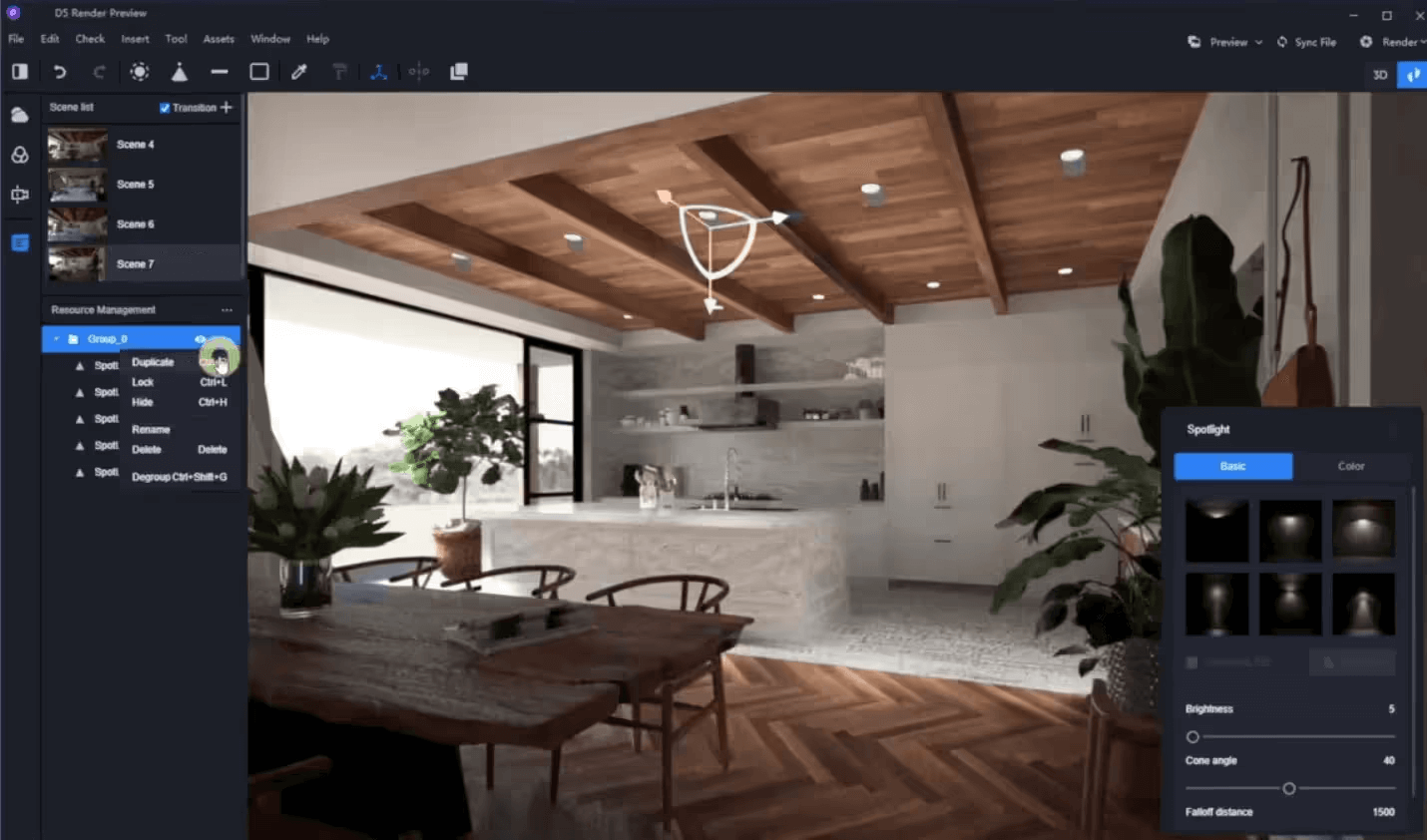
Both D5 Render and Twinmotion are praised for their intuitive interfaces and low learning curves.
D5 Render is straightforward to learn, so you can expect to produce usable renders by the end of your first day. The interface is clean and logically organized. Moreover, LiveSync plugins for SketchUp, Revit, Rhino, Archicad, and other tools let you see changes from your modeling software reflected in D5 immediately.
Twinmotion is equally approachable, with a drag-and-drop workflow that borrows from gaming UI logic. Applying materials to auto-selected objects is faster here than in most renderers, and the timeline-based animation tools are intuitive.
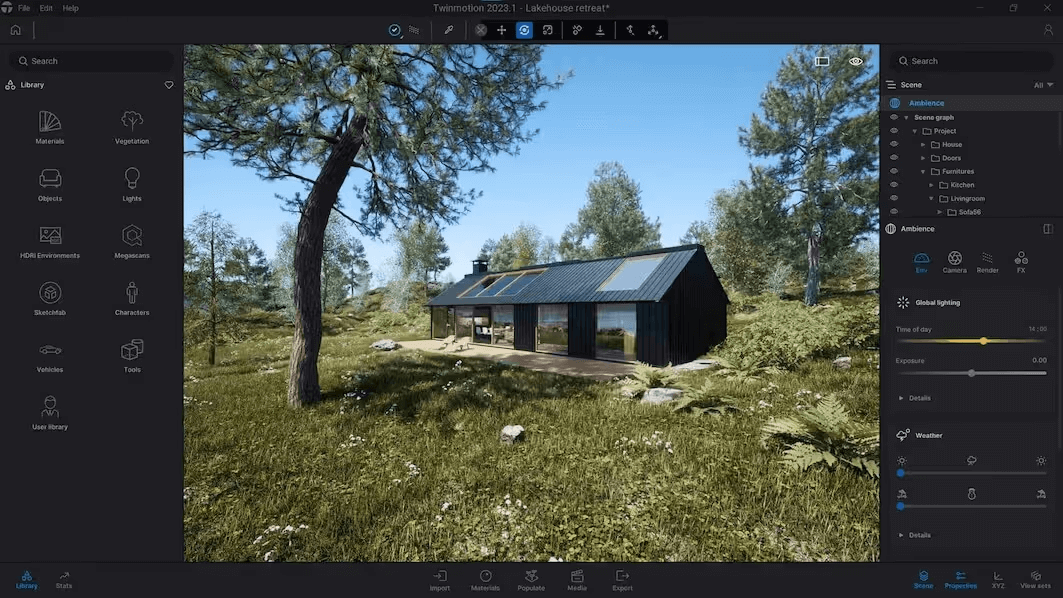
Its Direct Link feature syncs models from your CAD tool into Twinmotion, though the sync is one-way only; changes made in Twinmotion don't transfer back.
It's worth noting that there is no clear winner in this D5 vs Twinmotion matchup even for beginners. Both tools are easy enough for non-specialists to pick up in hours. The main difference is workflow: D5 feels more like a traditional rendering studio, while Twinmotion leans toward a real-time scene builder.
If you'd rather skip lighting and materials entirely, MyArchitectAI handles that with a single click (more on it below).
Winner: D5 Render
D5 Render offers a genuinely useful free Community version for non-commercial use, with no time limit and no watermark. For professional work, D5 Pro costs $38/month or $360/year. D5 for Teams starts at $75/month per seat ($708/year per seat) and adds collaborative features like shared projects and cloud workspace. See our D5 Render pricing guide for more details.
Twinmotion is free for students, educators, hobbyists, and any company earning under $1 million in annual gross revenue. That includes commercial use. Above the threshold, individual seats cost $445/year. You can also get Twinmotion as part of the Unreal Subscription at $1,554/year, which bundles Unreal Engine and RealityCapture.
| D5 Render | Twinmotion | |
|---|---|---|
| Monthly cost | $38 (Pro); $75 (Teams) |
Not available |
| Annual cost | $360 (Pro); $708/seat (Teams) |
$445/seat; $1,554/seat for Unreal Subscription |
| Free plan | Community (non-commercial) | Full version (under $1M revenue) |
| Student plan | Free (Education license) | Free |
Winner: D5 Render
This is where D5 Render vs Twinmotion shows the clearest gap. Users frequently cite D5 as having the best "out of the box" realism among real-time renderers.
D5 Render consistently produces more photorealistic results with less manual effort. Its hybrid real-time ray-tracing engine, combined with D5 GI (the tool's proprietary global illumination system), delivers accurate light bounce and soft shadows. The path tracing mode takes realism further for final renders, handling complex reflections and translucent materials with high fidelity.
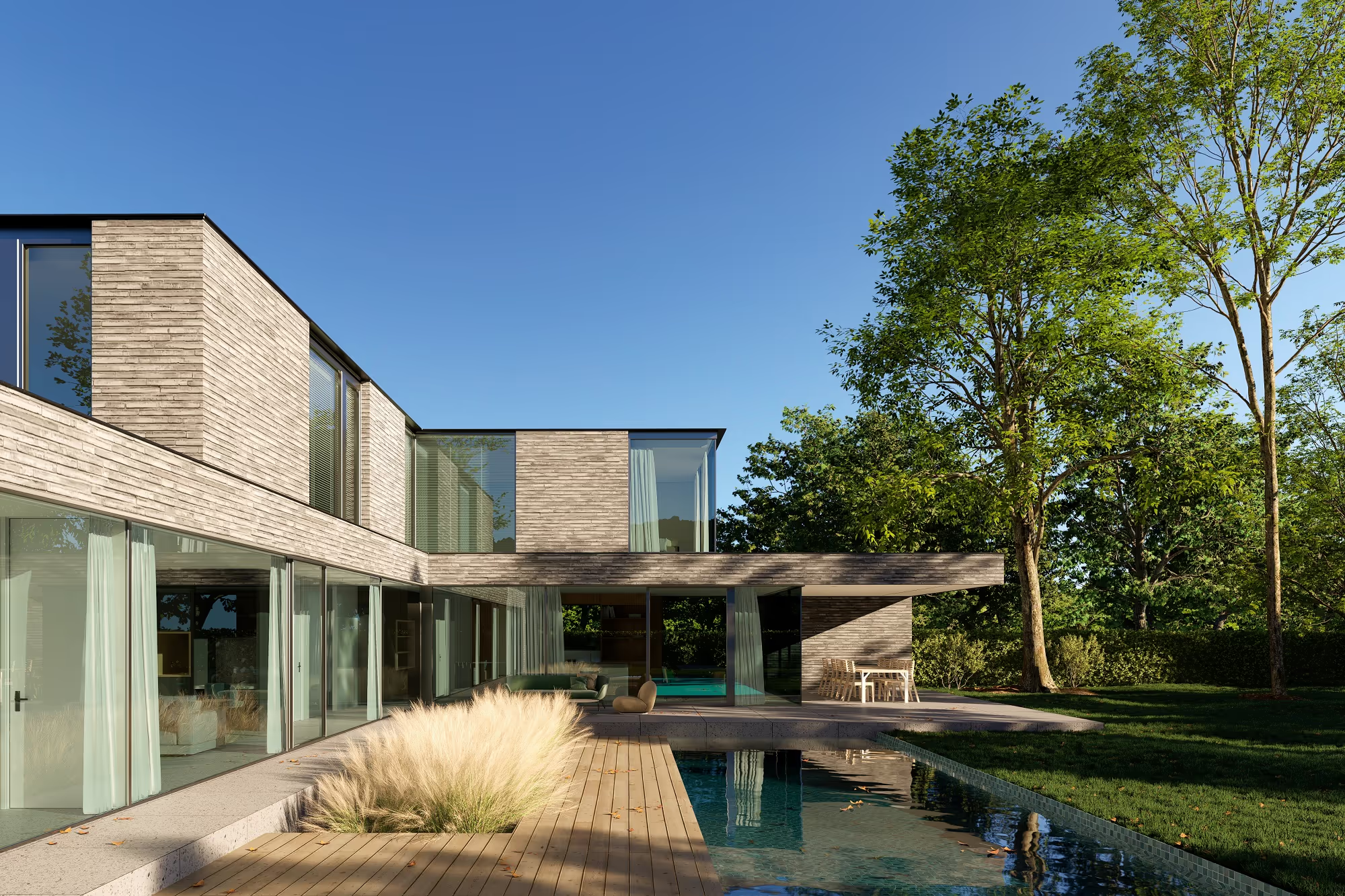
Twinmotion has come a long way with the addition of Lumen and the Path Tracer from Unreal Engine 5. Lumen handles dynamic global illumination in real time, which already looks convincing during navigation. The Path Tracer delivers cleaner still images with more accurate lighting, although it runs only on Windows and needs at least 8 GB of VRAM. Even so, Twinmotion's default renders can sometimes feel a bit game-engine-like compared with D5, particularly in interiors where light behavior becomes more noticeable.
.png)
Winner: tie
Both D5 Render and Twinmotion offer real-time visualization, meaning you see instant updates as you adjust scenes. Final render times depend heavily on your hardware as well as scene complexity.
D5 Render is fast across the board. The real-time GI keeps previews smooth, and thanks to DLSS support on NVIDIA GPUs, the viewport is responsive even in dense scenes. Exporting final images usually takes anywhere from a few seconds to a couple of minutes.
Twinmotion is similarly quick in real-time mode thanks to Unreal Engine's rendering pipeline. However, the Path Tracer mode is noticeably slower, especially for animations. Users report that rendering a 4K walkthrough video can take hours, depending on length and scene complexity.
Winner: Twinmotion (ecosystem); D5 Render (built-in quality)
If built-in library quality and convenience matter most, D5 has a slight edge. If you need access to a massive ecosystem of photoscanned assets, Twinmotion wins.
D5 Render Pro has over 13,000 assets, including vegetation, furniture, vehicles, and animated characters. The Community version comprises roughly 2,000 objects. As D5's built-in library is well-curated and optimized for the renderer, assets naturally load fast and look realistic. With D5 Render 3.0, the new D5 Works marketplace adds even more AEC-ready 3D models.
.webp)
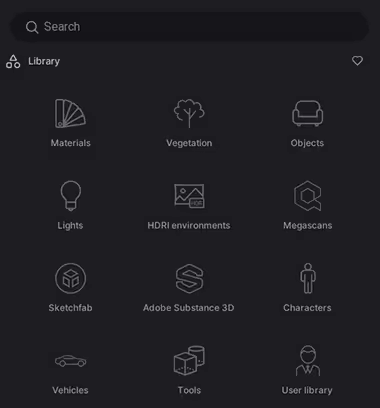
Twinmotion holds its ground with around 10,000 built-in drag-and-drop assets. But the real advantage is the Epic Games ecosystem: it integrates with Quixel Megascans (photogrammetry-scanned assets) and Sketchfab, giving you access to hundreds of thousands of additional high-quality models and materials. This alone makes Twinmotion's asset pipeline nearly unlimited.
Winner: D5 Render
D5 Render offers an extensive collection of realistic PBR materials. Pro users get access to the full library, and the AI Ultra HD Texture feature can upscale textures for close-up shots. You can also import custom texture maps for full PBR control, including relief, roughness, reflectivity, metalness, and displacement.
Twinmotion includes a built-in PBR material system and library, and it also integrates Quixel Megascans for thousands of scanned surfaces. However, the built-in material options are more limited in terms of fine-tuning compared to D5.
Winner: tie
Both tools are strong here, though D5's ocean system and volumetric cloud features give it a slight edge for coastal and landscape projects.
The D5 Scatter tool lets you paint and layer vegetation with randomized placement for natural-looking landscapes.
.png)
Other options include advanced weather controls, a new ocean system (as of version 3.0) with automatic coastline generation, and volumetric clouds.
Twinmotion's Paint Vegetation and Path tools also make it quick to fill outdoor scenes with trees or animated people. In addition to those, you can change seasons, adjust the time of day, and add wind, rain, or snow.
.png)
Winner: Twinmotion
If VR presentations and interactive walkthroughs are important to your workflow, Twinmotion is the clear choice:
D5 Render does support VR panoramas and the newer XR Tour feature (introduced in the Pro version). Official documents also list VR exploration possibilities through SteamVR-compatible headsets such as HTC Vive and Oculus Rift via its VR widget. Even so, D5's VR offerings remain more limited than Twinmotion's.
Winner: D5 Render
D5 Render for Teams adds shared projects with version syncing and a centralized cloud workspace for team resource management. Multiple team members can collaborate on the same project simultaneously, which is a significant advantage for larger studios.
Twinmotion Cloud allows for sharing presentations with stakeholders via a link, but it doesn't have built-in multi-user collaboration tools for working on the same scene. Team members need to work on separate files.
Winner: D5 Render
This is one of the biggest differentiators in the D5 Render vs Twinmotion comparison right now.
D5 Render has invested heavily in AI. Its current suite includes:
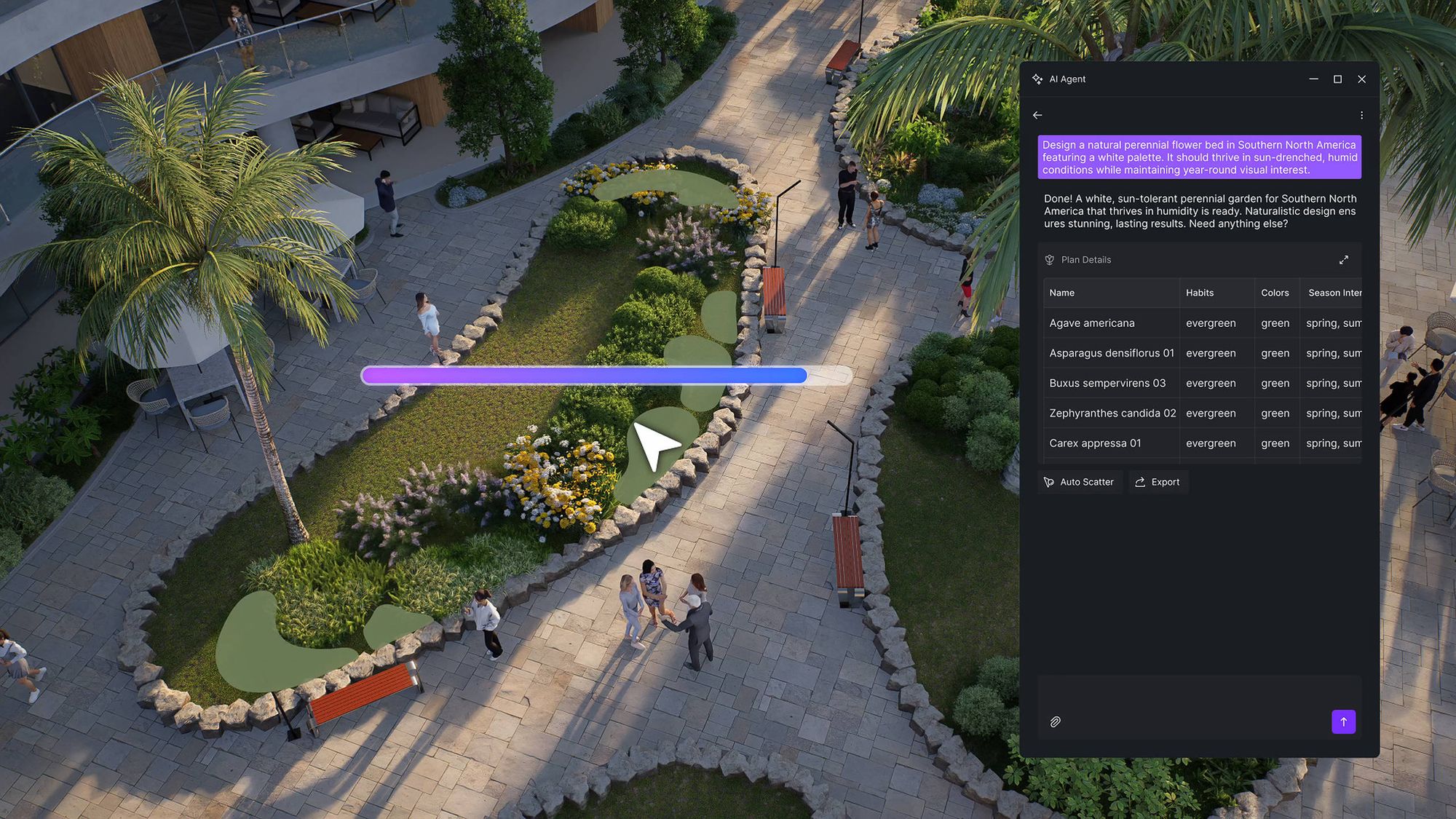
Twinmotion: as of late 2025, Epic Games has publicly acknowledged that competitors have moved faster on AI, citing concerns around IP and ethical sourcing. Twinmotion's current feature set focuses on Lumen and Path Tracer for lighting, plus Nanite for geometry handling. While powerful technologies, they are not AI-driven in the generative sense. Epic has confirmed that AI features are planned for future Twinmotion releases, but specific details haven't been announced yet.
Both D5 Render and Twinmotion require you to build scenes manually. Their AI features speed up parts of that process, but you're still doing the bulk of the work.
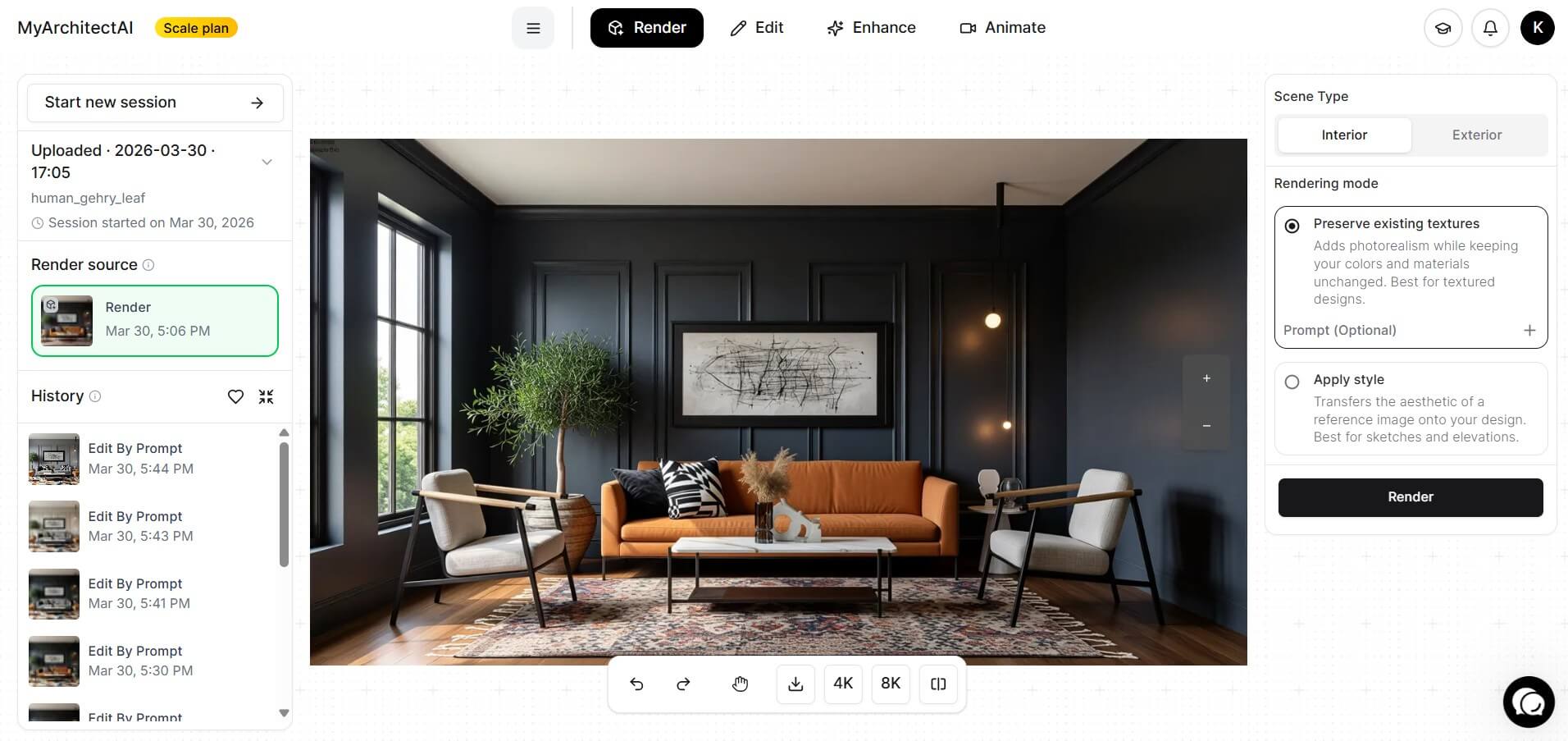
MyArchitectAI takes a fundamentally different approach. Instead of assisting your manual workflow, it handles the entire rendering process for you. Upload a design from SketchUp, Revit, Archicad, or any other tool, and its AI engine produces a photorealistic render in under 10 seconds.
It runs in your browser on any device and costs $29/month. If you need to produce fast client-ready visuals without the overhead of traditional renderers, consider it as a lightweight supplement to your pipeline.
Winner: Twinmotion
Both tools are GPU-intensive, hence the Twinmotion vs D5 Render hardware story here comes down to platform support. D5 Render is Windows-only and requires a ray-tracing capable GPU. Twinmotion runs on both Windows and Mac.
Here's a side-by-side comparison:
| System Requirements | D5 Render | Twinmotion | ||
|---|---|---|---|---|
| Minimum | Recommended | Minimum | High-end | |
| Operating system | Windows 10 (v1809+) | Windows 10/11 | Windows 10/11 64-bit | Windows 10/11 64-bit |
| GPU | NVIDIA GTX 1060 6GB, AMD RX 6400, or Intel Arc A3 | NVIDIA RTX 3060 12GB or AMD RX 6700 XT 12GB | 6 GB VRAM, benchmark ≥ 10,000 (e.g., RTX 3060) | 12+ GB VRAM, benchmark ≥ 20,000 (e.g., RTX 5080) |
| CPU | Intel i5 / AMD Ryzen 5 | Intel i5-11400 or AMD Ryzen 3 5300G | Benchmark ≥ 2,000 | Benchmark ≥ 2,500 |
| RAM | 16 GB | 32 GB | 16 GB | 64 GB |
| Mac support | Not available | Not available | macOS Monterey 12.5+ (Apple Silicon) | macOS 14.6.1+ (M2 Max or better recommended) |
On the downside, both D5 Render and Twinmotion have known stability issues tied to GPU driver compatibility. D5 users report VRAM spikes that can destabilize complex scenes, while Twinmotion can struggle with heavy mesh imports.
For more details, see our guides on D5 system requirements, and Twinmotion system requirements.
Winner: D5 Render
D5 takes the edge in the D5 Render vs Twinmotion integrations matchup thanks to the wider range of live-sync plugins and two-way sync support.
D5 Render has live-sync plugins for SketchUp, 3ds Max, Revit, Archicad, Rhino, Blender, Cinema 4D, and Vectorworks. The connection mirrors changes from your modeling software into D5 in real time. D5 also imports standard file formats like FBX, OBJ, SKP, 3DS, glTF, and Alembic.
Twinmotion's Direct Link feature connects to CAD and BIM software and supports SketchUp, Revit, Archicad, Rhino, Vectorworks, and more. The connection is one-way, though; changes made inside Twinmotion don't sync back. Other supports include Datasmith and standard file formats for import, while its tight integration with Unreal Engine comes as a bonus if you plan to escalate projects to full UE5 workflows.
Winner: tie
D5 Render has a growing community forum, a detailed knowledge base, video tutorials, and an active presence on social media. Support is responsive, though some users note that the documentation is still catching up to the pace of feature updates.
Twinmotion has a massive Epic Games community ecosystem, including comprehensive documentation and the Unreal Developer Community forums. Plus, a wide range of third-party tutorials rounds out the learning resources.
The section-by-section winners above matter less than how the tools map to the work you actually do. A quick guide by project type:
For photorealism and AI features, D5 has the edge in 2026. Its path tracing engine produces more physically accurate lighting, and its AI toolkit (Atmosphere Match, Style Transfer, Enhancer) has no equivalent in Twinmotion. Twinmotion wins on VR support, Mac compatibility, and the free tier for firms under $1M revenue.
Yes, for any individual or company earning under $1 million in annual gross revenue. That includes commercial use. Above that threshold, seats cost $445/year. D5 Render's free Community version is also free but restricted to non-commercial use.
Yes. Twinmotion runs natively on macOS with Apple Silicon (M1 and newer). D5 Render is Windows-only. If your firm is Mac-based and needs a local real-time renderer, Twinmotion is one of the few options.
D5 Render, by a wide margin. D5 3.0 ships with 9+ AI tools covering atmosphere matching, texture generation, style transfer, inpainting, and scene composition. Twinmotion currently has no generative AI features. Epic Games has acknowledged that competitors moved faster on AI and has confirmed AI features are planned for future releases.

