
If you've waited 20 minutes for a single frame to finish, you've felt the bottleneck that real-time rendering removes. The scene updates live while you work, at 15-30+ frames per second. Swap a material, move a camera, reposition a light: the viewport shows the result immediately.
For architecture and design firms, this speed changes the workflow. Clients walk through a space before construction starts. Your team iterates on design decisions during the meeting, not after it.
This guide covers how real-time rendering works, which tools are worth the investment, what hardware you need, and where AI-powered alternatives fit.
Traditional physically-based renderers like V-Ray or Corona calculate every light bounce and reflection with extreme precision, but that accuracy comes at a cost. It counts in minutes or hours per image, depending on both your hardware and what you render. Real-time rendering architecture workflows flip that trade-off, so you give up a small degree of physical accuracy in exchange for instant visual feedback.
This method of generating images from a 3D scene is fast enough that you can interact with the result as it's being created. In practical terms, that means at least 15–30 frames per second. Whatever you do, move your camera, swap a material, the viewport updates immediately.
.png)
The technology originally comes from the gaming industry, where engines like Unreal need to draw millions of polygons at 60+ FPS. Architecture firms adopted it once tools like Enscape, Twinmotion, and D5 Render brought game-engine quality to simplified interfaces around 2018-2020. The quality has been improving rapidly since.
At a high level, real-time rendering engines use your GPU (graphics card) to rasterize 3D geometry into 2D pixels on your screen. The same fundamental process powers video games. But modern real-time render engines layer additional techniques on top of rasterization to close the quality gap with offline renderers.
Here are the key technologies driving today's 3d real time rendering quality.
Hardware-accelerated ray tracing (available on NVIDIA RTX cards, for example) traces the path of light through a scene to produce accurate reflections and refractions. It's not full path tracing, we're talking about a hybrid approach that targets the most visually impactful effects while keeping frame rates interactive.
.png)
Engines like Unreal Engine 5 use Lumen, a dynamic GI system that calculates how light bounces between surfaces in real time. D5 Render uses its own proprietary GI solution. Both aim to replicate the natural light behavior that offline renderers handle natively.
Raw ray-traced images are noisy at low sample counts. Denoising algorithms, which are often powered by machine learning, clean up the image in real time. This is what allows you to see a polished result even though the renderer is only computing a fraction of the samples an offline engine would use.
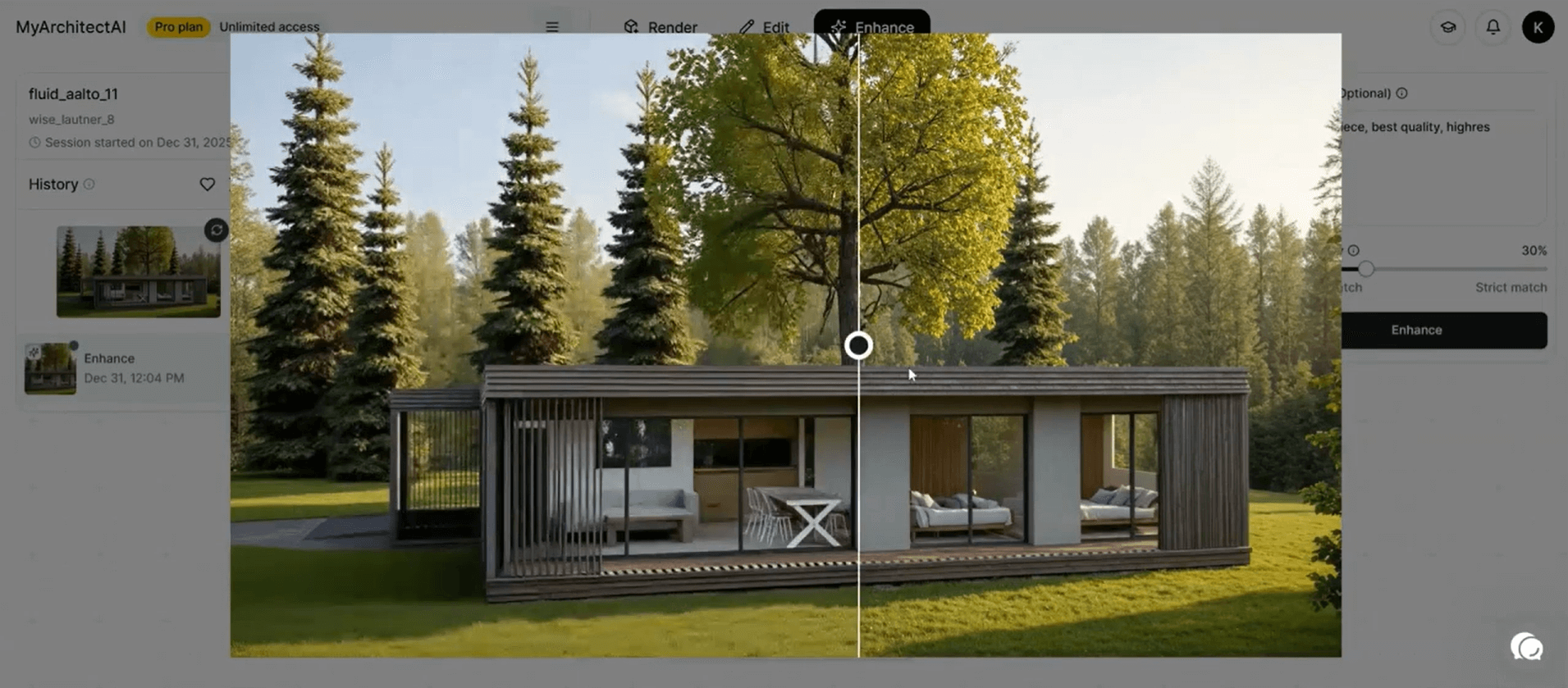
Technologies like Nanite in Unreal Engine (and now Twinmotion 2025.2) automatically stream only the geometry visible to the camera, letting you work with billions of polygons without tanking performance. Lighting, for example, updates live as you drag a sun position or swap a fixture. You're not toggling between a rough working file and a separate render pipeline; the viewport is the render.
The speed alone is a reason enough to consider real-time rendering, but it's also far from being the only one. Here's what it practically means for your firm:
This is where real-time rendering software gets demanding. Unlike AI-powered cloud renderers, most traditional real-time tools run locally on your machine and lean heavily on your GPU. What you'll need typically looks something like this:
| Component | Minimum | Recommended | Ideal |
|---|---|---|---|
| GPU | NVIDIA GTX 1660 / RTX 3060 | NVIDIA RTX 4070 | NVIDIA RTX 4080/4090 |
| VRAM | 6 GB | 12 GB | 16+ GB |
| CPU | Intel i5 / Ryzen 5 | Intel i7 / Ryzen 7 | Intel i9 / Ryzen 9 |
| RAM | 16 GB | 32 GB | 64 GB |
| Storage | SSD (256 GB) | NVMe SSD (512 GB) | NVMe SSD (1 TB+) |
A few things worth noting, though. NVIDIA GPUs dominate this space because most real-time rendering engines rely on CUDA cores and RTX ray-tracing hardware. AMD cards work with some tools (Twinmotion, Blender's EEVEE) but aren't universally supported. Lumion, for example, is Windows-only and doesn't run on macOS at all.
For more details, check our full guide on the best GPUs for rendering.
If hardware costs are a concern, cloud-based and AI-powered rendering tools can sidestep these requirements. But that is a different story; more on it in a minute.
Below is a comparison of the top real-time rendering engines today. Which one is the best solution for you depends on your modeling tool and budget, plus how deep you want to go with customization.
| Tool | Best For | Integrations | Ease of Use | Starting Price | Platform |
|---|---|---|---|---|---|
| D5 Render | Overall quality-to-speed balance | SketchUp, Revit, Rhino, Archicad, 3ds Max, Blender | Easy | Free (Pro from $360/yr) | Windows |
| Enscape | BIM-integrated workflows | Revit, SketchUp, Rhino, Archicad, Vectorworks | Very easy | $575/yr | Windows, Mac |
| Twinmotion | Drag-and-drop simplicity | SketchUp, Revit, Rhino, Archicad, Vectorworks, 3ds Max | Very easy | Free (paid from $445/yr) | Windows, Mac |
| Lumion | Large-scale site context and landscaping | SketchUp, Revit, Archicad, Rhino, Vectorworks | Easy | ~$229/yr (View) to $1,499/yr (Studio) | Windows only |
| Unreal Engine | Maximum visual fidelity and VR | SketchUp, Revit, Rhino (via Datasmith) | Hard | Free | Windows, Mac, Linux |
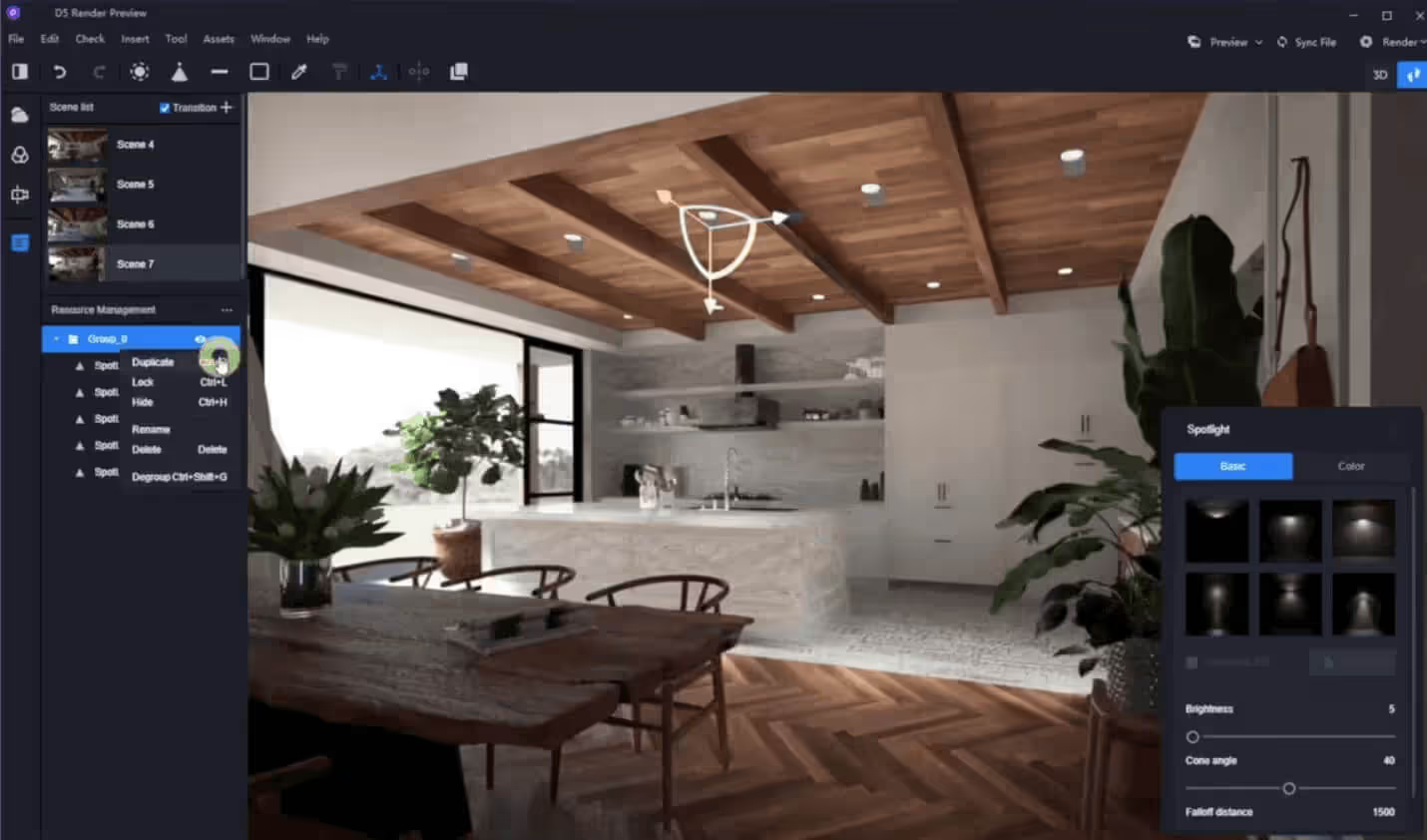
D5 Render has become a serious contender in the real-time rendering space. It combines real-time ray tracing with AI-driven features like atmosphere matching and PBR material generation, along with a dedicated AI enhancer. Companies like BIG (Bjarke Ingels Group) adopted D5 for large-scale project visualization, citing its balance of speed and quality.
D5's LiveSync plugins keep your model in sync with SketchUp, Revit, Rhino, Archicad, and other tools, so changes update instantly in the viewport.
The free version is generous enough for solo practitioners, while D5 Pro at $360/year unlocks advanced features and full asset access. Team features are part of D5 Teams ($708/year).
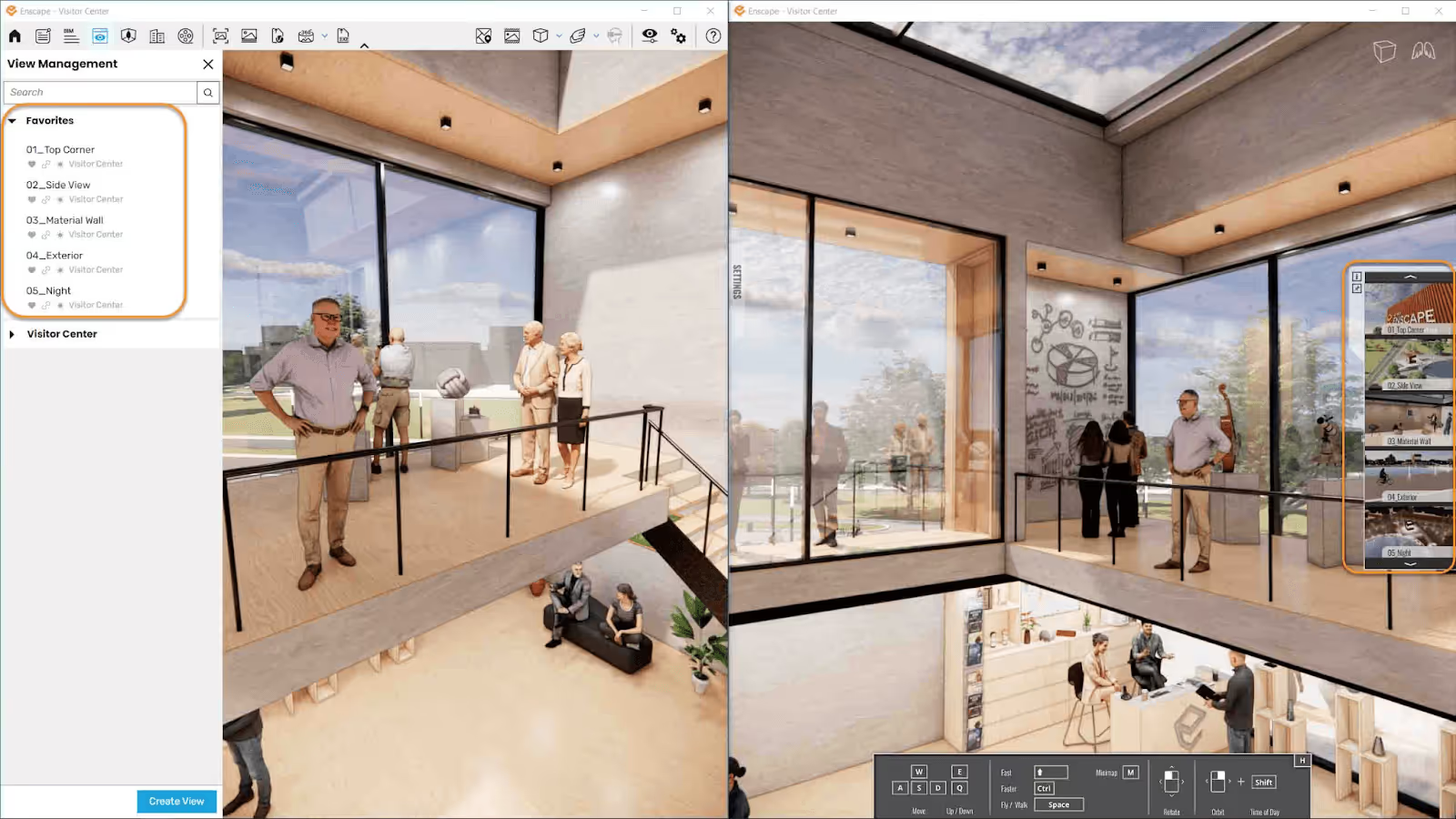
Enscape is a real-time render engine that plugs directly into your BIM or CAD tool. There's no separate application to learn; just click a button inside Revit, SketchUp, Rhino, Archicad, or Vectorworks, and a fully rendered walkthrough will open alongside your model. That tight coupling with the modeling environment is why many renowned architecture firms use it.
Recent updates include Veras AI integration for design exploration and AI material generation directly in the Enscape Material Editor. The Chaos Cosmos asset library has expanded significantly over time.
The Solo plan runs about $575/year. Also, Enscape now supports both Windows and Mac (for SketchUp, Rhino, Archicad, and Vectorworks).
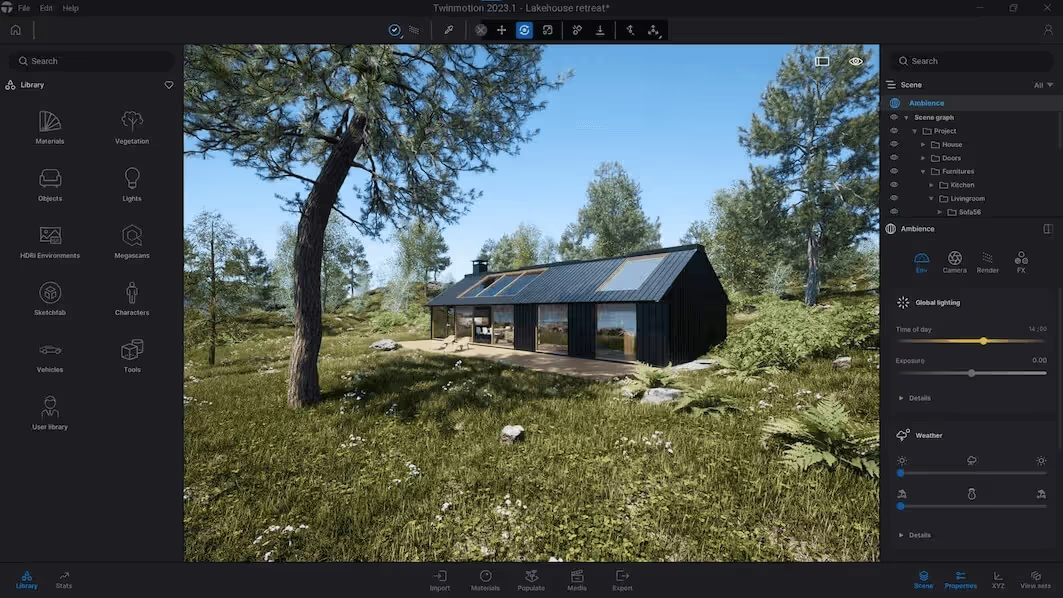
Twinmotion is Epic Games' visualization tool, built on top of Unreal Engine, while Lumen handles dynamic global illumination. The interface is icon-driven, e.g., drag materials onto surfaces, slide a bar to change the season.
The 2025.2 release added Nanite support, which lets you load scenes with billions of polygons at interactive frame rates. Marko Margeta, Designer at Zaha Hadid Architects, specifically cites "the simplicity of the interface and not having to deal with light maps or PBR workflows."
Twinmotion syncs directly with SketchUp, Revit, Rhino, and Archicad via Datasmith Direct Link. A free version is available with limited export options; paid plans start around $445/year.
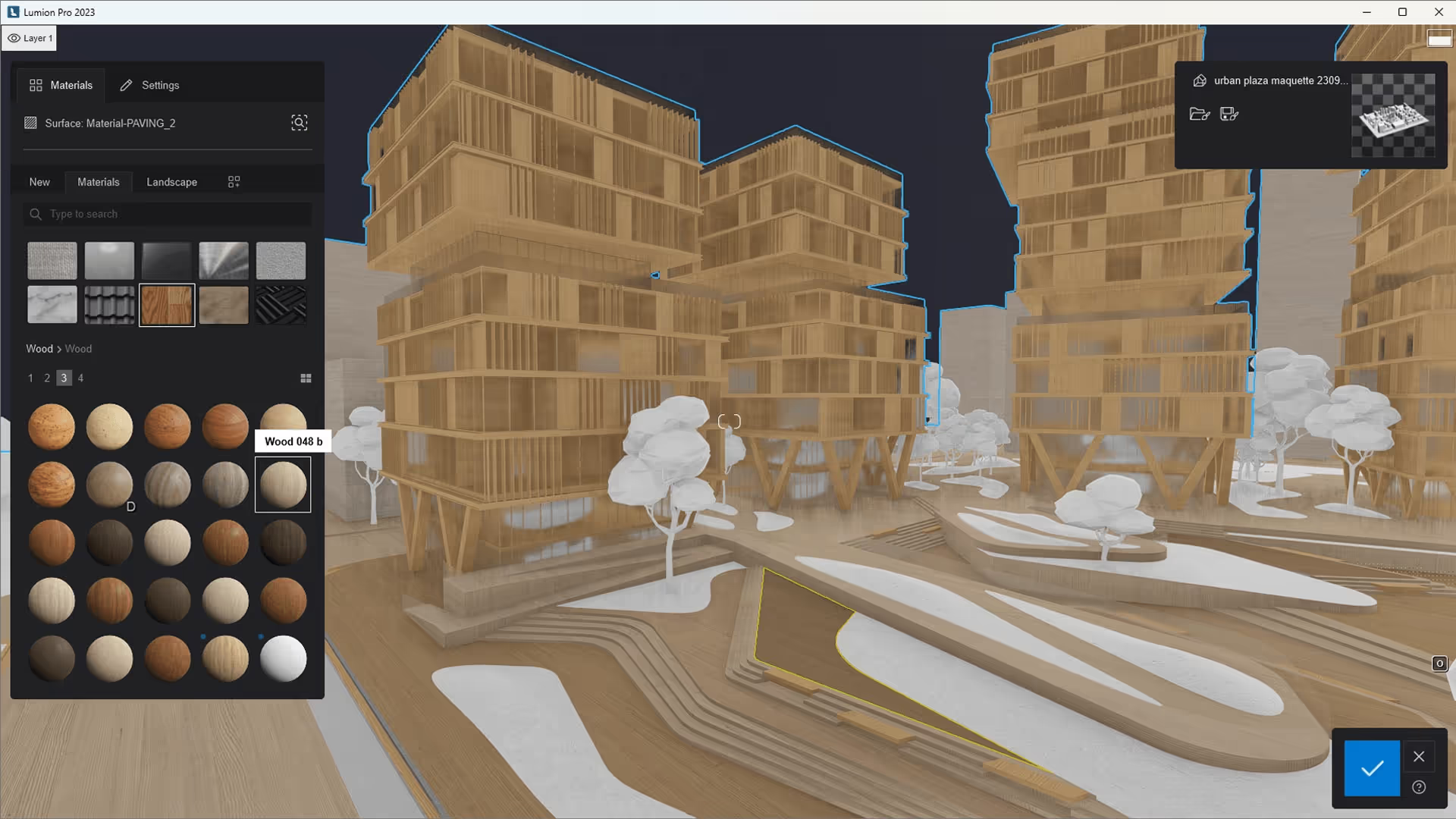
Lumion has been a staple in architecture visualization since 2010. It's known for its massive asset library (nearly 10,000 objects) and atmospheric effects that bring outdoor scenes to life. Lumion Pro 2026 added area placement tools for scattering up to 5,000 nature items across irregular surfaces, plus an AI image upscaler supporting up to 16K output.
The hardware requirements, however, are steep (Windows-only, dedicated GPU with 6+ GB VRAM), and pricing ranges from $229/year for Lumion View to $1,499/year for the Studio bundle. It's a serious investment, but firms doing high-volume visualization work absorb that cost with no problem.
.jpeg)
Unreal Engine 5 is the most powerful real-time render engine on this list and at the same time the hardest to learn. It ships with Lumen for dynamic global illumination and Nanite for virtualized geometry, on top of full path tracing for film-quality output. Architecture firms like Zaha Hadid Architects use it for competition-level visuals and immersive VR experiences.
Unreal is a general-purpose game engine. Setting up a proper architectural scene means importing models via Datasmith, configuring materials, managing Blueprints, and troubleshooting asset pipelines. That process takes weeks of ramp-up for someone coming from SketchUp or Revit.
But it's free to use (with a 5% royalty on commercial products exceeding $1 million in revenue, which rarely applies to archviz).
All the tools above share one thing in common: they require powerful local hardware and a non-trivial setup. AI-powered renderers work differently.
Instead of simulating light physics on your GPU, AI renderers use trained neural networks to generate photorealistic images from your 3D models. The processing happens in the cloud, which means your local hardware and operating system don't factor in.
MyArchitectAI is built specifically for this use case. Here's how it compares to traditional real-time rendering software for architectural professionals:

A real-time render from Enscape or Twinmotion might still be your go-to for walkthroughs and VR presentations. But for generating high-quality stills at speed AI rendering fills a gap.
The best real-time rendering setup depends on where visualization fits in your workflow. If you're deep in BIM, Enscape slots in with minimal friction. If you want cinematic-quality stills and animations, D5 Render or Twinmotion offer strong results with moderate effort. And if you need fast, hardware-independent output for client presentations, MyArchitectAI delivers that in seconds.
Whatever you choose, the direction is clear: real-time rendering is no longer a luxury reserved for large studios with dedicated viz teams. It's becoming a standard part of the design process, and the firms using it are producing more work, faster.
Offline rendering (V-Ray, Corona, Arnold) traces every light path with high precision, producing physically accurate images at the cost of minutes or hours per frame. Real-time rendering (Enscape, D5 Render, Twinmotion) uses GPU rasterization plus approximation techniques like screen-space reflections and AI denoising to produce results at 15-60+ frames per second. The trade-off: offline rendering is more accurate for caustics, subsurface scattering, and complex glass. Real-time rendering is fast enough for interactive walkthroughs and quick iteration. The quality gap has narrowed significantly since 2020.
Yes. Blender includes EEVEE, a built-in real-time render engine focused on speed and interactivity. EEVEE uses rasterization with screen-space effects to produce results quickly in the viewport. The latest version (EEVEE Next, introduced in Blender 4.1) added ray tracing support and shader displacement, along with higher-resolution shadow maps, closing the gap with dedicated real-time rendering engines.
Not natively in the same sense as dedicated real-time tools. Maya's default renderer is Arnold, which is a CPU/GPU-based offline renderer. Arnold does offer an Interactive Production Renderer (IPR) that updates in the viewport as you make changes, but it's not truly real-time, frame rates are far below interactive speeds on complex scenes. For true real-time results in Maya, you'd typically export to Unreal Engine or use a third-party plugin like AMD Radeon ProRender, which supports Vulkan-based interactive rendering.
V-Ray itself is an offline renderer, but the Chaos ecosystem includes real-time tools. V-Ray Vision is built into V-Ray for SketchUp and Rhino (and also available for Revit), providing a live, game-engine-quality viewport that runs alongside your model. For higher-fidelity real-time visualization, Chaos Vantage is a standalone tool that uses RTX-accelerated ray tracing to render V-Ray scenes in real time. Vantage connects to your 3D software via a live link, so changes appear instantly.
Absolutely. Unreal Engine is one of the most advanced real-time rendering engines available. It powers everything from AAA video games to architectural walkthroughs. Unreal Engine 5 introduced Lumen for dynamic global illumination alongside Nanite for virtualized geometry, both backed by hardware ray tracing. Epic Games also develops Twinmotion, which packages Unreal's rendering tech in a much simpler interface aimed at architects and designers.
3ds Max doesn't include a built-in real-time rendering engine, but it integrates with several. You can use V-Ray (with its ActiveShade interactive preview), Arnold's IPR mode, or export to Unreal Engine via Datasmith. D5 Render also offers a live-sync plugin for 3ds Max. Many architecture firms pair 3ds Max with V-Ray for final renders and use Chaos Vantage for real-time scene exploration on the same project files.

