
Twinmotion and Enscape are among the top real-time rendering tools today, and if your firm is stuck deciding which one fits your workflow best, you’re not alone.
On the surface, they look nearly identical. Both promise fast, high-quality renders without the complexity of traditional CPU-based renderers. But dig a little deeper, and you’ll notice their differences in efficiency, affordability, ease of use, and how well each one integrates with your firm’s architectural workflows.
Twinmotion has been around since 2005, when GPU-based rendering was starting to gain ground over tools like V-Ray, Mental Ray, and Maxwell Render. As one of the earliest dedicated real-time architectural renderers, it had a head start in building out its feature set. Today, it's known for detailed renders, animations, and broad cross-industry use, from architecture to film and gaming, backed by its integration with Unreal Engine 5.
Enscape launched in 2015 and quickly became one of the most widely adopted rendering tools in architecture. Firms choose it for fast design iterations, built-in presentation and collaboration features, and a live-sync workflow that keeps your render updated in real time as you model.
In this guide, we'll compare them side by side to help you pick the right one for your archviz workflow. We'll also introduce MyArchitectAI, an AI-powered alternative to Enscape and Twinmotion.
Both renderers have earned their place in professional workflows. Which one actually deserves a spot in yours depends on a few key factors.
Winner: Enscape
Enscape has gained popularity largely due to its ease of use, and it shows in how quickly professionals and beginners alike get up and running with it. The interface is straightforward, the render settings are simple enough that the defaults are often good enough to use as-is, and because it plugs directly into your existing design software, there's no separate learning environment to get used to.
And if you need a head start, there are plenty of great Enscape courses our there.
.avif)
Twinmotion is user-friendly too, but it has a steeper learning curve than Enscape. It offers an intuitive interface, real-time rendering, and collaboration features, but the depth of its customization options (materials, lighting, cinematic effects) means there's more to learn before you get the most out of it.
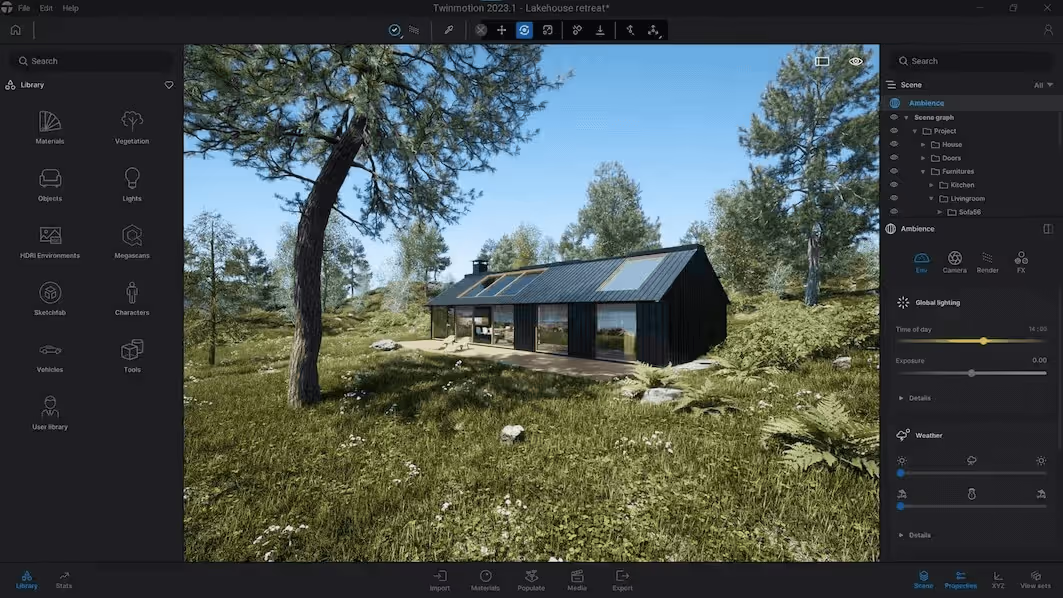
Unlike Enscape's plug-and-play workflow, Twinmotion also adds extra steps around asset management, scene setup, and LiveLink integration, which can slow down beginners.
Winner: Twinmotion
If you want to try both software without any commitment, Twinmotion offers a 30-day free trial, while Enscape offers 14-days for free.
Twinmotion’s annual subscription costs $445 per user, and $1,850 per user when bundled with Unreal Engine and RealityCapture.
What makes it stand out is that firms earning less than $1 million in the past 12 months can use Twinmotion for free with full upgrades - something Enscape doesn't offer.
Enscape’s pricing tiers are higher overall:
For those who prefer monthly payments, Enscape is the only option, offering its Solo plan at $87.30 per month.
Read our full Enscape pricing guide for more details.
Winner: Enscape
Enscape generally has the upper hand on rendering speed. It takes seconds to minutes to produce a photorealistic render, while Twinmotion often requires more scene refinement and processing time to reach comparable quality.
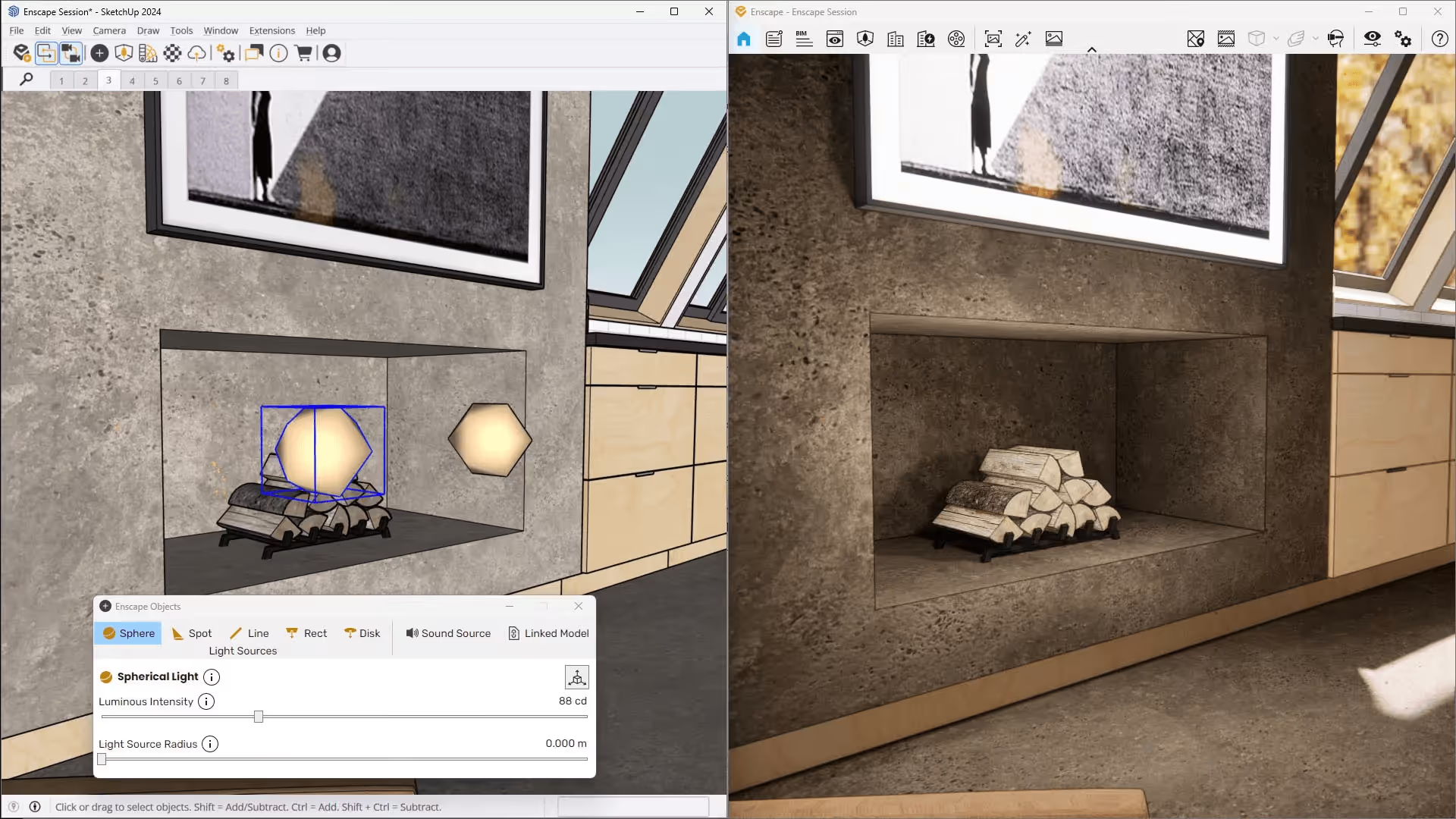
For firms prioritizing rapid iteration, quick client approvals, and fast turnaround times, Enscape typically delivers results faster and with fewer workflow interruptions.
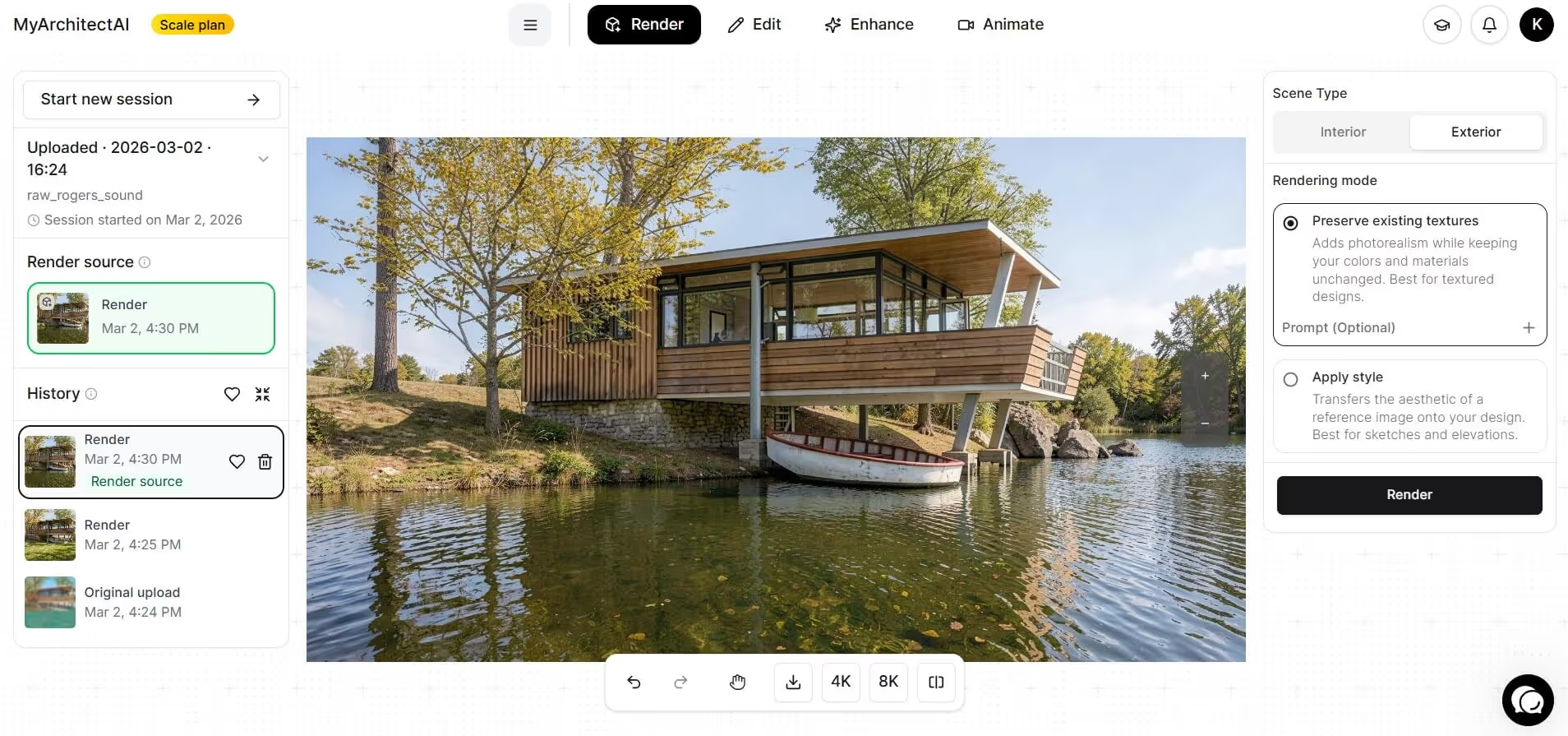
That said, if you're in the early stages of design and just need to quickly visualize how a space might look before committing to a full render, AI-powered tools like MyArchitectAI can get you there even faster. There's no scene setup needed as the AI system handles everything for you.
Winner: Twinmotion
In the broader Enscape vs Twinmotion debate, photorealism is often where firms start to see a clear distinction.
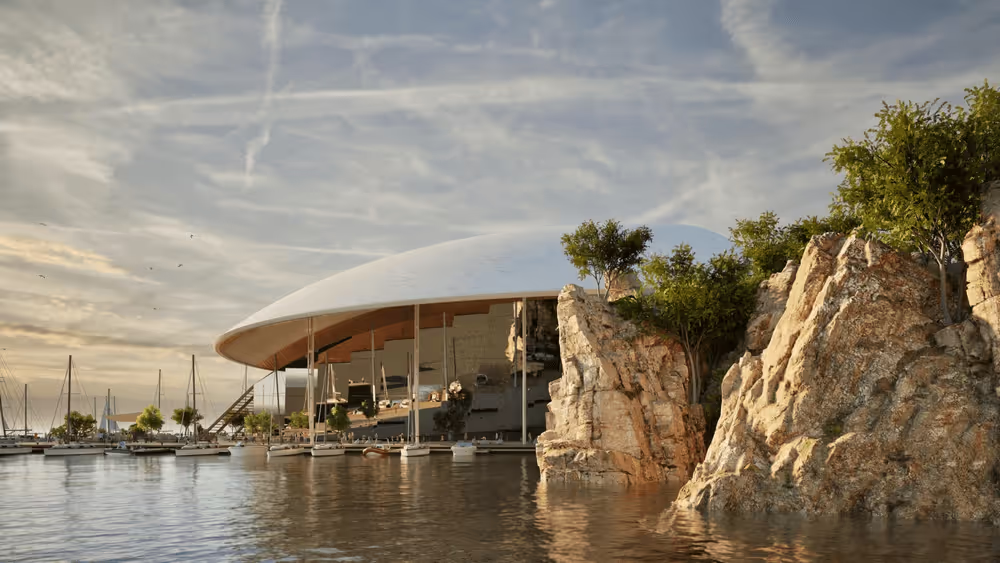
While Enscape is the clear winner on speed and produces strong results with minimal setup, Twinmotion has a higher photorealistic ceiling. Given the right render settings, scene preparation, lighting adjustments, and post-processing, it's capable of a level of visual realism that Enscape struggles to match.
Winner: Twinmotion
Both Enscape and Twinmotion allow users to import custom models, whether created in-house or sourced from third-party libraries, effectively giving teams access to an unlimited pool of render-ready assets.
However, when evaluating convenience and out-of-the-box usability, the more meaningful comparison lies in their native asset libraries. For many firms, the ability to drag and drop ready-made, optimized assets directly into a scene can significantly reduce production time.
Twinmotion, by comparison, provides 10,000+ drag-and-drop assets, spanning vegetation, furniture, vehicles, characters, props, and environmental elements. The broader selection allows users to populate scenes more quickly and with greater variety, without relying heavily on external downloads or custom modeling.
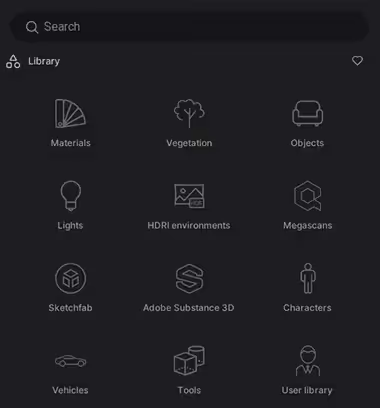
Enscape currently offers 3,000+ render-ready assets within its built-in library, giving Twinmotion a clear advantage.
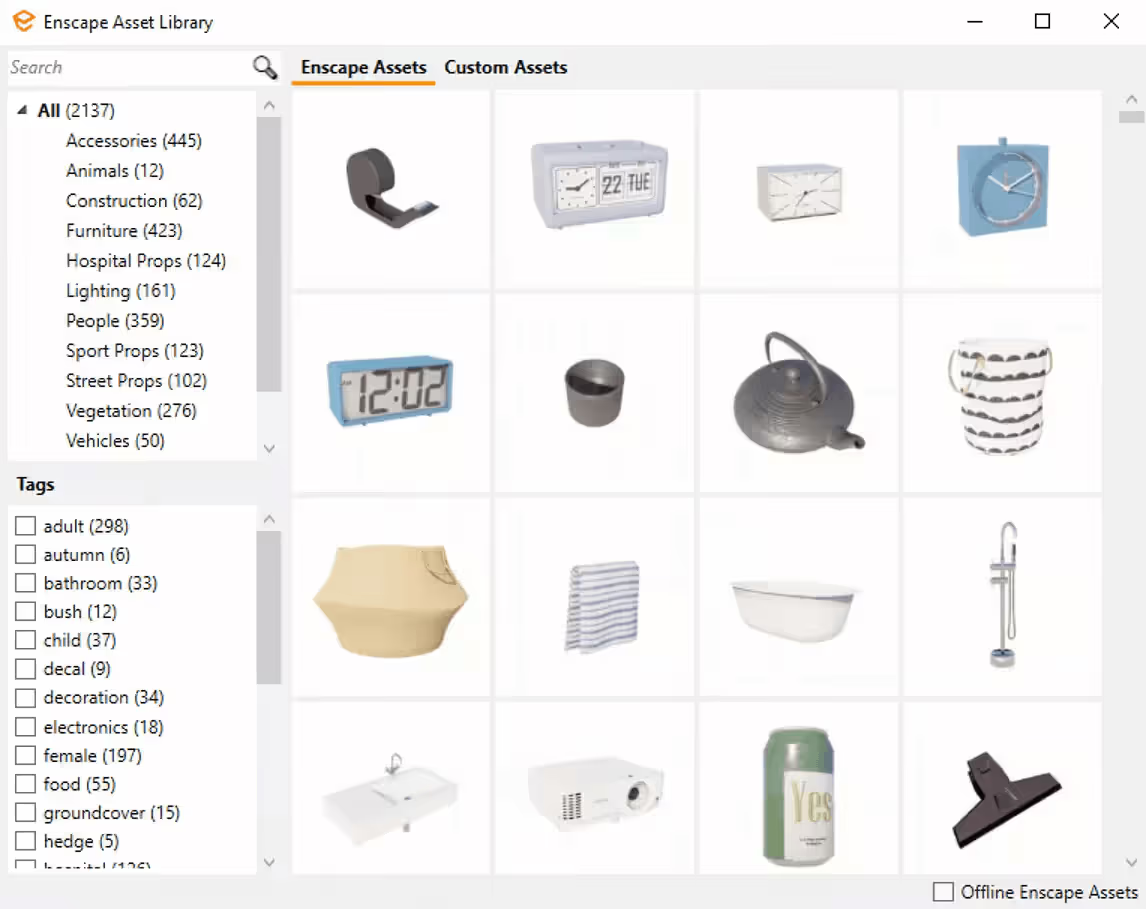
Winner: Twinmotion
Twinmotion is the clear winner here, which makes sense given its focus on immersive, presentation-driven visualization. The platform is built to simulate real-world environmental conditions through dynamic animations and realistic atmospheric effects.
Its Ambience tab gives you granular control over time of day, lighting, weather, HDRI skies, global illumination, and shadows.
Enscape has similar controls, but they're intentionally simplified. You can adjust lighting and sky settings, but the options aren't nearly as deep or customizable, which is fine if speed is the priority, but limiting if you need precise environmental control for a presentation.
Winner: Enscape
Enscape wins when it comes to AI features, thanks to Chaos’ recent and active development that embraces AI. At the moment, you can find four AI generative tools within your Enscape software, which Chaos rolled out slowly starting in 2024, namely:
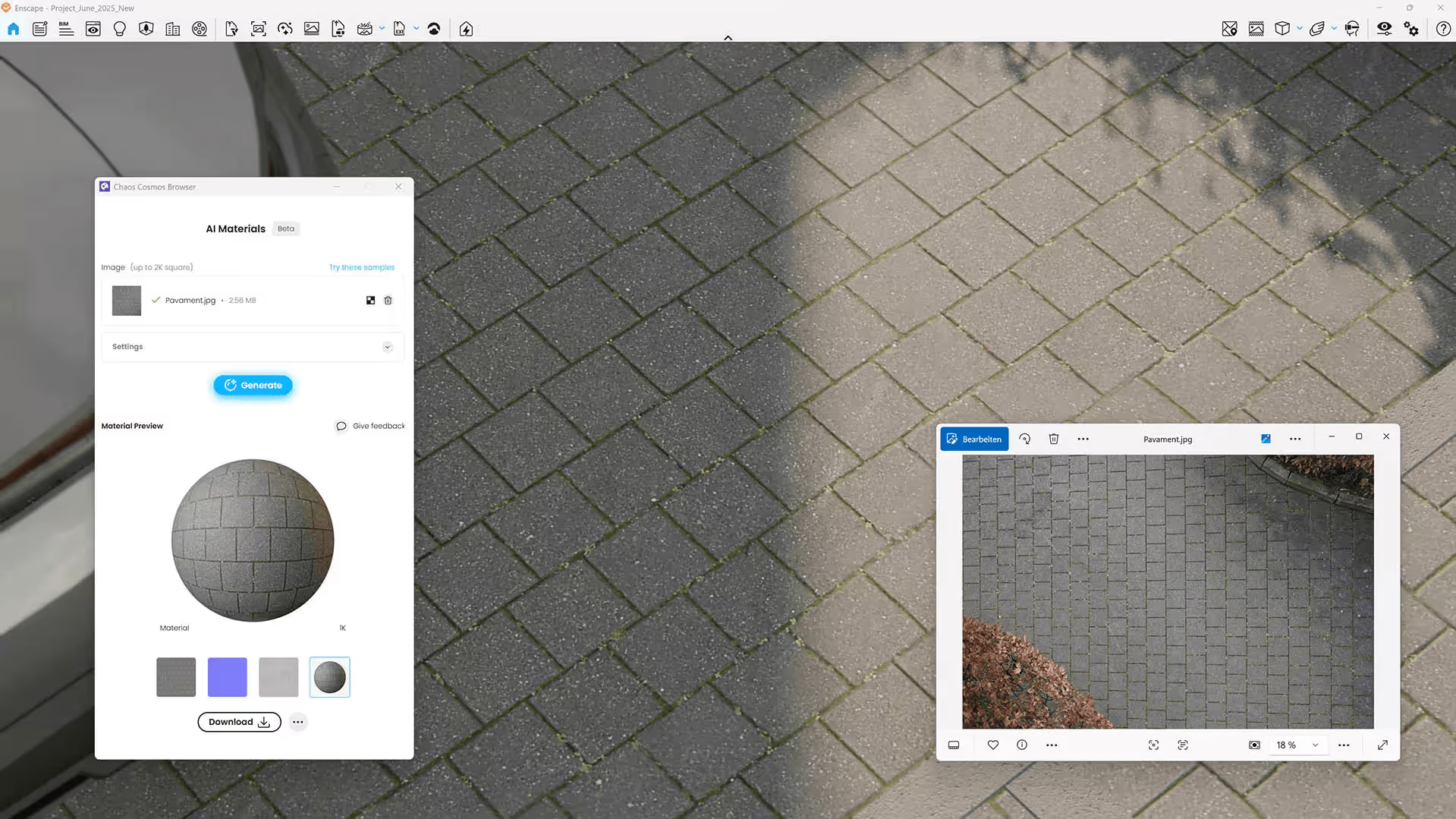
Twinmotion, on the other hand, does not currently offer built-in generative AI tools.
The primary AI-related technology referenced in its documentation is NVIDIA DLSS 4, which uses AI-based upscaling to boost frame rates, reduce latency, and improve performance during real-time rendering and animations. However, it functions more as a performance optimization technology rather than an active AI tool.
Generative AI tools are absent from Twinmotion, which seems to be a deliberate choice. The company's senior product manager Colin Smith has spoken openly about the risks of automated generative AI, particularly around preserving designer intent. Twinmotion has also raised concerns about intellectual property and the ethical sourcing of training data.
Winner: Tie
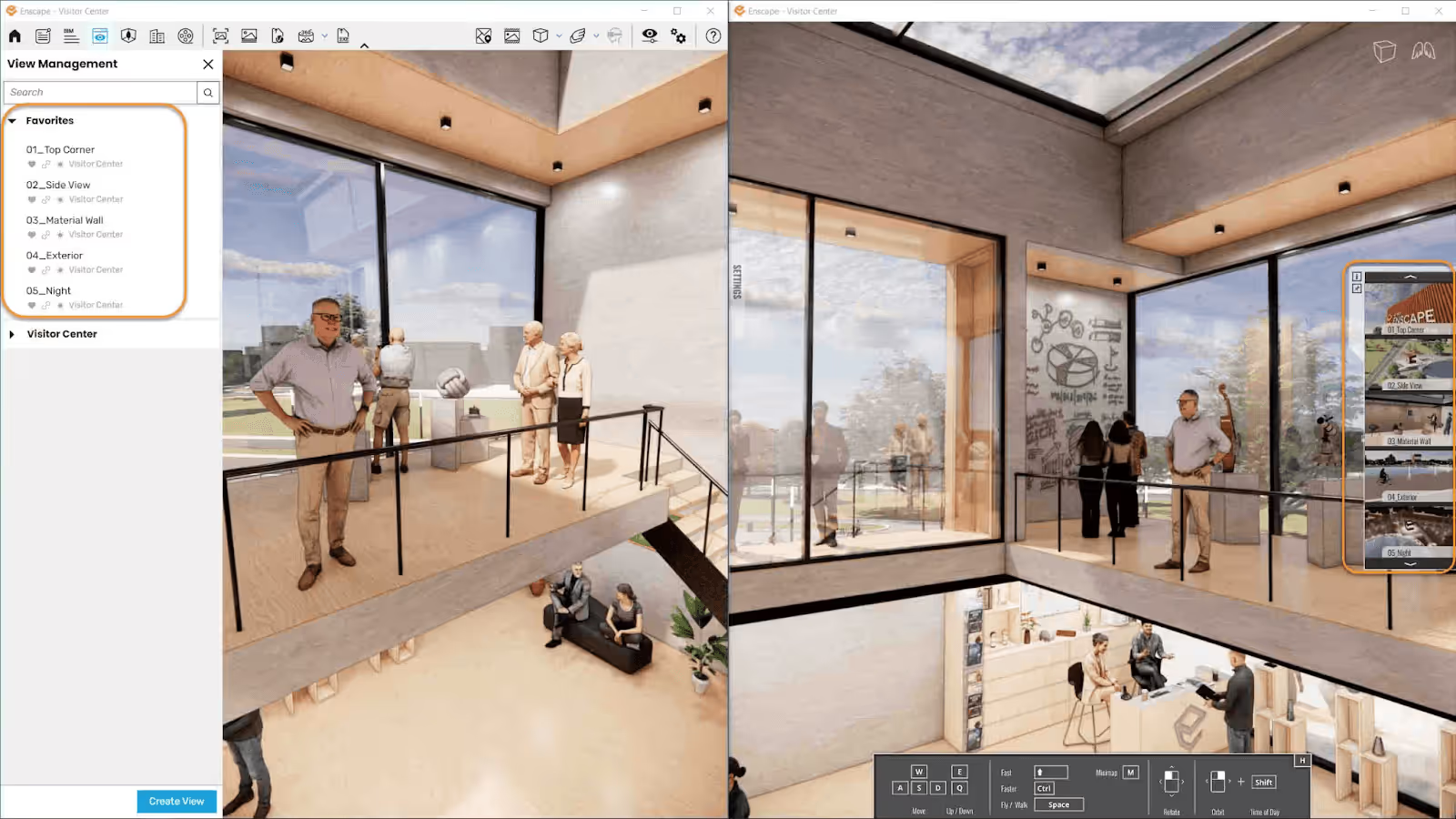
It’s challenging to declare a clear winner in this aspect because both Enscape and Twinmotion are robust and highly capable presentation platforms.
Both tools allow users to:
From a functional standpoint, meaning the ability to showcase a design clearly, interactively, and professionally, they are equally strong. Both platforms make it easy to present projects to clients and teammates without complex steps.
Twinmotion tends to lean more toward cinematic storytelling. With its animation tools, environmental controls, and dynamic scene transitions, it’s great at creating highly polished, film-like presentations.
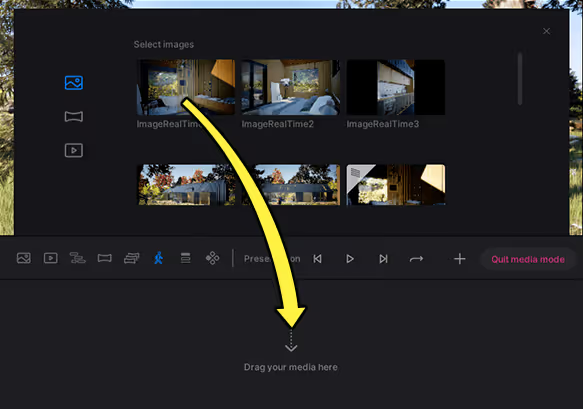
Enscape, on the other hand, focuses on seamless integration with the modeling workflow. Its presentation tools are streamlined and efficient, making it easy to move from modeling to client presentation with minimal setup.
Winner: Twinmotion
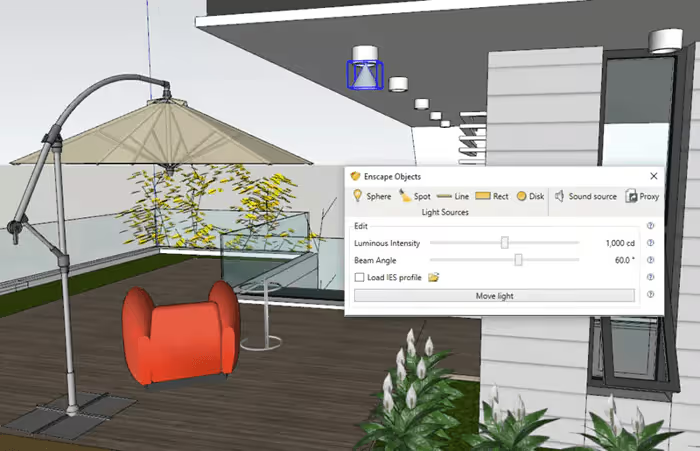
Both Twinmotion and Enscape use real-time Global Illumination which simply means that you’re getting realistic light bouncing off assets in your scenes as you design. This is perfect for visualizing both interior and exterior architectural scenes.
But which tool has better GI capabilities?
Enscape's focus on speed and simplicity carries through to its lighting controls. Settings are handled through sliders and straightforward parameters, keeping things accessible without requiring deep technical knowledge.
That simplicity doesn't mean a quality tradeoff, though. Under the hood, Enscape uses physically-based rendering (PBR), the same industry-standard method used across high-end 3D rendering tools, so the results hold up at a professional level.
Twinmotion's Standard Global Illumination is comparable to Enscape's - fast and presentation-quality, covering most use cases well.
Where Twinmotion pulls ahead is its Lumen GI feature. This is a more advanced real-time global illumination system that simulates how light actually behaves in a scene, handling both direct and indirect lighting, diffuse interreflections with infinite bounces, and single and multiple specular reflections. The result is noticeably more accurate and physically convincing lighting compared to standard GI.
.avif)
Winner: Enscape
For firms of any size, one of the biggest workflow bottlenecks is collaboration. The ability to share work quickly, gather feedback efficiently, and keep teams aligned often determines whether a visualization tool truly fits into a production pipeline. Collaboration can also be between the firm and their clients.
Both Enscape and Twinmotion have collaboration features, but their approaches differs significantly.
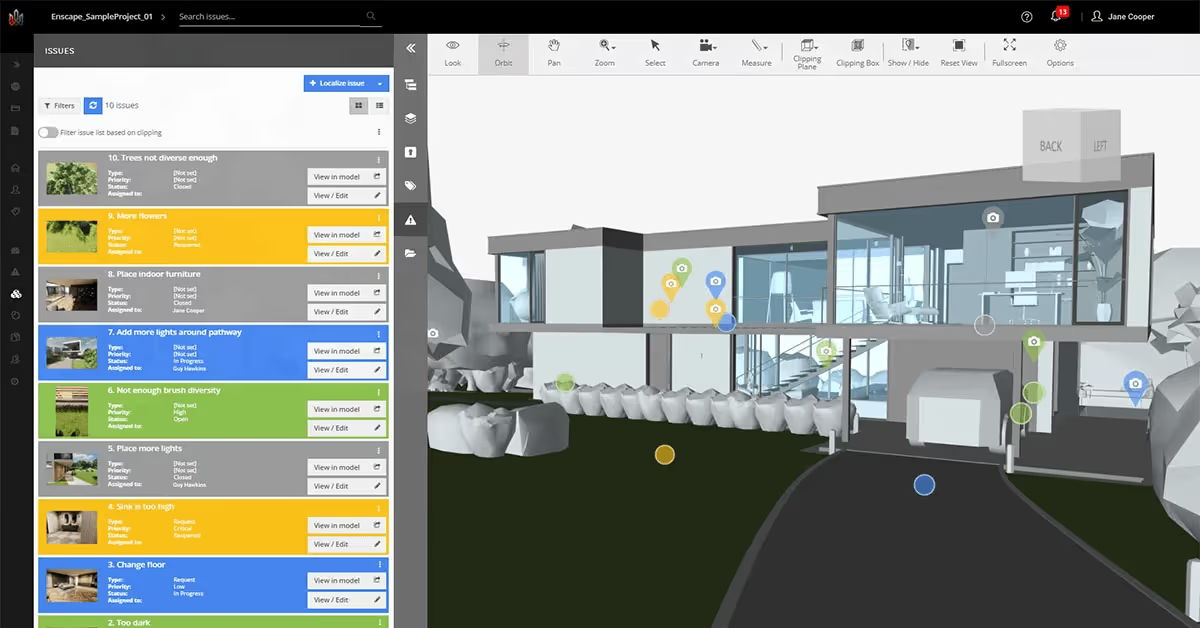
Enscape’s collaboration features are geared more towards internal workflow. Teams are able to work collaboratively on a single file and resolve issues together. This is mostly possible with Enscape’s Annotation feature where teammates can create, document, and track issues directly within the 3D environment of Enscape. No need for separate checklists, docs, or written notes.
Enscape's BIM information panel is a handy addition for architects working in BIM-heavy workflows. It surfaces BIM data directly in the rendering window, so you can reference object properties and model information without switching back to your BIM software.
Twinmotion, on the other hand, features a file merge system that, while not real-time collaboration, allows multiple team members to work on separate project files, such as vegetation, interior furniture, exterior details, or environmental settings, and later merge them into a single consolidated scene containing all elements for the final presentation.
Twinmotion’s merge system is helpful for splitting tasks among team members, but Enscape stands out because its built-in annotation and BIM panel features make collaboration more direct, organized, and easier to manage within the same working environment.
Winner: Enscape
On hardware efficiency, Enscape has the edge. It's lighter and better optimized for fast, high-quality visuals, producing presentation-ready results even on mid-range workstations.
In contrast, Twinmotion, built on Unreal Engine, is geared toward high-end renders, complex scenes, and cinematic outputs, which demand more powerful hardware. While it can run on lower-spec systems, performance and visual quality drop are more noticeable.
Check full hardware requirements and optimization tips for Enscape and Twinmotion in our separate guides.
And if your workstation can't handle any, and you don't feel like spending lots of money on hardware upgrades, consider MyArchitectAI, a web-based alternative to Twinmotion and Enscape. The AI-powered tool runs fully in your web browser using its cloud GPUs, meaning you can use it on any device, even a mobile phone or tablet.
Winner: Twinmotion
While Enscape supports many widely used design applications, Twinmotion offers a broader range of integrations, extending beyond major platforms to include niche software such as RIKCAD, form·Z, CityEngine, and more, making it more flexible across diverse design workflows.
Winner: Enscape
Enscape provides extensive support resources designed to help users of all skill levels maximize the software. These include comprehensive documentation, video tutorials, sample projects, a large knowledge base, and an expansive content library. Enscape also maintains an active community forum where users can interact, ask questions, and receive guidance from both fellow users and Enscape team members.
Additionally, there is a built-in feedback button directly within the software for reporting issues, along with support via email and the option to request a callback, making dedicated assistance easily accessible.
Twinmotion also offers documentation and learning materials suitable for beginners and professionals. However, dedicated support is less directly accessible. To get premium support through Epic Games, users must subscribe to multiple seats under the Unreal Subscription to qualify for Epic Pro Support, which grants access to a private forum where staff respond to inquiries.
Enscape and Twinmotion are different tools built for different priorities , so neither is objectively better.
Choose Enscape if your firm values speed, simplicity, BIM integration, collaboration, and hardware efficiency. It fits naturally into production pipelines where quick iterations and smooth coordination matter most.
Choose Twinmotion if your focus is on cinematic presentations, advanced environmental control, animations, and pushing photorealistic quality as far as it can go.
It's also worth noting that many firms don't rely on a single tool. Some use external AI platforms like MyArchitectAI for early-stage ideation and rapid visualization, then move into Enscape or Twinmotion to finalize and present.

.webp)