
Archicad and Vectorworks Architect are sibling products under Nemetschek, but they suit different practices. Archicad is the more focused BIM platform, while Vectorworks combines BIM with broader drawing and design flexibility.
This comparison covers pricing, modeling, rendering, teamwork, and hardware for Archicad 29 and Vectorworks Architect 2027. Graphisoft has scheduled Archicad 30 for early October, so its details will need updating after launch. If Revit is also on your shortlist, see our Archicad vs Revit comparison.
Winner: Vectorworks
One seat of Vectorworks Architect costs $1,530 a year on annual billing, or $170 a month on a monthly plan. Design Suite adds the Landmark and Spotlight tools for $1,980 a year.
Archicad comes in two tiers. Studio handles the core authoring work at $2,414 a year. Collaborate adds MEP modeling and cloud-hosted BIMcloud SaaS for $2,840. The monthly rate rises sharply if you skip the annual term, reaching $345 for Studio.
Vectorworks costs $884 less than Archicad Studio each year, and the gap passes $1,300 against Collaborate. Figures are US list prices before tax from the Graphisoft pricing page and the Vectorworks store.
Neither company sells perpetual licenses to new buyers now. Vectorworks ended them in the US and UK on January 1, 2023, and Graphisoft stopped selling them to new customers at the end of 2024, so the seat price is the real number to weigh.
Winner: Archicad
The Archicad vs. Vectorworks split is sharpest here, but G2's feature scores show how Archicad pulls ahead where BIM matters.
Archicad was designed as a BIM tool from day one. Its standout quality is the tight link between the model and the drawings that come from it, which quietly saves hours of redrawing on a project. Archicad also leans hard into documentation with tools like Keynotes, an automated system for keeping annotations consistent across a drawing set.
.jpg)
Vectorworks handles modeling with more give. Its hybrid setup lets you shift between 2D drafting and 3D modeling inside one file, and pick up BIM data as the design matures. You also get Marionette for visual scripting of repetitive steps. The 2026 release added a Sustainability Dashboard that reports live figures like embodied carbon while you design, along with Depth Cueing that improves elevations and sections on its own.
.jpg)
The gap between the two shows most at scale. Vectorworks users regularly mention slowdowns on large or complex files, and Vectorworks says the new GPU-driven graphics engine in 2027 makes large models faster to navigate.
Both sets of users have complaints, though. Archicad reviewers struggle with missing features and library issues. Vectorworks also draws occasional notes about a harder learning curve, though G2 surfaces them far less often. Our BIM software roundup covers the wider field.
Winner: too close to call
Rendering could decide the Archicad vs. Vectorworks argument, yet G2 scores it 7.4 for Archicad and 7.3 for Vectorworks, a tenth of a point apart. Vectorworks edges ahead on textures and lighting, while Archicad leads on overall visualization. Both scores show how much room for improvement there is.
The shared parent likely explains it. Archicad renders through Cineware, built on Cinema 4D R21, and Vectorworks through Renderworks, powered by the same Cineware technology. Both come from Maxon, another Nemetschek company.
Both also offer Redshift for GPU-accelerated rendering, with different catches.
In Archicad, Graphisoft:
In Vectorworks, Renderworks has included a Redshift mode since 2022. Vectorworks 2026 Update 4 then added Maxon Redshift for Vectorworks, a live-synced real-time renderer, but it requires its own Redshift subscription.
At launch, Maxon Redshift for Vectorworks is not yet compatible with Vectorworks 2027. Vectorworks says the compatible release is due October 14, 2026; users who depend on it should remain on Vectorworks 2026 until then.
Both platforms now include an AI Visualizer for quick conceptual imagery too. However, high-detail renders can still crawl on complex scenes. For final, high-detail images, many pair either program with a dedicated real-time engine, which both support through plugins.
You can sidestep this by uploading your Archicad or Vectorworks export to a tool like MyArchitectAI. That can produce a client-ready image in seconds, with the geometry and textures intact. Plus, it handles Archicad exports and Vectorworks exports alike, so it's a practical speed boost no matter where you land in the Archicad vs. Vectorworks question.
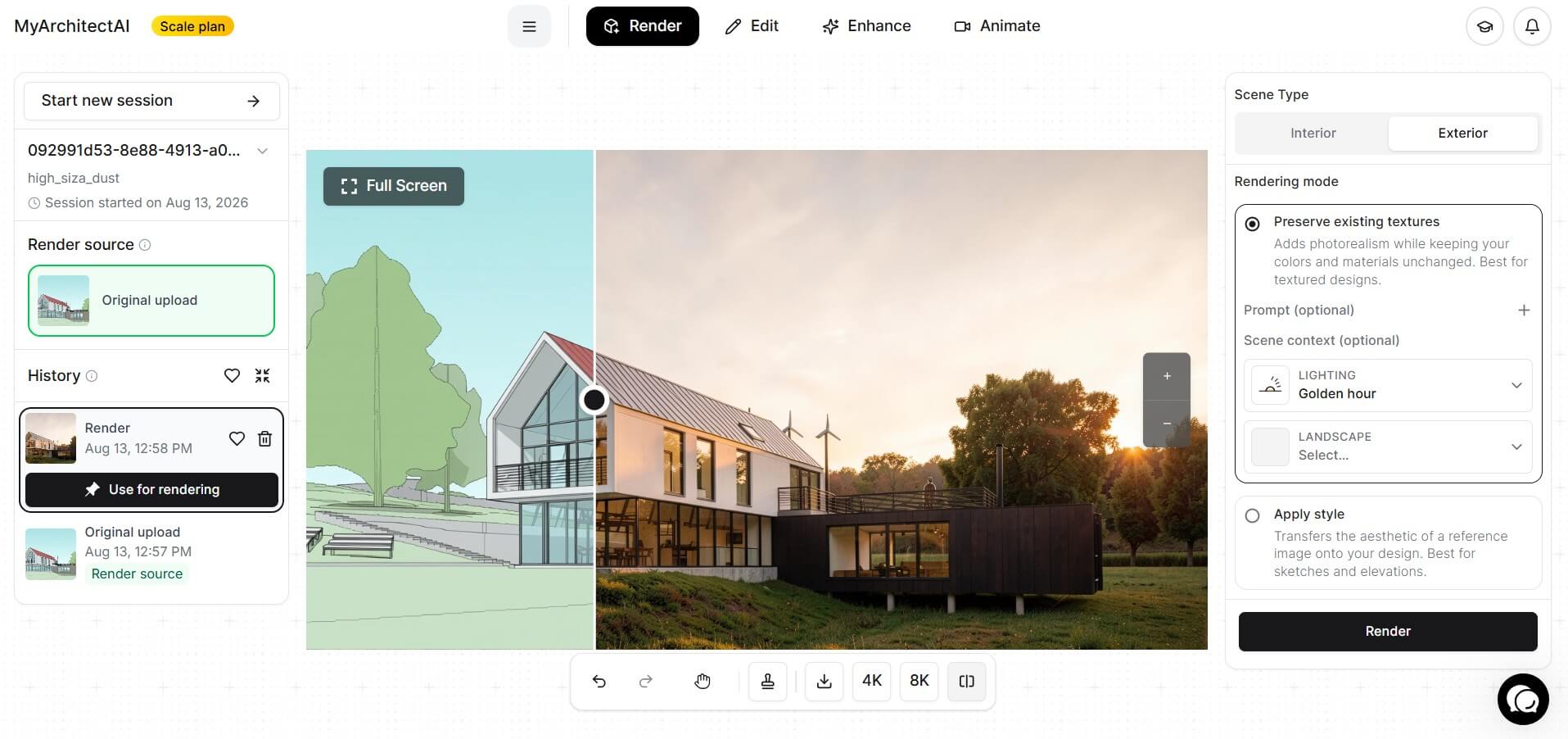
It also runs in the browser, where the VRAM figures mentioned above no longer apply. Pricing starts at $29 a month on monthly billing, with ten free renders to try first.
Winner: Archicad, mainly on the depth of its Teamwork setup.
As Nemetschek products, both lean into OpenBIM and the IFC format, the open standard that lets separate programs trade models cleanly. That helps a lot when you hand work to engineers or consultants running different software.
Archicad has the deeper team setup of the two. Studio runs Teamwork on BIMcloud Basic from your own server, and Collaborate adds hosted BIMcloud SaaS for distributed teams. Its live connection to Rhino and Grasshopper also serves parametric design work.
.jpg)
Vectorworks answers with Project Sharing, included in Architect, and strong import flexibility across many formats, including DWG and Revit. The 2026 version added a cloud-based Revit import that smooths those handoffs even more.
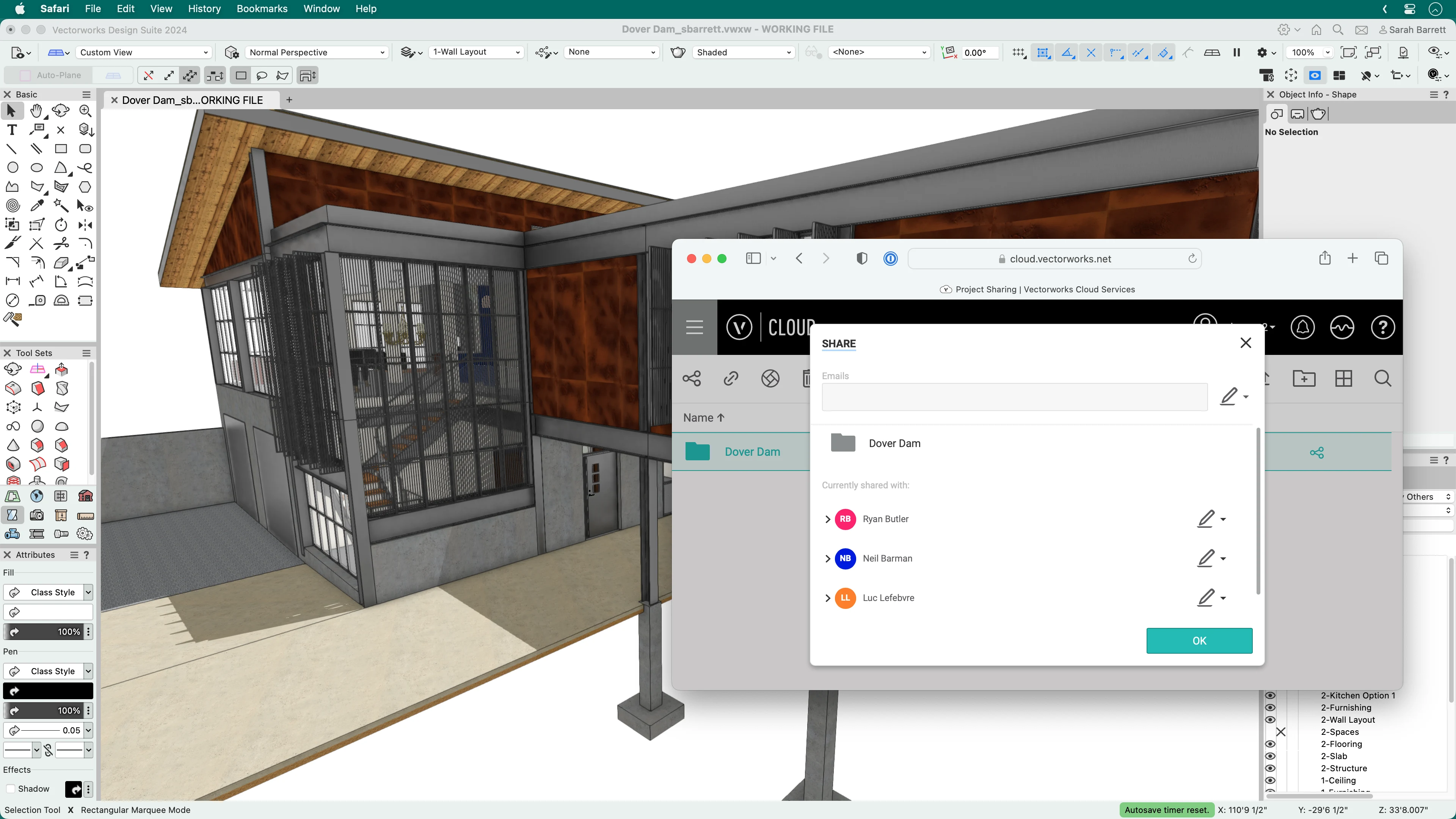
Ironically, the most frustrating part of any Archicad vs. Vectorworks setup is that neither program opens the other's native file. Archicad cannot read a .vwx, and Vectorworks cannot read a .pln, despite both belonging to Nemetschek. IFC is the usual bridge, and a Graphisoft community admin has recommended it on the company's forum for exactly this exchange. DWG works for 2D, though one user reported layouts arriving with layers the recipients couldn't modify.
Winner: too close to call
Both run natively on Mac and Windows, and both list 8 GB of RAM as the minimum. On Windows, both require DirectX 11-compatible graphics; their Mac requirements are platform-specific. Archicad's recommended entry configuration is 16 GB with 4 GB of VRAM, climbing to 32 GB for apartment and office buildings.
Both tools' community boards carried stability threads through the first half of 2026, and both vendors shipped updates with crash fixes over the same period. Read that as a tie, and the hardware round too: Archicad covers one more macOS version, Vectorworks the second machine.
Go with Archicad if:
Go with Vectorworks if:
One last data point for the undecided. At the 2025 Construction Computing Awards, Vectorworks Architect took Architectural Design Software of the Year with Archicad as runner-up, while Archicad collected its fifteenth consecutive BIM Product of the Year. That split is a useful summary of the Vectorworks vs Archicad decision: broader design flexibility on one side, deeper architectural BIM focus on the other.

.webp)