
Switching BIM software is one of the most expensive decisions a firm makes. It touches training, hiring, consultant compatibility, and which projects you can realistically bid on. Pick wrong and you'll feel it on every project deadline.
This guide covers the most widely adopted BIM platforms on the market. Every pick has active development, verifiable documentation, and workflows that hold up on commercial projects.
There are dozens of robust BIM platforms, and they're not interchangeable. Some are built for architects, others for structural engineers or contractors. Pricing ranges from about $97/month to $3,000+/year. And what works for a 5-person residential firm looks nothing like what a 200-person multidisciplinary office needs.
Shortlist the options below the way you'd shortlist subcontractors. Start by clarifying what "best" means for your firm:
| Software | Best for | Pricing (annual) | System compatibility |
|---|---|---|---|
| Revit | Full BIM workflows, large commercial projects | $3,005/year | Windows |
| Archicad | Mac-based firms, design-focused BIM | From ~$2,414/year (Studio) | Windows, macOS |
| Chief Architect | Residential design, remodelers | $1,995/year (Premier) | Windows, macOS |
| Vectorworks Architect | Design-centric firms, 2D/3D hybrid workflows | $1,530/year | Windows, macOS |
| BricsCAD BIM | CAD-to-BIM transition, budget-conscious firms | $1,166/year | Windows, macOS, Linux |
| Allplan | European firms, detailed construction modeling | From ~$2,520/year | Windows |
| Tekla Structures | Structural engineering, steel/concrete detailing | From ~$2,000/year | Windows |
| Bentley OpenBuildings Designer | Large infrastructure, institutional projects | Custom pricing | Windows |
Best for: Full BIM workflows, large commercial projects, multidisciplinary coordination
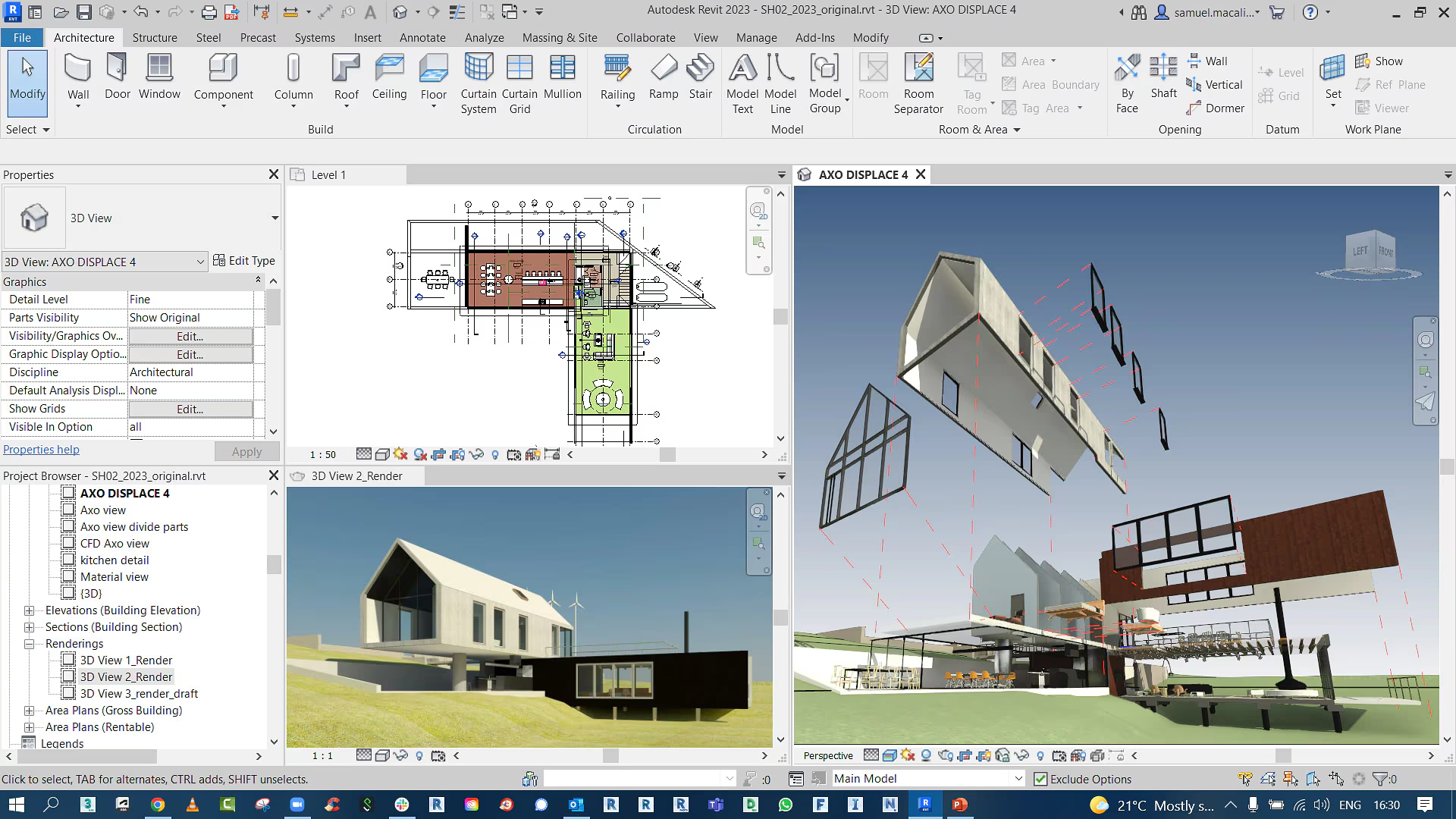
Revit is the most widely used BIM platform globally. Revit is the industry standard for BIM, as well as the default choice for most commercial architecture firms. This is partly because of its capabilities, partly because everyone else on the project is likely using it too.
The parametric modeling engine is where Revit earns its reputation. Elements carry specs; when you move a partition on the floor plan, every associated view and schedule updates in real time. Plus, built-in clash detection catches coordination issues before they become expensive problems on site. And with Autodesk's cloud worksharing through BIM 360 and Autodesk Construction Cloud, distributed teams can co-author models from anywhere.
That said, expect weeks before a new hire becomes productive, and months before they're comfortable with the family system and Dynamo scripting.
Lastly, Revit's visualization tools are pretty basic and cumbersome, so most firms choose third-party Revit renderers.
Pros:
Cons:
If Revit's cons are a dealbraker, read our guide on Revit alternatives to compare the differences.
Pricing:
Full breakdown of Revit's pricing plans here.
Best for: Mac-based firms, design-focused BIM, smaller teams
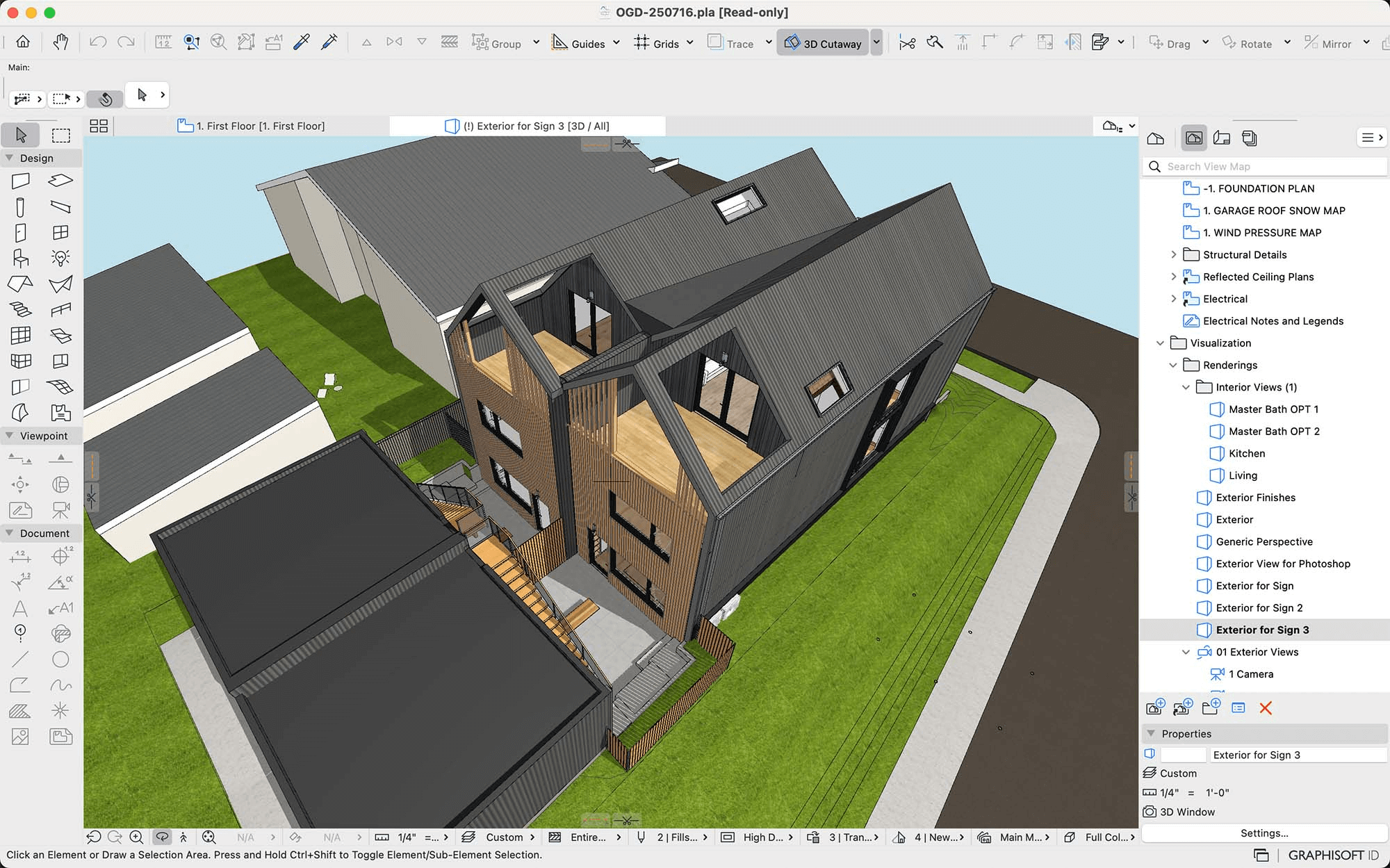
Archicad is Revit's most direct competitor and the best BIM software for architects who want native macOS support. The interface feels more design-oriented, with smoother 3D navigation and faster visual feedback. Many architects also find its workflow more intuitive during early design stages.
Archicad's Grasshopper live connection is a standout feature for firms doing algorithmic or parametric design work. You can push complex geometry directly into your BIM model and maintain that link throughout the project. The openBIM approach also means smoother IFC exchanges with consultants who use different software.
Starting in 2026, Graphisoft is transitioning to subscription-only licensing, and perpetual licenses are being phased out for new purchases. You'll choose between Archicad Studio (for solo practitioners and local teamwork) and Archicad Collaborate (which adds BIMcloud SaaS for cloud-based team collaboration). Both tiers include BIMx Pro for mobile model viewing, and Collaborate also bundles the AI Visualizer for quick concept renders.
Pros:
Cons:
Pricing:
If, like most firms, you're picking between the two BIM tools above, read our in-depth Archicad vs Revit comparison.
Best for: Design-centric firms, small to mid-size practices, strong 2D graphics
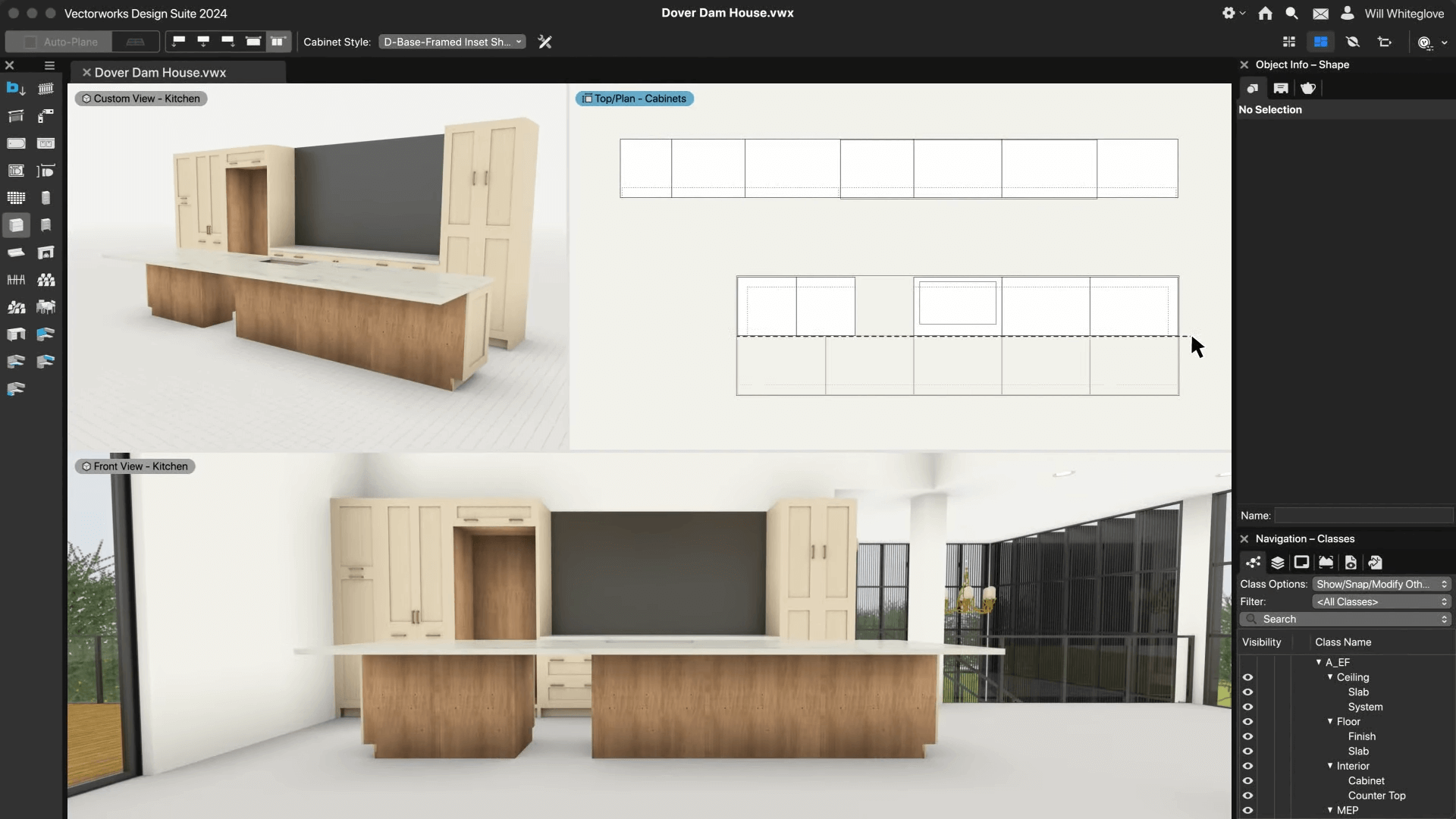
Vectorworks Architect is one of the most design-friendly entries on this list, and a strong pick among BIM software if you are an architect who prioritizes visual presentation. It combines BIM modeling with exceptionally strong 2D drafting and graphic output. In other words, you can move from conceptual sketches to construction documents to photorealistic presentations without leaving the application.
The software runs on both Mac and Windows, and the built-in Renderworks engine (powered by Cinema 4D) handles rendering in-house. For firms that want VR capabilities, Vectorworks supports direct export to Unreal Engine via its Datasmith connection.
Where Vectorworks struggles is in large, multidisciplinary projects. If your primary concern is producing beautiful drawings and you work mostly on small- to mid-scale architectural projects, it's an excellent fit. But if you need airtight coordination with a dozen engineering consultants, you may hit friction.
Pros:
Cons:
Pricing:
Best for: Firms transitioning from CAD to BIM, budget-conscious offices
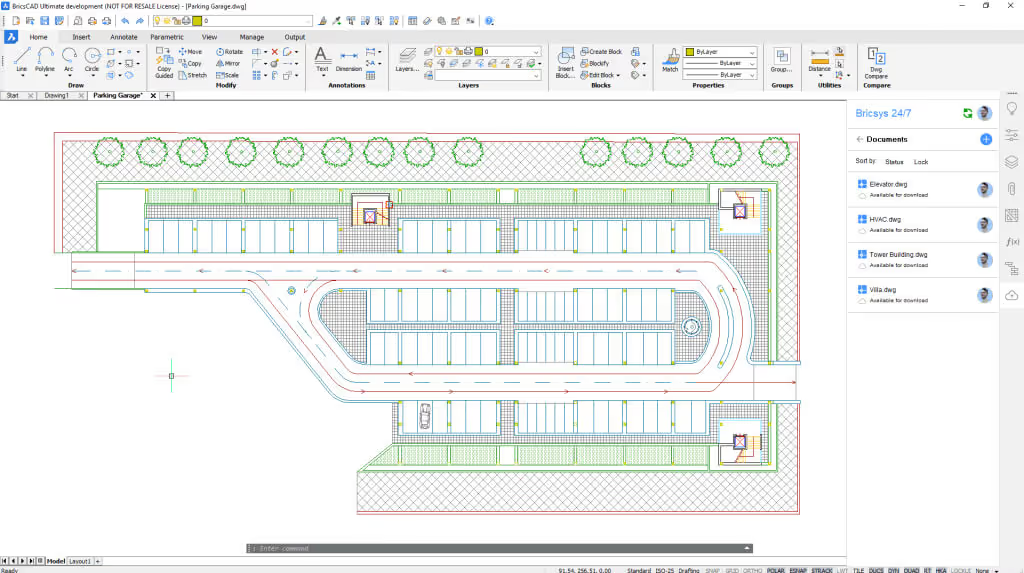
BricsCAD BIM is built on a familiar DWG foundation that AutoCAD users will pick up almost immediately. Two assets make it great for beginners: It is the most affordable full-featured BIM modeling software on this list, and the learning curve from traditional CAD to BIM is as gentle as it gets. BricsCAD's AI-powered BIMIFY tool can automatically classify 3D geometry as walls, slabs, columns, and other building elements, which speeds up the transition from raw modeling to proper BIM.
The platform runs on Windows, macOS, and Linux—the only BIM authoring tool on this list that covers all three operating systems. And unlike most competitors, BricsCAD still offers perpetual licenses alongside subscriptions, which appeals to firms that don't want forced annual renewals.
The downsides are predictable for a smaller-market tool. BricsCAD BIM is improving fast, but it's not yet at parity with the established players for complex multidisciplinary projects.
Pros:
Cons:
Pricing:
Best for: European firms, detailed construction modeling, reinforcement detailing
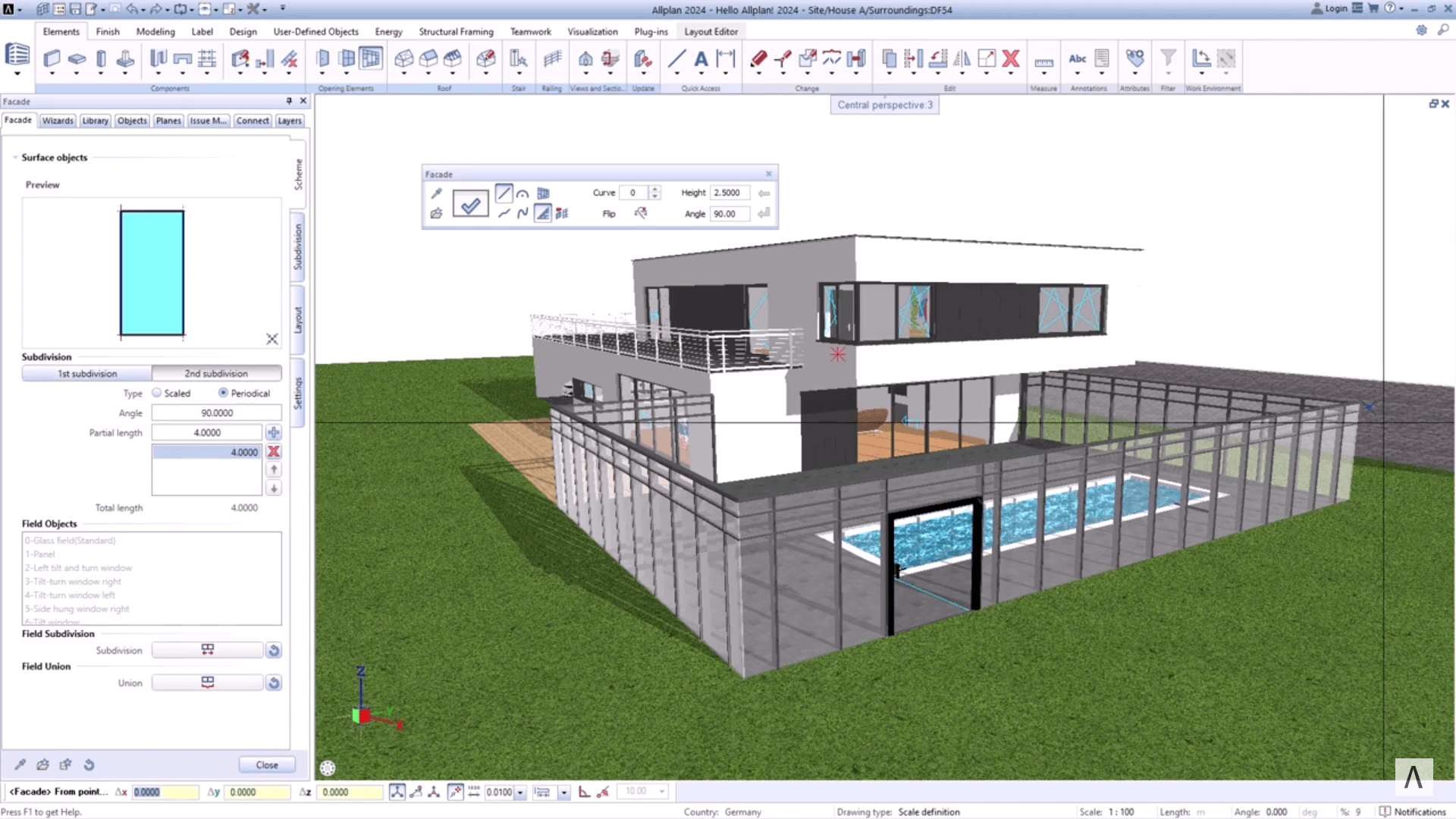
Allplan is a heavyweight BIM platform that's especially popular in German-speaking countries and across Europe. It's part of the Nemetschek Group (same parent company as Archicad, Vectorworks, and Bluebeam), and its strength lies in precision. Allplan trades Revit's multidisciplinary breadth for depth in architectural and structural modeling, particularly reinforcement detailing and quantity takeoffs.
The software supports workflows from early conceptual design through construction-level documentation, while its built-in energy assessment tools align with European regulatory requirements. Its openBIM approach ensures solid IFC data exchange with other platforms. The 2026 release added freeform stair modeling, multi-letter keyboard shortcuts, and IDS (Information Delivery Specification) support for better data standardization.
If your projects and partners are primarily European, it's a top-tier choice among the best BIM software available. For North American firms, the ecosystem challenges may outweigh the technical advantages.
Pros:
Cons:
Pricing:
Best for: Structural engineering, steel and concrete fabrication
.jpg)
Tekla Structures isn't architecture BIM software in the traditional sense. It is more of a structural detailing powerhouse built for engineers, fabricators, and contractors who need fabrication-level accuracy. If your firm handles complex steel or concrete structures, Tekla produces the most detailed and constructible models in the industry. It connects directly to CNC machines and generates shop drawings and fabrication data that go straight to the factory floor.
For architecture firms, Tekla matters as a coordination tool. Many structural engineers use Tekla on large projects; knowing where it fits in the broader BIM ecosystem helps with coordination.
Tekla integrates with Revit, Archicad, and other platforms through IFC and proprietary links via Trimble Connect, its cloud-based collaboration platform.
Pros:
Cons:
Pricing:
Best for: Residential design, remodelers, kitchen and bath specialists
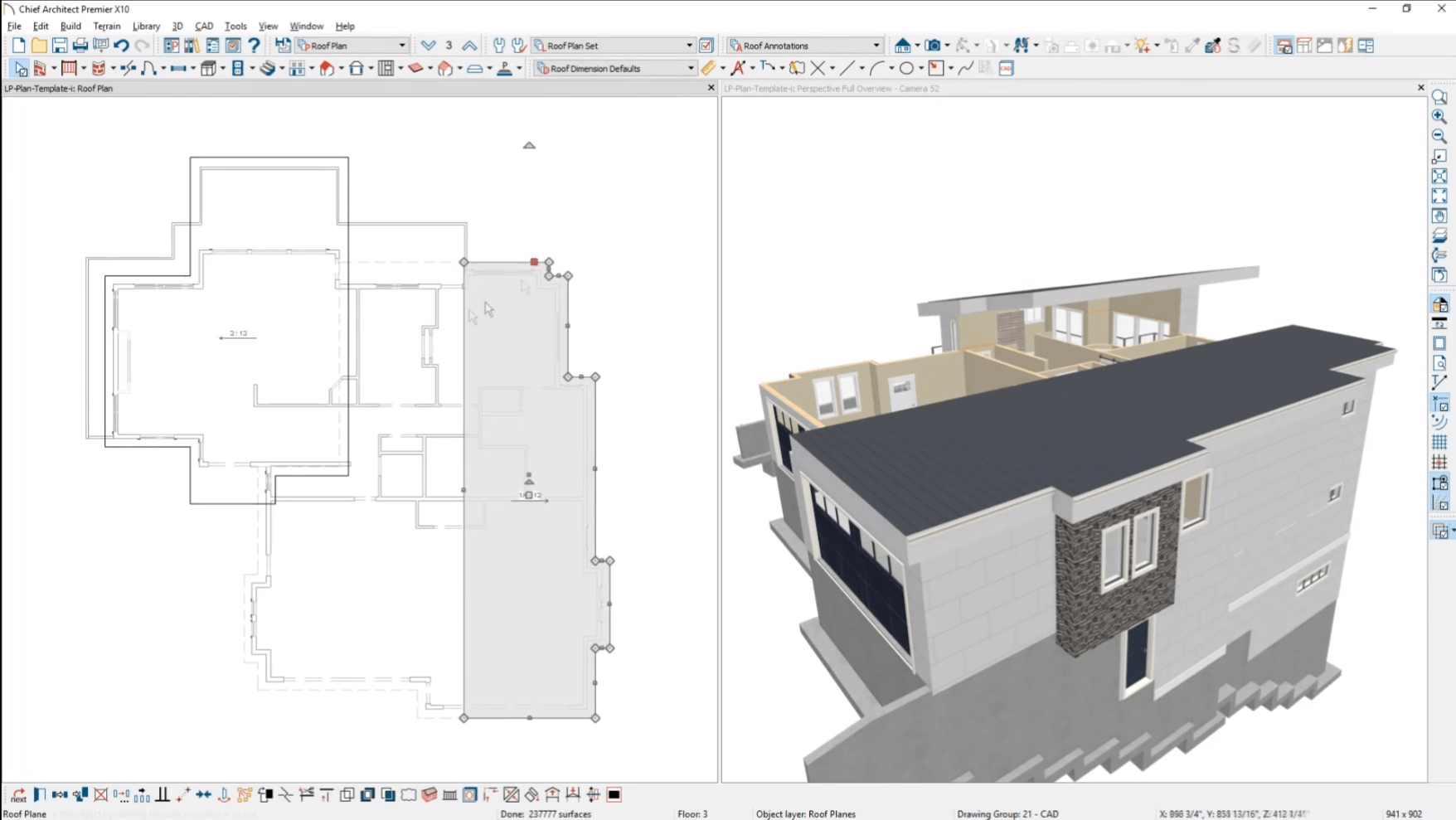
Chief Architect is purpose-built for houses. If your firm focuses on residential projects, it's the most efficient BIM tool built specifically for that work.
When you draw a wall in Chief Architect, it automatically generates framing, drywall layers, and a materials list. Roofs generate from room boundaries with proper overhangs and fascia. Stairs and foundations follow residential construction logic, as well as decks.
The real-time rendering is fast enough for on-site client walkthroughs, and the automated material takeoffs are surprisingly detailed for a tool at this price point. However, Chief Architect isn't built for commercial or institutional projects. There's no multidisciplinary coordination, no IFC export, and the BIM capabilities are narrow compared to Revit or Archicad.
Pros:
Cons:
Pricing:
Best for: Large infrastructure, institutional projects, Bentley-centric environments
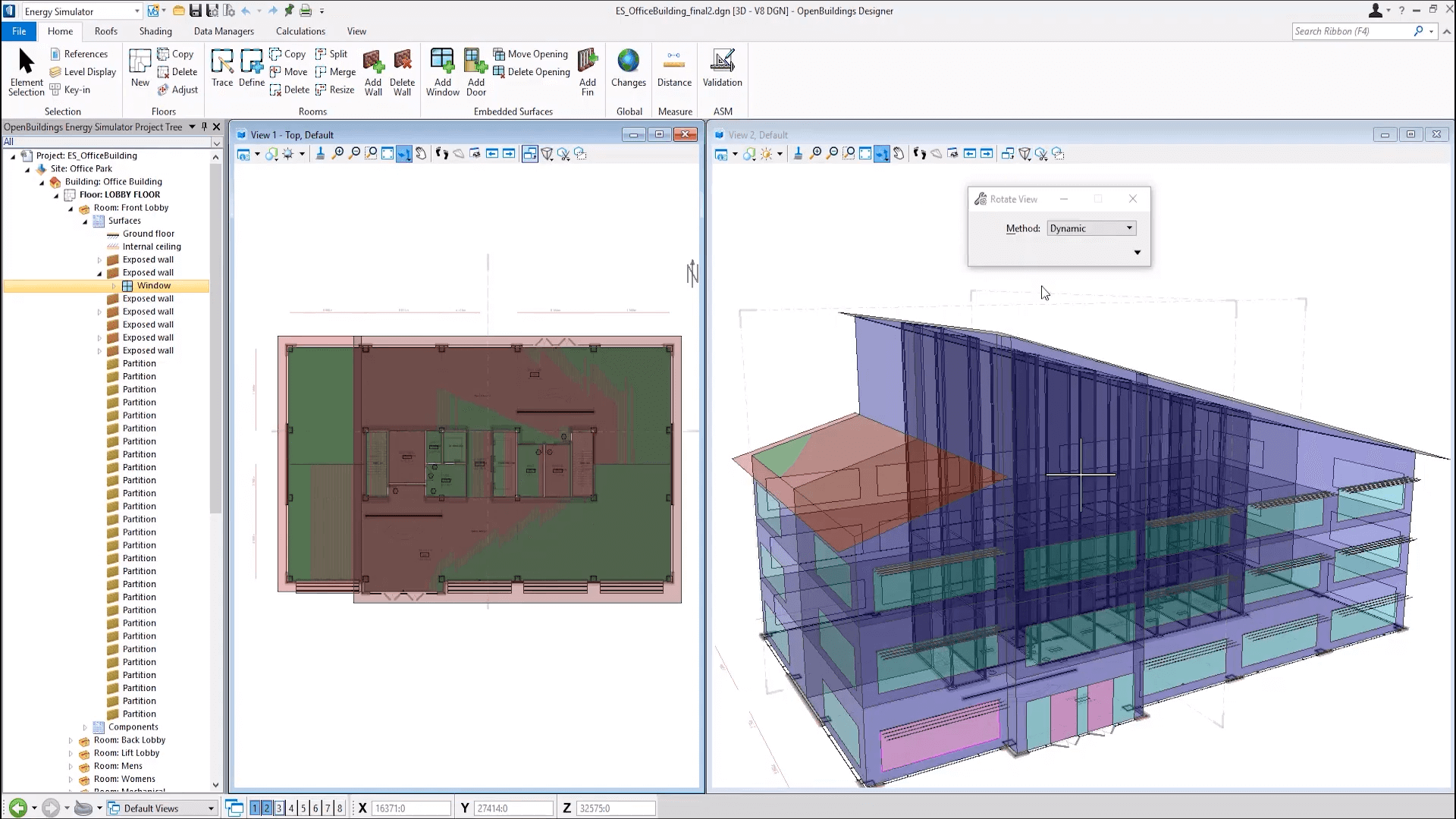
Bentley's OpenBuildings Designer targets a different scale than most entries on this popular BIM software list. If you're working on airports, hospitals, stadiums, or other large institutional and infrastructure projects, the Bentley ecosystem is built for that level of complexity. OpenBuildings Designer supports architectural, structural, and MEP modeling in a single environment, with strong interoperability across Bentley's broader portfolio (OpenRoads, OpenBridge, OpenRail).
The platform's lifecycle management capabilities make it a strong fit for clients who want to manage their assets digitally long after construction wraps.
Bentley uses a consumption-based licensing model, which can work out cheaper for firms with irregular usage patterns but becomes expensive at scale. Unless your clients or partners are already in the Bentley ecosystem, the switching cost is substantial.
Pros:
Cons:
Pricing:
Three platforms didn't make the main eight but are worth knowing about:
There's no one-size-fits-all solution for every firm; only the best fit for your specific BIM software applications. Here are the key factors to weigh:
Team size and project type. E.g., Chief Architect is optimized for houses, while Revit makes sense when you're coordinating with a dozen consultants across disciplines.
Consultant ecosystem. What does your structural engineer use? Your MEP consultant? If they're all on Revit, matching that setup avoids translation headaches. If you're in Europe and your partners use Allplan or Archicad, those become the pragmatic choices.
Platform requirements. If your firm runs on Mac, your realistic BIM software for Mac options are Archicad, Vectorworks, and BricsCAD. Windows-first options are broader.
Budget. BricsCAD BIM is the clear winner for cost-conscious firms. At the other end, Revit plus AEC Collection plus cloud services can easily exceed $5,000/year per seat.
Learning curve tolerance. Chief Architect users are often productive in days. Revit and Tekla, on the other hand, require weeks to months of dedicated training.
BIM platforms are bolting AI onto authoring workflows, and which platform you pick now also decides which AI features you get out of the box.
Revit hooks into Autodesk Forma for early massing and environmental analysis. Snaptrude builds generative design directly into the model browser. Archicad's AI Visualizer generates concept renders from in-progress models. Architects who need production-quality output typically pair it with a standalone architectural rendering tool. BricsCAD's BIMIFY tool auto-classifies geometry into BIM elements.
None of these replace the actual BIM modeling work. They do save time at the early concept phase and on the documentation grind at the end. For more on applications of AI in BIM, see our guide to AI in BIM.
The license fee is the smallest line item. Plan for the full migration cost before you commit:
For a typical 10-person firm switching mid-stream, first-year migration cost can exceed the new licenses themselves. The real question is rarely "which BIM software is best" but "is the switch worth that combined cost."
BIM (Building Information Modeling) software creates intelligent 3D models that go beyond geometry. Unlike basic 3D modeling or CAD tools, BIM elements carry data. So when you change something in the model, the associated views and documentation update automatically. The primary purpose of BIM software is to provide a shared, data-rich model that reduces errors and streamlines construction documentation.
CAD produces 2D or 3D drawings of geometry. BIM produces an intelligent model where every element carries data (material, manufacturer, cost, structural properties, energy ratings) and the model coordinates that data across views, schedules, and consultants.
CAD answers "what does this look like." BIM answers "what is this, and how does it relate to everything else in the project."
Not natively, no. SketchUp is a 3D modeling tool that can approximate some BIM functionality through third-party plugins like PlusSpec and Quantifier Pro. These extensions add component data or automated schedules, but the result is still a plugin-dependent workflow that doesn't match the integrated data management of purpose-built BIM platforms like Revit or Archicad.
Autodesk Revit is the most widely used BIM software globally, and many consider it the best BIM software for large commercial projects, particularly in North America. Archicad holds a strong second-place market share, especially in Europe and among Mac-based firms. Allplan has significant adoption in the DACH region (Germany, Austria, and Switzerland).
BIM software pricing ranges from about $97/month to $3,000+/year. Yes, it varies dramatically, and what you'll pay depends on your firm's needs. At the free end, Blender with BlenderBIM costs nothing. Enterprise tools like Bentley's OpenBuildings Designer use consumption-based pricing that varies by usage.
Chief Architect for residential designers. Most users are productive in days because the tool's primitives map directly to how houses are built. For commercial workflows, BricsCAD BIM has the gentlest learning curve of the multi-purpose platforms, especially if your team already knows AutoCAD. Revit and Tekla sit at the steepest end.
Yes, but the choices narrow. Archicad and Vectorworks Architect both run natively on macOS and are the standard picks for Mac-based firms. BricsCAD BIM also has Mac and Linux builds. Revit, Tekla, Allplan, and Bentley OpenBuildings Designer are Windows-only. Workarounds exist for Revit on Mac, but they add friction.
For most architecture firms above 2–3 people, yes. The productivity gains pay back the learning investment within a project or two, and clients increasingly ask for BIM deliverables. Solo practitioners doing residential work can often get away with Chief Architect or SketchUp Pro. Once you're coordinating with consultants on commercial work, BIM is the floor.

