
Autodesk Revit is today’s industry leader in Building Information Modeling (BIM). From 2023 to the present, it has maintained a significant share of the architectural design software market. In terms of pricing, while not officially the most expensive, it ranks among the highest-priced BIM software options.
Today, Revit is 100% named-user subscription-based, which Autodesk markets as a “flexible way to access the latest version with lower upfront costs.” Users can choose from monthly, annual, or three-year payment options. Additionally, the Flex plan offers a pay-as-you-go alternative for occasional users.
This guide provides an in-depth review of Revit’s current pricing and answers the key question: Is Revit’s 2026 pricing worth it, or should you consider alternatives?
First, here’s a quick overview of Revit price depending on your subscription type.
| Subscription Type | Revit Subscription Cost | Savings |
|---|---|---|
| Revit | ||
| Monthly | $380 paid monthly ($4,560 per year) | $0 |
| Annual | $3,005 paid annually ($251 per month) | $1,555 |
| Flex | $300/100 tokens (minimum) 10 tokens per day | The estimated cost is $30 per day. Savings depend on usage. |
| Software Bundle (AEC Collection) | ||
| Monthly | $460 paid monthly ($5,520 per year) | $0 |
| Annual | $3,675 paid annually ($306.25 per month) | $1,845 |
Note: The AEC Collection includes Revit, Forma Data Management, AutoCAD, Forma Site Design, Navisworks Manage, Insight, 3ds Max, ReCap Pro, and Autodesk Rendering. For more information, you can visit Autodesk’s AEC Collection page.
Now that we’ve covered the pricing structure, let’s take a closer look at Revit’s available plans and what each one includes:
Price: starts at $380 monthly
When it comes to Revit pricing, the Standard Plan is the default subscription option, giving you full access to Revit’s core BIM tools for design, documentation, and collaboration. It’s designed for professionals and teams working on active projects who need consistent, everyday access to the software.
You can subscribe on a monthly, annual, or 3-year basis, depending on your budget and commitment. For more flexible usage, the plan is also accessible through Flex tokens, allowing you to pay only for the days you use Revit.
Beyond full access to Revit’s features, here’s what you get with an Autodesk Revit subscription:
Some notable built-in features include parametric components, worksharing, automatic documentation, scheduling, advanced site design tools, cloud connectivity, and automation via the Revit API. Included in the subscription are extensions—downloadable tools that enhance Revit’s capabilities:
.jpg)
Price: Suggested Retail Price (SRP) of an additional $200 per seat.
The Business plan is catered to larger teams. In fact, Autodesk requires that you are subscribed to 50 seats of Revit before you’re allowed to upgrade to the Business plan with a Suggested Retail Price (SRP) of an additional $200 per seat on the standard plan.
Note: If purchasing from a partner, price may vary from Autodesk pricing as partners are free to determine their own prices. The SRP is just a reference price and may differ by region, volume of purchase, currency fluctuation, taxes and reseller pricing. To get an accurate quotation, you can contact the Autodesk Team.
Price: Custom pricing (contact Autodesk)
There’s limited public documentation detailing exactly what’s included in Autodesk’s Enterprise Plan for Revit, but largely because the plan is highly customizable and defined on a per-organization basis rather than through fixed, standardized features.
So far, here’s what we know…
The Enterprise Plan is briefly described by Autodesk as a “highly customized, proactive partnership with Autodesk.” It includes tailored tools, dedicated support, and strategic services, all aimed at helping you grow your business with Revit.
Additionally, Autodesk’s Level of Support page specifies that Enterprise users receive the highest level of support priority. It also includes unlimited coaching from Autodesk experts, focused on “business-relevant workflows.”
If you believe that the Standard and Business Success Plan’s features do not satisfy your needs or you’re simply looking for more, the Enterprise Plan may be for you. To get a quotation, contact the Autodesk Team.
What do you get for an additional $200 per seat?
All plans, from Standard to Enterprise, already give you full access to Revit. What changes go beyond features and focus on the business side, hence the name Business Success Plan, with the main goal of “accelerating growth” within your business and team.
To make this clearer, here’s a side-by-side comparison of what you get with Standard vs Business:
| Features | Standard Plan | Business Success Plan | Details |
|---|---|---|---|
| User Management | |||
| Single Sign-On (SSO) | ✓ | ✓ | Users sign-in via company network to access Autodesk products |
| Usage Reporting | ✓ | ✓ | See usage patterns and inactive users among your team |
| Two-Step Verification | ✓ | ✓ | Added layer of security for users |
| Bulk Import and Assign | ✓ | ✓ | Add multiple users at once with a CSV file |
| Reporting APIs | ✗ | ✓ | Create custom reports to track team performance |
| Directory Sync | ✗ | ✓ | Manage access to Revit within your team |
| Support | |||
| Digital Support | ✓ | ✓ | Resolve issues with the Autodesk Assistant (AI) |
| Community | ✓ | ✓ | Communicate with fellow users and experts |
| Prioritized 24/7 Support | ✗ | ✓ | Get priority response for web cases, chat with an agent 24/7, schedule a call, and request call backs anytime |
| Success Services | |||
| Customer Success Manager | ✗ | ✓ | Access to a designated customer success manager who will help you achieve business goals with custom strategic support |
| Success Planning | ✗ | ✓ | Track your progress as a business with actionable steps |
| Planning Session | ✗ | ✓ | One-on-one sessions with industry experts to talk about your business goals |
| Executive Business Review | ✗ | ✓ | Early review to see if your partnership with Autodesk is productive |
| Guided Admin Onboarding | ✗ | ✓ | Help set up new admins with the help of your dedicated Customer Success Manager |
| Adoption Guidance | |||
| Learning Paths | ✓ | ✓ | Training modules for upskilling with any Revit products |
| Learning Plan Management | ✗ | ✓ | Assign self-paced learning content to your users and monitor their progress |
| Expert Coaching | ✗ | ✓ | Have an Autodesk Certified Professional help you enhance your team's Revit workflow |
| Fast Track Services | ✗ | ✓ | Get structured hybrid help from Autodesk specialists to adopt new features and offerings |
The main advantage of the monthly plan is lower upfront Revit license cost. For $380/month (vs. $3,005 upfront annually), you get full access to Revit and Autodesk’s subscription benefits.
It also gives you the freedom to stop paying for the subscription anytime. This means that, if there are any changes within your team, you can adjust easily.
If at any time you decide you want a longer term, you can simply upgrade to the 1-year or 3-year plan. This makes it ideal for short-term needs or uncertain workloads.
The main advantage of an annual subscription is cost savings. You save a total of $1,555 compared to paying monthly over 12 months. Now, a better deal is the 3-year subscription.
The 3-year subscription locks in your rate at $9,020 total (~$3,007/year), saving $4,660 compared to paying monthly over the same period. It also protects you from any price increases Autodesk rolls out during that window.
Flex is Autodesk’s pay-as-you-go option, where you only pay when you use Revit. It works on a token system, with 10 tokens consumed for each day of use (for Revit only).
For example, if you or your team uses Revit once a week (around 4 days per month), that’s 40 tokens, or $120 per month. One key advantage of Flex is that tokens aren’t limited to Revit, but they can also be used across other supported Autodesk products, making it a flexible option for teams with varying or occasional usage needs.
Tip: Use a mix of monthly, annual, and Flex plans to match user demand within your team and maximize cost efficiency.
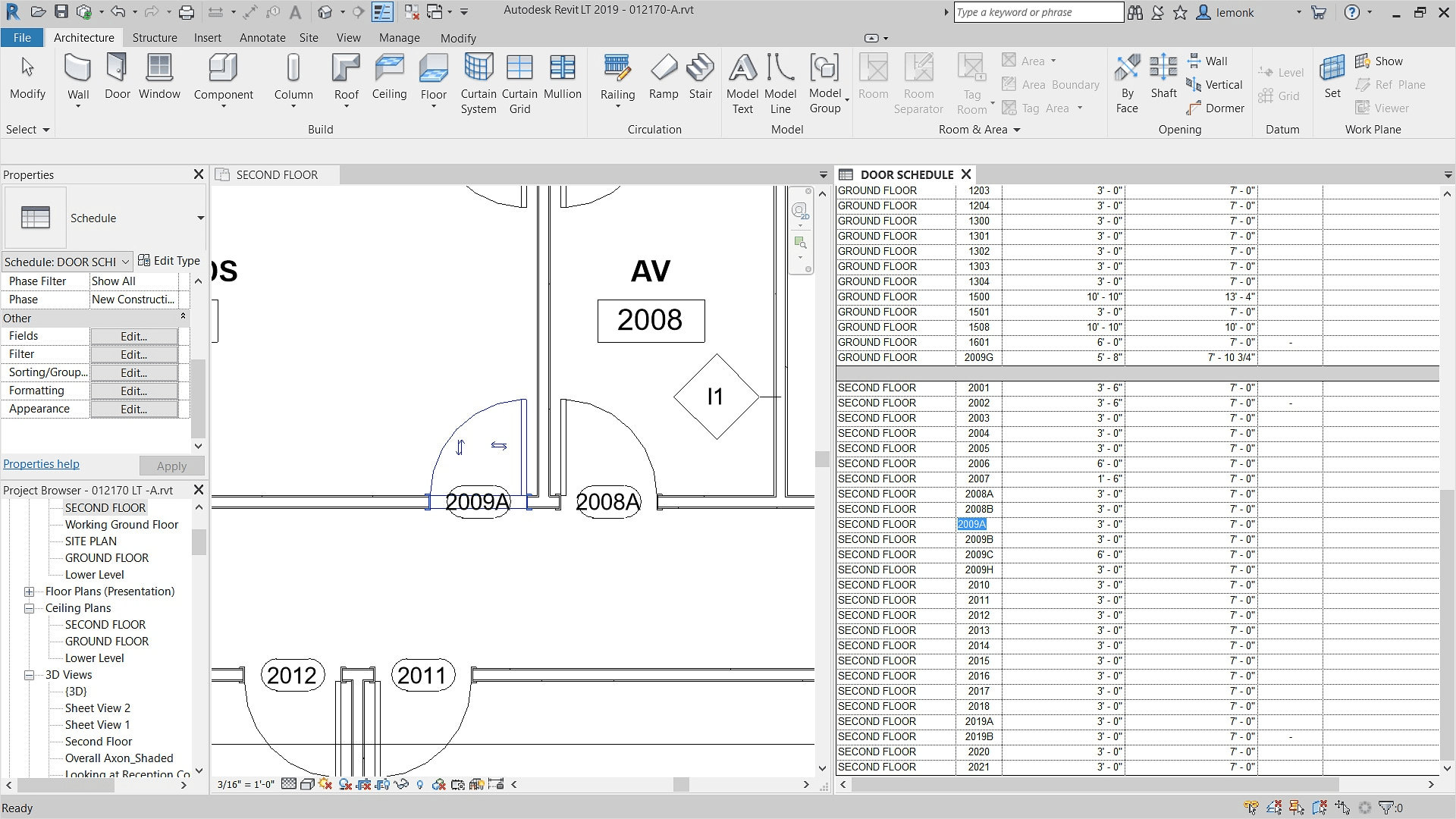
Revit LT is Autodesk’s “economical BIM software for inspired architecture.” It’s essentially a simplified version of Revit, with reduced features and a lower price point.
It’s designed for small firms and solo practitioners who don’t need the full capabilities of standard Revit. For workflows focused on parametric component design, annotation, modeling, scheduling, and documentation, Revit LT is often more than enough.
You can also explore other alternatives to Revit in our other guide.
Revit LT is also subscription-only. It costs $70 monthly, $560 annually and also has a 3-year option at $1,675.
Note: To see a detailed breakdown of features included in Revit LT and which Revit features are omitted, visit Autodesk’s Revit vs Revit LT comparison page.
While Revit comes with advanced collaboration tools, there are collaboration tools out there that can further enhance your team’s worksharing system. For example, we have Autodesk’s own Forma Design Collaboration (formerly BIM Collaborate Pro). It aims to help with design management and collaboration with features like centralized Civil 3D files, co-authoring, document management, clash detection, and more.
A core part of the AEC workflow is producing photorealistic renders for client presentations, marketing, and even internal design coordination. Revit does have its built-in rendering engine powered by Autodesk Raytracer, but as robust as Revit is, its rendering engine is very limited compared to dedicated Revit rendering software and plugins.
For AI-assisted Revit rendering, you can upload a Revit export and get photorealistic results in seconds without additional plugins.
Revit is heavily resource-intensive. For you to use it to its full potential, you’ll need a compatible workstation that meets its system requirements and more (preferably). This may contribute to the majority of your upfront costs if you don’t have an existing compatible workstation. Read our guide on Revit system specs to check if your computer can handle it.
Revit has one of the steepest learning curves out there among AEC tools. And, if you’re aiming for proficiency in the software as a design professional, getting proper training and certification is the most direct path. You can look for local training centers or enroll in online Revit courses.
To put Revit pricing in context, here’s how it stacks up against other popular BIM and architectural design tools:
| Software | Starting Price | Type | Free Tier |
|---|---|---|---|
| Revit | $380/mo | BIM (full) | 30-day trial |
| Revit LT | $70/mo | BIM (lite) | 30-day trial |
| Archicad | ~$175/mo | BIM | Educational |
| SketchUp Pro | $349/yr | 3D modeling | Free web version |
| Vectorworks | ~$150/mo | BIM/CAD | Trial |
| Blender + BlenderBIM | Free | BIM (open source) | Full free |
| MyArchitectAI | From $29/mo | AI rendering | Free tier |
Revit is definitely worth learning and using, especially if:
It’s a valuable tool for improving coordination across disciplines, automating documentation, and keeping everything within a single, standardized system.
In fact, for firms and professionals in these environments, Revit is less a choice and more an industry standard. This has been the case since Autodesk acquired Revit Technology Corporation in 2002 and developed the software into a full-scale BIM platform. Today, it remains the leading BIM solution.
However, it’s not always the most practical option.
For solo users, smaller projects, or occasional use, the full feature set can be excessive relative to the cost. In these cases, Revit LT or other Revit alternatives may offer better value.
Overall, Revit pricing is worth it when it matches your workflow, business needs and of course, budget, particularly for achieving consistency, accuracy, quality, and collaboration.
Revit pricing starts at $380 per month for a subscription. The annual Revit subscription cost is $3,005, saving $1,555 compared to monthly payments. You can also use Flex tokens, purchasing a minimum of 100 tokens for $300, with 10 tokens used per day of Revit access. For larger businesses requiring 50 seats or more, the Enterprise Plan adds a Suggested Retail Price of $200 per seat.
No, Revit is subscription-only. However, you can try it for free for a limited time: 15 days for a monthly subscription or 30 days for annual/multi-year plans with full access to all Revit features.
Revit is free for students and educators with a renewable 1-year subscription. To gain access to the free version of Revit for educational use, request access and verify that you are an actively enrolled student or educator. Verification takes up to 48 hours.
Revit can seem expensive compared to other tools, but it’s more than just a BIM software. It serves as a comprehensive system and workflow foundation for many architecture, engineering, and construction firms, which helps justify its price.
Yes, there are free alternatives, with BlenderBIM being the most notable. However, these tools are generally less complete than Revit and often lack integration with standard AEC workflows. Other options like FreeCAD and SketchUp Free aren’t full BIM tools but can handle certain aspects of architectural or engineering work.

.webp)