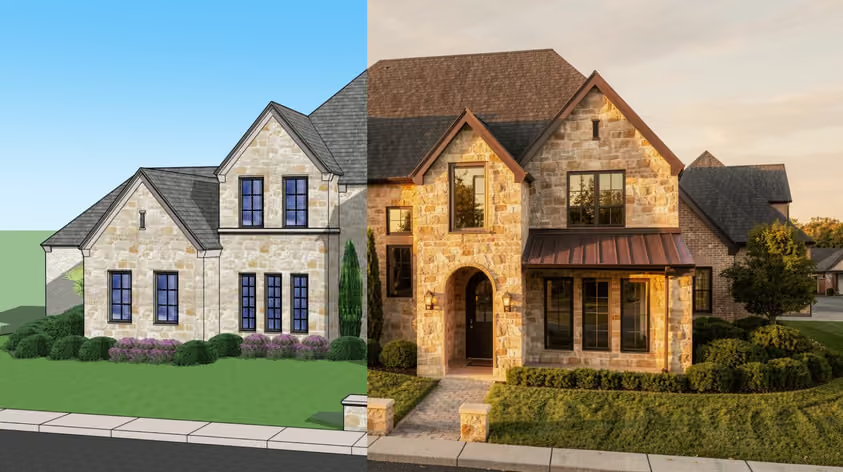
Vectorworks handles a huge amount on its own. Still, the right add-on can shave hours off your week and open up workflows the base software doesn’t touch. And that’s where Vectorworks plugins come in: whatever the task, there’s usually a tool built for it.
This guide covers the five best Vectorworks plugins worth knowing in 2026. We pulled the core details straight from developers and official partner sources where available, so the specs and pricing here are accurate at the time of publishing.
Here’s the quick version:
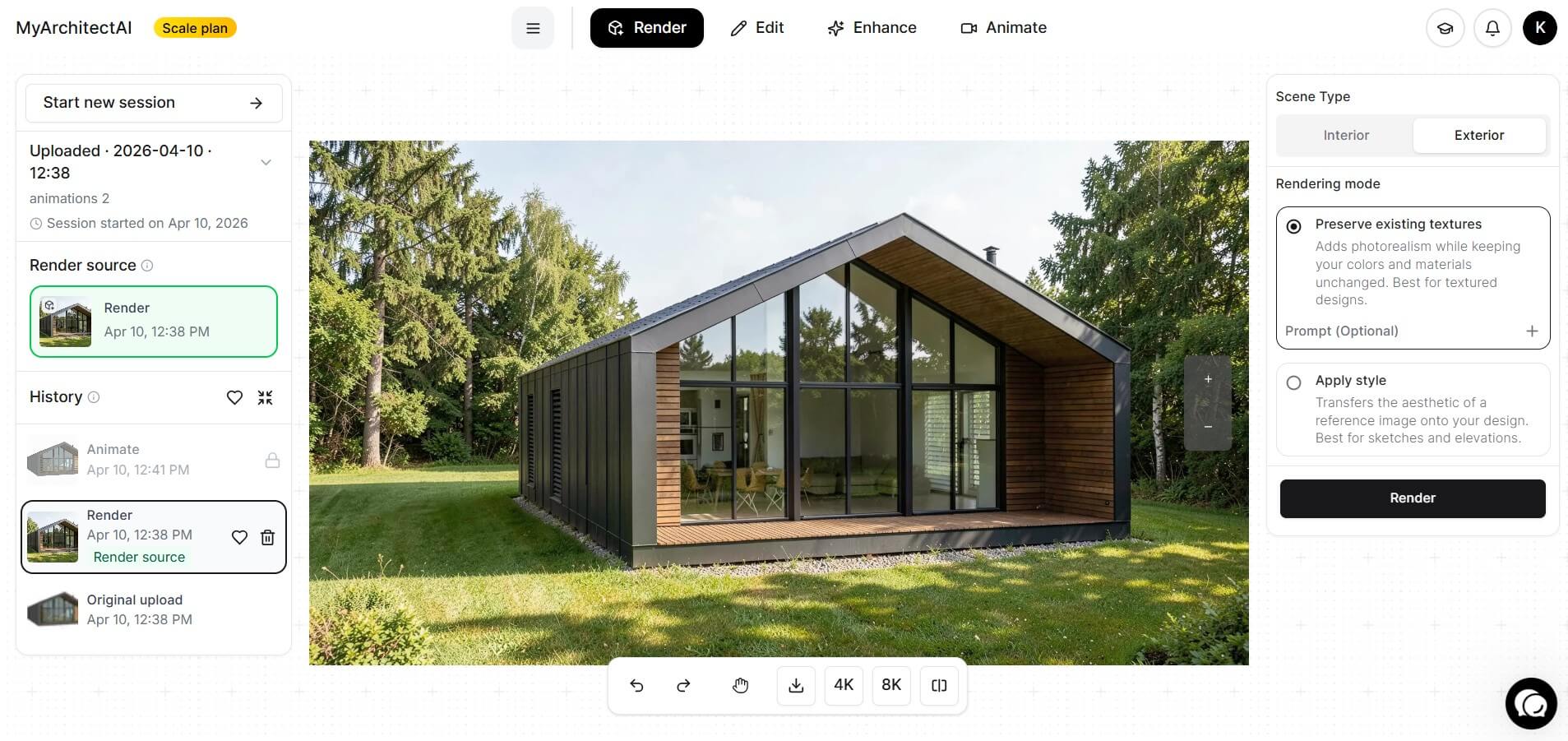
Let’s clear this up first: MyArchitectAI isn’t one of those Vectorworks plugins you install into the software. It’s a browser-based AI renderer that turns your exported Vectorworks views into photorealistic images in under 10 seconds.
So why top the list? Because for most users, speed wins. You export a scene, upload it, type a short prompt, and get a client-ready visual almost instantly. There’s also no GPU to buy and nothing to install, since the whole thing runs in your browser, on any device and operating system.
Aside from turning your scene exports into photorealistic renders, MyArchitectAI also lets you make quick changes such as testing new textures, adding and removing objects, changing the mood, and more. All you need to do is describe them with words.
You can start free with 10 renders, then move to a paid plan when you need more. So if your goal is fast concept visuals for client buy-in, this is the easiest path on the list.
Pricing: $29/month for unlimited rendering.

When people talk about Enscape for Vectorworks, they mean real-time rendering that lives right inside your model. Hit a button and your design appears as a navigable 3D scene you can walk through and present.
Enscape officially supports Vectorworks on both Windows and Mac, and the team keeps pace with each new annual release. Chaos says more than 50,000 architecture firms use it, which tells you plenty about how it holds up under deadline pressure.
The learning curve is gentle, and there’s a deep knowledge base for when you get stuck. It’s also built for virtual reality, so you can drop a client into the space before a single wall goes up.
Among paid Vectorworks plugins, this is one of the easier ones to justify.
Pricing: Starts with Enscape Solo at $47.90/month billed annually, or $87.30 month-to-month. A 14-day free trial lets you test it on real projects, and after that it’s a subscription.
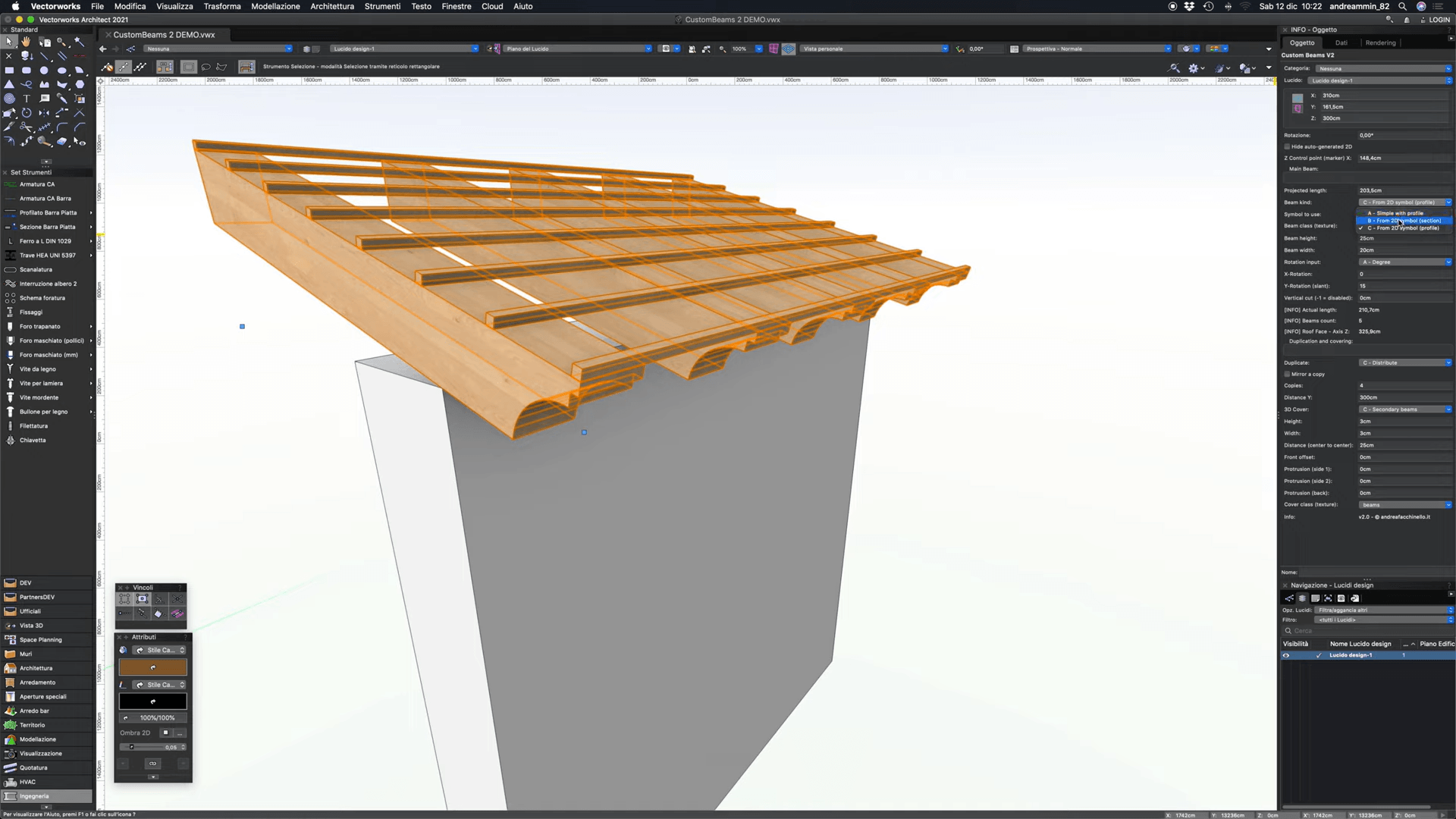
AFDesign is a set of six parametric tools developed by Andrea Facchinello, who’s been building for Vectorworks since 2011. The bundle targets architects and landscape designers who need detailed building and site elements generated on demand.
You get parametric objects for beams, gutters, downspouts, baseboards and moldings, sunshades, and foliage volumes. Each one supports custom profiles, so you can spin up unlimited variations. The latest release also works with Vectorworks Materials for texture application.
Want something for nothing? The standalone Downspouts tool is available as free/donationware on Gumroad, making it one of the handier free Vectorworks plugins for anyone detailing rainwater systems.
Pricing: It sits at €100 per year per license (plus tax), with a 30% discount across five licenses. A 7-day free trial comes built in, and the membership rolls in all future updates, so you never pay again for a major version jump.
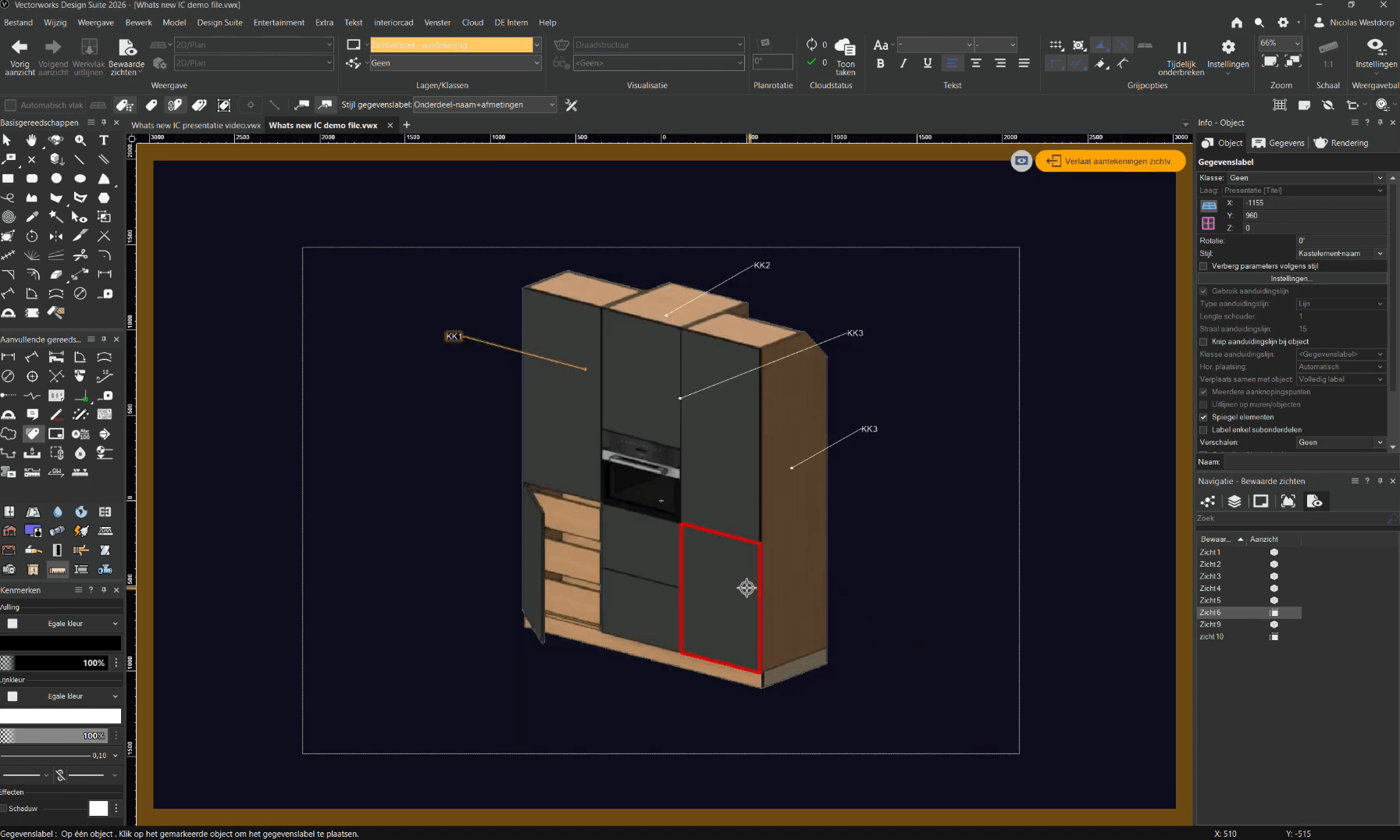
Built by German developer Extragroup, Interiorcad turns Vectorworks into a full design-to-manufacture solution for cabinetry and joinery. If your work ends at a CNC machine, this is the tool that connects the dots.
The heart of it is the Custom Part system. Each part behaves like real board material, with its own core and edge banding, and you can position millings freely the way you’d place windows in a wall. From there, the Cabinet tool builds anything from a simple box up to bespoke furniture.
Interiorcad also taps Vectorworks Renderworks for photorealistic presentation images, and its 2D technical drawings derive automatically from the 3D model. Your shop drawings stay in sync as the design evolves.
Of the professional Vectorworks plugins on this list, this one is squarely aimed at studios and workshops.
Pricing: Varies by region, so check with Extragroup directly for a quote. Ask about compatibility too: Interiorcad 2026 isn’t available in every market yet.
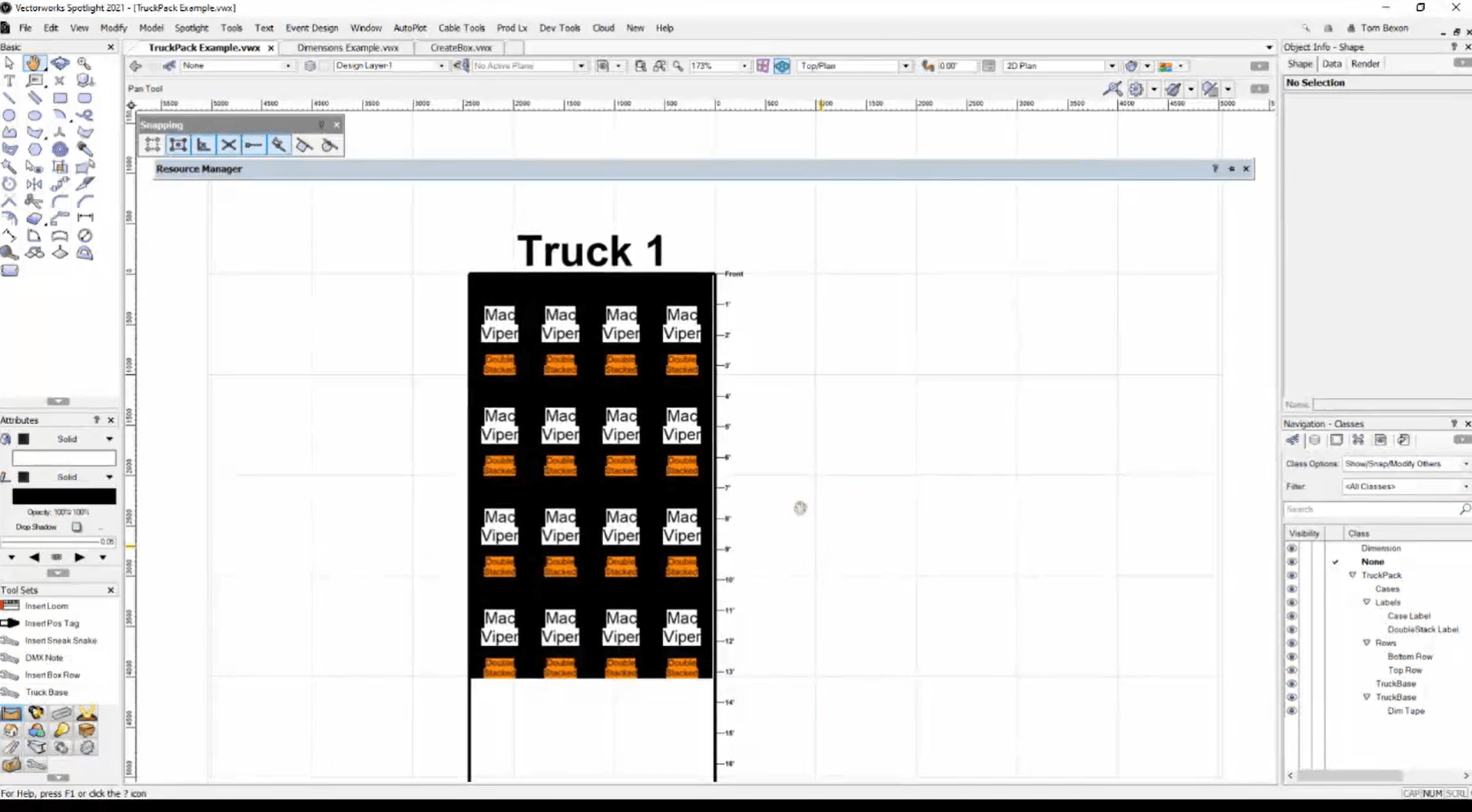
If you work in entertainment, Prod Lx is built for you. Developed by Tom Bexon, it’s a set of Vectorworks Spotlight plugins that extend the lighting and rigging toolkit with utilities the base package leaves out.
You get tools for cable looms, DMX line markers, position notes that auto-calculate weight, truck packing layouts, and quick LED video walls. The selection commands alone are a big time-saver, letting you grab fixtures or truss by criteria in a couple of clicks.
Everything reads and writes back to Spotlight’s data, so your paperwork stays accurate as the plot changes. For touring and event designers, that sync is the whole point.
These are some of the more specialized Vectorworks plugins around, and Prod Lx backs them with a generous 90-day free trial.
Pricing: £40 per year, which covers every tool plus anything new released during the year.
The best Vectorworks plugins for you come down to what you actually do day to day.
Several of these offer free trials, so you can test before you spend a cent. And if budget is tight, free Vectorworks plugins like the AFDesign Downspouts tool might prove you don’t always have to pay to work smarter.
Pick the one that clears your biggest bottleneck, then build from there.
A few. AFDesign’s standalone Downspouts tool is free (donationware) on Gumroad, and Prod Lx comes with a 90-day trial that costs nothing. Most paid options on this list also offer trials, so you can test a full workflow before spending anything.
Partner tools like Prod Lx install from inside Vectorworks: go to Help > Install Partner Products and pick the plugin from the list. Others ship as installers or files you drop into your user Plug-ins folder. Restart Vectorworks afterward so the new tools show up.
Prod Lx is the best-known set of Vectorworks Spotlight plugins. It adds cable looms, DMX markers, position notes with weight calculations, truck packing, and quick LED video walls, all reading and writing Spotlight’s own data so your paperwork stays accurate.
Yes, through browser tools rather than installed plugins. MyArchitectAI turns exported Vectorworks views into photorealistic renders in about 10 seconds: upload a view, describe the result you want, and download the image. It starts free with 10 renders.