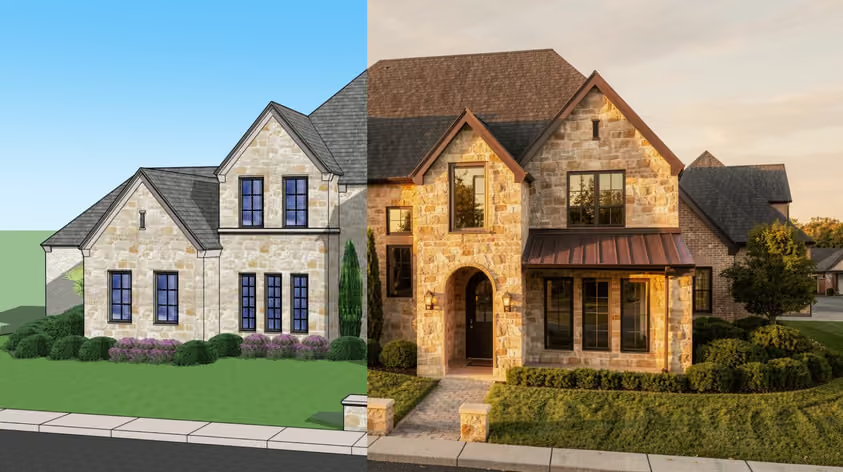
If you're looking into AI interior rendering tools, you're already ahead of the curve — most studios still haven't added them to their workflow.
These programs can generate photorealistic interior renderings in seconds, not hours. And since most run in the cloud (in your browser), you don't need a high-end computer or complex installations.
That means faster feedback, quicker approvals, fewer revision rounds — and ultimately, happier clients.
Will AI renderers replace traditional high-end rendering software? Maybe, but not yet.
But for early interior design studies, draft visuals, or client previews, they're already cutting production time in a big way.
If you're a SketchUp user, I've also put together a separate guide focused on AI rendering tools for SketchUp—worth checking out.
In this article, I'll walk you through my top picks for AI interior design renderers that work with designs from almost any CAD or 3D modeling software.
Let's take a look.
ToolBest forFree planStarting priceMyArchitectAICAD/sketch to photorealistic renderYes (10 renders/mo)$29/monthGetfloorplanFloor plan renders and virtual toursNo$25/floor planVerasCAD plugin (SketchUp, Revit, Rhino)No (trial: 30 renders/15 days)$29/mo (annual)SketchUp DiffusionSketchUp subscribersYes (with SketchUp plan)Included in SketchUpArchSynthAll-in-one interior design workflowNo$9/monthLookXConcept exploration and fly-throughsYes$20/monthArchitect RenderQuick concept renders and virtual stagingYes$15/monthRoom AIHomeowners and real estate agentsNo$29/monthAI TWOEarly ideation and floor plan generationYes$14.99/monthMidjourneyMood boards and texture generationNo$10/monthReimagineHome AIRoom redesign from photos, real estateYes (5 designs)$14/monthInterior AIPhoto + sketch rendering, virtual stagingNo$49/month ($29/mo annual)Collov AIVirtual staging for real estateNo$19/monthSpacely AISketch/3D model rendering for design firmsYes (40 trial credits)$25/month
Best overall: MyArchitectAI
Best free: SketchUp Diffusion
Best for floor plans: Getfloorplan
Best for homeowners and enthusiasts: Room AI
Best for creative exploration: Midjourney
Best for room redesign from photos: ReimagineHome AI
Best for design firms: Spacely AI
Price: $29/month. Free plan available.
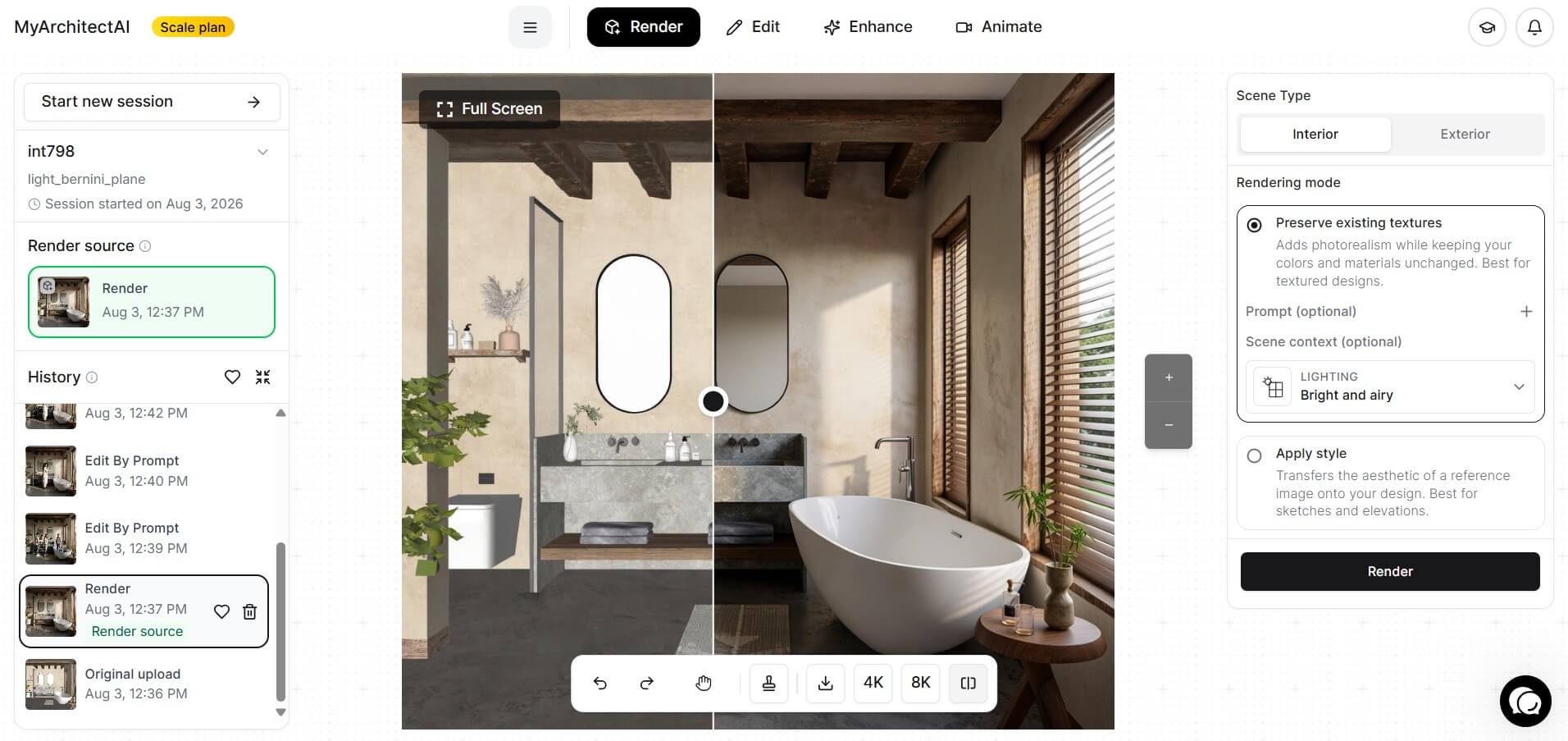
One of the easiest and fastest AI interior rendering programs on the market, MyArchitectAI will visualize your designs in under 10 seconds per scene without any specialized skills.
It handles lighting and texturing automatically, so all you need to do is upload the image of your CAD model or sketch and let the renderer do the rest.
MyArchitectAI has three rendering engines:
1. Accurate, which keeps the geometry, materials, and colors of your uploaded design unchanged and only adds realism. Recommended for final renderings.
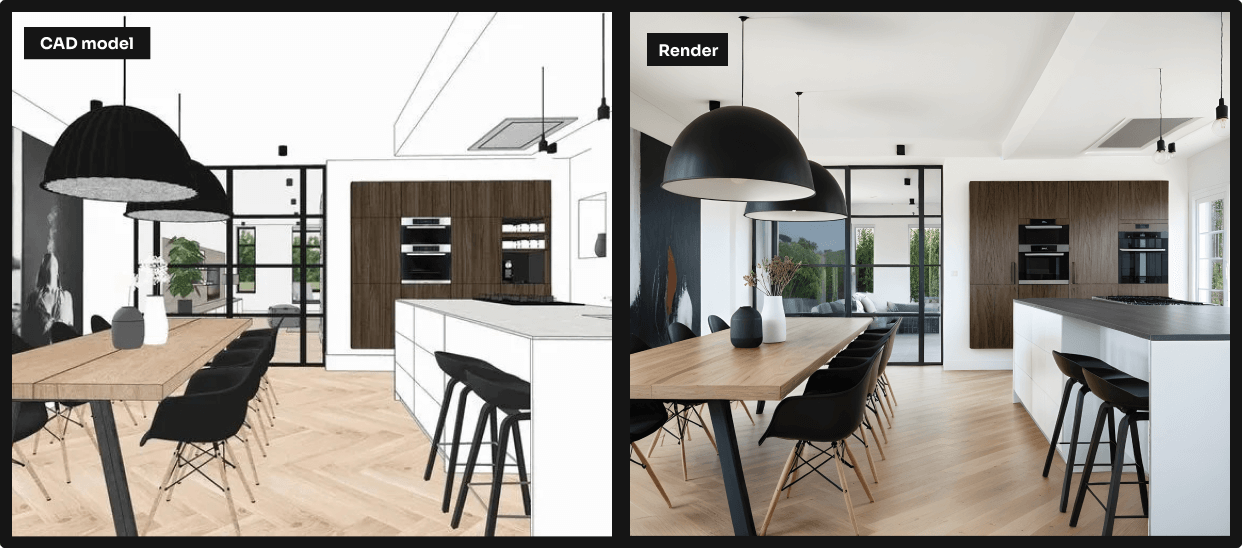
2. Style transfer, which applies the style of a reference image to your design. Great for early ideation and rendering sketches and line drawings.
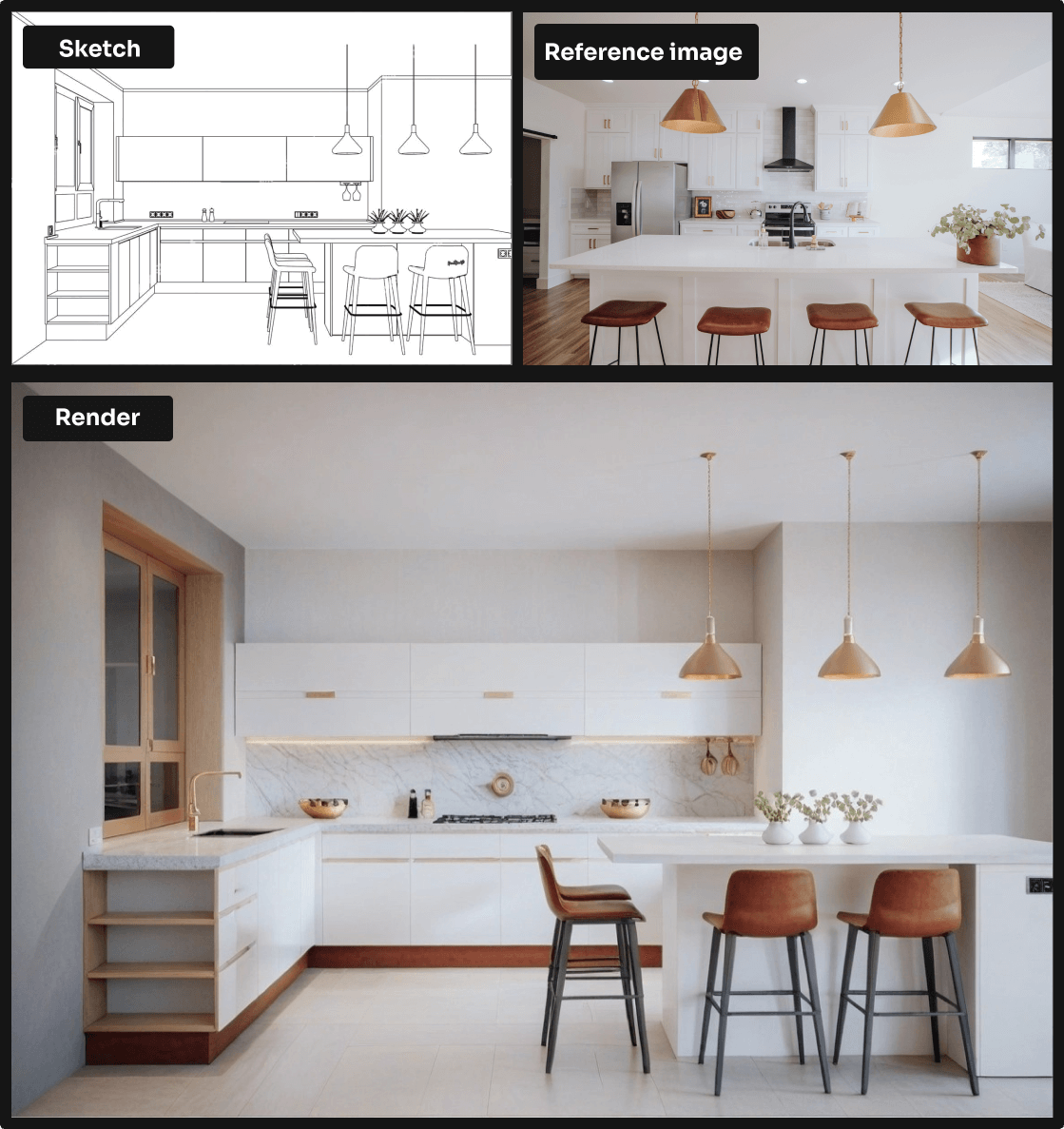
3. Enhance, which is a one-click post-processing button for quickly removing noise, blurriness, and imperfections, and fixing 3D people.
.png)
4. Animate, to turn your still render into a cinematic animation. The best part is that all you need is to select a camera motion preset, and MyArchitectAI handles all the heavy lifting for you. The animation is ready in 90-120 seconds.
Like most AI-powered interior renderers, MyArchitectAI runs in your browser, so you can use it on any device (even a Mac or an iPad) without having to worry about buggy installations or overloading your computer.
You can try it for free here.
Pricing: $25 per floor plan render and up. No free plan.
.png)
Rendering floor plans is now also possible with AI, and Getfloorplan is one of the best programs for that.
How rendering floor plans in Getfloorplan works:
1. Upload your floor plan (in JPG/PNG/PDF format).
2. Select the room type and window view.
3. Choose your desired style (Scandy, Boho, England, Neutral, Modern, Japandi, Elegance, and American are available).
4. Your render will be ready in a couple of hours.
And if you need a more immersive experience, Getfloorplan also has a VR mode that lets you generate immersive virtual tours.
This AI interior rendering tool is straightforward to use, has a guaranteed turnaround time of 24 hours, and charges a fraction of the price you'd pay a 3D visualization firm.
Pricing: $29/month billed annually ($348/year), or $59/month monthly. Free trial: 30 renders over 15 days.
.png)
Launched back in 2022, Veras is one of the first AI rendering tools on the market.
It has a wide range of customization options, such as geometry and material override, custom prompts, and prompt strength, and it can be used to render both interior and exterior scenes.
One of its standout capabilities is the render selection feature, which lets you render selected parts of the image while leaving the rest unchanged. Great for quickly swapping furniture and decor and adding entourage to the scene.
Veras seamlessly integrates with SketchUp, Archicad, Revit, Rhinoceros, and Vectorworks as a plugin but can also be used as a web app without any installations.
While it doesn't have a modern interface like most AI software in this list, don't let the old-school look fool you. Veras is a powerful AI renderer.
In February 2025, Veras was acquired by Chaos, the developer of V-Ray, Enscape, and other archviz tools.
Pricing: included for active SketchUp Go, Pro, or Studio subscribers (with limits)
.png)
SketchUp has its own AI rendering plugin called SketchUp Diffusion.
While users often complain about the results it produces, it's included in your SketchUp subscription, so it doesn't hurt to give it a try.
Usage is very limited, though. SketchUp Diffusion only gives you a small allowance of AI image generations, so it is not something you can rely on for heavy or repeated rendering.
Here's how to render interior designs in SketchUp Diffusion:
1. Install the plugin from the Extension Warehouse.
2. Open your SketchUp model and activate the plugin from the "Extensions" menu.
.png)
3. Describe your scene using a text prompt. Use this prompting guide if you've never done it.
.png)
4. Pick a style preset if you'd like to achieve a specific aesthetic.
.png)
5. Set the "Respect Model Geometry" and "Prompt Influence" values depending on how much artistic freedom you want to give to the AI.
.png)
6. Click the "Generate" button to render your SketchUp model. The process usually takes 10-30 seconds.
Keep in mind that this extension is still in its early stages, and the colors and materials are not yet well-preserved in the renderings. That's why SketchUp Diffusion is currently only useful during the early ideation phase of a project, where it can generate multiple variations of your interior design rather than create a presentation-ready rendering.
Pricing: $9-$199/month. No free plan.
.png)
Archsynth is an easy-to-use AI renderer used by interior designers, architects, realtors, and 3D artists that generates decently realistic renderings in 10-20 seconds.
It offers a comprehensive set of features, such as:
One thing worth knowing: the $9/month entry tier covers basic rendering, while the feature set above largely lives in the mid-tier plans. If you need virtual staging or the texture generator as part of your regular workflow, budget for a higher plan before committing.
Archsynth doesn't have any integrations with CAD software, so you should export an image of your interior design and upload it into the web app.
Pricing: $20/month and up. Free plan available.
.png)
LookX uses AI to visualize your interior designs quickly and easily.
It lets you experiment with different concepts based on your reference images using two modes:
LookX also lets you:
And if you're a SketchUp or Rhino user, LookX has plugins for these tools that let you render your CAD models right inside them.
Last but not least, LookX has a "Creations Plaza", a gallery of images and animations generated by other users, which lets you duplicate others' prompts and settings.
Pricing: $15/month and up. Free plan available.
.png)
Architect Render is a simple AI tool that lets you render your interior designs using 3 settings:
It generates visualizations very quickly but doesn't have an accurate mode, so it's better used for generating concepts early on in the process.
Architect Render also has an AI virtual staging feature that allows real estate agents to declutter and virtually furnish empty rooms in their property listings.
Pricing: $29/month and up. No free plan.
.png)
Room AI is an easy-to-use rendering tool for homeowners, real estate agents, and interior design enthusiasts.
There are two creation modes:
It comes with a wide range of presets for styles, color palettes, materials, and textures, which its AI engine uses to generate unique interior design ideas.
While Room AI is great for amateurs, it doesn't offer the control over details that interior design professionals need.
Pricing: $14.99 and up. Free plan available.
.png)
AI TWO is an interior rendering AI software that's most useful at the early ideation stage of the design process.
Here are the main features offered by AI TWO:
The tool generates results in under 20 seconds but, unfortunately, doesn't have the precision needed to produce presentation-ready renderings.
Pricing: $10/month and up. No free plan.
.png)
Last but surely not least, Midjourney.
While not a rendering program per se, Midjourney can be an invaluable tool in your interior design ideation process.
First, you can use the AI generator to quickly create unique interior design concepts based on text prompts, which can then be used as reference images in style transfer tools.
Second, you can use it to generate custom textures. This means you don't have to rely on third-party asset libraries anymore - you can create unique assets that match your vision exactly.
Here's a guide on writing Midjourney prompts to give you a head start.
Pricing: $14/month (Essential, 30 credits), $49/month (Pro, 200 credits). Free plan: 5 designs, no card required.
ReimagineHome AI is built for one specific job: upload a photo of an existing room and see it redesigned in a different style, without touching the walls, windows, or doors.
That makes it particularly useful for real estate agents staging a property before listing, or for homeowners who want to explore renovation ideas without committing to anything. Interior designers can use it for quick concept rounds with clients who aren't sure what aesthetic they want.
The tool integrates real, shoppable furniture from Amazon, IKEA, Target, and Wayfair, so clients can move from a visualization to an actual purchase in the same session. It also handles exterior redesigns and landscaping, though the interior redesign workflow is where it's strongest.
Conversation and ideation don't cost credits. You only spend credits when you generate an actual design output, which keeps costs reasonable for exploratory sessions.
Pricing: $49/month, or $29/month billed annually ($349/year). No free plan.
Interior AI covers two distinct use cases: redesigning existing rooms from a photo, and generating renders from architectural sketches or SketchUp files.
The sketch-to-render workflow is worth highlighting for design professionals. You can export a view from SketchUp, upload it, pick a style, and get a photorealistic interior render without leaving the browser. It's a faster path than setting up a full rendering pipeline for early-stage design reviews.
The platform generates 3D walkthrough videos from your designs, which can be a practical way to present a space to a client who struggles to read static renders.
Plans scale from 1,000 designs per month on the base tier to 25,000 on the Ultra plan, with higher tiers unlocking ultra-quality photorealistic output and faster generation. The annual pricing brings the entry plan down to $29/month, making it competitive with most tools in this list.
Pricing: $19/month (Standard, 60 credits/month). No free plan.
Collov AI is primarily a virtual staging and home design tool aimed at real estate professionals, though interior designers use it for quick concept visualization too.
The core workflow is straightforward: upload a photo of a room, select a design style, and the AI furnishes and decorates it. The Standard plan covers the basics well: all room types, high-resolution downloads, and no watermarks.
Higher tiers add more specialized features:
For real estate teams that need to turn around staged visuals quickly and at volume, Collov's per-credit pricing is among the more affordable in this category.
Pricing: $25/month (Personal, 500 credits/month), $50/month (Studio, 1,500 credits/month). Free plan: 40 trial credits.
Spacely AI converts sketches, 3D models, and room photos into photorealistic renders in under 60 seconds. The platform integrates with SketchUp, Revit, AutoCAD, and Rhino, which makes it a natural fit for design firms that work primarily in those tools.
Where it stands out from more consumer-focused tools is the level of control it gives you over materials and lighting. You can adjust these parameters directly rather than just picking a style preset, which matters when a client asks for a specific finish or has a defined material palette.
The free trial gives you 40 credits to test the full feature set before committing. Credits roll over and stack month to month as long as you stay subscribed, so the Personal plan works well for solo designers with variable monthly workloads.
Point-and-Edit lets you select a specific area of a render and prompt the AI to change it, which cuts down revision time considerably compared to regenerating the entire scene.
Each of the tools above brings something different to the table.
For early concept development, Midjourney is a go-to for many designers, especially for building compelling mood boards quickly.
For photorealistic interior CGI renders, MyArchitectAI and Veras stand out for their speed, accuracy, and visual quality.
And if you're looking to turn static renders into engaging walkthroughs, Getfloorplan makes that process fast and affordable.
If your starting point is a real room that a client wants to reimagine, ReimagineHome AI, Interior AI, and Collov AI are all worth testing. The three tools serve slightly different audiences (homeowners, designers, and real estate agents respectively) but all handle the photo-to-redesign workflow well.
For firms that want CAD integration alongside rendering, Spacely AI and Veras both connect to SketchUp, Revit, Rhino, and other tools used in professional practice.
Whichever tool you start with, the key takeaway is this: using AI now gives you a head start. AI technology is evolving fast, and the sooner you integrate it into your workflow, the more you'll benefit as it improves.
For professional-grade results from a CAD model or sketch, MyArchitectAI and Veras are the strongest options: both preserve geometry faithfully and generate photorealistic output in seconds. If you need to redesign an existing room from a photo rather than a 3D model, ReimagineHome AI and Interior AI are better suited to that workflow.
Veras is $29/month on an annual plan ($348 billed once per year), or $59/month if you pay monthly. A 15-day free trial is available, which includes 30 renders. Veras was acquired by Chaos in February 2025, so pricing and bundling may change over time.
ArchSynth is a capable all-in-one tool with a broad feature set: sketch rendering, virtual staging, style transfer, texture generation, and more. It renders interiors in 10-20 seconds and the entry plan starts at $9/month, which makes it accessible. The results are realistic enough for early-stage client presentations, though it doesn't have a true "accurate" mode that locks geometry like some of the higher-end tools do.
Several tools in this list offer free access. SketchUp Diffusion is included with SketchUp Go, Pro, and Studio subscriptions at no extra cost. LookX and Architect Render both have free plans. AI TWO has a free tier. ReimagineHome AI gives you 5 free designs with no credit card required. Spacely AI provides 40 trial credits. MyArchitectAI's free plan covers 10 renders per month.
Yes. Several tools in this list are built specifically for that. Upload a photo of an existing room, select a design style, and the AI generates a redesigned version while keeping structural elements like walls, windows, and doors in place. ReimagineHome AI, Interior AI, Room AI, Collov AI, and Architect Render all handle this workflow. It's useful for homeowners planning a renovation, real estate agents staging a listing, or designers doing a first-pass concept round with a client.
Yes. Most tools in this list are fully browser-based. MyArchitectAI, ArchSynth, LookX, Architect Render, Room AI, AI TWO, ReimagineHome AI, Interior AI, Collov AI, and Spacely AI all run in the browser with no desktop software or plugins required. The exceptions are Veras and SketchUp Diffusion, which also offer browser access but are primarily used as plugins inside their respective desktop applications.