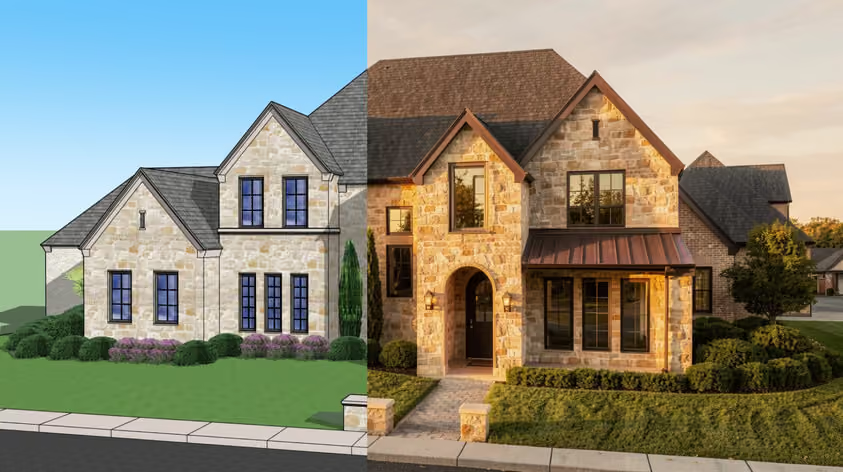
Twinmotion pricing starts at $0 for eligible users or $445 per seat per year for paid access. If your studio makes less than $1 million USD in annual gross revenue, you can use it for free, even for commercial projects. You’ll need a subscription if your business exceeds that threshold or you want Twinmotion Cloud.
That makes Twinmotion an affordable option for many architecture practices. Still, check your eligibility before treating the software as a free addition to your SketchUp workflow. A small team can belong to a much larger company, and a client’s request for an online walkthrough can change what you need to buy.
Below, we’ll look at who pays, what the subscription covers, and how to budget for the work around it.
Here’s the starting point for your budget:
| Your situation | Annual software cost | What to check |
|---|---|---|
| Individual or business below $1 million in gross revenue over the past 12 months | Free | Cloud publishing requires a subscription |
| Student or educator using Twinmotion for education | Free | Assess separate commercial work under the business rules |
| Business above the revenue threshold | $445 per user | Count the people who will use the software |
| Otherwise eligible for free use, but need Twinmotion Cloud | $445 per subscribed user | Identify who needs to publish |
Prices and license conditions checked on November 11, 2026. Figures are in USD; allow for applicable taxes and local checkout pricing. Twinmotion figures come from Epic’s official licensing page.
Epic also offers a 30-day trial for evaluating paid access, so use it with a real project before committing. A sample scene can’t tell much about how your office model will perform.
The advertised Twinmotion price is annual. Dividing $445 by 12 gives roughly $37.08 a month for budgeting, but that’s for comparisons only, since Twinmotion offers no monthly payment option.
Yes, but only up to a point.
The revenue test deserves a closer look. Under the Twinmotion EULA, the small-business exception considers gross revenue over the preceding 12 months, including entities in your corporate group. Epic’s definition also includes advances and other funds raised.
So, use your business figures when checking eligibility. Your rendering income alone won’t answer the question, nor will profit after salaries and office expenses.
For example, imagine a practice that earns $750,000 from architectural services and produces its own presentation images. Its visualization work might never appear as a separate invoice item. The relevant starting figure is still the practice’s revenue. Now imagine a two-person visualization department inside a company earning $5 million. Its size doesn’t establish eligibility for free use.
Ask whoever handles your company’s finances to confirm the applicable revenue before installing the software across the department.
There’s also a small wording discrepancy worth flagging at the boundary: Epic’s marketing FAQ uses “does not exceed” $1 million, while the EULA’s exception says less than $1 million. However small the chance, if your figure is exactly $1 million, ask Epic to confirm your position.
Epic’s FAQ lists students and educators among those eligible for free Twinmotion use. That gives you a useful route for teaching architectural visualization or preparing university projects.
Keep educational activity separate from paid work when checking your entitlement. If you’re a student taking on a commercial commission, assess that work under the relevant business conditions. Likewise, a lecturer’s private practice needs its own eligibility check.
Build an eligibility review into your software purchasing routine. For a growing practice, someone should own that task, particularly after an acquisition or a change in company structure.
Epic says businesses crossing the threshold need a seat subscription to continue using Twinmotion under the applicable terms. So don’t assume your original free download settles the question permanently.
The free version provides the same desktop functionality as the paid version. Epic confirms that eligible free users get no watermark and no rendering-resolution restriction. Twinmotion Cloud is the main difference between the two access routes.
That matters if you’re expecting to buy a higher-quality renderer by subscribing: paying won’t fix a poorly lit scene or supply a more accurate model here. Your output will still depend on the project you prepare and the equipment running it.
If your studio is sending images in presentation PDFs, free desktop access may cover the required deliverables. However, if your brief includes a browser-based presentation clients can explore, put Cloud access into the budget before you agree to supply it.
You can find Epic’s explanation in its pricing-model announcement.
A subscription includes Twinmotion Cloud and upgrades during the subscription year, along with access to documentation, learning materials, and community forums. Epic sells and manages seats through its Developer Portal.
For purchasing, decide who will use the application before deciding how many workstations need it. The EULA assigns a seat to a person: one user can work across multiple computers, while two users sharing a workstation require two seats. A seat must be reassigned before a different person uses it.
That means a shared rendering computer doesn’t automatically reduce your license bill. A practical office setup is to nominate the people responsible for visualization and give them time to maintain the scenes.
For larger orders, Epic invites inquiries about purchases exceeding 25 seats and custom terms. Its pricing page also directs buyers to discuss Epic Pro Support separately.
Twinmotion pricing scales simply at the published standalone rate:
| Paid users | Annual subscription total |
|---|---|
| 1 | $445 |
| 2 | $890 |
| 3 | $1,335 |
| 5 | $2,225 |
| 10 | $4,450 |
These are calculations using the list price, before tax or any agreed custom terms.
The savings from buying fewer seats need to make sense alongside your delivery schedule. When planning staffing, allow for absences as well as normal production. Having one person responsible for every scene can create a bottleneck during a deadline.
Twinmotion Cloud lets you publish presentations and panorama sets for clients to open in a browser. You can share a link or QR code, and presentations can also be embedded in a website. Epic explains the available sharing methods in its Cloud overview.
For a small studio using Twinmotion free, Cloud introduces a subscription expense. For an already subscribed user, it’s included.
Consider an interior design practice presenting a hotel refurbishment to an overseas client. A shared browser presentation could let the client explore the proposed rooms before the review meeting. That may be worth paying for if it helps the team gather useful feedback.
Ask the client how they intend to review the design before spending time preparing an interactive version. If they need six approved stills for a board meeting, you can price the job around that deliverable.
Cloud also doesn’t move your desktop scene preparation into a browser. You still need a suitable authoring computer. The hosted presentation helps with viewing and sharing; it doesn’t remove the equipment you use to build the project.
Our advice: Test the client’s access before the meeting. Use their expected device and connection, particularly if you’re presenting through a corporate network. Keep exported images available so the discussion can continue if access fails.
A useful Twinmotion cost estimate includes the time and equipment needed to produce your deliverables. These expenses vary too much for a universal workstation allowance or training timetable.
Epic separates its hardware recommendations by project size and output. On Windows, it lists at least 6 GB of dedicated graphics memory and 16 GB RAM for the minimum category, increasing to 12 GB graphics memory and 64 GB RAM for high-end work. GPU performance requirements apply too.
The minimum category isn’t intended for demanding uses such as VR or Lumen, and path tracing has additional requirements.
On macOS, Epic lists feature limitations, including no Path Tracer support.
Before buying equipment, check our Twinmotion system requirements guide against Epic’s specifications for your version. Then test a representative office file. Import the furniture you’ll actually specify, add the surrounding landscape, and export at the resolution your client needs. Watch how the machine behaves when you change materials or move between views.
A workstation quote becomes useful once you know what needs improving. If your existing computer performs adequately, keep the hardware allowance at zero. If it fails the test, ask for a quote that addresses the measured limitation.
Twinmotion’s built-in library includes scenery assets and materials, with integrated content from sources such as Quixel Megascans, Sketchfab, and Adobe Substance 3D. Much of the content downloads when needed.
Start there prior to purchasing another library. Additional spending makes sense when a specific object matters to the project, such as the manufacturer’s chair your client has approved.
Also, check external asset terms before using or handing over files. Epic documents different Creative Commons licenses for integrated Sketchfab content, so attribution and other conditions can vary. Keep the relevant license information with your project records.
And count the work needed to prepare a purchased model; test one asset before buying an entire collection from the same source. A low purchase price can become less attractive if someone spends an afternoon repairing its materials.
Keep the cost of your design software in the overall office budget. Twinmotion’s subscription doesn’t purchase SketchUp or another modeling application for you.
For an established practice, that may already be accounted for. When setting up a new visualization position, include it in the first-year calculation so you can compare complete workflows.
Your first scene will reveal more about operating costs than a generic claim about learning speed. Record how long it takes to prepare the import and create the first deliverable, then time a revision.
Suppose you spend four additional hours a month maintaining visualization scenes. At an assumed internal cost of $40 an hour, that is $1,920 a year.
For comparison, an $85 annual subscription difference between two tools equals just over two staff hours at that rate. One inconvenient revision process could outweigh the savings, so use your own rates and test the same change in each tool you’re considering.
The examples below separate actual license calculations from assumed office expenses. Replace the assumptions with your quotes and recorded hours.
You qualify for free use and deliver still images. Your additional software expense can be zero, while your main investment is time.
Allow an illustrative 20 setup hours at $40 an hour, and your first-year incremental budget becomes $800, excluding software and equipment you already own.
After the first project, review those hours. If you expect to reuse the materials and presentation setup across future commissions, the initial effort may support several jobs. Keep that reusable work somewhere you can find it.
Let’s say your practice qualifies for free desktop use but subscribes one designated user for Cloud publishing. Combine the $445 seat with the same illustrative $800 setup allowance and you get $1,245 for the first year.
That figure assumes suitable existing hardware and no paid assets. Add either expense only when the project requires it. Also decide who maintains the presentation as the design changes, since publishing a link is only part of the work.
For three paid users, subscriptions total $1,335 annually. Suppose a supplier quotes $2,000 for one required workstation, and you allow 20 setup hours per user at $40 an hour.
Your illustrative first-year total is $5,735: $1,335 in subscriptions, $2,000 in equipment, and $2,400 in staff time. Applicable taxes and ongoing project production are additional.
Next year’s budget will look different if the equipment remains suitable. Keep one-time purchases separate from recurring expenses.
The current revenue-based model arrived with Twinmotion 2023.2.4 in April 2024. While older perpetual Commercial Edition licenses remain usable under their applicable terms, they don’t automatically grant access to newer releases.
There’s also a more recent change affecting comparisons: from May 27, 2026, Unreal subscriptions stopped including Twinmotion. Epic confirms this in its subscription purchasing guidance.
If you’ve seen an older $1,850 bundle quoted as a current Twinmotion option, check the date. Budget around the standalone offer when purchasing today.
For renewals, Epic explains that continued use requires a valid subscription where the paid-seat requirement still applies. Retaining access to project files doesn’t establish a perpetual entitlement to keep using the software.
Here’s a short comparison of annual paid options, checked on November 11, 2026. These are selected plans, so compare their workflows as well as their prices.
| Product | Published annual price | Licensing detail |
|---|---|---|
| Twinmotion | Free when eligible; $445 per paid seat | Cloud requires paid access |
| Lumion Pro | $1,149 | Named user |
| Lumion Pro Floating | $1,499 | Shared floating seat |
| Enscape Solo | $574.80 | Named user; annual billing |
| D5 Pro | $360 | Current annual Pro subscription |
Sources: Twinmotion, Lumion, Chaos Enscape, and D5’s November pricing update. D5 has announced plan changes for early December 2026; the table uses its current Pro annual rate.
For paid users, D5 Pro’s annual subscription is $85 lower than Twinmotion, while Enscape Solo costs $129.80 more. Those differences are small enough for workflow efficiency to influence the decision. Our Twinmotion vs Lumion comparison examines the practical differences, and the Lumion pricing guide covers its costs in more detail. Confirm checkout figures before purchasing.
For an example of a broader production workflow, Epic’s HOK case study describes Twinmotion used alongside Unreal Engine for Canada’s Centre Block rehabilitation. Twinmotion helped the team explore circulation and add scene detail; Unreal Engine supported dynamic client presentations. HOK’s Mark Cichy emphasized the efficiency: “We do not have to pre-render content and wait hours for it to appear.”
Consider the full production setup when using that example to assess value.
For teams producing occasional stills, maintaining GPU hardware and real-time scenes may take more effort than the deliverables justify.
MyArchitectAI offers a browser-based workflow with a zero learning curve: upload a view, select your settings, and let the AI handle realism automatically. Images are typically ready in under 10 seconds, and rendering runs online, so you can work from different devices without maintaining a high-end rendering workstation.
Use a representative project view to assess the result against your brief. Check specified finishes and architectural details before putting any AI image in front of a client.
Explore MyArchitectAI as a Twinmotion alternative for your next presentation.