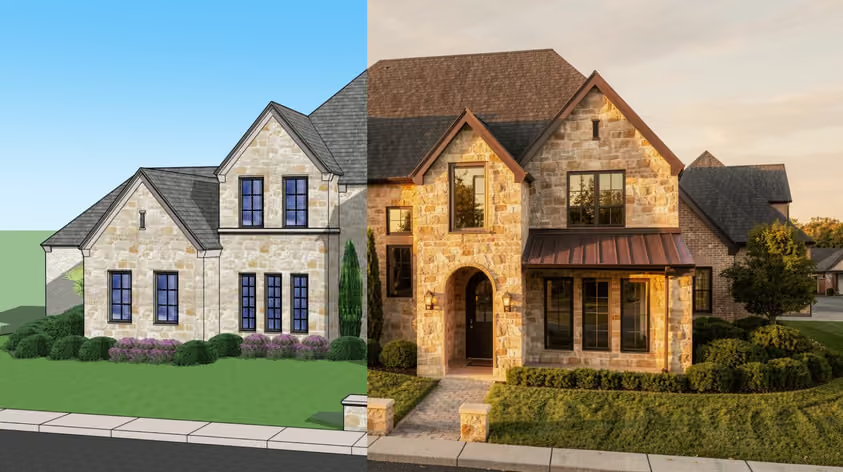
When did picking the right cabinet design software become so tricky? The choices are all over the map. You can pay $69.95 once for a download, more than $5,000 for a lifetime license on a CNC-ready system, or sit through a sales call for an enterprise quote.
There is logic behind it, though. Some tools are built for a one-person garage shop, others for a factory floor with a full-time CAD operator, and plenty sit in between. This guide covers 12 tools worth a look in 2026, from free browser apps to full manufacturing systems, including an AI tool that turns plain English into a buildable cabinet.
The program you choose decides how fast you can quote a job and whether your CNC gets files it can actually run.
Can you just use a general 3D program for cabinets? You can. The question is how much extra work you sign up for.
A general CAD tool like SketchUp or AutoCAD draws shapes but knows nothing about cabinets until you teach it, usually through a plugin. You model each panel by hand, then add an extension to pull a cut list. Our roundup of SketchUp alternatives covers the closest general modelers.
A dedicated cabinet design program thinks in parts and assemblies instead. Tell it you want a 36-inch base cabinet with two doors and a drawer, and most of these tools build the carcass, size every panel, place the hardware, and write the cut list. Resize the box and everything follows.
General CAD gives you freedom and a lower entry price, while purpose-built CAD software for cabinet design gives you speed and accuracy. Plenty of shops run both.
The picks run roughly from manufacturing systems down to lightweight free tools. Prices are vendors' published figures, checked in September 2026. Several vendors show only a $ sign without naming a currency, or localize pricing, so confirm the amount and currency for your region at checkout.
.avif)
Hexagon's Cabinet Vision is built for manufacturers and runs the whole job from first sketch to the shop floor: photorealistic rendering, a bidding and costing module, full cut lists, and an xMachining module whose S2M Center produces machine-ready G-code for CNC routers, point-to-point machines, panel saws, and drill-and-dowel equipment. Hexagon specifies Professional editions of 64-bit Windows 10 or 11 and lists no macOS version.
All that power carries a price, but Hexagon does not publish it; every route on the product site leads to a sales conversation, and cost depends on modules, CNC needs, and training. Expect a real learning curve, too.
Best for: established manufacturers with CNC gear and the volume to justify a quoted system.
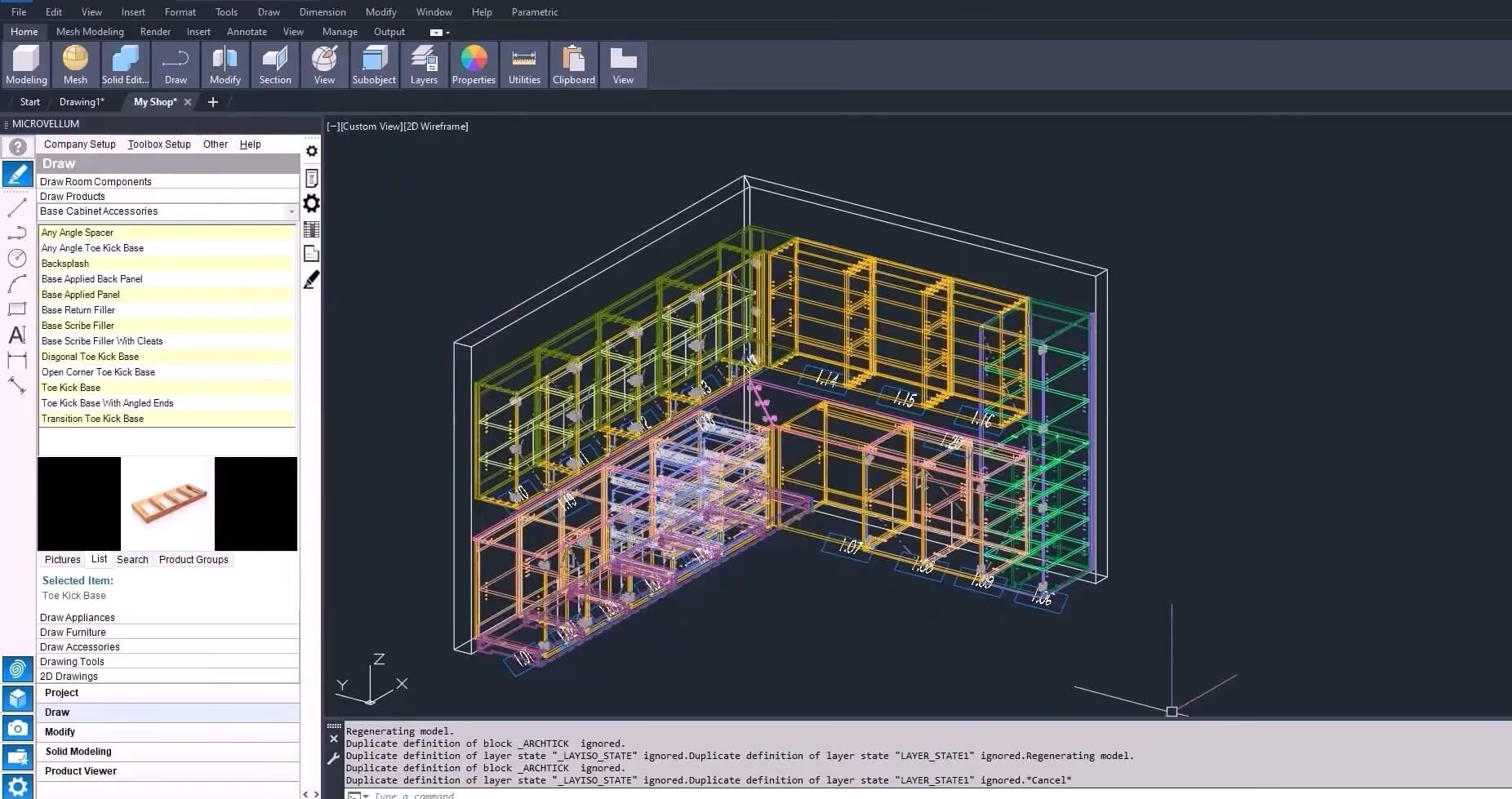
Microvellum sits in the same pro tier as Cabinet Vision, with one twist: its Toolbox software is CAD-hosted. It runs inside AutoCAD, and since July 2025 the company has also sold Toolbox BSB, bundled with a licensed version of BricsCAD Pro. Toolbox handles shop drawings, engineering, estimating, and machine-ready CNC code from a single project database.
If your team already lives in AutoCAD, that familiarity gives you a head start, but the ramp-up is still steep. Pricing is a quote-based annual subscription, billed annually or monthly, and Microvellum sells one complete package rather than tiers. INNERGY acquired Microvellum in February 2025, and Toolbox connects to the INNERGY ERP system. It runs on Windows 10 and 11.
Best for: large commercial millwork shops and experienced CAD users who need deep customization.
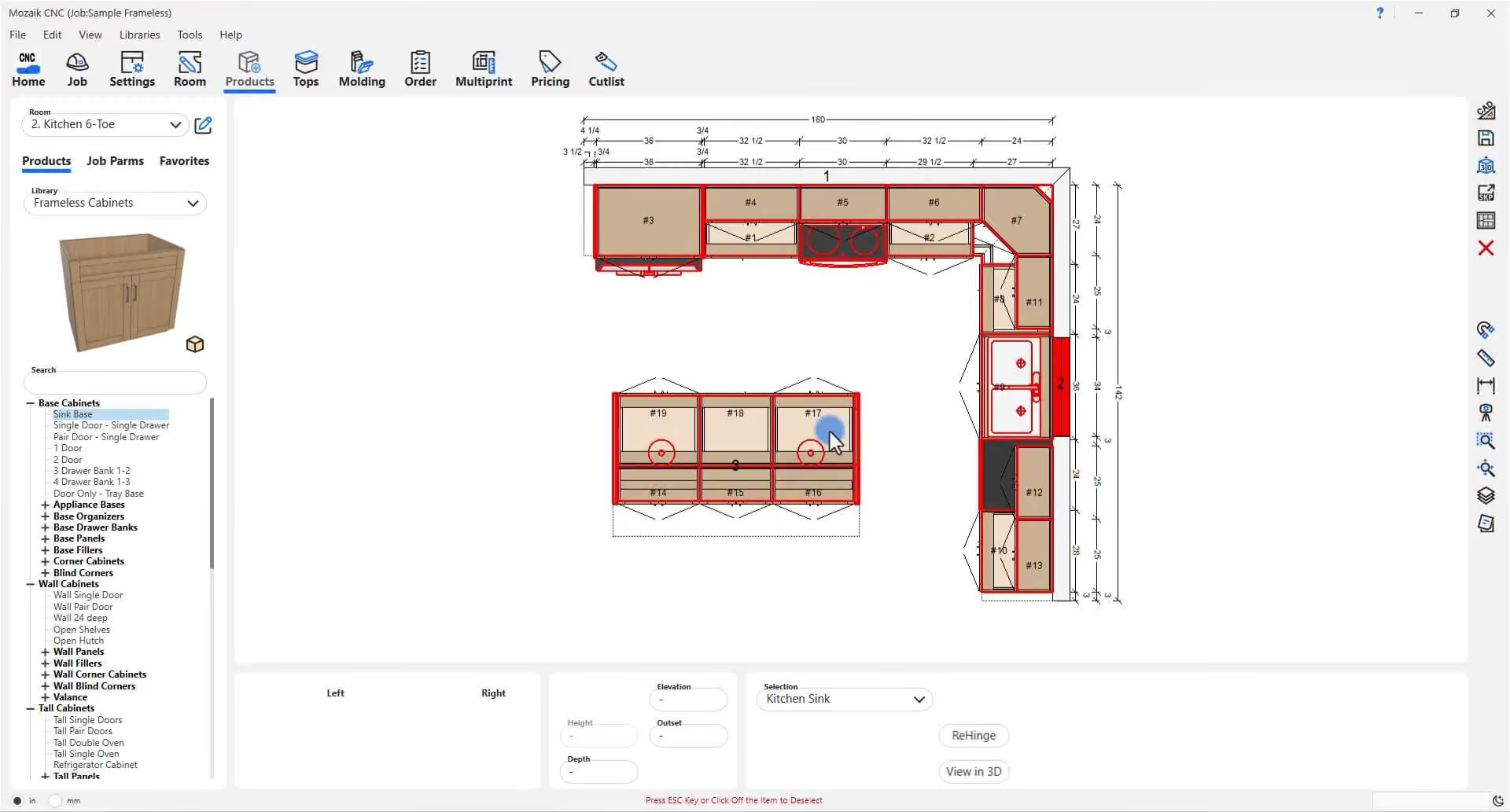
Mozaik was built for cabinetmakers from day one, and you feel it in how fast it moves. Lay out rooms with drag-and-drop, watch the 3D update live, and it handles parts, machining, pricing, and cut lists.
Pricing is a tiered subscription in USD: $125 a month for Mozaik Manufacturing, $225 for Mozaik CNC, which adds true-shape nesting and stock post processors for more than 175 machine brands, and $325 for Mozaik Enterprise. Extra seats are $60 a month each. There is no free trial: you start with a three-month paid trial that converts to a one-year subscription unless you cancel. Mozaik, part of Cyncly since 2022, is built for Windows; Mac users need emulation or virtualization.
Best for: small to mid-size shops that want production-ready output without enterprise pricing.
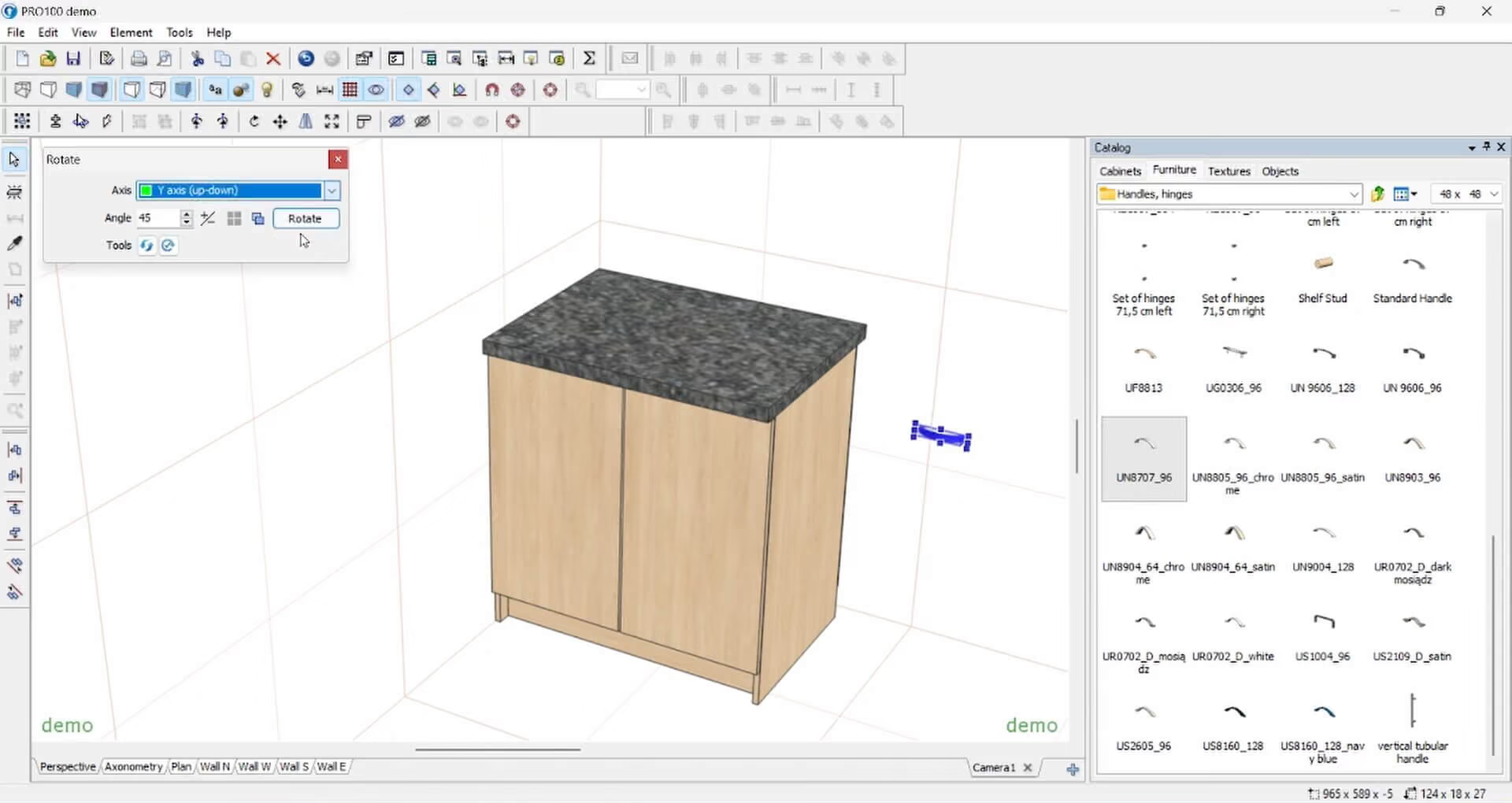
If client presentations close your jobs, Pro100 deserves a look. The interface is drag-and-drop, the 3D renderings help customers picture the finished room, and the same model produces dimensioned elevations, job costing, floor plans, and a cut list.
Pro100 is one of the few tools here sold outright, with no subscription: $3,144.99 for a version 7 license, in USD per the US distributor. The license lives on a USB dongle, so you can install it on as many computers as you like. The panel optimizer is included; CNC packages are priced separately on request. The demo never expires, but it cannot save a project or export a cut list. Pro100 runs on Windows and on Apple silicon Macs through virtualization.
Best for: Windows-first kitchen and bath designers who sell on visuals and want to own their software outright.
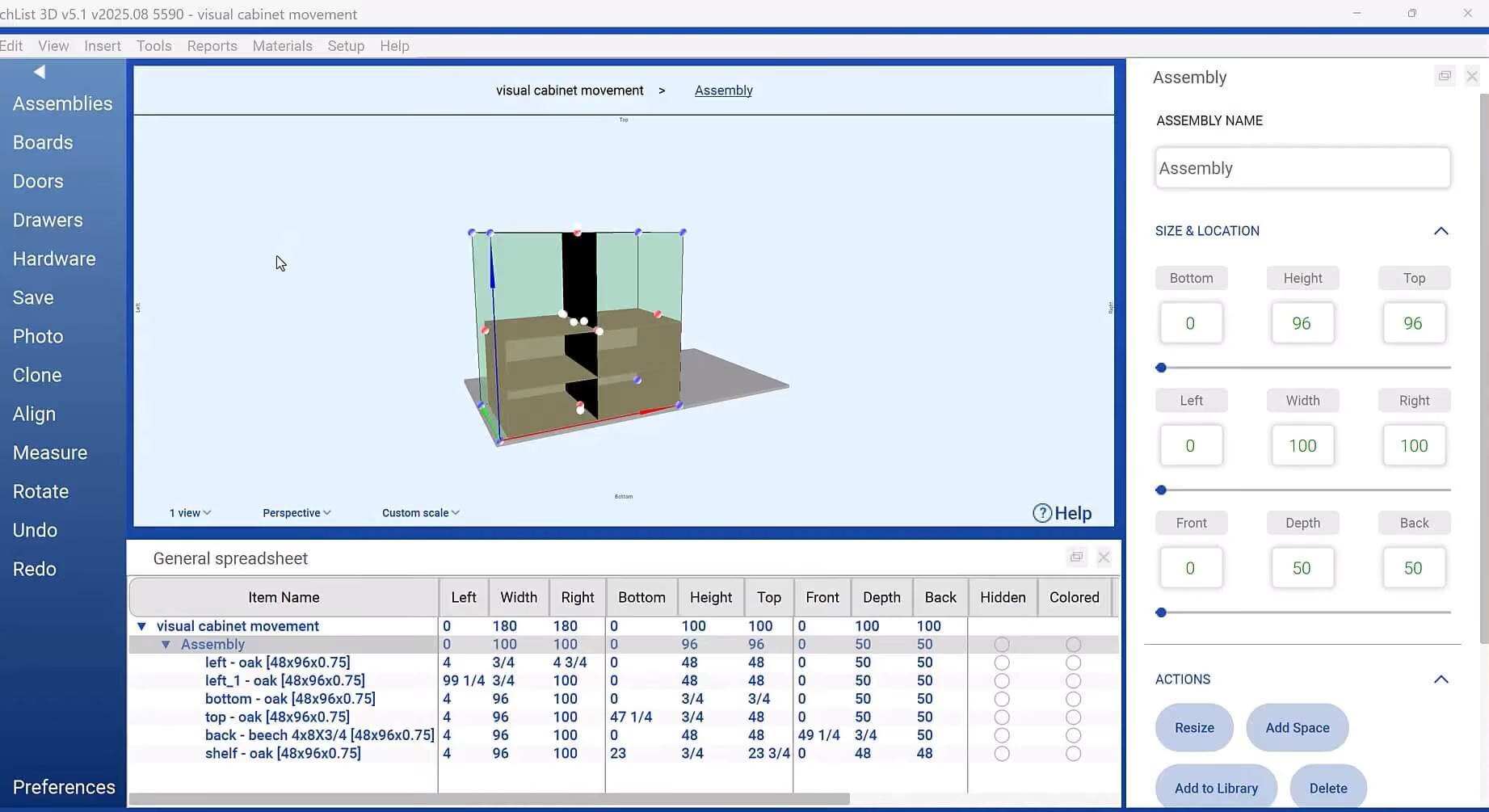
SketchList 3D was created by woodworkers fed up with general CAD, and it works the way you actually build: board by board. Drop in a panel, size it, place it, and the software keeps cut lists and shop drawings in sync while laying out material to cut waste. It exports DXF for CNC cutting.
Built for the trade, this 3D cabinet design software runs natively on Mac as well as Windows, with no Parallels layer, and projects move between the two. Plans run $79.99 a month, $599.99 a year, or $899.99 for two years, and a one-time license is $999.99 with the first year of maintenance included. The 14-day free trial needs no card.
Best for: production woodworkers and custom shops that quote and revise often.
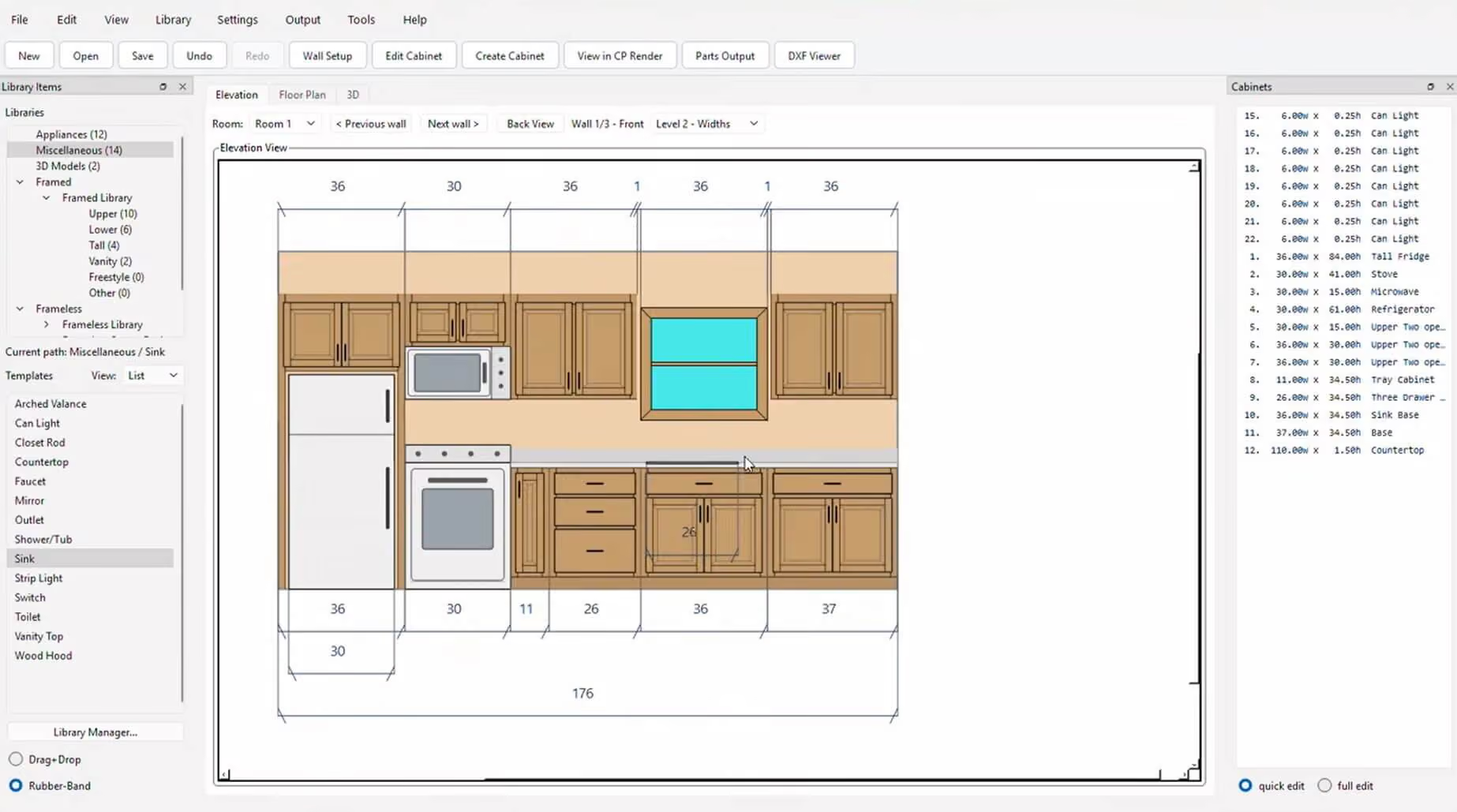
Cabinet Planner proves you do not need a big budget. A one-time $69.95, with the developer stating there are no other fees, gets you a full cabinet design program covering face frame and frameless boxes, shop plans, elevation and floor plan views, 3D renderings, and a panel optimizer with DXF output for your CNC.
A 10-use free trial lets you try before you buy, though printing is disabled, and the FAQ lists parts sizes, the panel optimizer, and DXF output as disabled too. The interface looks dated, and setup takes a little time. Once it is dialed in, the developer says a kitchen for an average middle-income house takes about 20 minutes. Support is by email only. There is no Mac build; the FAQ says Mac users need a Windows emulator.
Best for: budget-minded pros and home shops that want accurate cut lists cheap.
.avif)
You probably already know your way around SketchUp, which is half its appeal. On its own, it is a general 3D modeler, so using SketchUp for cabinet design means adding a plugin (two are on this list) plus a cut list extension. OpenCutList, a free, open-source extension, handles that job.
Pricing has been subscription-only since new Classic perpetual licenses ended in November 2020. The free web version is not for commercial use. Paid plans are billed annually in USD at the equivalent of $10.75 a month for Go ($129 a year), $33.25 for Pro ($399 a year), and $71.58 for Studio (about $859 a year), which includes V-Ray. Check the platform first: Go covers only the web and iPad apps, Pro adds desktop SketchUp for Mac and Windows, and Studio is Windows-only. Cabinet extensions run only in the desktop application.
Best for: designers who want flexible modeling and are fine adding cabinetry through extensions.
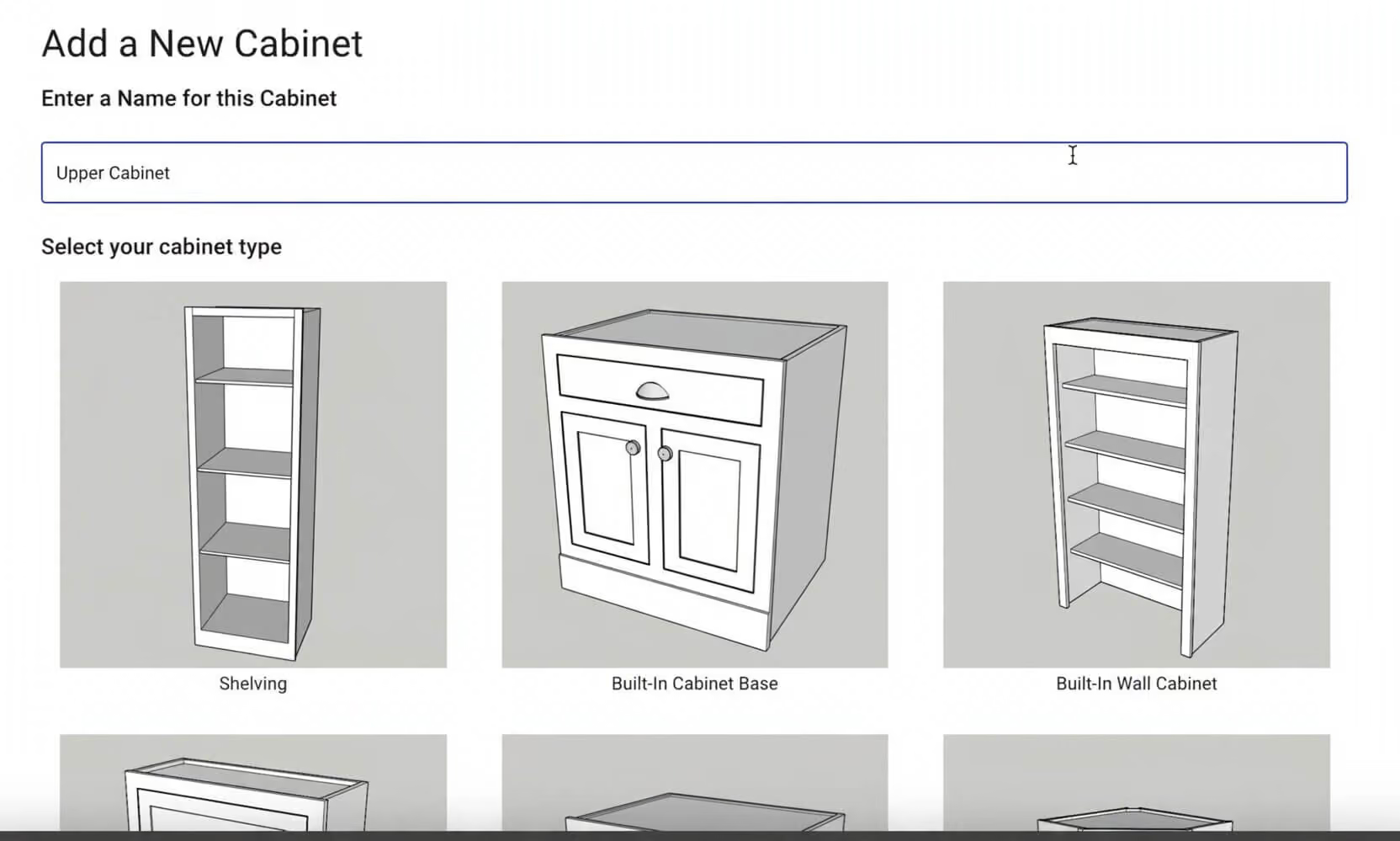
CabinetPlans.io is a fast way to get a parts list when you already know how to build. It runs in your browser on a phone, tablet, or laptop, with nothing to install. Pick face frame or frameless, enter rough dimensions, choose your joinery, and it generates a parts list with hardware plus printable cut sheets optimized to save material.
It assumes you know cabinetmaking, which is the point of its near-zero learning curve. It has no CNC output, and 3D rendering is listed as coming soon. The free tier covers one project and one cabinet. Paid plans are $9 a month for three projects and 12 cabinets, or $24 a month for unlimited use, with annual billing at $89 and $239.
Best for: home and small-shop makers who want instant cut sheets with no software to learn.
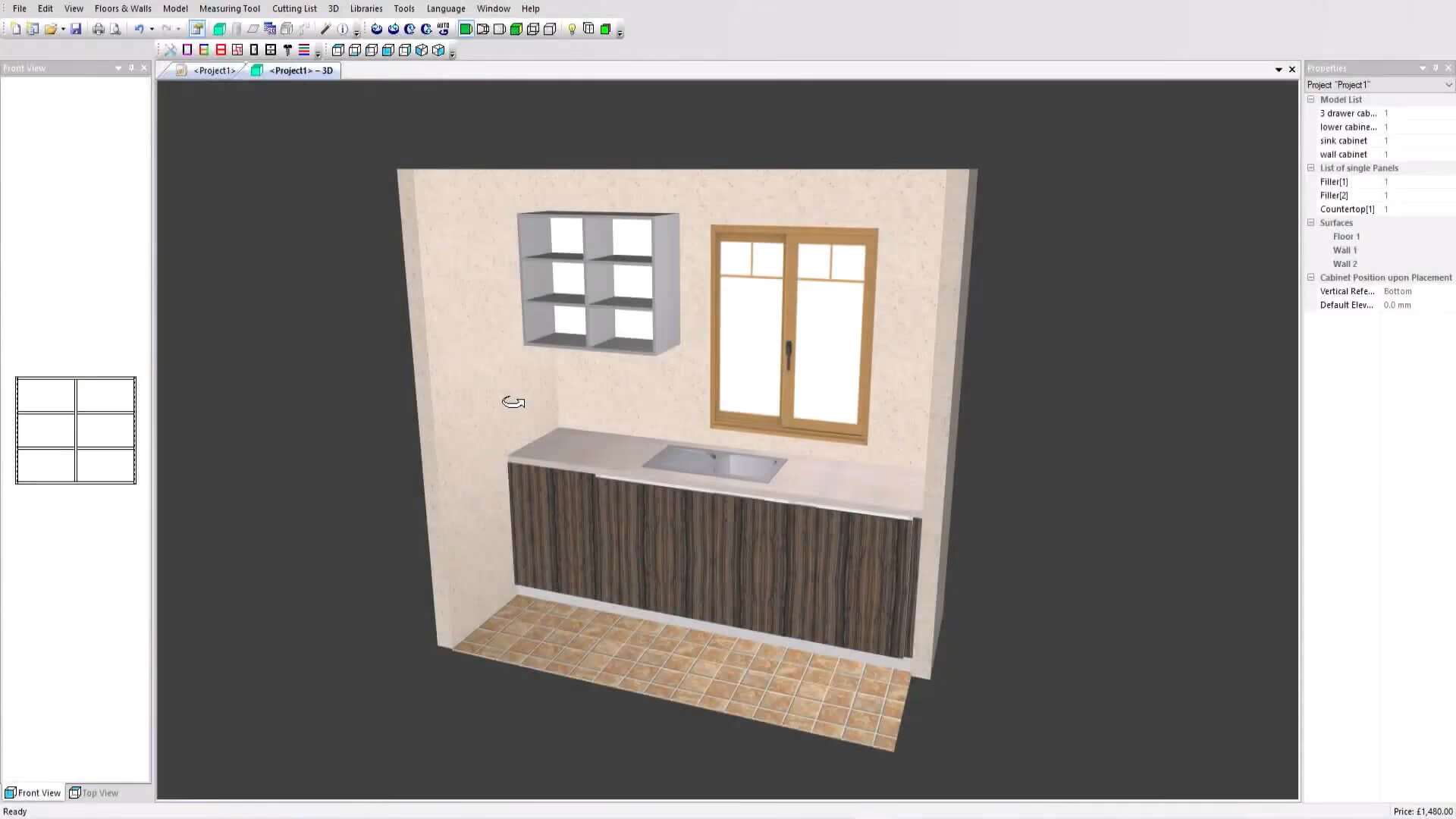
PolyBoard is Windows-based parametric custom cabinet design software built for made-to-measure work. Type in your sizes and it draws the cabinet, then updates the whole model the moment you change anything. It shines on tricky jobs like sloping ceilings, irregular angles, curved worktops, and boxing around pipework. Output includes cut lists, 2D part plans with machining details, and DXF through a post processor the vendor calls compatible with virtually all CNC software.
The free demo includes all design functionality and holds back only the manufacturing output. Lifetime licenses cost $2,795 for PolyBoard Pro and $5,295 for Pro PP, which adds CNC files and post processors for machines such as Homag, Biesse, SCM, and Felder. Saw optimization (OptiCut) and nesting (OptiNest) are separate purchases. Premium Support, free for the first three months, includes the CabinetRender AI photo-render tool. There is no Mac version.
Best for: small to mid-size custom workshops handling geometrically complex cabinetry.
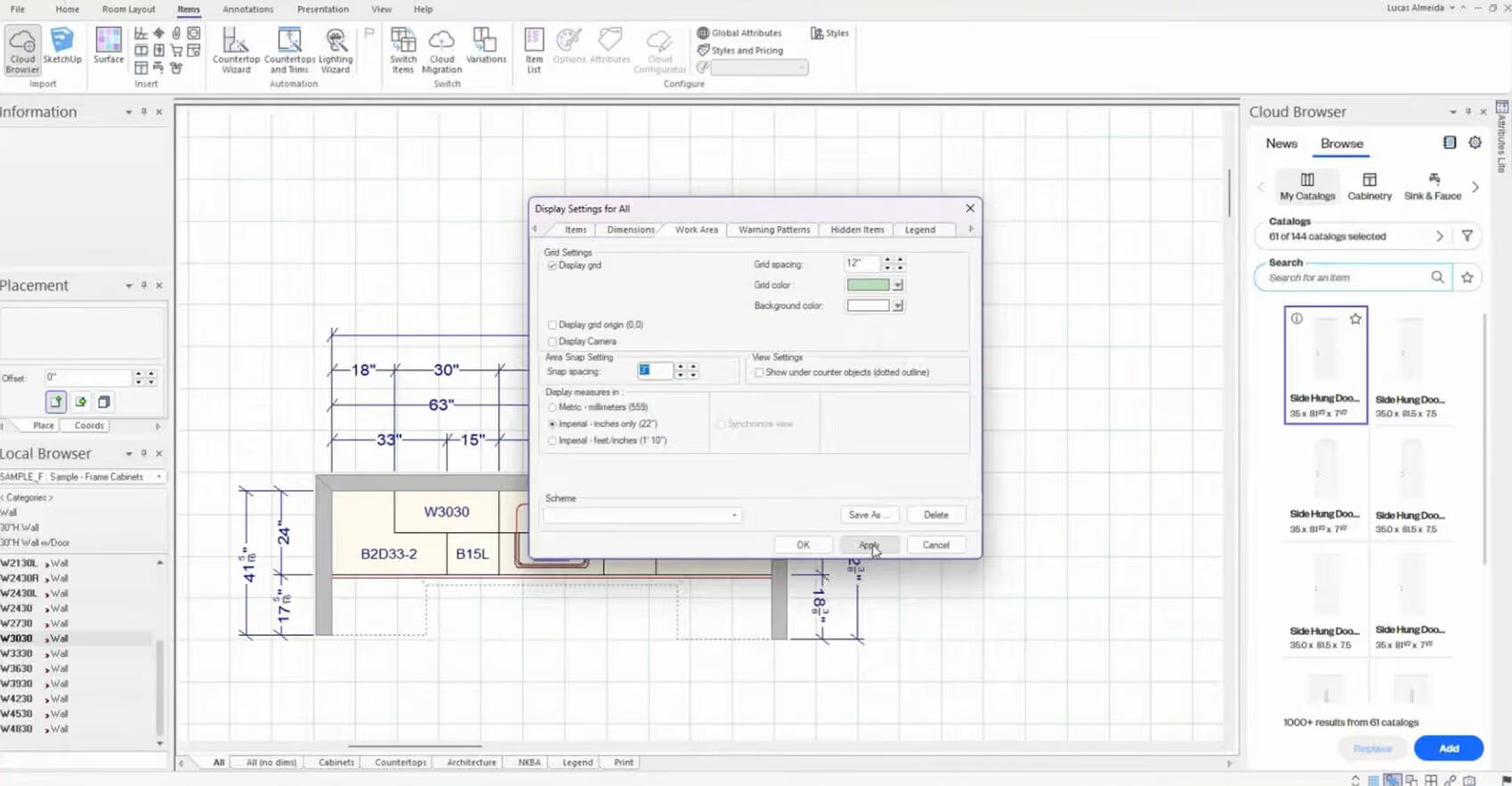
Design Flex is Cyncly's evolution of 2020 Design Live, built for kitchen and bath retailers who sell from manufacturer catalogs. Its biggest draw is that catalog library, which Cyncly describes as one of the industry's most extensive collections of kitchen and bathroom manufacturer catalogs. You drop in real products and quote fast, with 360-degree panoramas for client walk-throughs.
This is a kitchen cabinet design program aimed at designers and showrooms more than shop production. Pricing is published and annual: Design Flex Foundation, without manufacturer cabinet catalogs, starts at US$1,895 a year, or US$2,195 with the optional Success Plan, while the full Design Flex tier is US$2,495, or US$2,995 with it. It runs on 64-bit Windows 10 and 11.
Best for: kitchen and bath designers who spec from brand catalogs and sell on presentation.
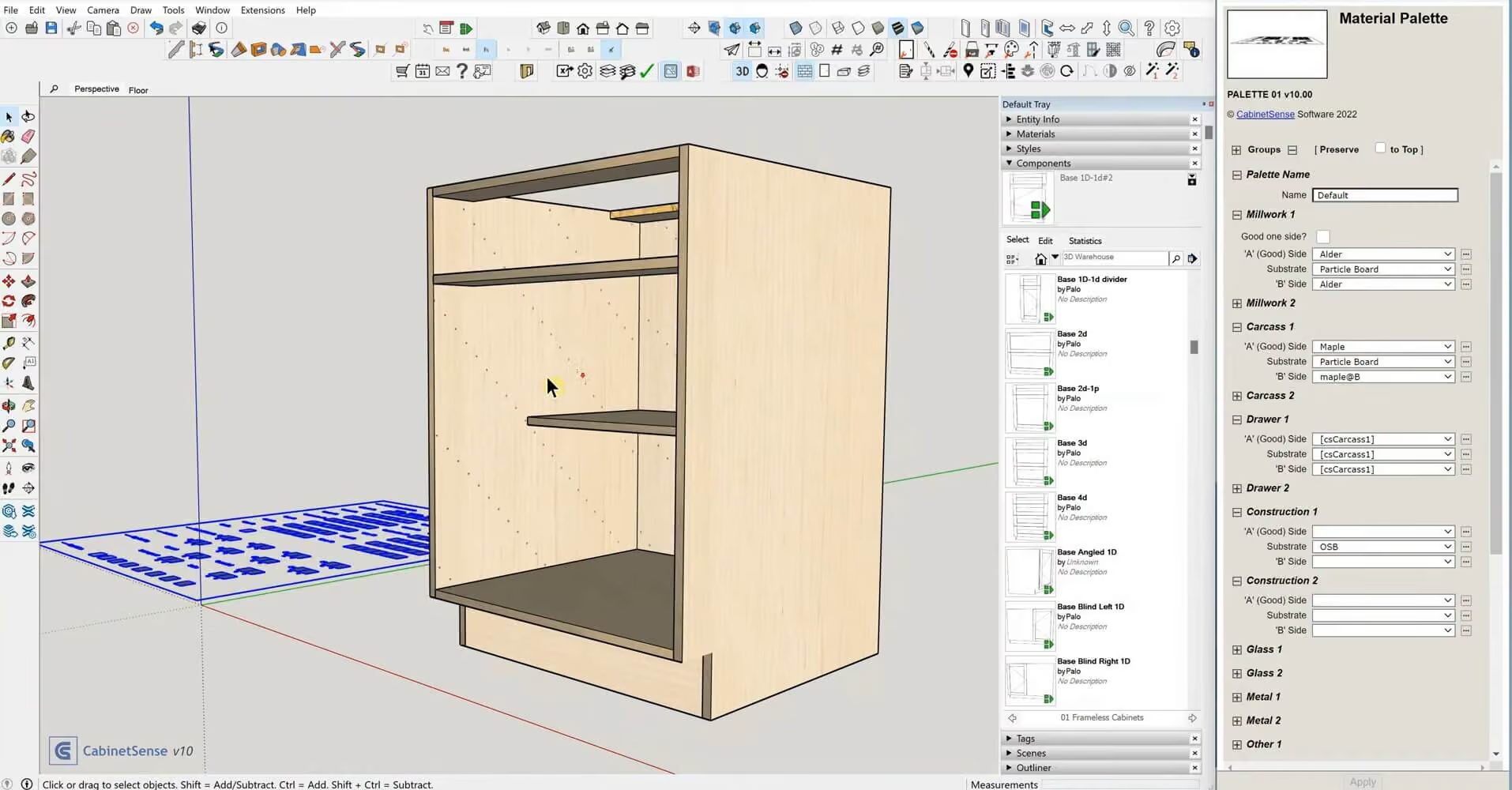
CabinetSense is cabinet drawing software that bolts onto SketchUp. The extension adds single-click dimensioning, predefined drawer systems, hardware from Blum, Grass, Hafele, and Accuride, knock-down fastener libraries, and 32mm line boring.
CabinetSense is sold as a subscription, but it does not list prices on its website; the vendor says purchasing happens inside SketchUp, through the Buy link on the CabinetSense dashboard. It installs through the Extension Manager for SketchUp 2021 to 2026, so you need desktop SketchUp, which the Go plan does not include. It publishes no operating system requirements, so Mac users should confirm compatibility with the vendor. It exports DXF for CAM packages such as Vectric, AlphaCam, and MasterCam, plus a bill of materials to Cutlist Plus.
Best for: existing desktop SketchUp users who want cabinet automation without a second CAD system.
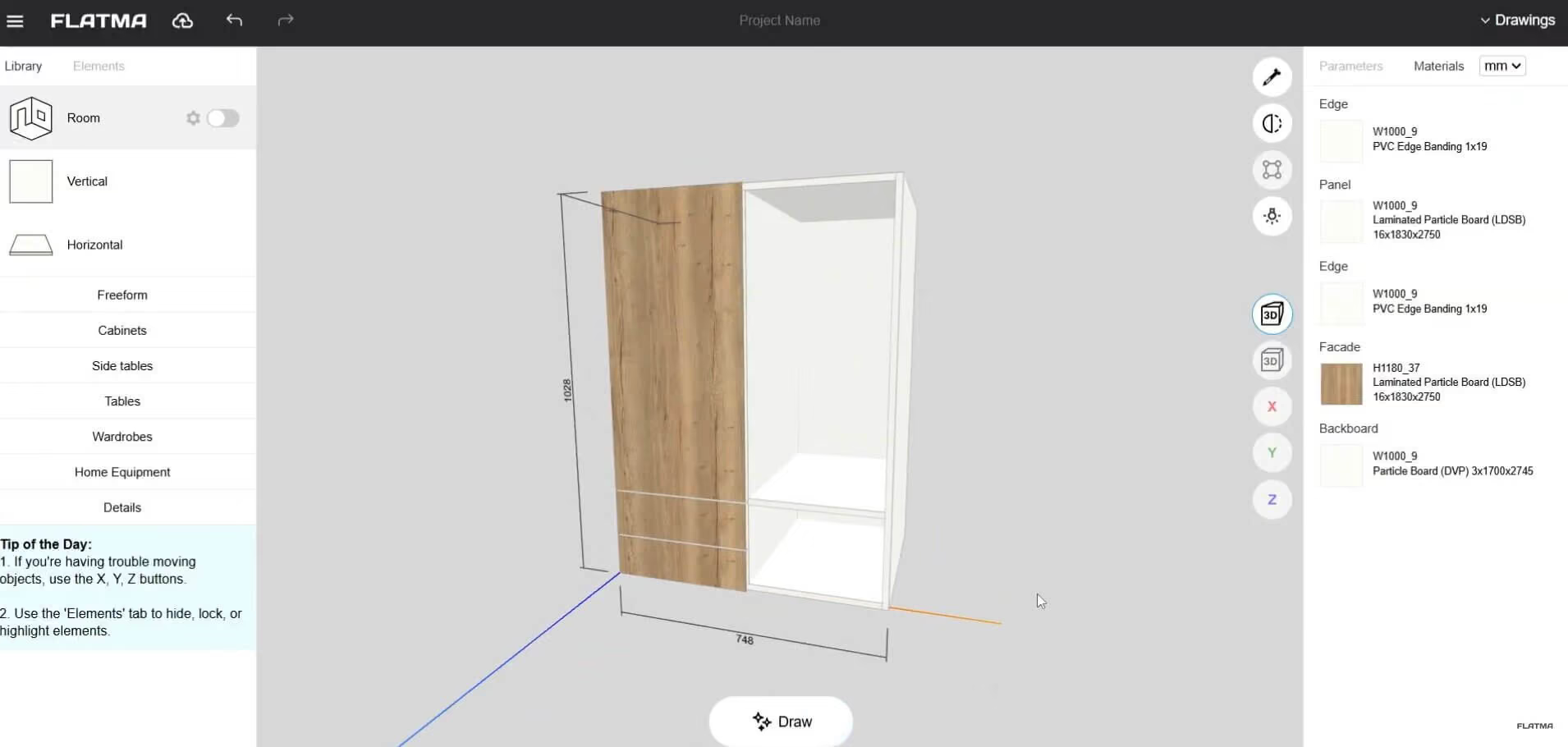
Flatma is the AI-driven pick on this list, and it is free cabinet design software with cutlist output from the first click. It runs in your browser, and you can start without registering. Describe the cabinet you want in plain words, and the AI generator produces a 3D model with drawings and a cut list. Prefer to draw? Flatma Sketch turns a sketched frame into a model in seconds.
You also get a room planner, drilling diagrams, and cut list optimization. The free tier covers one project and three AI tokens, roughly one photo render or three furniture generations. Hobby is 7 USD a month (5 USD billed annually) and adds three projects, 50 tokens, and DXF, Excel, and CSV export. Pro is 19 USD a month (14 USD billed annually) with unlimited projects, saved .flatma files, and 150 tokens. DXF is as close to the machine as Flatma gets: no plan outputs G-code.
Best for: DIYers and small businesses that want buildable cabinets without learning CAD.
AI is reshaping two parts of the job.
The first is the starting point. Tools like Flatma let you type a description or sketch a rough shape, then return a 3D model with a cut list attached. You don't need CAD skills to get there. For quick visual concepts rather than production drawings, AI kitchen design generators can turn a written prompt into kitchen design ideas in seconds.
The second is visualization. AI renderers turn a plain model view into a photorealistic image in seconds. SketchUp's own AI Render (formerly Diffusion) does this inside the app, metered by the monthly AI credits that come with paid plans. We covered how it holds up in our SketchUp AI Render review, and our roundup of AI interior rendering tools compares browser-based options.
AI is strong for concepts and selling. For now, production still calls for dedicated cabinet drafting software to make sure your cut list and CNC files come out accurate.
There is no single best cabinet design software for everyone. The right pick depends on your budget and whether you run a CNC, with shop size tipping the balance between similar tools.
Most dedicated tools do, generated automatically from your model. Change a dimension and the cut list updates on its own. General CAD programs like SketchUp are the exception: there you add a cut list extension such as the free OpenCutList, which runs in desktop SketchUp rather than the web version.
Not with machine-ready output among the tools compared here. PolyBoard's demo holds back manufacturing output until you pay, Flatma's DXF export starts on its paid Hobby plan, Cabinet Planner's FAQ says DXF output is disabled during the free trial, and CabinetPlans.io has no CNC output on any plan. DXF is not G-code either; your CAM program still has to convert it.
It depends on what free needs to cover. SketchUp's free web version is for non-commercial use only, and cabinet extensions need desktop SketchUp. CabinetPlans.io and Flatma offer limited free tiers: CabinetPlans.io covers one project and one cabinet, while Flatma includes one project, three AI tokens, cutting maps, and drilling diagrams. PolyBoard's demo has every design feature but no manufacturing output. None of these free options gives you machine-ready CNC output.
Yes, but check how. SketchList 3D is the only dedicated cabinet program here with a native Mac build, and desktop SketchUp runs on Mac with a Pro plan (Studio is Windows-only). CabinetPlans.io and Flatma run in a browser, so a Mac works fine. Pro100 runs on Apple silicon Macs through virtualization, while Mozaik and Cabinet Planner need Windows emulation or virtualization. Cabinet Vision, Microvellum, PolyBoard, and Design Flex are Windows software.
Yes, within limits. Flatma can turn a written description or a sketch into a 3D cabinet model with drawings and a cut list, which works well for concepts. For production, check the AI output in a dedicated tool to confirm the parts and machining are exact before you cut.
Once your cabinet design software has done its job, the last piece is selling the project, and that is where a great render earns its keep.
MyArchitectAI turns an image of your design into a photorealistic render in under 10 seconds per scene. Export or screenshot a view from your cabinet software as a JPG or PNG, upload it, and MyArchitectAI adds realism while keeping your geometry and textures unchanged. It runs in the browser on any device, so a Mac or even a phone works fine.