
AI is reshaping computer-aided design by making the entire process faster and more accessible. You still need the right hardware, software, and skill set to create 3D models, floor plans, products, and interior layouts, but AI now handles a big chunk of the repetitive work.
With AI-powered CAD tools, designers can generate complex concepts, explore variations instantly, and build early prototypes far more efficiently than before.
Which brings up the big question: are traditional CAD tools about to be replaced?
In this guide, we’ll break down the AI-assisted CAD tools getting the most attention right now, why they’re worth testing, and how useful they actually are in real workflows. We’ll also take a look at where AI in CAD is heading next.
Best for: Creating mechanical and functional models, ready-to-print STLs, game assets, and quick prototypes
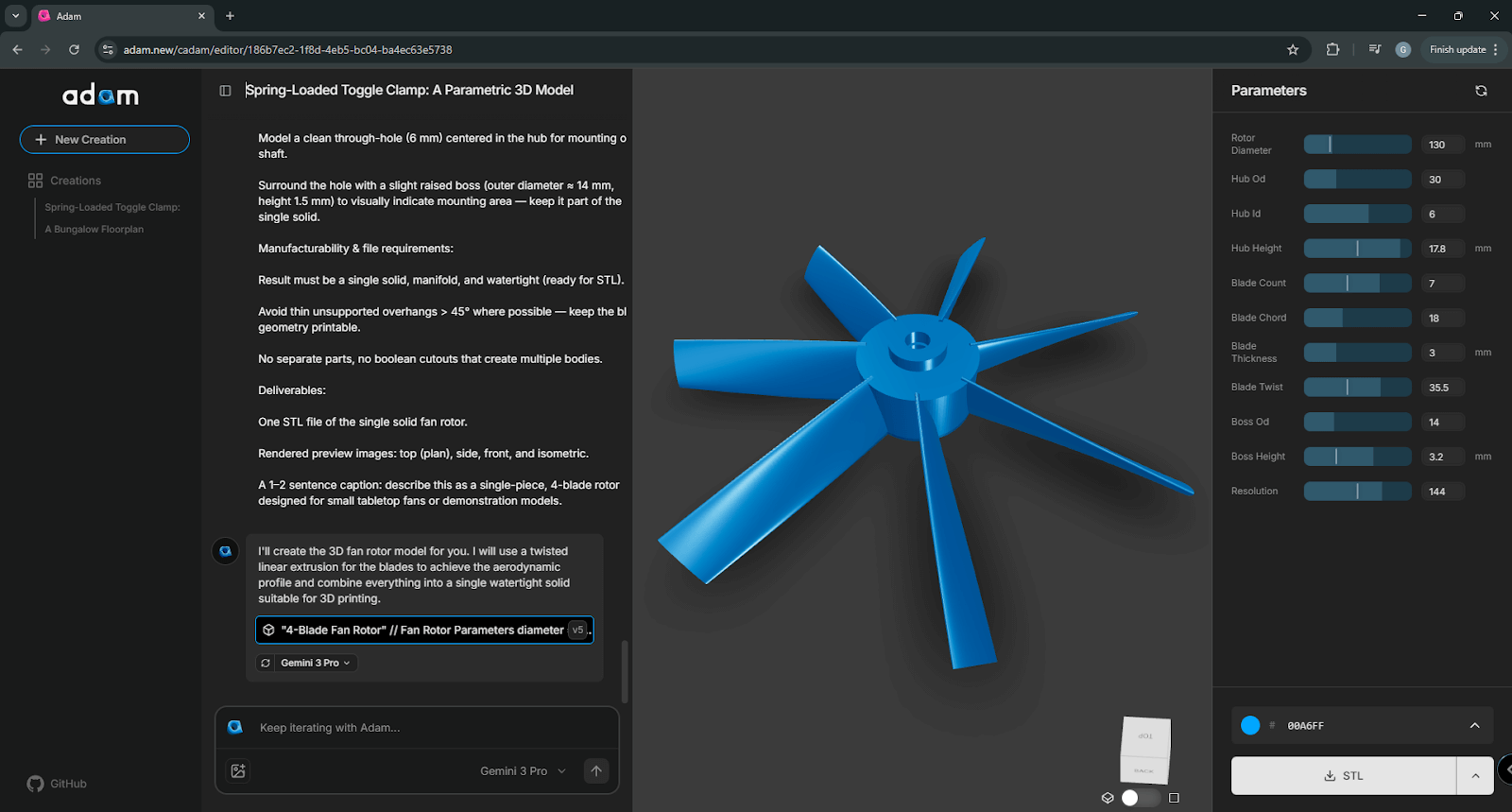
Founded by Zach Dive and Aaron Li, the tool introduced a text-to-3D approach aimed at making prototyping dramatically faster.
Adam AI started as a thesis project exploring AI for CAD modeling before evolving into a full startup. Its 1.0 version officially launched on January 24, 2025, and raised $4.1M in seed funding a couple of months later. With the money they received, the vision is simple: to create something that can “speak physical objects into existence.”
Adam AI’s main feature focuses on rapid prototyping. Just describe what you want in the form of a text prompt, and Adam AI generates a print-ready 3D model within a few minutes.
The software is available as a web app and an Onshape plugin today, and the roadmap includes native integrations with most major CAD platforms.
Adam doesn't have a native visualization tool, so many firms combine it with a third-party AI product rendering software.
Key features:
Export formats: OBJ, STL, SCAD. STEP coming soon.
Pricing: Starts at $9.99 (100 creative generations per month), 7-day trial for Adam Pro (unlimited generations).
Best for: creating fully editable B-rep models and simple mechanical parts, sketch to CAD AI, image to CAD AI
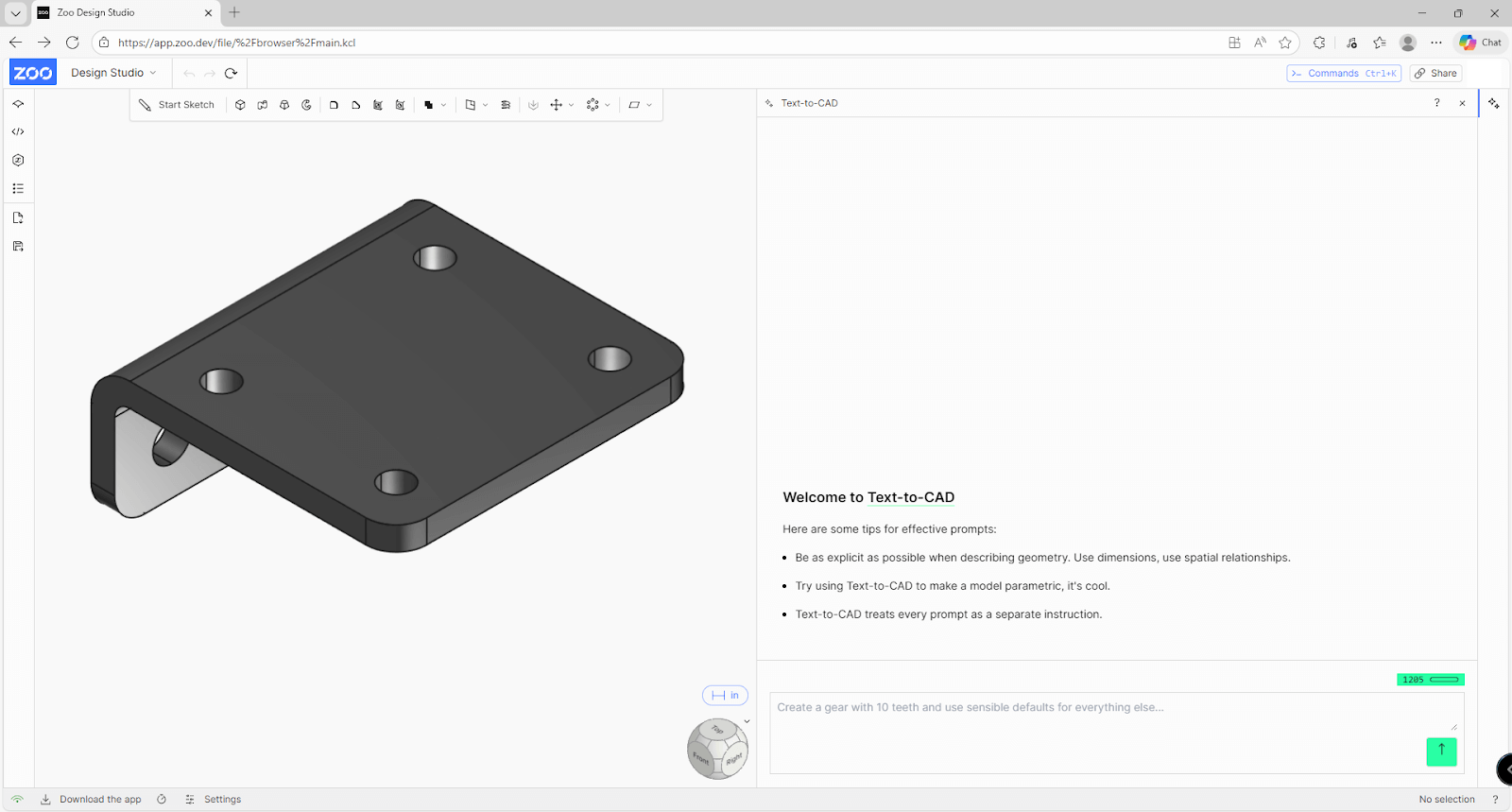
Zoo AI is primarily a CAD software with traditional 3D modelling tools and traditional point-and-click functionality powered by AI for CAD design, giving its users added features like text-to-CAD.
The AI assisted CAD tool’s alpha launch was in December 2023 and was released open-source, allowing the community to build their own tools using Zoo’s API.
Its text-to-CAD feature can be accessed with a button in the toolbar of the Zoo Design Studio app. Once you enter a text prompt, a model will be produced within 60 seconds or more, depending on the complexity of the design you’re looking for.
The free plan comes with 1,205 prompt credits each month, amounting to $10. Each second of processing is equal to 1 credit.
Zoo AI runs on KittyCAD, its in-house geometry engine and API, and on ML-ephant, a predictive design and model-understanding API.
Key features:
Export formats: STEP, STL, OBJ, gITF, PLY
Pricing: Comes with a free version; exclusive features start at $20/month
Best for: fast engineering reasoning, research, and calculations inside your CAD software
Engineering isn’t just about designing. It’s also a research-heavy task that needs:
These take hours and often interrupt workflow. Getting reliable answers usually means checking textbooks, research papers, old projects, consulting colleagues, forums, or technical and very long manuals — all while deadlines loom.
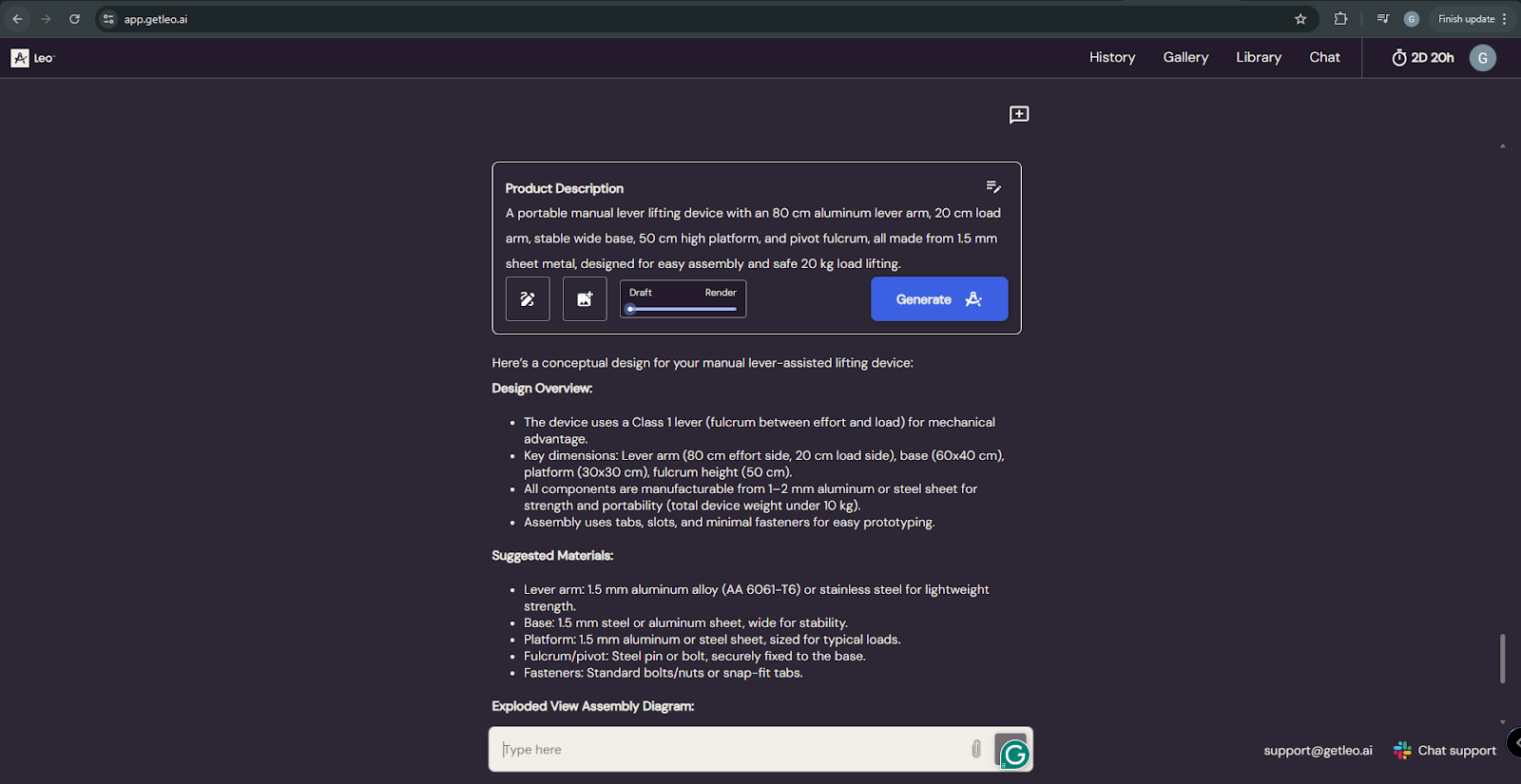
Leo AI is a CAD assistant trained on over a million engineering sources. It answers complex technical questions right inside your CAD software or through its web app, saving you hours of research with fast, high-accuracy responses.
Key features:
Pricing: 7-day free trial. Plans start at $49/user/month or $468/user/year.
Best for: construction pre-design and planning phase, and design analysis
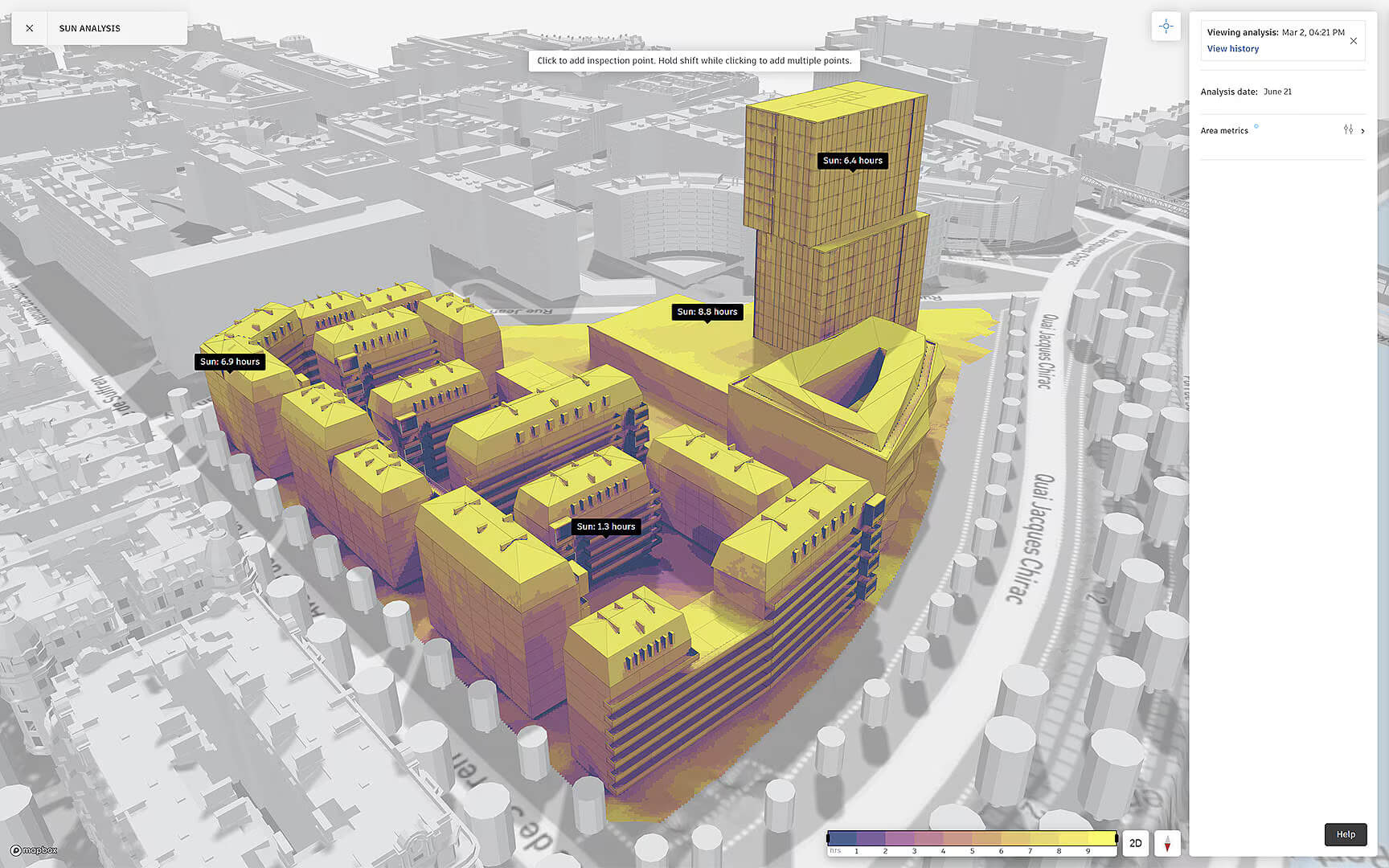
Autodesk Forma is an AI-powered design platform built for data-driven site planning. It automates area analysis, performance simulations, workflow improvements, and cloud collaboration.
Most teams use it to evaluate potential construction sites. You can model the impact of a project on nearby buildings and terrain, then generate multiple design options with generative AI based on your chosen parameters.
When a site is finalized, the Forma model can be exported to Revit through a “file-less” sync for final details and revisions. From there, a dedicated architectural rendering tool can turn the exported model into client-ready visuals.
Key features:
Autodesk Forma integrates with major AEC tools like Revit, Docs, Autodesk Cloud, Rhino, and Dynamo, keeping your workflow connected.
Pricing: $460/month (included with the Autodesk AEC Collection).
Best for: creating 3D assets with realistic textures, especially video game assets and product visualization
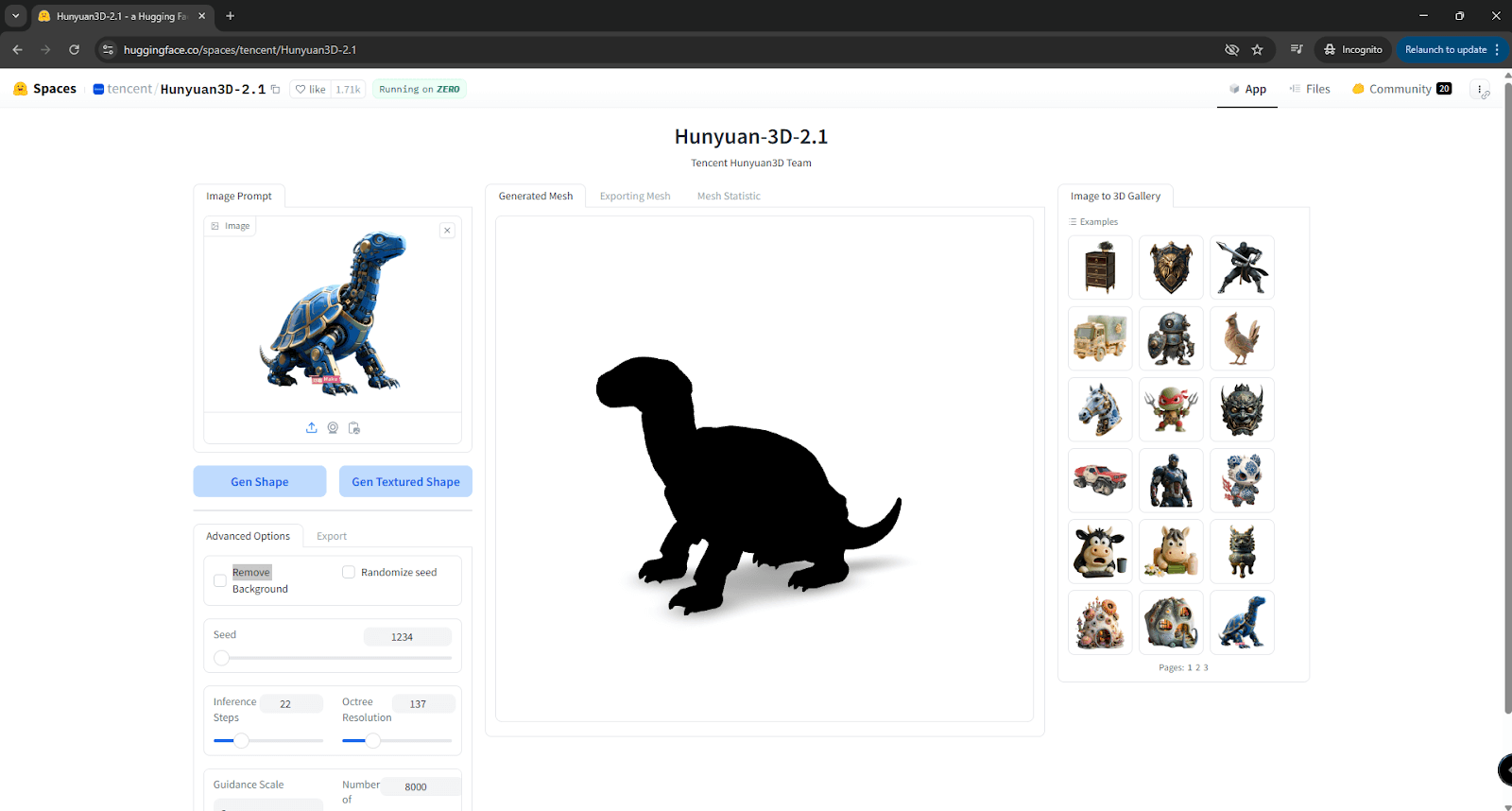
Hunyuan is a free, open-source text-to-3D AI tool that runs in the browser. It was developed by Tencent, known for games like PUBG, Crossfire, and League of Legends.
It generates high-quality 3D models from text or images using a two-stage process: base mesh creation and texture synthesis.
Hunyuan lets you generate a plain 3D shape or a textured version of your reference image. Shapes render in roughly 20 seconds, and textured models typically take under 60 seconds, depending on how detailed they are.
Main benefits include:
Note: Hunyuan’s main website is in Chinese. You can translate it with your browser or use the Hugging Face version, which is fully in English.
Pricing: Free (open source)
Best for: general 3D models and animation, especially game-ready characters, props, and environment assets
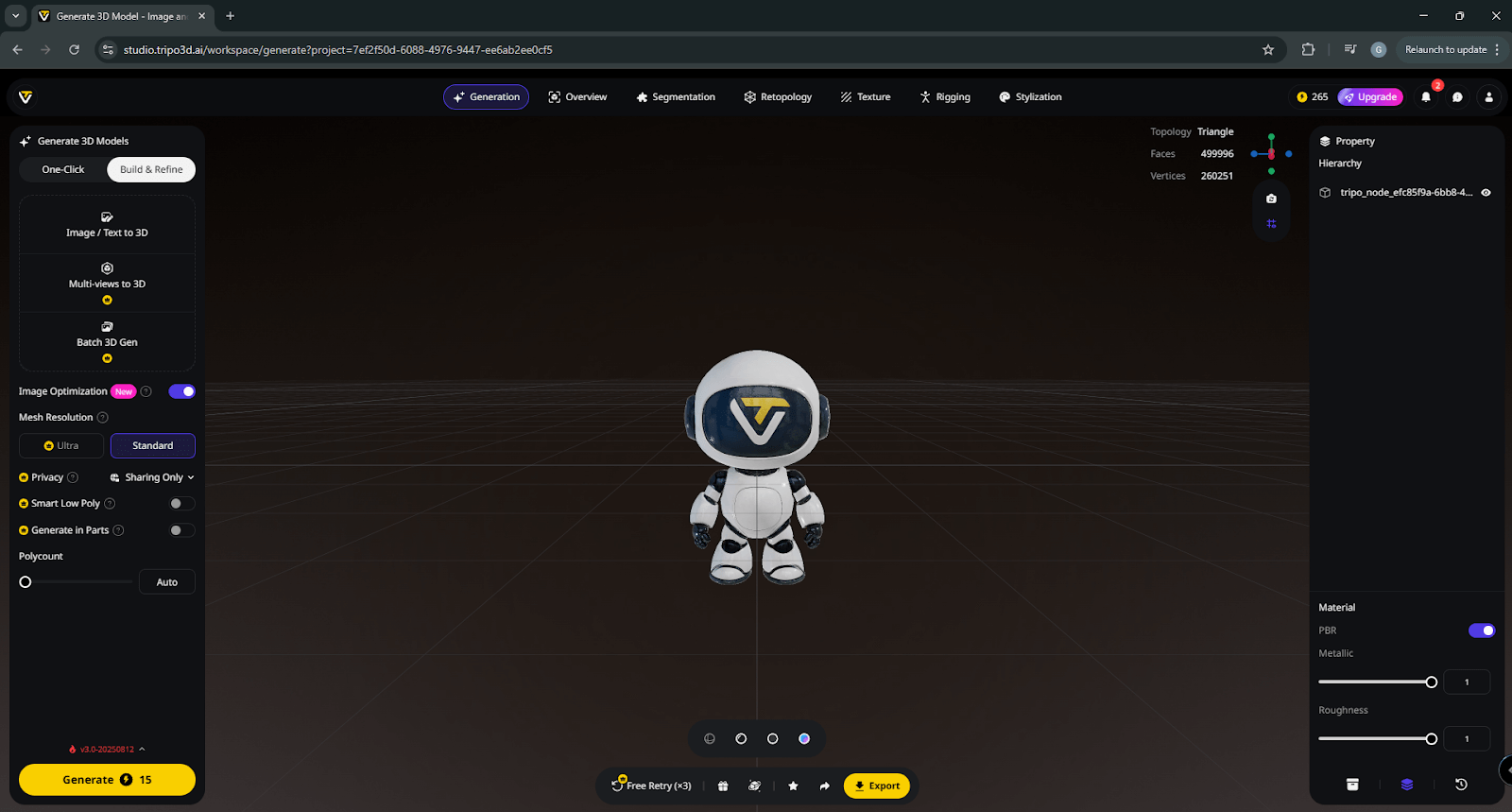
Tripo is a 2024 AI platform built for text-to-CAD generation. It creates high-quality 3D models from short prompts and supports categories ranging from gaming and animation to architectural and product design.
It can also be used for animation, especially for visualizing human-like figures.
Tripo integrates via plugins with Blender, Unity, Unreal Engine, Cocos, Godot, and more.
Key features:
Export formats: FBX, GLB, or OBJ.
Pricing: Free version with 300 credits/month; Pro plans start at $15.9/month.
Best for: 3D creation across multiple industries, including animation, film assets, VR/AR models, print-ready builds, game development, interior design, product design, and e-commerce visuals.
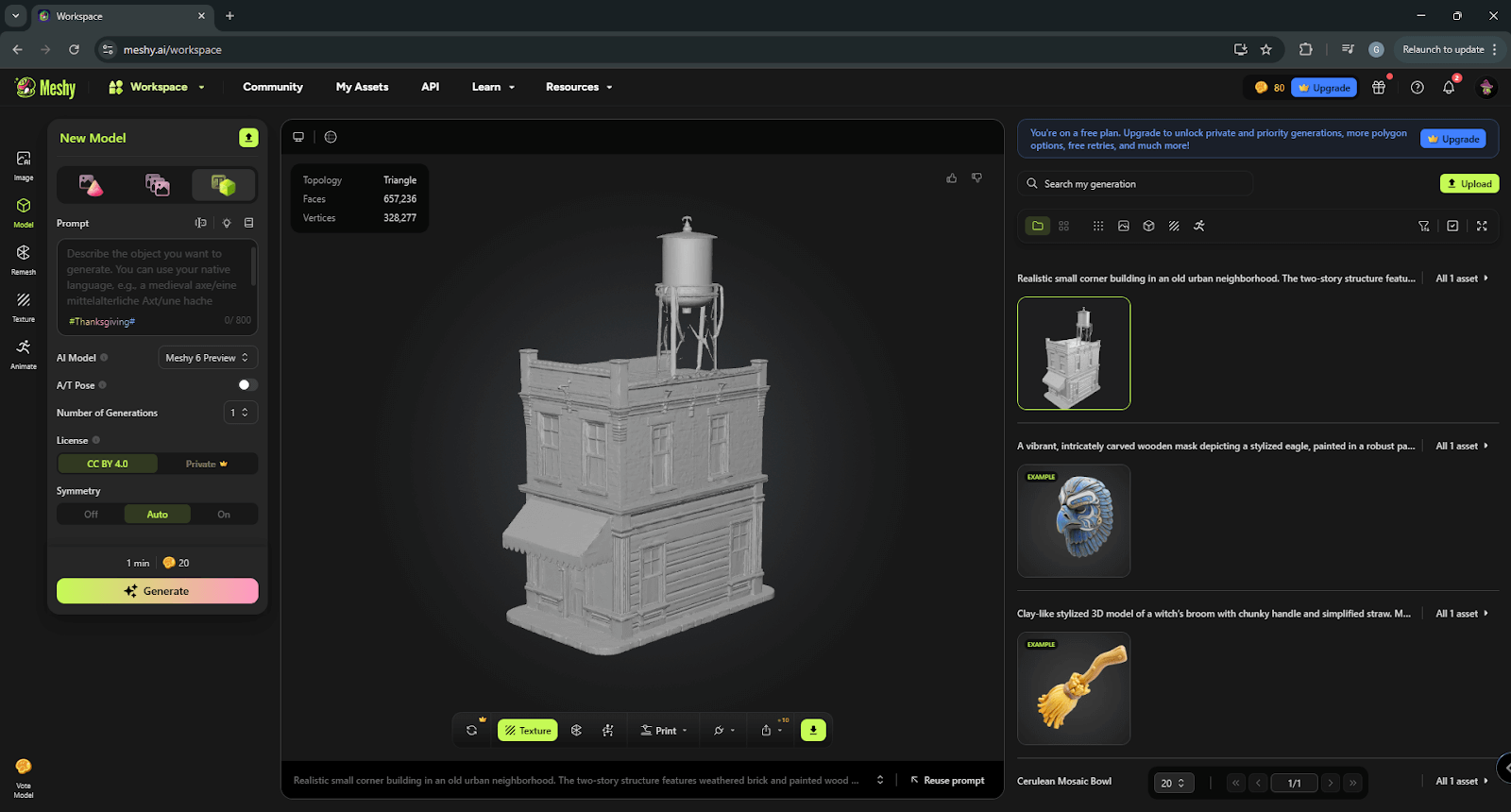
Meshy is an AI 3D generation platform that turns text and images into high-quality 3D models fast. It includes text-to-3D, image-to-3D, text-to-image, and simple 3D-to-video features, making it useful for animation, film, product design, VFX, and education. The aim is to make professional 3D workflows accessible and speed up production for teams and solo creators.
Meshy also provides a built-in file viewer and converter, allowing users to inspect or transform models directly inside the platform.
Key features:
Meshy integrates with Blender, Godot, Unity, Unreal, Maya, Bambu, and 3dsMax.
Export formats: OBJ, FBX, USDZ, GLB, STL, and BLEND.
Pricing: Free plan available. Pro subscription pricing starts at $10/month.
Best for: Early-stage residential design, fast 2D concept generation, zoning compliance checks, and collaborative planning.
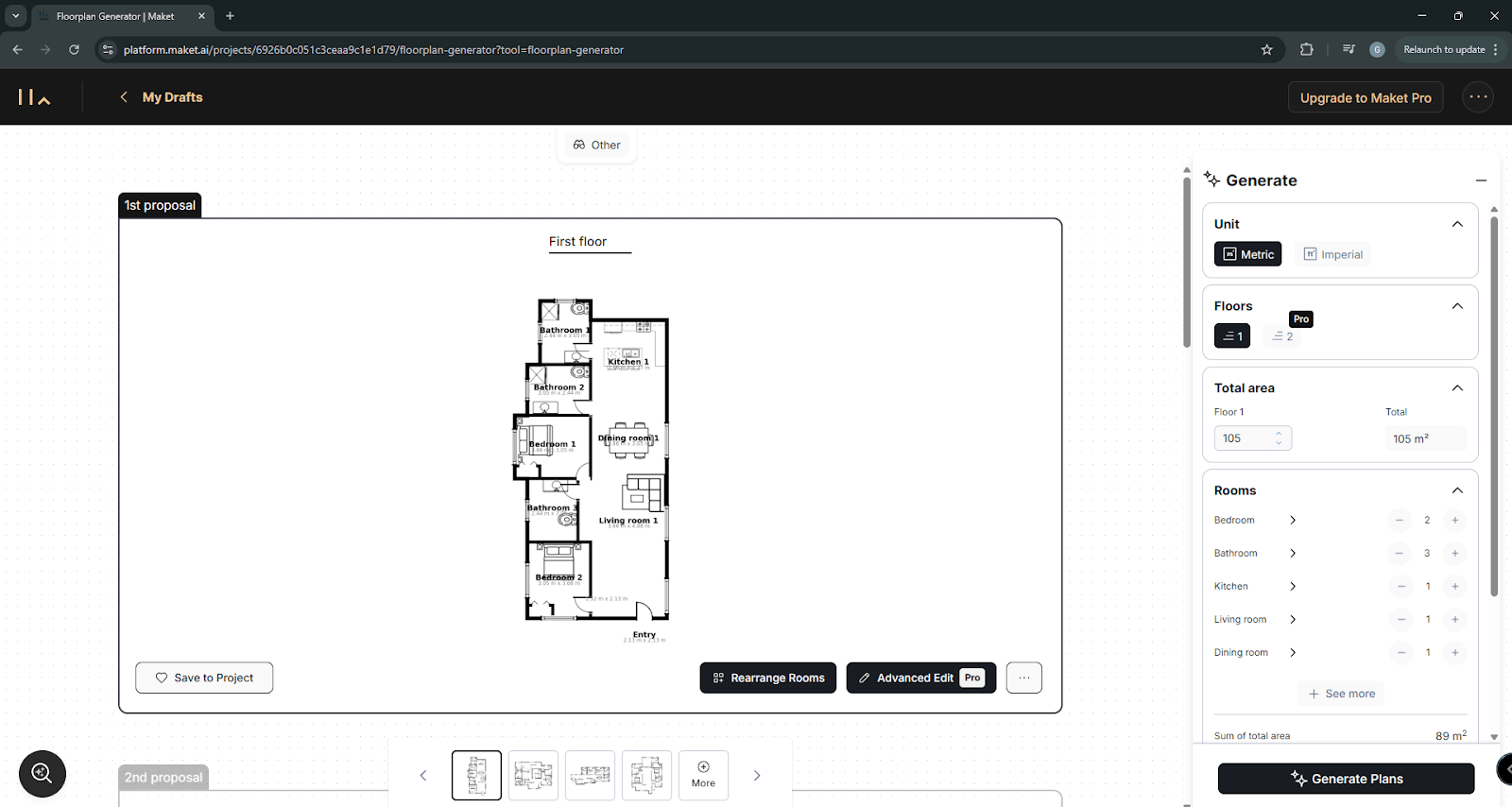
Maket generates residential floor plan concepts from short descriptions, letting designers explore many layout variations instantly. It focuses on early-stage planning, accounting for site conditions, program requirements, client needs, zoning rules, and budget considerations, so teams can make faster and more informed layout decisions.
Key features:
Pricing: $30/month; free plan available.
Not anytime soon. What it’s doing right now is making CAD workflows dramatically more efficient.
AI handles the repetitive grind. Tasks that used to take hours or days now finish in minutes. Research is faster. Prototyping cycles shrink. Early planning becomes more informed. And even non-modelers can generate usable 3D assets. But that’s where the line is drawn.
AI can’t replace an architect's judgment. It can’t weigh trade-offs around materials, safety, reliability, feasibility, budgets, or aesthetics. It doesn’t understand real-world constraints or the practical experience that shapes good engineering decisions (at least for now).
AI is great at pattern recognition, prediction, and data analysis. It’s not a substitute for human creativity or problem-solving though.
The future of CAD isn’t AI versus traditional tools. It’s the two working together. AI handles the boring stuff, and engineers stay focused on the real decisions. And the tools coming out right now already show exactly where things are heading.

