
If you're a 3D artist, you know that rendering can be a time-consuming process that can slow down your workflow. One of the most important factors that can affect your rendering speed is the CPU. The CPU is the brain of your computer, and it's responsible for executing most of the tasks involved in rendering. Therefore, choosing the right processor is crucial if you want to speed up your workflow and get your projects done faster.
Understanding CPU Fundamentals is the first step towards choosing the best CPU for 3D rendering.
A CPU is made up of several cores, and each core can execute a task independently. The more cores a CPU has, the more tasks it can execute simultaneously. This means that a CPU with more cores will be faster than a CPU with fewer cores.
Additionally, clock speed is also an important factor to consider when choosing a CPU. The clock speed determines how fast a CPU can execute a single task, and it's measured in gigahertz (GHz). The higher the clock speed, the faster the CPU can execute a single task.
When it comes to 3D rendering, CPU is one of the most important components of your computer. It is responsible for processing all the data and calculations required for rendering high-quality 3D images. In this section, we will discuss some of the fundamental aspects of CPU that you should consider when choosing the best processor for 3D rendering.
One of the most important factors that affect the performance of your CPU is the number of cores it has. The more cores your CPU has, the more tasks it can handle simultaneously. This is important because 3D rendering requires a lot of processing power and it involves multiple tasks running at the same time.
For example, if you are rendering a complex 3D image, your CPU will have to handle tasks such as modeling, texturing, lighting, and rendering all at the same time. Having more cores in your CPU can help you handle these tasks more efficiently and improve your overall rendering speed.
Another important factor that affects the performance of your CPU is its clock speed. The clock speed of your CPU determines how fast it can process data and perform calculations. Generally, CPUs with higher clock speeds can perform tasks faster than CPUs with lower clock speeds.
However, it is important to note that clock speed is not the only factor that affects the performance of your CPU. You should also consider other factors such as the number of cores, cache size, and architecture when choosing the best CPU for 3D rendering.
When you are rendering 3D images, your CPU will generate a lot of heat. This can cause your CPU to slow down or even crash if it gets too hot. Therefore, it is important to have a good cooling system in place to keep your CPU temperature under control.
There are several ways to cool your CPU, including air cooling, liquid cooling, and phase-change cooling. Air cooling is the most common type of cooling and it uses fans to circulate air over your CPU. Liquid cooling is more efficient than air cooling and it uses a liquid coolant to transfer heat away from your CPU. Phase-change cooling is the most efficient type of cooling and it uses a refrigerant to cool your CPU.
In summary, when choosing the best processor CPU for 3D rendering, you should consider factors such as core count, clock speed, and heat management. By understanding these fundamental aspects of CPU, you can make an informed decision and choose the best CPU for your 3D rendering needs.
When it comes to 3D rendering, the CPU or processor is the most important component of your computer. It is responsible for handling the complex calculations and operations required for rendering high-quality 3D images and animations. In this section, we will discuss the key CPU specifications that you should consider when selecting the best CPU for 3D rendering.
One of the most important factors to consider when selecting a CPU for 3D rendering is its single-core performance. Single-core performance refers to the speed at which a CPU can execute a single thread or process. Since many 3D rendering applications rely heavily on single-threaded performance, it is important to choose a CPU with high single-core performance.
However, multi-core performance is also important for 3D rendering. Multi-core performance refers to the ability of a CPU to execute multiple threads or processes simultaneously. This is important for rendering complex scenes with multiple objects or characters. Therefore, it is recommended to choose a CPU with both high single-core and multi-core performance.
Another important specification to consider is the CPU's cache memory. Cache memory is a small amount of high-speed memory that is used to store frequently accessed data. A larger cache can help improve performance by reducing the time it takes to access data.
When selecting a CPU for 3D rendering, it is recommended to choose a CPU with a larger cache. This can help improve performance when working with large 3D models or scenes.
The thermal design power (TDP) of a CPU is the amount of power that it consumes and the amount of heat that it generates. When selecting a CPU for 3D rendering, it is important to choose a CPU with a TDP that is appropriate for your computer's cooling system.
A higher TDP can result in higher performance, but it can also lead to higher power consumption and heat generation. This can cause stability issues and reduce the lifespan of your computer's components. Therefore, it is recommended to choose a CPU with a TDP that is appropriate for your computer's cooling system.
In summary, when selecting a CPU for 3D rendering, it is important to consider specifications such as single-core and multi-core performance, cache memory, and thermal design power. By choosing a CPU with these specifications in mind, you can ensure that your computer is capable of handling the complex calculations required for high-quality 3D rendering.
When it comes to 3D rendering, having a powerful CPU is essential for fast and efficient performance. There are many options available on the market, ranging from high-end to budget-friendly CPUs. In this section, we will explore some of the best CPU options for 3D rendering.
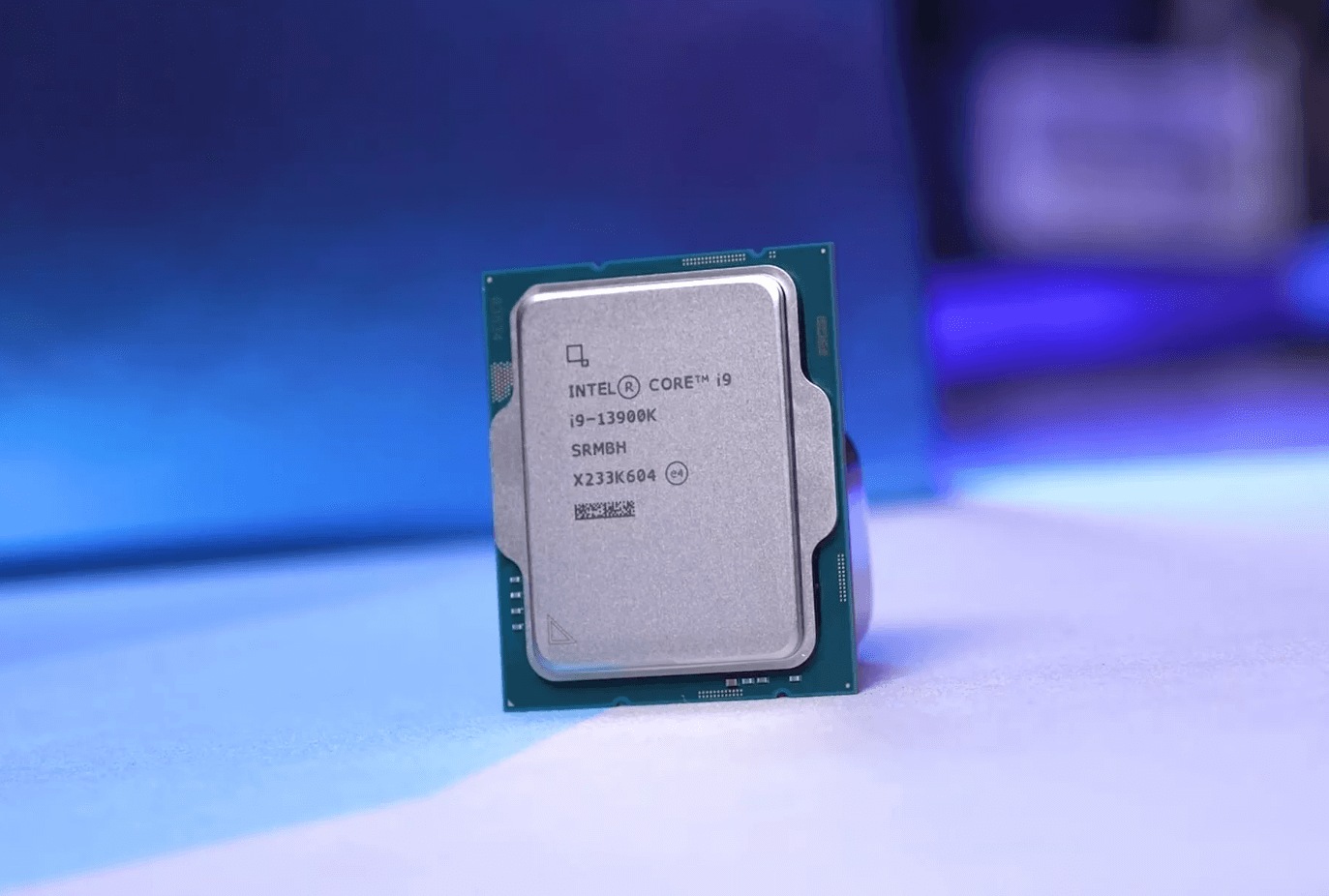
If you're looking for top-of-the-line performance, the Intel Core i9 13900K and the AMD Ryzen 9 5950X are two excellent options. Both of these CPUs offer high clock speeds and multiple cores, which are essential for rendering complex 3D models. The Intel Core i9 13900K has 16 cores and 24 threads, while the AMD Ryzen 9 5950X has 16 cores and 32 threads. These CPUs are ideal for professional 3D rendering work and can handle even the most demanding tasks with ease.
If you're looking for a mid-range CPU for 3D rendering, the AMD Ryzen 9 5900X and the Intel i5 12400 are both great options. The AMD Ryzen 9 5900X has 12 cores and 24 threads, while the Intel i5 12400 has 6 cores and 12 threads. While the Intel i5 12400 may not have as many cores as the AMD Ryzen 9 5900X, it still offers excellent performance at a more affordable price point.
If you're on a budget, there are still some great options available for 3D rendering. The AMD Ryzen 9 7950X and the mid-range CPUs mentioned above are both excellent choices. The AMD Ryzen 9 7950X has 12 cores and 24 threads and is available at a more affordable price point than some of the other high-end CPUs on the market. The mid-range CPUs mentioned above also offer excellent performance at a more affordable price point, making them ideal for those on a budget.
In conclusion, when it comes to 3D rendering, having a powerful CPU is essential. There are many options available on the market, ranging from high-end to budget-friendly CPUs. The CPUs mentioned above are some of the best options available and offer excellent performance for all your 3D rendering needs.
When it comes to 3D rendering, the CPU is one of the most critical components of your system. Both Intel and AMD offer a wide range of processors that are suitable for rendering, but which one is the best for you? In this section, we will compare Intel and AMD CPUs to help you make an informed decision.
Intel's Core series processors are widely used in the 3D rendering industry. They offer high clock speeds and excellent single-core performance, which makes them ideal for tasks that require fast processing. The latest Intel Core processors are based on the 10th generation architecture, which offers improved performance and efficiency compared to the older generations.
AMD's Ryzen series processors are also popular in the 3D rendering industry. They offer high core counts and multi-threading capabilities, which makes them ideal for tasks that require parallel processing. The latest AMD Ryzen processors are based on the 5000 series architecture, which offers improved performance and efficiency compared to the older generations.
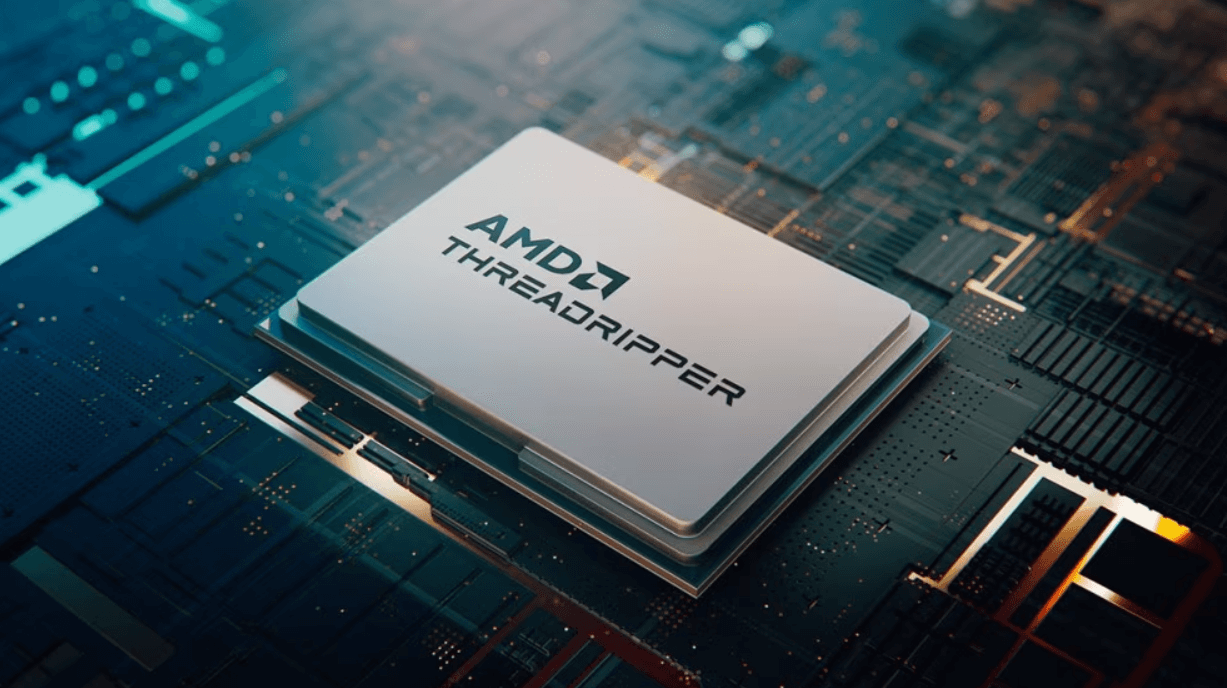
If you are a professional 3D artist or animator, you may need a more powerful processor than what the Core or Ryzen series can offer. In that case, you should consider AMD's Threadripper series. These processors offer an incredibly high core count and multi-threading capabilities that make them ideal for advanced rendering tasks.
When it comes to choosing between Intel and AMD processors, there is no clear winner. It ultimately depends on your specific needs and budget. If you need fast processing speeds and single-core performance, then Intel's Core series may be the best choice for you. If you require parallel processing and high core counts, then AMD's Ryzen series may be the better option. And if you need the most powerful processor available, then AMD's Threadripper series is the way to go.
Cloud computing rendering is a groundbreaking advancement in 3D rendering technology, offering a solution to the immense computational demands of 3D visualization. By harnessing the power of cloud-based resources, this approach enables faster processing times, reducing the reliance on local hardware capabilities.
This means even complex rendering tasks can be completed more efficiently, offering scalability and flexibility that traditional CPU-based rendering can't match. For professionals in 3D rendering, cloud computing represents a significant leap, enabling the handling of larger, more detailed projects without the need for high-end, local computing power.
GPU rendering and CPU rendering are two different methods of rendering 3D graphics. CPU rendering is the traditional method of rendering 3D graphics, where the CPU is responsible for handling all of the calculations required to render the graphics. GPU rendering, on the other hand, is a newer method of rendering 3D graphics that uses the GPU to handle the calculations required for rendering.
While CPU rendering is still widely used, GPU rendering has become increasingly popular in recent years due to its ability to render 3D graphics much faster than CPU rendering. This is because GPUs are designed to handle massive amounts of data in parallel, while CPUs are better suited for handling smaller amounts of data in a more sequential manner.
When it comes to 3D rendering and modeling, software compatibility and optimization are crucial factors to consider when selecting the best CPU for your needs. Different software packages have varying requirements and specifications, and it is important to choose a CPU that can handle the demands of your chosen software.
Blender, 3ds Max, Cinema 4D, and Maya are some of the most popular 3D rendering and modeling software packages available today. These software packages have in-built or third-party CPU render engines that rely heavily on your CPU's performance. Therefore, it is important to choose a CPU that can handle the demands of these software packages.
Blender, for instance, is known to be a CPU-intensive software that requires a powerful processor to handle complex 3D modeling and rendering tasks. A CPU with a high core count and clock speed, such as the AMD Ryzen 9 5950X or the Intel Core i9-11900K, is recommended for optimal performance with Blender.
In addition to 3D rendering and modeling software, video editing and encoding software also require a powerful CPU to handle intensive tasks such as video rendering and encoding. Software packages such as Adobe Premiere Pro, Final Cut Pro, and DaVinci Resolve are some of the most popular video editing and encoding software available today.
When selecting a CPU for video editing and encoding, it is important to consider factors such as core count, clock speed, and cache size. A CPU with a high core count and clock speed, such as the AMD Ryzen 9 5950X or the Intel Core i9-11900K, is recommended for optimal performance with these software packages. Additionally, a CPU with a larger cache size can help improve performance when working with large video files.
In conclusion, choosing the best processor for 3D rendering and video editing requires careful consideration of software compatibility and optimization. By selecting a CPU that can handle the demands of your chosen software, you can ensure optimal performance and productivity when working on complex tasks.
If you are looking to improve the performance of your 3D rendering workstation, upgrading the CPU is an excellent place to start. A faster CPU can significantly reduce the time it takes to render complex scenes, allowing you to work more efficiently and complete projects faster.
When selecting a CPU for your 3D rendering workstation, it is important to consider future upgrades. CPUs are constantly evolving, and newer, faster models are released regularly. To ensure that your workstation remains up-to-date and capable of handling the latest software and workflows, it is essential to choose a CPU that can be easily upgraded in the future.
When choosing a CPU, look for a motherboard that supports the latest CPU socket and chipset. This will ensure that you can upgrade to newer CPUs in the future without having to replace the entire motherboard. Additionally, consider the power supply and cooling system of your workstation, as more powerful CPUs may require more power and generate more heat.
When upgrading your CPU, it is crucial to ensure that it is compatible with your motherboard and other hardware components. Different CPUs require different socket types, and not all motherboards support every CPU socket type. Be sure to check the motherboard specifications to ensure that it is compatible with the CPU you are considering.
Additionally, consider the compatibility of other hardware components, such as RAM and graphics cards. Some CPUs may require specific types of RAM or have limitations on the amount of RAM that can be used. Similarly, some graphics cards may be better suited for certain CPUs or require specific power connectors.
In conclusion, upgrading your CPU can significantly improve the performance of your 3D rendering workstation. When selecting a CPU, consider future upgrades and ensure that it is compatible with your motherboard and other hardware components. By taking these factors into account, you can ensure that your workstation remains up-to-date and capable of handling the latest software and workflows.
When it comes to choosing the best CPU for 3D rendering, performance benchmarks and real-world tests are essential. These tests help to determine the rendering speed and performance of a CPU. In this section, we will discuss two types of tests that can help you choose the best processor for 3D rendering: Cinebench Scores and Real-World Rendering Scenarios.
Cinebench is a benchmarking software that measures the performance of a CPU in rendering tasks. It is widely used in the 3D rendering industry as it provides accurate results. Cinebench scores are a great way to compare the performance of different CPUs.
When looking at Cinebench scores, it's important to consider both single-core and multi-core performance. Single-core performance is important for tasks that rely on a single core, while multi-core performance is important for tasks that can take advantage of multiple cores.
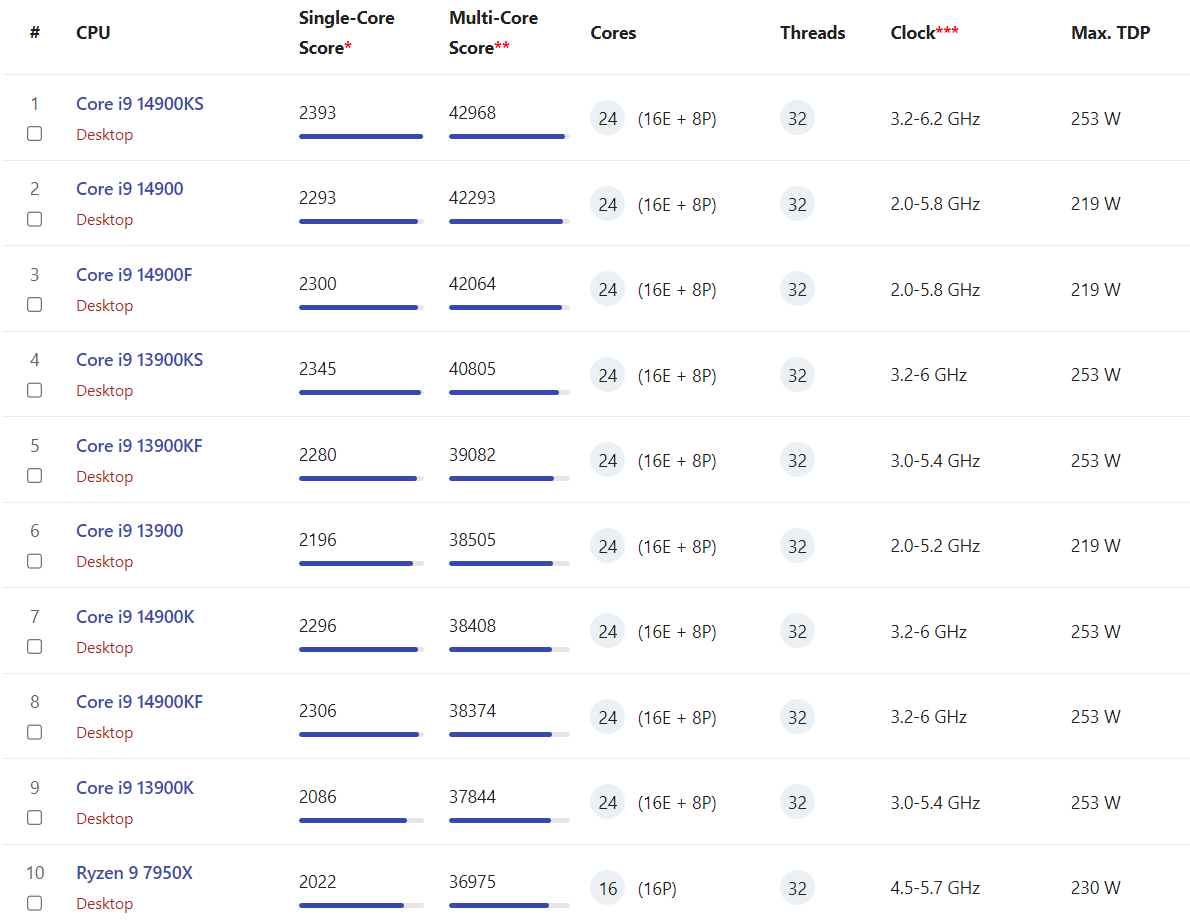
While benchmarking software like Cinebench can provide accurate results, real-world rendering scenarios are also important to consider. Real-world tests simulate the conditions that a CPU will face in a real-world 3D rendering scenario.
Real-world rendering scenarios can be divided into two categories: CPU-bound and GPU-bound. CPU-bound tasks rely heavily on the CPU, while GPU-bound tasks rely heavily on the GPU. Real-world tests can help you determine which type of task your 3D rendering software relies on the most.
In addition to CPU-bound and GPU-bound tests, it's also important to consider the software you will be using for 3D rendering. Different software may have different requirements when it comes to CPU performance.
Overall, when choosing the best CPU for 3D rendering, it's important to consider both performance benchmarks and real-world tests. Cinebench scores can provide accurate results, while real-world tests can help you determine how a CPU will perform in a real-world 3D rendering scenario.
When choosing a CPU for 3D rendering, you need to strike a balance between cost and performance. You want a CPU that is powerful enough to handle your rendering workloads without breaking the bank. Here are some tips to help you find the right balance.
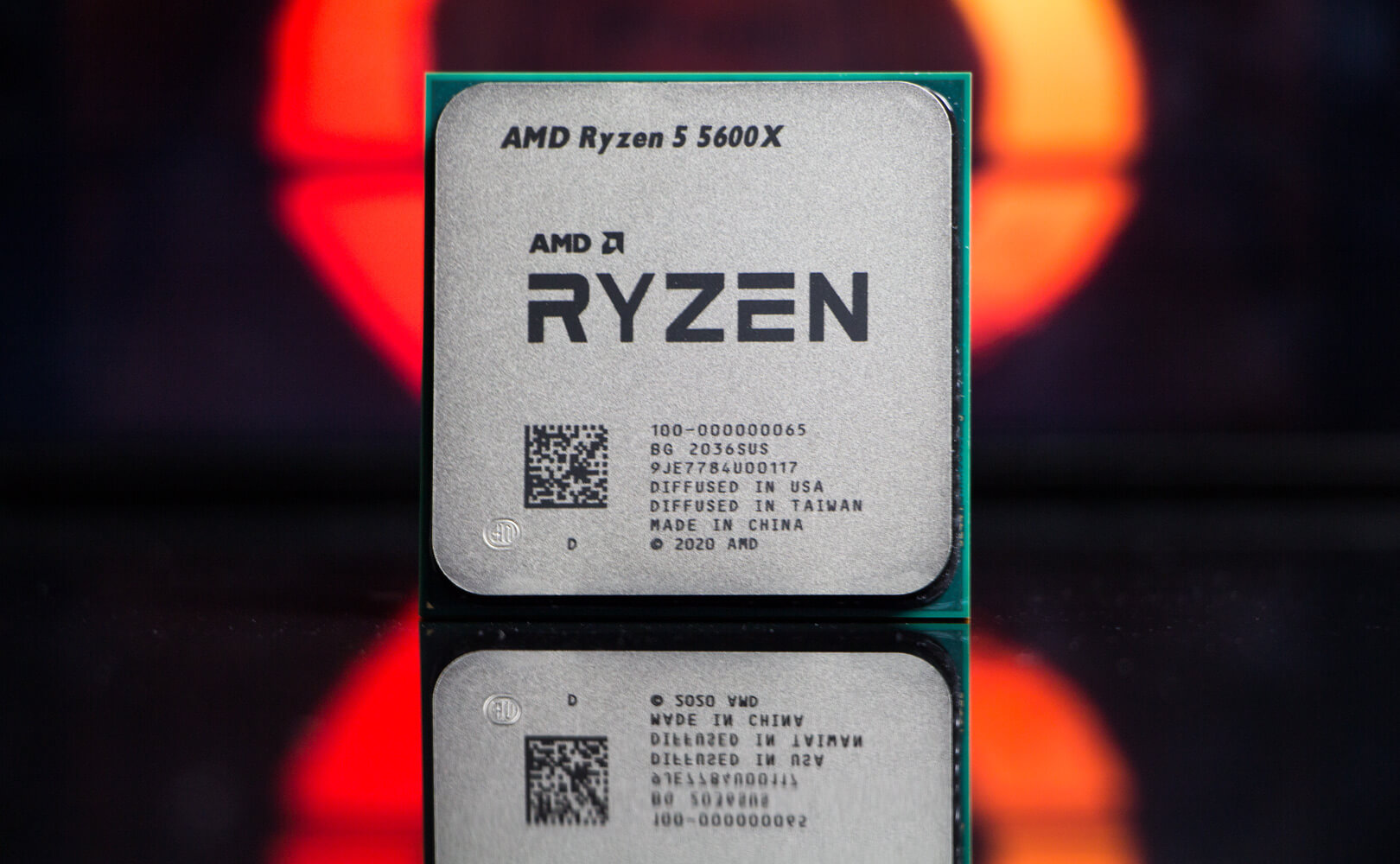
If you're on a budget, there are plenty of cost-efficient CPU choices that can still deliver solid performance. For example, the AMD Ryzen 5 5600X is a budget CPU that offers excellent processing power for the price. It has 6 cores and 12 threads, which is enough for most rendering tasks. It also has a base clock speed of 3.7 GHz, which can be boosted up to 4.6 GHz.
Another cost-efficient choice is the Intel Core i5-11600K. It has 6 cores and 12 threads, and a base clock speed of 3.9 GHz. It also has a boost clock speed of up to 4.9 GHz, which is impressive for a budget CPU. It's also worth noting that this CPU has Intel's Quick Sync Video technology, which can help speed up video encoding tasks.
If you're willing to invest more money upfront, you can get a CPU with a high core count that will deliver excellent long-term performance. For example, the AMD Ryzen 9 5950X has 16 cores and 32 threads, which is more than enough for even the most demanding rendering workloads. It also has a base clock speed of 3.4 GHz, which can be boosted up to 4.9 GHz.
Another high-end CPU choice is the Intel Core i9-12900K. It has 16 cores and 24 threads, and a base clock speed of 3.2 GHz. It also has a boost clock speed of up to 5.2 GHz, which is impressive for a CPU with this many cores. It's worth noting that this CPU can get hot with high power draw, so you'll need to make sure you have adequate cooling.
Ultimately, the CPU you choose will depend on your budget and your specific rendering needs. By considering cost-efficient choices and investing in long-term performance, you can find the right balance between cost and performance for your 3D rendering workloads.
If you're looking to squeeze every last drop of performance out of your CPU, then overclocking may be for you. Overclocking is the process of increasing the clock speed of your CPU beyond its rated speed. This can result in a significant boost in performance, but it also comes with some risks.
Overclocking can be a double-edged sword. On the one hand, you can achieve a significant performance boost without having to upgrade your hardware. On the other hand, overclocking can cause your CPU to overheat, which can lead to stability issues, crashes, and even permanent damage to your hardware.
Before you start overclocking, it's important to understand the risks involved. Overclocking can void your warranty, and it can also reduce the lifespan of your CPU. However, if you're willing to take the risk, overclocking can be a great way to get more performance out of your CPU without having to spend more money.
To overclock your CPU, you'll need to use specialized software that allows you to adjust the clock speed and voltage of your CPU. There are many overclocking tools available, but some of the most popular ones include:
When overclocking your CPU, it's important to keep an eye on the temperature of your CPU. Overclocking can cause your CPU to run hotter than normal, which can lead to stability issues and even hardware damage. To prevent this, you'll need to use specialized cooling solutions such as liquid cooling or high-performance air cooling.
In conclusion, overclocking can be a great way to get more performance out of your CPU, but it comes with some risks. If you're willing to take the risk, make sure to use specialized software and cooling solutions to prevent stability issues and hardware damage.
The top CPUs for 3D rendering in 2023 include the AMD Ryzen 9 7950X and the Intel Core-i9 13900K. These CPUs are designed to handle high-end 3D rendering tasks with ease and provide excellent performance.
Both AMD and Intel processors can handle 3D rendering tasks efficiently. However, AMD processors are generally considered more efficient for 3D rendering tasks due to their higher core count and lower power consumption.
Core count is crucial for 3D modeling and rendering tasks. The more cores a CPU has, the more efficient it will be at handling these tasks. A CPU with a higher core count can handle more complex tasks simultaneously, resulting in faster rendering times.
While an Intel Core i5 processor can handle basic 3D rendering tasks, it may struggle with more complex workloads. For professional 3D rendering workloads, it is recommended to use a high-end CPU with a higher core count, such as the AMD Ryzen 9 7950X or the Intel Core-i9 13900K.
For Blender users, the AMD Ryzen 9 7950X is considered the best CPU for rendering speeds in 2023. It provides excellent performance and can handle complex 3D rendering tasks with ease. However, the Intel Core-i9 13900K is also a good option for Blender users who require high-end performance.

.webp)