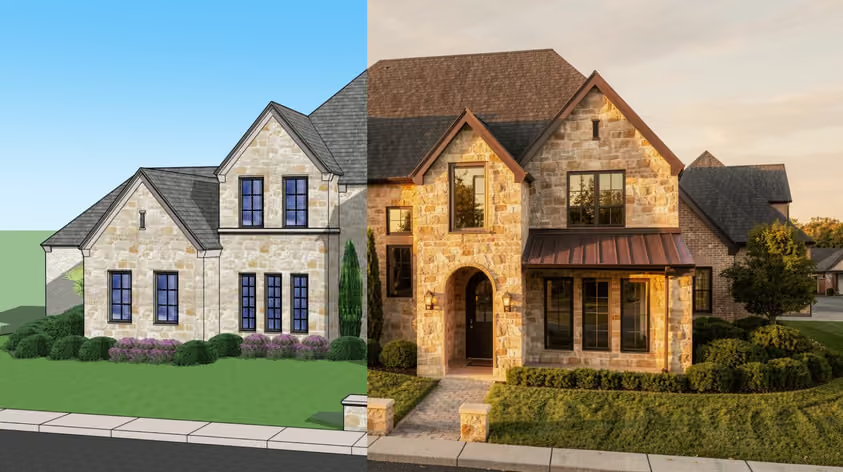
Most BIM comparisons open with a feature count. This one, Revit vs. Vectorworks, opens with the two questions that actually settle it: what hardware sits on your desk(s), and who else has to open your model.
Revit is Autodesk's coordination platform. It's built for multidisciplinary teams: each discipline typically keeps its own Revit model and links the others in, while worksharing lets several people edit the same model. Some clients ask for Revit deliverables by name. The current release is Revit 2027, and it's Windows-only.
Vectorworks Architect comes at the same job differently. It's a hybrid 2D and 3D environment that runs natively on Mac and Windows. Drafting and modeling happen in one file, with a photoreal renderer built in, at roughly half the per-seat cost. The current release is Vectorworks 2027, released in September 2026.
So, the answer to Revit or Vectorworks normally comes from comparing pricing, documentation, file exchange, rendering, and hardware, but users' complaints on each vendor's own forums aren't negligible either.
The split runs deeper than the spec sheet suggests:
Both can produce a full drawing set, so test a typical detail and sheet from your own projects.
Then there's who else works on the project:
Winner: Vectorworks
Revit is sold only as a subscription, and its perpetual license is long gone. The US list price is $380 paid monthly or $3,005 a year paid annually. Autodesk states that one-year and three-year terms save 33% over monthly (the three-year term also protects you from price increases). Occasional users can buy prepaid Flex tokens instead, at 10 tokens per day of Revit use. A full Revit pricing breakdown covers the bundles and the renewal extras.
Vectorworks Architect is $170 paid monthly or $1,530 a year billed annually. Design Suite, which folds in Landmark and Spotlight, is $220 monthly or $1,980 a year billed annually. Perpetual licenses ended for new buyers in the US, UK, Australia, and Canada on January 1, 2023, with other markets following by January 1, 2025.
On annual billing the Revit vs. Vectorworks gap is close to two to one. Vectorworks adds Cloud Services processing, unlimited Vectorworks University courses, and the AI Visualizer; Revit adds Forma Data Management Essentials and Twinmotion, though cloud worksharing costs extra.
Winner: Tie
Revit 2027 spent its budget on keeping large models predictable, e.g.:
.jpg)
Vectorworks put its 2026 effort somewhere else entirely, and those tools carry into 2027:
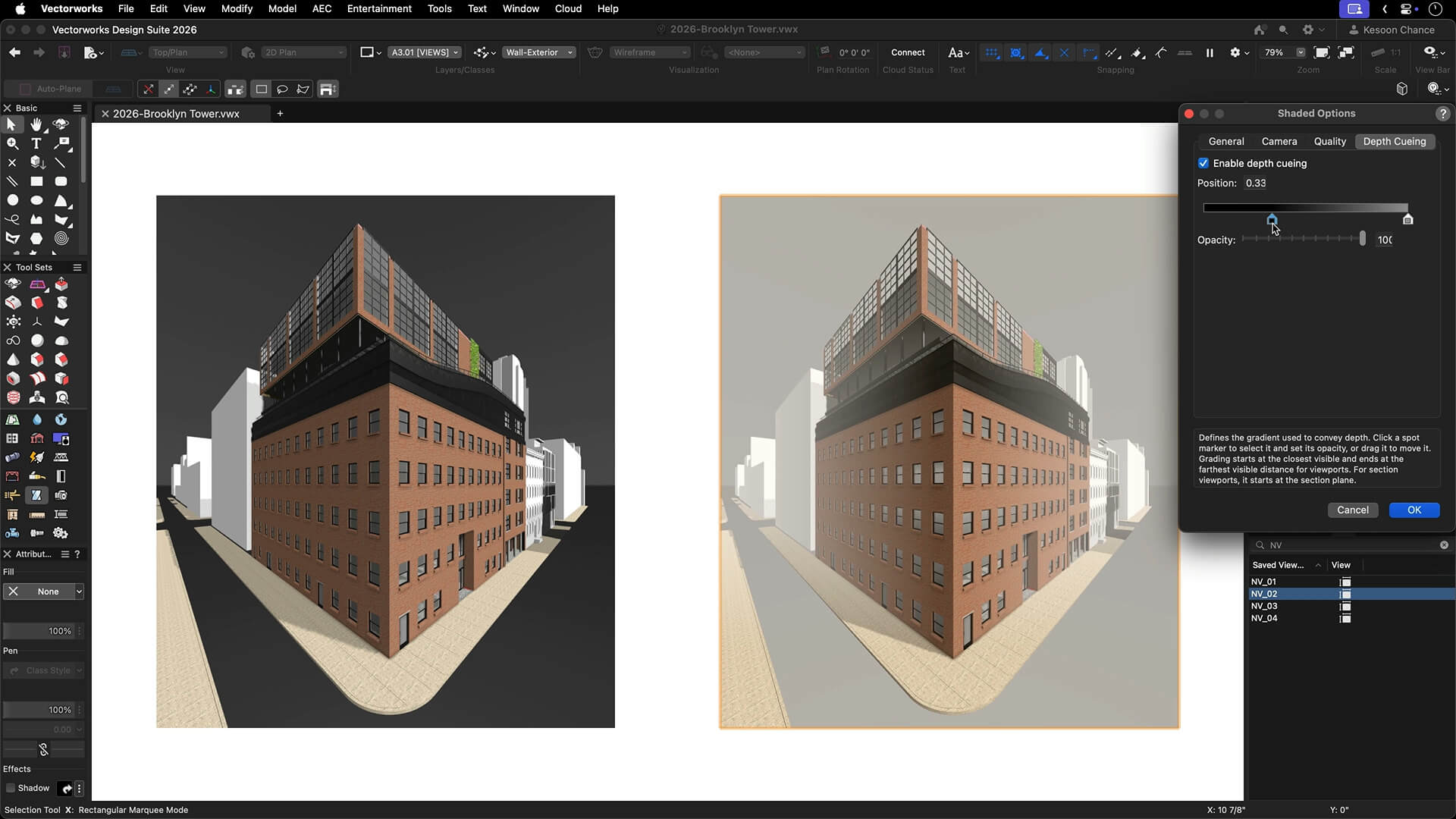
Vectorworks 2027 adds GPU acceleration through Metal and Vulkan, and Revit families can now come in as dynamic objects.
Winner: Vectorworks
Revit's import list covers IFC, DWG, DXF, DGN, SKP, OBJ, STEP, and 3DM, among others, but no Vectorworks format, so IFC remains the honest common ground for anything that has to survive a full coordination cycle.
Vectorworks, on the other hand, reads Revit files directly in Architect, Landmark, Spotlight, and Design Suite (not Fundamentals). Per the Vectorworks 2027 help:
Going the other way, Vectorworks exports to .rvt and .rfa. Cloud exports let you pick the target Revit version, which helps when a consultant is on an older release; local exports always use the newest.
The caveats
Winner: Revit
If your structural and MEP consultants work in Revit and exchange linked models with you, Revit wins this comfortably. If they work from IFC or exported files, Project Sharing does the job and keeps the upgrade money in your pocket.
Revit's file-based worksharing and Revit Server come with the license, so several people can edit one central model while consultants' linked models stay separate. Revit 2027 also pulled Issues into the core product, synced with Forma Data Management.
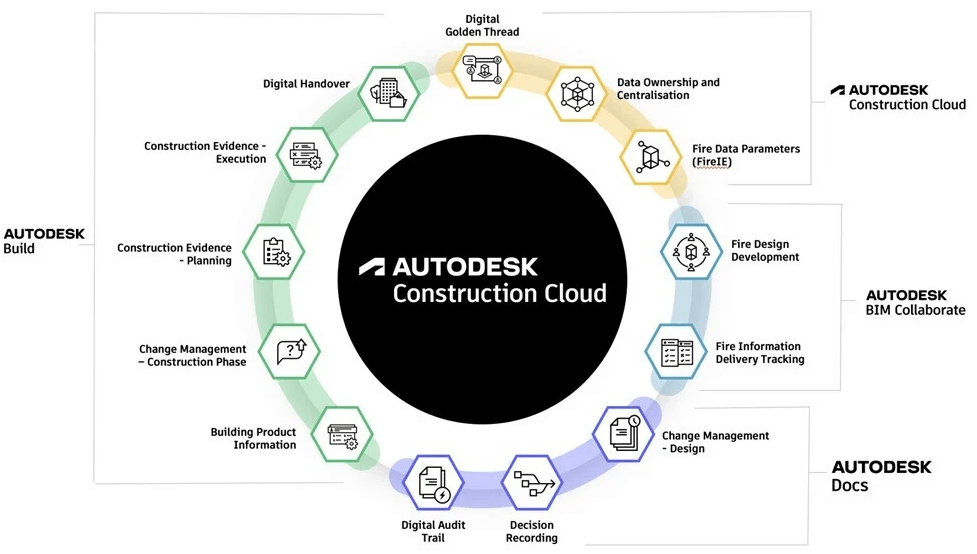
Cloud worksharing, Autodesk confirms, requires a separate Forma Design Collaboration subscription (formerly BIM Collaborate Pro) that isn't bundled with standalone Revit or the AEC Collection.
Vectorworks answers with Project Sharing over a network share, a cloud storage folder, or Project Sharing Server, included in the price. Update 3 for 2026 added a Speckle Connector that publishes models to the Speckle Web Viewer and loads them back.
.jpg)
Winner: Vectorworks
Renderworks is built into Vectorworks with two photoreal render style types: Realistic, powered by Maxon's Cineware, and Realistic RS, powered by Maxon's Redshift. Redshift for Vectorworks, a separate live renderer that updates as you change geometry, lights, or cameras and sends projects to Cinema 4D, needs its own Redshift subscription.
Vectorworks has a native generative tool as well: the AI Visualizer runs on Vectorworks Cloud for subscription and Service Select customers.
Revit renders inside the model with Autodesk Raytracer. Twinmotion for Revit comes at no extra cost with every Revit subscription, including AEC Collection, Flex, and education licenses, and syncs live with the model.
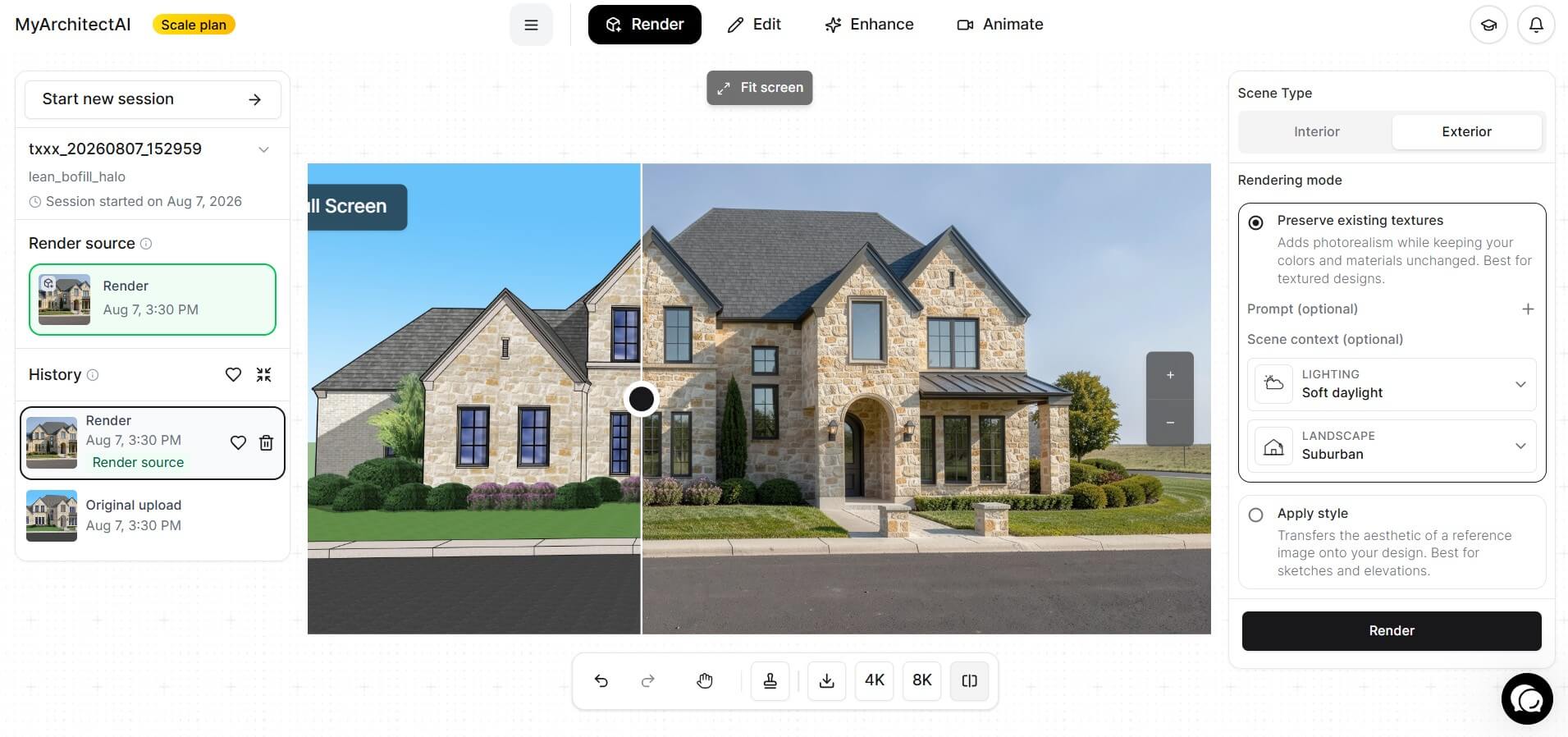
On rendering, the Revit vs. Vectorworks comparison still leaves you building the scene either way. If what you need is a client-ready image this afternoon, MyArchitectAI takes a JPG or PNG exported from either program and returns a photorealistic still; the company says 99% of still renders are ready in under ten seconds. It runs in the browser, plans start at $29 a month billed monthly, and 10 renders are free to try. See the dedicated pages for Revit rendering and Vectorworks rendering.
Winner: Vectorworks
Revit 2027's minimum operating system is 64-bit Windows 11; Windows 10 is no longer on the list. The minimum configuration asks for 16 GB of RAM and a DirectX 11 card with Shader Model 5. Accelerated Graphics calls for 8 GB of video memory (recommended) and OpenGL 4.5. On a Mac, every route Autodesk documents runs Windows (Parallels Desktop, VMware Fusion, or Boot Camp on Intel Macs), and Accelerated Graphics isn't supported under virtualization.
Vectorworks currently lists macOS 26 (Tahoe), macOS 15 (Sequoia), and Windows 11, with 8 GB of RAM and an Apple M1, Intel Core i5, or AMD Ryzen 5 class processor or better. Windows machines need a DirectX 11 card with 2 GB of VRAM, and 4 GB is recommended once you add a second display or a 4K panel.
Winner: Vectorworks
On G2 (checked October 2, 2026), Vectorworks Architect rates 8.3 for ease of use against Revit's 7.6, and 8.4 for quality of support against 7.8. Revit leads on meeting requirements, 8.8 to 8.5, and product direction, 9.1 to 7.8.
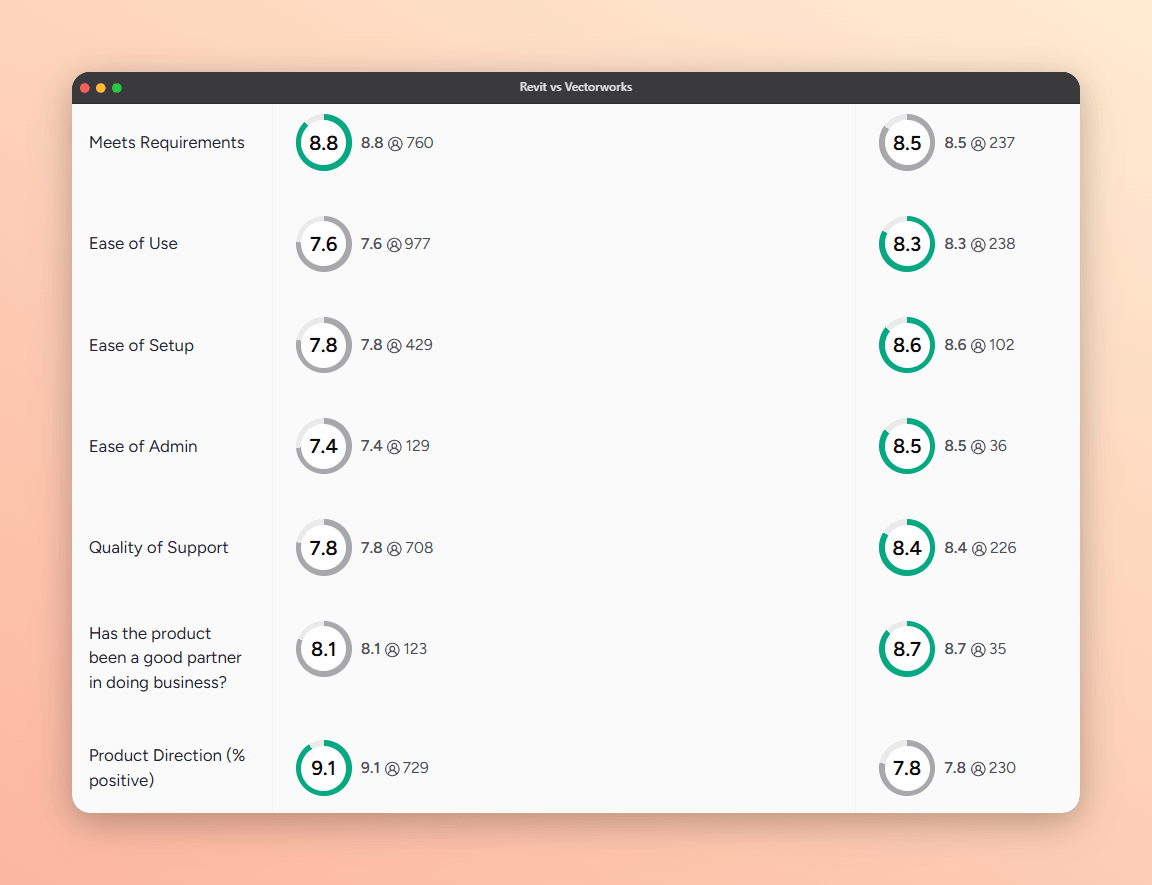
Now the part vendors leave out of a Revit vs. Vectorworks pitch. Vectorworks 2026 drew Community Board threads about crashes on complex drawings, zoom lag after Update 2, and references stuck updating for fifteen minutes. Moderators noted not every user was affected, so test your own files on the current release.
Revit's recurring complaint is older: Autodesk forum threads describe editing inside groups on large linked projects slowing to a crawl, with responders calling Revit largely single-threaded. Accelerated Graphics targets the viewport, not that slowdown.
Autodesk Assistant deserves a note of its own. A hands-on review at BIM Pure reported most of a dozen test tasks failing. Tech preview means tech preview.
Go with Revit if:
Go with Vectorworks if:
Some practices land on a hybrid: design and document in Vectorworks, export to .rvt or IFC when coordination demands it, and keep one Revit seat for whatever arrives. Still weighing others? See Archicad vs. Revit.
For a design-led studio on Mac hardware whose consultants accept IFC or exported files, often yes: it runs natively on macOS and costs about half as much a year. If consultants work in linked Revit models or a client requires editable native Revit models, Revit wins: a Vectorworks .rvt export carries doors and windows without editable parameters and walls without joins or openings. "Better" really does depend on who has to open your model.
Yes. Vectorworks Architect (along with Landmark, Spotlight, and Design Suite) imports or references .rvt and .rfa files created in Revit 2011 through 2026; even Vectorworks 2027 doesn't list Revit 2027 files yet. Basic and arc walls can import as native Vectorworks walls, and doors and windows come in as custom symbols placed in those walls. Vectorworks also exports back to .rvt and .rfa.