
Hailuo AI, MiniMax's video and image generator, produces strong results, but its limits push many users toward Hailuo AI alternatives. Hailuo 2.3 clips run 6 or 10 seconds, 1080p is limited to 6-second clips, and the newer MiniMax H3 model tops out at 15 seconds. Every generation also spends credits: Hailuo lists 50 credits for a 1080p, 6-second Hailuo 2.3 clip, though pricing can vary by plan.
For a few short clips a month, Hailuo is still a good choice. If you need longer clips, more models under one subscription, commercial-safe output, or a tool built for architecture, one of these 12 alternatives to Hailuo AI may fit better.
| Tool | Best for | Starting paid price (billed monthly) | Free option | Open weights |
|---|---|---|---|---|
| MyArchitectAI | Architectural and interior renders and animation | $29/month (animations from $49/month) | 10 free renders | No |
| Veo 3.1 | Cinematic video with native audio | $7.99/month (Google AI Plus, U.S.) | 50 free Flow credits a day | No |
| Luma AI | Creative teams and multi-model workflows | $30/month | Free trial credits | No |
| Kling 3.0 | Realistic, cinematic scenes | $8.80/month ($6.99 first month) | Free Basic plan | No |
| Pika | Stylized short-form social video | $10/month | Free plan (credit packs only) | No |
| Adobe Firefly | Commercial content production | US$9.99/month | Free daily generations | No |
| Vidu AI | Animated scenes and character consistency | $10/month | Free plan | No |
| Pollo AI | Short-form marketing content | $15/month | Free credits on sign-up | No |
| PixVerse | Multi-model video in one workspace | $10/month | 30 free credits a day | No |
| Krea AI | Real-time generation and 3D | $35/month | 100 free units a day | No |
| Wan | Long clips and local generation | US$10/month | Free plan | Yes (Wan 2.1, 2.2) |
| Runway | Editing, effects, and post-production | $15/month | 125 one-time credits | No |
Note: Prices are the month-to-month rates each vendor listed on its own pricing page in September 2026, shown in dollars as displayed. Most vendors charge less on annual billing, some run first-month promotions, and several localize prices by country, so your region may show a different amount.
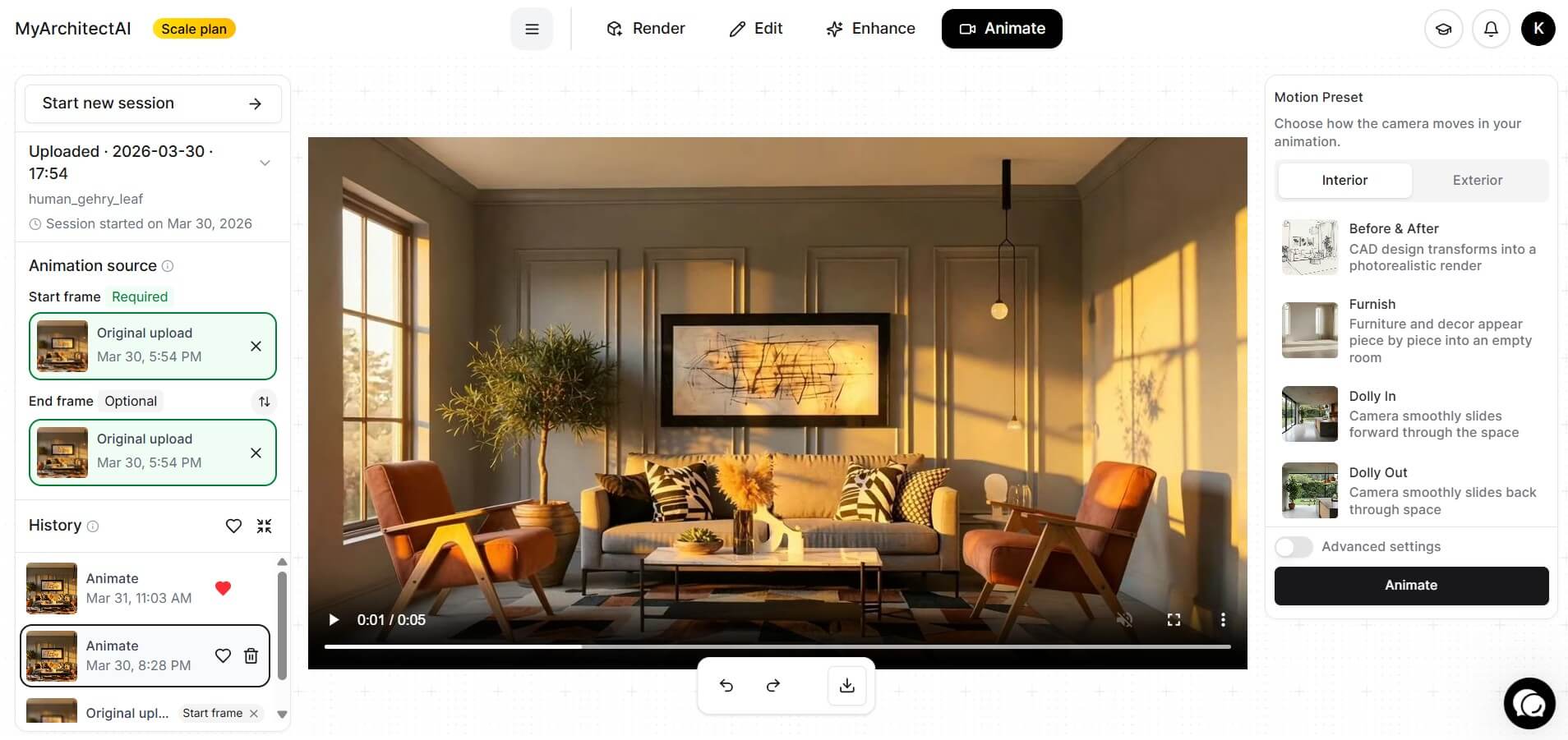
Best for: architectural and interior renders and animation
Pricing: from $29/month (Starter); animations included from $49/month (Studio, 50 animations a month)
MyArchitectAI is an AI renderer and animation tool built for architecture and interior design. Upload an image exported from SketchUp, Revit, Archicad, or other CAD software, or a sketch, and it returns a photorealistic render in an average of 9.3 seconds. Its architectural animation tool then turns a finished JPG, PNG, or WebP render into a video in an average of 94 seconds, with no 3D model or keyframing required.
Features:
Compared to Hailuo AI:
With Hailuo, a general-purpose model, you describe the building, materials, and camera move in a prompt and hope the geometry holds. MyArchitectAI is designed to keep your design's geometry and textures unchanged, and its camera presets replace most of that prompt writing: pick a move and get a clip ready for a client presentation.

Best for: cinematic video with realistic visuals, physics, and native audio
Pricing: free daily credits in Flow; Google AI Plus from $7.99/month in the U.S. adds 200 Flow credits a month
Google's Veo 3.1 is the closest match to Hailuo on features, available in Google Flow, Google Vids, Google AI Studio, and Vertex AI. Flow gives every user 50 credits a day, and a Veo 3.1 Lite clip costs 10.
Features:
Compared to Hailuo AI:
Veo 3.1 is built for realistic physics with synchronized audio, and extensions let one scene run far longer than a Hailuo clip. Hailuo still wins on single-generation length (15 seconds with MiniMax H3, against Veo's 8) and has a built-in agent. For more options, see our Veo 3 alternatives.
.png)
Best for: creative teams working across several models
Pricing: from $30/month (Plus); free trial credits on all plans
If collaboration is the priority, Luma AI is worth a look. Its Luma Agents workspace lets a team create, edit, and organize images, video, audio, and text on one infinite canvas instead of passing files between tools.
Features:
Compared to Hailuo AI:
Hailuo is built mainly around MiniMax's own models. Luma puts several leading video models behind one subscription, generates longer clips, and adds HDR output for teams that color-grade.
.jpg)
Best for: realistic and cinematic scenes
Pricing: free Basic plan; Standard from $8.80/month ($6.99 for the first month)
Kling 3.0 comes from Kuaishou and is used mainly for cinematic work, handling text-to-video and image-to-video with native audio, strong realism, and complex character movement. Plans are listed on its membership page.
Features:
Compared to Hailuo AI:
Kling documents the consistency features general video models often lack: characters and objects persist across shots and on-screen text stays legible. It also outputs native 4K. By comparison, Hailuo 2.3 supports 768p and 1080p, while H3 outputs 768p by default and can regenerate at 2K. See also our Kling AI alternatives.

Best for: creators and beginners making short-form video
Pricing: free plan; paid plans from $10/month (Starter)
Where most models compete on realism, Pika is a go-to for creative, stylized short-form video of the kind posted to TikTok and YouTube Shorts. Its free plan includes no monthly credits and runs on purchased credit packs, so treat it as a trial rather than an allowance.
Features:
Compared to Hailuo AI:
Pika is a more compact set of focused mini-tools for generating and editing video, better suited to beginners who want a quick, playful result rather than fine-grained control.
.jpg)
Best for: commercial content production inside the Adobe ecosystem
Pricing: free daily generations; paid plans from US$9.99/month (Firefly Standard)
Adobe Firefly is an all-in-one creative app on the web and mobile. You can generate and edit images, video, and audio with Adobe's own models or partner models from Google, OpenAI, Kling AI, Runway, and others.
Features:
Compared to Hailuo AI:
Adobe states that its own Firefly models are trained on licensed content, such as Adobe Stock, and public domain content where copyright has expired, and it allows commercial use of outputs from non-beta features. Partner models may carry different terms, so check the model before you publish.

Best for: animated scenes and character consistency
Pricing: free plan; paid plans from $10/month (Standard)
Vidu AI, from Shengshu Technology, is popular with social creators and marketers for its template-based workflows. The appeal is speed and low prompt effort rather than fine control.
Features:
Compared to Hailuo AI:
Vidu AI's templates reduce how much prompt craft you need, which makes it easier for beginners who mainly want social content. Note that free-plan videos are watermarked and cannot be used commercially.
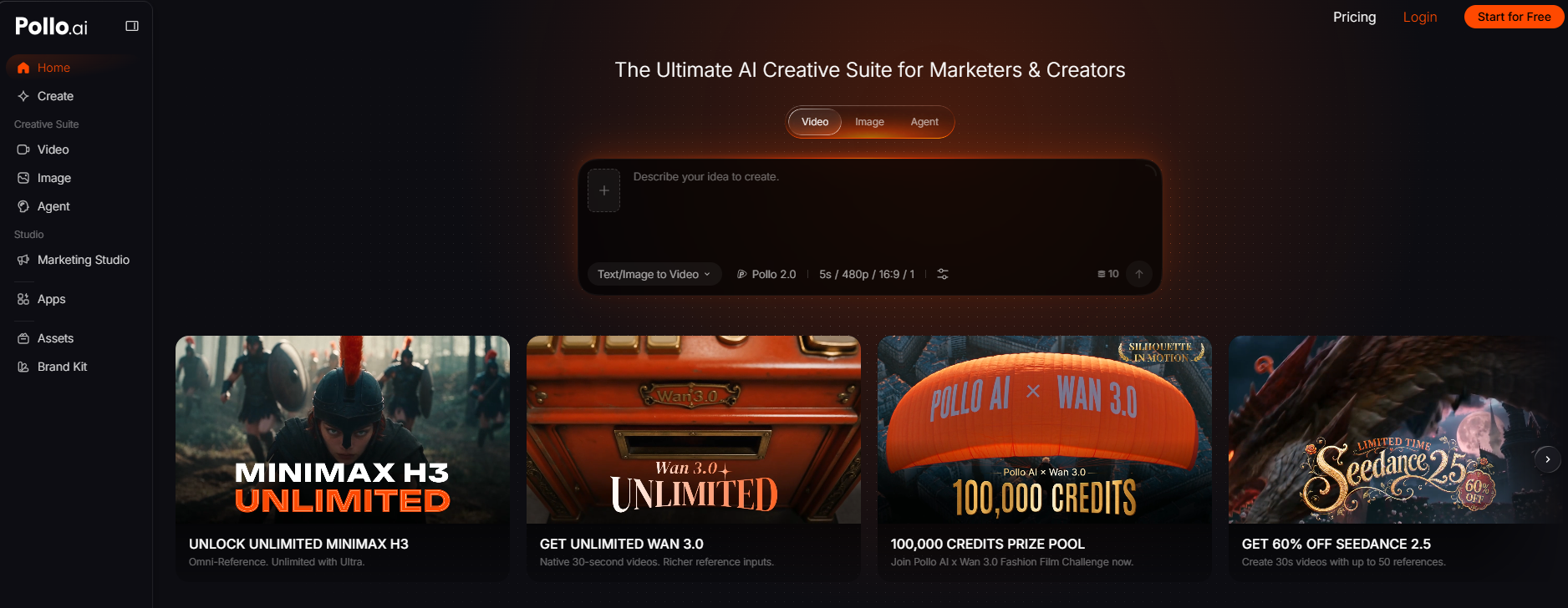
Best for: short-form marketing content
Pricing: free credits on sign-up; paid plans from $15/month (Lite)
Pollo AI is a creative suite for creators and marketers. Alongside many video and image models, it offers Pollo Agent, which takes a project from concept to finished result, and a Marketing Studio that turns product links and images into video ads.
Features:
Compared to Hailuo AI:
Pollo AI is aimed squarely at marketers and bundles third-party models, including MiniMax H3, so you can keep using Hailuo's latest model inside it. Unused subscription credits do not roll over.
.jpg)
Best for: multi-model image and video creation in one workspace
Pricing: free Basic plan with 30 credits a day; paid plans from $10/month (Standard)
PixVerse is an all-in-one image and video platform for social content, marketing material, and product visuals. Its advantage is having pre-production, effects, and post-processing in one place, plus third-party models including Seedance, MiniMax H3, Kling 3.0, Sora 2, and Wan 3.0.
Features:
Compared to Hailuo AI:
PixVerse gives you a wider set of models under one subscription, including MiniMax's own H3, and its free Basic plan tops up 30 credits every day.
.jpg)
Best for: all-in-one creative workflows, from image generation to 3D
Pricing: free plan with 100 units a day; paid plans from $35/month (Pro)
Krea AI stands out for real-time generation, which lets you adjust a visual interactively as it generates rather than rewriting prompts.
Features:
Compared to Hailuo AI:
Krea AI covers more of the creative stack, adding real-time generation, 3D objects, LoRA fine-tuning, and node-based workflows alongside video generation.
.jpg)
Best for: long clips and open-weight video generation you can run locally
Pricing: free plan; paid plans from US$10/month (Pro, or US$5/month billed yearly)
Wan suits users who want control over how and where they generate. Use the hosted service at create.wan.video, or download the open-source Wan 2.1 and 2.2 weights and run them on your own hardware at no cost.
Features:
Compared to Hailuo AI:
Wan is the only alternative on this list that publishes weights you can run yourself, which matters for privacy, offline use, or cost at volume. MiniMax has also released H3 as open weights, but under its own community license rather than Apache 2.0. Hosted Wan 3.0 also generates up to 30 seconds in one pass, twice H3's maximum.
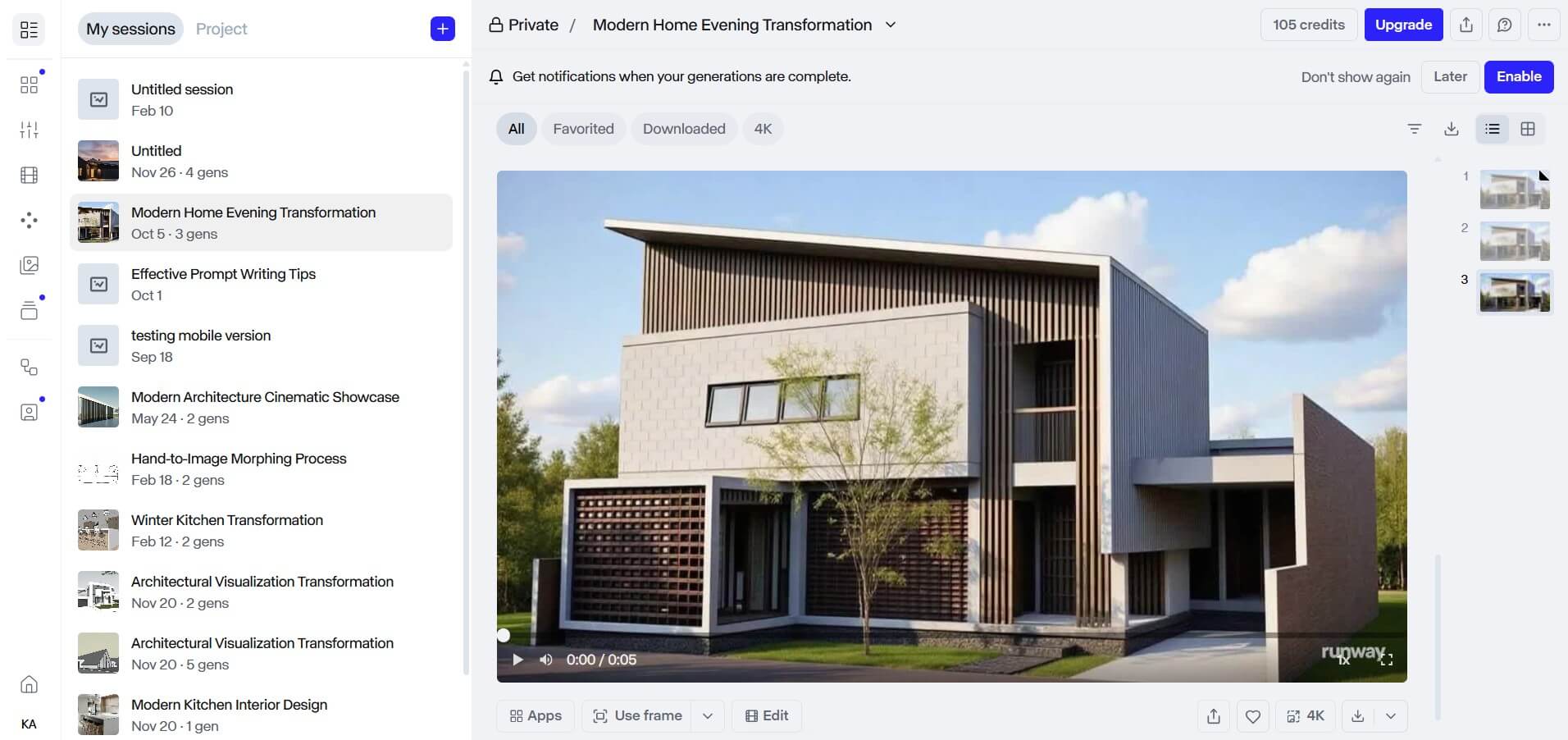
Best for: character consistency, storyboards, and visual effects
Pricing: free plan with 125 one-time credits; paid plans from $15/month (Standard)
Runway is an AI filmmaking platform covering the workflow from ideation through editing and post-production. It offers proprietary models including Gen-4.5, Aleph 2.0, and Act-Two, plus third-party models such as Seedance, Kling, Nano Banana, and FLUX, on the web, iOS, and Android.
Features:
Compared to Hailuo AI:
Both are aimed at cinematic production, but Runway adds editing and post-production tooling and a wider selection of video models.
Start from your discipline, budget, skill level, and team size. Most of these tools offer a free plan, free credits, or a trial, so test quality and workflow fit before paying.
Which tool suits which need:
For more general-purpose video generators, see our Sora alternatives.
It depends on what you are making. Among the tools here, Veo 3.1 is the closest match, with native audio and free daily credits in Flow, while Kling 3.0 focuses on realistic motion, consistent characters, and native 4K output.
Yes. Among free alternatives to Hailuo AI, Wan publishes open-weight models you can run locally at no cost. Veo 3.1 is usable through Flow's free daily credits; PixVerse, Krea AI, and Adobe Firefly offer free daily allowances; and Kling, Vidu AI, and Pika have free plans. Check commercial-use terms first, since some free plans, such as Vidu's, exclude it.
MyArchitectAI is the option here built specifically for architectural visualization. It animates a still render with more than 30 camera presets, so you need no 3D model, keyframing, or detailed prompt to get a client-ready clip. You can try MyArchitectAI with 10 free renders; animations are included from the Studio plan. If your project needs a fully custom film from a 3D model, compare 3D architectural animation services instead.

.webp)