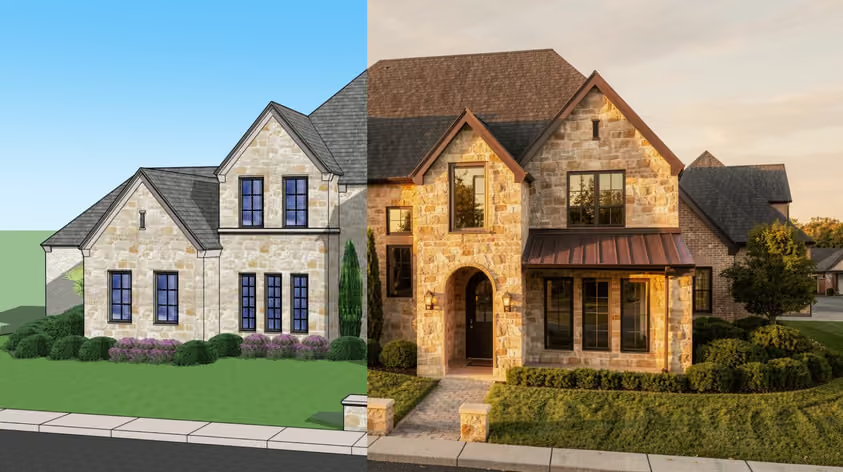
Kling AI quickly earned its reputation for turning a still image or a line of text into a smooth, cinematic video. For a lot of architects and designers, it was the first taste of AI video that actually looked usable on a client call.
However, today, it is far from being your only option, and many say it is no longer the right one, either. Some report that credits drain faster than they expected; others feel uneasy about where their renders get processed.
Whatever is pushing you to look around, this guide rounds up the best Kling AI alternatives in 2026.
Kling is a strong AI video generator, so this is really a question of fit, not flaws. Most Kling alternatives win on one specific thing, be it price, privacy, a particular look, or a workflow built for your industry. These are a few of the common reasons design pros go shopping:
Here is how the top picks stack up before we dig into each one:
| Tool | Best at | Free option / starting price |
|---|---|---|
| MyArchitectAI | Animating renders for architecture and interiors | Free renders to start, $49/month |
| Google Veo 3.1 | Realistic clips with native audio | From $19.99/mo |
| Runway | Creative control and editing | Trial credits; $12/mo |
| Seedance 2.0 | Multi-shot stories and best value | From ~$0.022/sec (API) |
| Hailuo (MiniMax) | Fast and cheap stylized clips | Trial credits; $9.99/mo |
| Luma Dream Machine | Soft cinematic look and HDR | From $30/mo |
| Vidu Q3 | Longer clips with sound | Free generations; plans from $8/month |
| Pika | Playful social effects | Free tier; creator plans |
| Wan (Alibaba) | Self-hosted, open-source | Free (open weights); hardware only |
Now let's walk through what each tool does best.
Best for: Architects and interior designers who want to animate their renders in one click
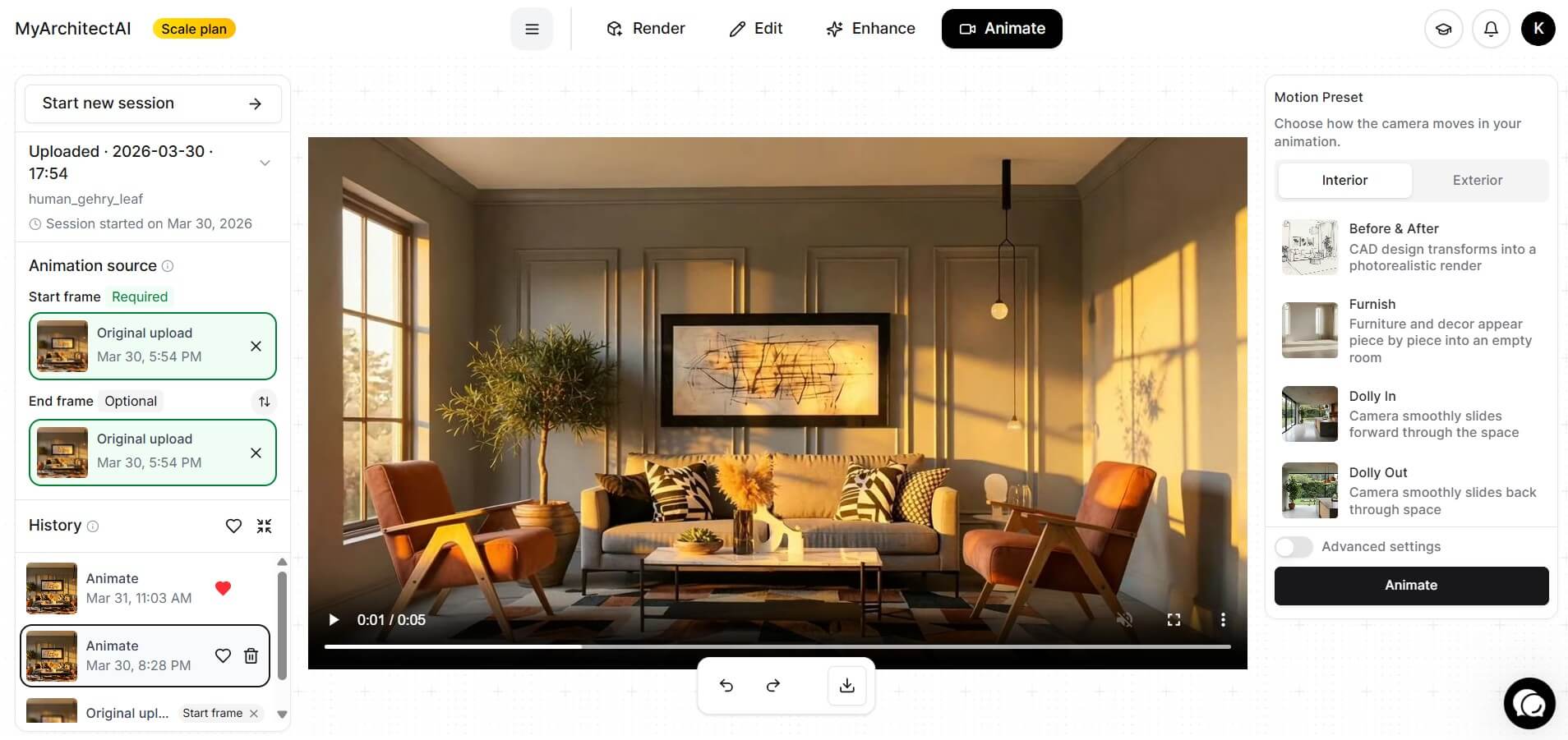
If your goal is to bring a finished architectural render to life for a client, MyArchitectAI Animate is the tool built for exactly that job. After you upload a still image (in a common format like JPG or PNG) and pick a camera movement from a list of presets, this tool returns a cinematic clip in roughly 90 to 120 seconds. There’s no 3D model requirement, and you can do this with no animation skills at all.
The presets are what make it the easiest image-to-video tool for design work. You choose a camera motion preset like Orbit, Glide, Aerial Reveal, Day to Night, and the AI handles the motion for you. A Furnish preset fills an empty room piece by piece (great for social media). There is also Assemble, which builds a structure up from the site. And if the presets are not specific enough, you can describe the camera motion in plain words and let it interpret that too.
MyArchitectAI doesn't depend on your operating system. Because the whole thing runs in your browser, it behaves the same on a laptop as it does on a tablet. For architects and designers who need a presentation-ready walkthrough, that removes most of the friction other tools pile on.
Pricing: Paid plans including animations start at $49/month, and also include unlimited still image rendering and editing.
Best for: Realistic clips with sound baked in

Veo 3 is Google's video model, and in 2026 it is the one most people reach for when they want a single shot to look real. Realistic lighting and natural movement hold up well and prompt adherence is strong, so the clip usually matches what you asked for.
Its headline trick is native audio. Veo generates synchronized dialogue and sound effects inside the same pass as the video. According to users, it is currently the strongest option for doing proper lip-synced speech in one go. Say you work on a walkthrough with ambient sound or a quick promo with a voiceover – in such cases, this tool saves a real editing step.
You can use it free inside Google Vids with any Google account (10 videos per month), which is a generous way to test the quality. For heavier work, it is also available through the Gemini app and the API.
Pricing: Free tier in Google Vids. Google AI Pro costs $19.99/month. Google AI Ultra now starts at $99.99/month, with a higher $199.99/month tier for expanded usage. API runs roughly $0.03 to $0.50 per second.
If you prefer a more affordable option, here's a list of Veo 3 alternatives.
Best for: Creative control and editing in one place
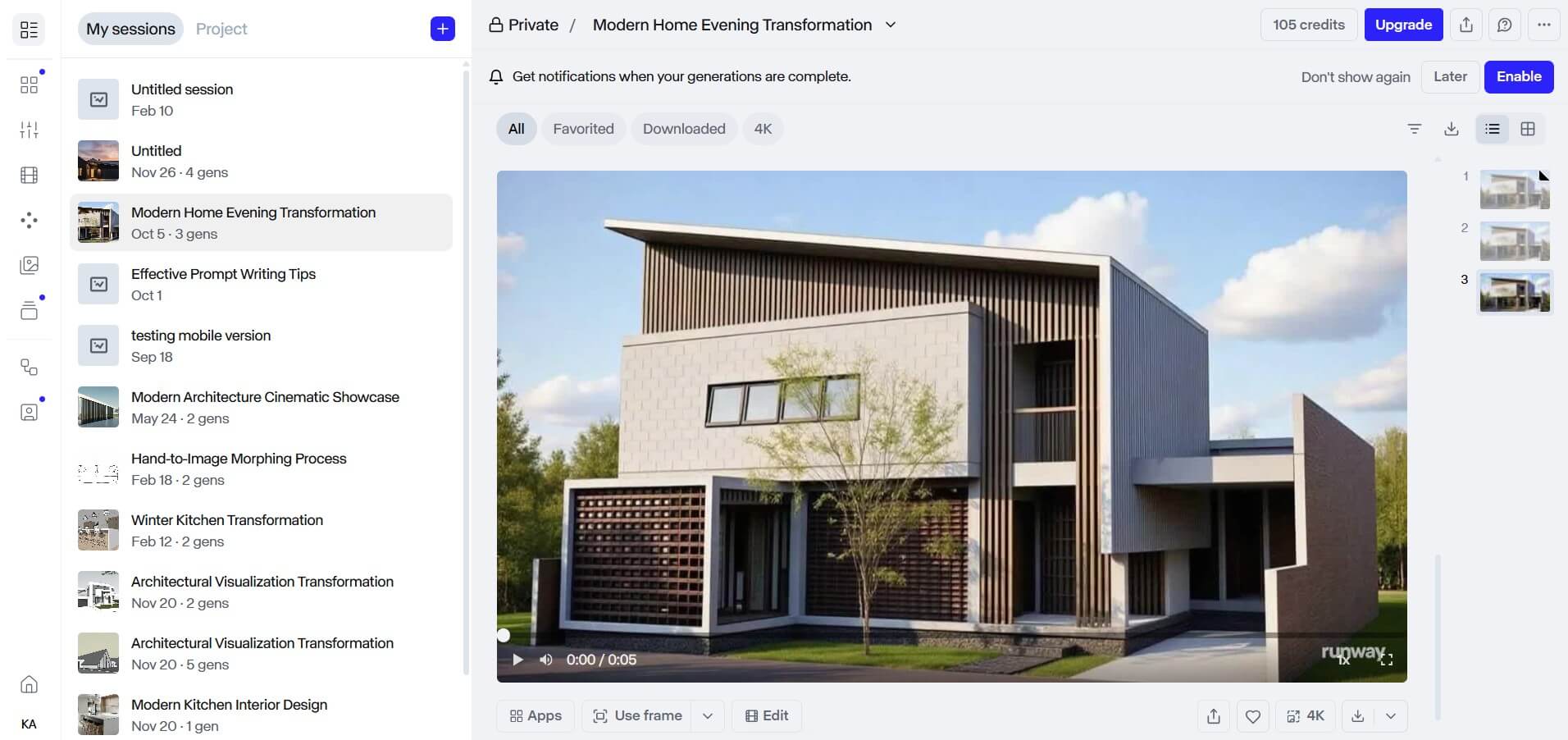
This one is a tad more comprehensive, less a single button and more a full production suite. You can, of course, generate clips from an image and a prompt, but it also gives you tools to recolor and re-direct motion after the fact. What’s more important is that Gen-4 models are known for keeping a character or object consistent across different shots, which matters the moment you need several clips to fit together.
On top of that, Runway is the place to look if you came here searching for Kling motion control alternatives. Its Motion Brush lets you paint the exact part of an image you want to move and set its direction, and that’s the kind of hands-on camera and motion control that Kling built its name on. Add the Aleph in-video editor and performance-capture tools, and you’ve got yourself a workspace that goes waistudioell past raw generation.
Naturally, there’s the catch, and in this case it is credits. Failed or queued generations still burn your credits, so it pays to rough things out in the faster Turbo model before you commit to a final render.
Pricing: Free trial with 125 one-time credits. Standard from $12/month with 625 credits (billed annually), with Pro and Unlimited tiers above it. One subscription now also bundles access to Veo and Kling models.
Best for: Multi-shot stories and the best quality for the price

Seedance comes from ByteDance, the company behind TikTok. Of all the Kling AI alternatives here, this is the one many pros now run by default. It tops the public quality leaderboards for video with audio, plus the per-second cost on its Fast tier is low enough to iterate freely.
Another thing that sets Seedance apart among the best Kling AI alternatives is input flexibility. A single generation accepts a stack of reference images, and you can feed it short video and audio clips on top. That means you can lock a character or a product and hold it steady across a sequence of up to five shots. If you’ve ever done a narrative walkthrough or an e-commerce clip where the subject has to look the same from first frame to last, you know how hard it is to beat that level of control.
The outcome leans photorealistic by default, carrying the texture and slight grain of real camera footage, which suits product and marketing work nicely.
Pricing: Basic $59.9/month, Pro $99.9/month, Max $199.99/month. Annual discounts and sales available, as well as pay-as-you-go credit purchase.
Best for: Fast, cheap clips and stylized looks

If you want cheaper alternatives to Kling AI that still look good, Hailuo (from MiniMax) is an easy pick. It is one of the fastest generators around, often turning a prompt into a clip in well under a minute, and its plans open at $9.99/month. The API costs even less when you only need the occasional video.
Hailuo's sweet spot is short, punchy social content at 1080p, and it is especially strong on stylized output like anime and ink-wash looks. Its Director Mode adds simple camera moves such as a pan or a slow zoom, so you get some cinematic feel on a small budget.
What’s important to know here is that the credit system charges you even for generations that fail. Some users have flagged billing that is easy to trip over. If you try it and it doesn’t meet expectations, cancel directly through the app and keep a screenshot of the confirmation.
Pricing: Free trial credits. Paid plans from $9.99/month. API around $0.045 per second at 768p.
Best for: A soft, cinematic look and pro color work
.png)
Luma's Dream Machine, powered by its Ray3 model, has a signature aesthetic that fans love: warm, soft, with a dreamy edge, like footage shot by a skilled cinematographer during a golden hour. If you’re working on mood pieces and atmospheric B-roll, this one will likely nail the feel with very little prompting.
The image-to-video flow is smooth, and a keyframe system lets you set a start and end frame for controlled motion. Ray3 is also the first model to output native HDR, which is aimed at editors who care about color-managed finishing pipelines.
Busy scenes with lots of movement can show some shimmer, so it shines brightest on slow, deliberate shots.
Pricing: Limited free access. Paid plans: $30/month (Plus), $90 (Pro), $300 (Ultra), with an annual payment discount of 20%.
Best for: Longer clips with sound, and animated series

If you are producing volume on a budget and want length plus sound in a single pass, here is one that deserves a serious look. Vidu (made by Shengshu) is a favorite for animated and series-style content, helped by strong multi-reference consistency that keeps characters looking the same from scene to scene.
For the price, Vidu punches well above its weight. It generates clips up to 16 seconds long, which is at the high end of the field, and on top of that is one of the few tools that produce native audio straight from an image. All of that at around $0.07 per second undercuts most of the competition for 1080p work.
Pricing: Free generations available. Plans from $8/month. API around $0.07 per second.
Best for: Playful social clips and quick effects

Now, Pika is the fun one. It is built for content creators and anyone publishing daily to short-form feeds, and its standout features lean into effects that are awkward to fake by hand. Pikaframes handles slick first-to-last-frame transitions, and its near-real-time lip-sync turns a still image into a talking head.
Quality sits a notch below the top cinematic models, and that is a fair trade for how fast and easy it is to make something that stops the scroll. If you’re a designer or architect running a social account, this one gives you a quick way to add personality between the technical posts.
Pricing: Free tier available with 80 credits. Paid plans from $10/month, and there’s also a weekly plan starting from $8.99/week.
Best for: Running everything on your own machine
.jpg)
If you would prefer to keep your work in-house, Wan from Alibaba is the best open-source Kling AI alternative going. The open-weight releases (Wan 2.2 and the newer 2.7) download and run on your own hardware, so your renders never leave your machine and you pay nothing per clip beyond electricity. It also leads its own benchmark for quality among open models.
Naturally, you will need a capable GPU and some comfort with a tool like ComfyUI which suits a more technical user. The smaller Wan model runs on an 8GB card, while the larger one wants 20GB or more for its best output.
Two other open options are worth knowing. HunyuanVideo from Tencent is the quality leader for natural motion and fits on a single high-end consumer GPU. LTX-Video from Lightricks is the speed champion, spitting out short clips in seconds for fast iteration.
Pricing: Free and open-source. Your only cost is the hardware or cloud GPU time.
The best pick depends on the job in front of you, so use the work to narrow the Kling AI alternatives down:
Almost all of these Kling AI alternatives offer a free tier or trial, so the smart move is to pick at least two that match your goal and run the same image through both.
For design work specifically, MyArchitectAI is the shortcut. It skips the prompt-wrangling and hands you camera presets made for buildings and rooms, which is exactly what you need to take your presentations to the next level. For everything else, your choice comes down to one question: do you care most about realism, control, cost, or running the model on your own hardware? Answer that, and the right tool sorts itself out.
Yes. Kling AI is built by Kuaishou Technology, one of China's largest short-video companies and the maker of the Kuaishou app. Because of that, your uploads and prompts are processed under Chinese data law, and Kuaishou's terms allow it to use your content to improve its models. For personal or general marketing work, that is usually fine, but for confidential client material it is worth running past whoever handles your compliance.
Several, actually. Google Veo 3.1 is free to use inside Google Vids with any Google account, and it is one of the best-quality models around. MyArchitectAI gives you free renders to start. Hailuo and Vidu both hand out free credits, and the open-source models like Wan cost nothing to run once you own the hardware.
It depends on your subject. For architecture and interior renders, MyArchitectAI is the easiest, thanks to its camera presets and one-click workflow. For general image-to-video, Seedance 2.0 leads on quality and value, while Vidu Q3 is the pick when you also want sound and longer clips. If you need text on a sign or label to stay readable as the image animates, Kling's own models still handle that better than most, so it can be worth keeping in the mix for that one job.