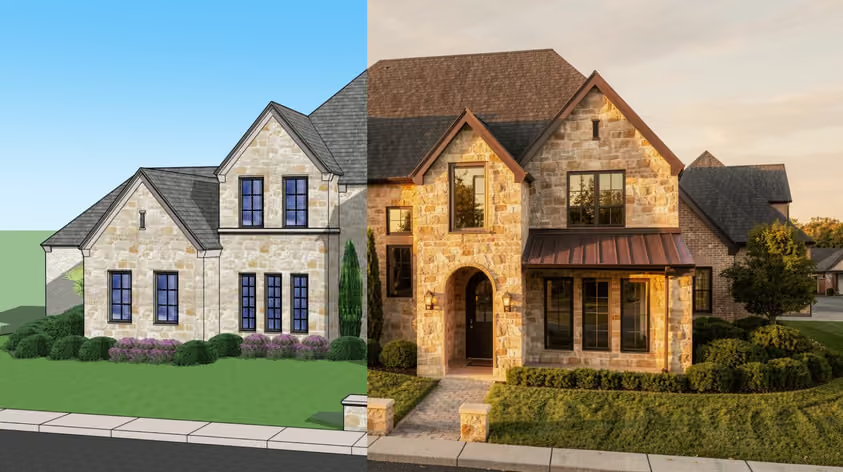
Google's Veo 3 set a high bar for AI video. It generates clips with sound baked in and the motion looks believable. Its prompt understanding is on point too.
So why would you look at Veo 3 alternatives at all?
We know of a few reasons. Veo 3 gets pricey once you generate at volume. The best versions sit behind Google's top subscription tiers, and the lineup keeps shifting as Google moves everyone toward Veo 3.1. On top of that, plenty of newer tools now beat Veo at specific jobs, whether that's longer clips, cheaper output, open weights you can run yourself, or quick presets built for niche use cases.
This guide walks through the best Veo 3 alternatives in 2026. For each one, you'll see what it's actually good at and what it costs.
Before we get to those alternatives, it helps to know that Google already makes a cheaper version of its own model. Veo 3 Fast runs at roughly $0.15 per second through the Gemini API, against about $0.40 per second for standard Veo 3. It gives up a little polish for speed and a much smaller bill, which makes it the obvious first stop if you like Veo's output and simply want to spend less.
Cost is not the only question, though. Veo's flagship quality has historically lived inside Google AI Ultra at $249.99 a month but the model family keeps changing names and tiers. If you want a free tier for experimenting or features Google doesn't offer yet, the Google Veo 3 alternatives below are worth a serious look.
This is how the top Veo 3 alternatives compare before the full breakdown.
| Tool | Best for | Synced audio | Starting price |
|---|---|---|---|
| MyArchitectAI | Animating architecture and interior renders | No (visual-first) | Free account, paid from ~$49/mo |
| Runway | Creative control and editing | Via lip-sync tools | Free trial, from $12/mo annual |
| Kling AI | Smooth motion on a budget | Yes | Free tier, from $10/mo |
| Luma Dream Machine | Cinematic look and video-to-video | No (Ray3) | From $30/mo |
| Hailuo | Character and stylized animation | Separate audio feature | Free tier, from $9.99/mo |
| Pika | Effects-driven social clips | Sound effects only | Free tier, $8/mo annual |
| Adobe Firefly | Commercially safe client work | No (visual-first) | Free tier, from ~$9.99/mo |
| Wan | Open-source, self-hosted pipelines | Yes | Free to self-host, API ~$0.10/sec |
| Veo 3 Fast | Veo quality for less | Yes | ~$0.15/sec, or $19.99/mo plan |
* Prices move fast in this field, so double-check the source before you commit.
Best for: Architects and interior designers who want video
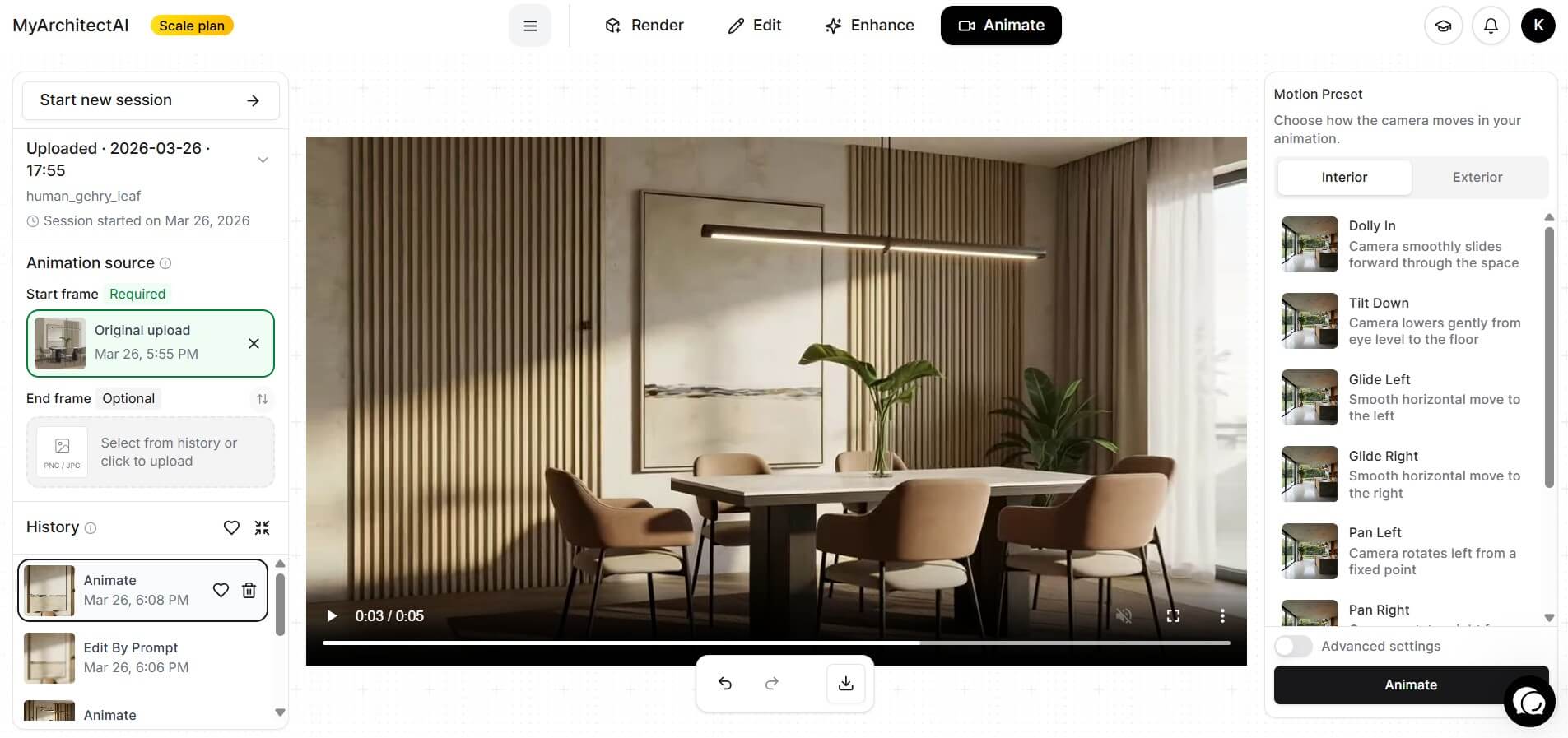
If your “video” is really a still render that needs to move, this is the easiest path there. MyArchitectAI's Animate feature takes a finished render you already have and animates it from a camera preset, so you skip the prompt-wrangling that trips people up on general tools. There are over 30 cinematic moves to pick from, like orbit, dolly, glide, or an aerial reveal, but you can also describe your own motion in words.
The clip comes back as a shareable MP4 in about 90 to 120 seconds, and the whole thing runs in your browser on any device.
What makes this one stand out among Veo 3 alternatives is its industry-related focus. General models guess at architecture and often warp your geometry. MyArchitectAI doesn’t, because it’s optimized for architecture and interior design work, so presets like “day to night” or “furnish an empty room” do exactly what their names suggest.
Pricing: Free account to try (only still renders included in the trial). Paid plans with video included start at $49/month.
Best for: Filmmakers and editors
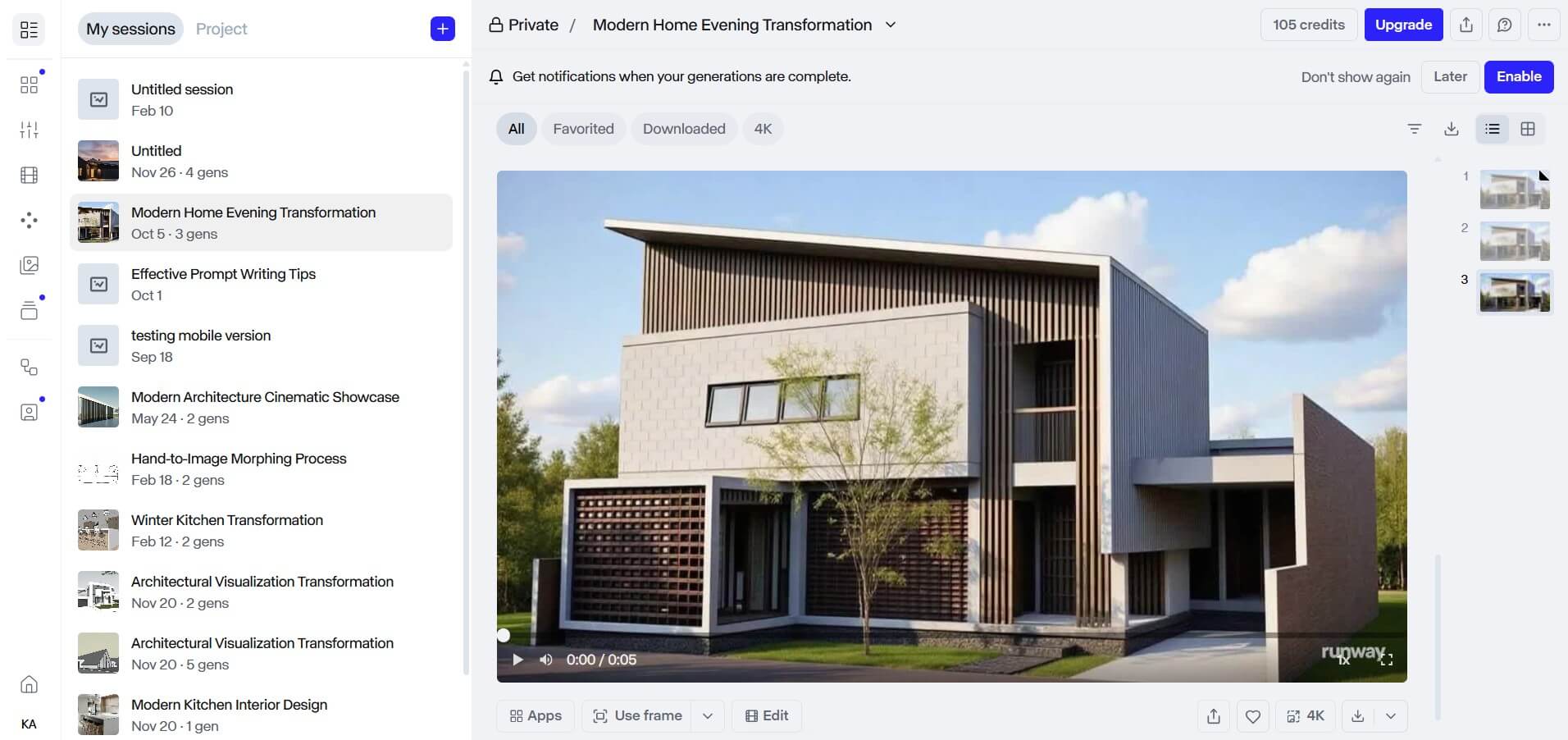
Runway has been in this game longer than almost anyone, so it’s not much of a wonder that its current flagship, Gen-4.5, often tops the Artificial Analysis text-to-video benchmark. Quality aside, the reason pros stick around is control. You get a motion brush for painting movement onto specific parts of a frame, along with a full editing surface. Performance capture through its Act-Two feature adds another layer for character work.
One subscription also opens the door to outside models, so you can reach external engines like Veo and Kling from a single login. However, credits don't roll over on the entry plans, and failed generations still burn them. Gen-4.5 also eats credits faster than the lighter Turbo model, so plan your budget around the model you actually use.
Pricing: Free trial credits to start. Paid plans start from the Standard, which runs about $15/month, or $12/month billed annually.
Best for: Social creators and marketers who want long, smooth clips cheaply
.jpg)
Here’s one tool hard to beat on raw motion. Its newest model, Kling 3.0, took the top spot on the ELO benchmark in early 2026, ahead of both Veo 3.1 and Runway. It handles physics and body movement with fluidity and generates synced audio in the same pass, including dialogue with pretty accurate lip-sync across several languages.
You also get camera-movement presets so you don't have to spell out a pan or an orbit in text, plus a video extension that can stretch a clip toward the three-minute mark.
Commercial rights start on the $10 Standard plan, which undercuts basically every Western tool, and there's a free tier with daily credits for testing. On the less shiny side, the credit math gets confusing fast once you turn on audio, and your data is processed under Chinese jurisdiction. If you don't like it, consider one of these Kling AI alternatives.
But we still consider Kling one of the cheap Veo alternatives worth trying, especially when working on non-commercial projects.
Pricing: Free credits are available for new users. Paid plans start at around $10/month and include both credit purchases and subscriptions (annual billing saves around 34%). Kling changes pricing often, so check the live membership page before paying.
Best for: Anyone needing a film-grade look and HDR delivery
.png)
Luma's Ray3 family approaches generation a little differently. It’s a “reasoning” model, meaning it checks its own output and, if needed, retries before handing you the result. In return you’ll struggle with fewer wasted takes. The latest Ray 3.14 update added native 1080p that now runs about 4x faster than the original Ray3, plus costs roughly 3x less per clip at 720p.
Luma’s strongest point is the cinematic side. Among Veo 3 alternatives, this is the rare one with a true HDR pipeline for film delivery. Its Modify feature does proper video-to-video, so you can reshape existing footage while keeping the performance and physics intact. One subscription also bundles outside models, which comes in handy if you have to bounce between engines. The only thing missing is the audio – Ray3 doesn't generate it.
Important note: There is another, standalone tool website named Lumadreammachine.com. That one is not a part of Luma Labs (model's developer).
Pricing: Free access to try it out. Plans start at $30/month (Plus), scaling to $90 (Pro) and $300 (Ultra). The discount for an annual subscription is 20%.
Best for: Character animation and anime or illustrated styles

Built by MiniMax, Hailuo went all-in on value, and it shows. You get more clips per dollar than almost any rival, with a 10-second 1080p clip landing around $0.30, against roughly $1.20 on Runway. The current Hailuo 2.3 model is strong on physics and genuinely good at faces and micro-expressions, plus the kind of stylized art from anime to ink wash.
Hailuo’s Director model lets you steer the camera with plain commands like “[pan left]” or “[zoom in]” dropped into your prompt. Testing costs nothing with a free tier. The credit system, however, punishes failed generations, and like other Chinese tools, your data is handled under Chinese rules. Clips also cap at 10 seconds.
Pricing: Free tier with daily credits. Standard plan from $9.99/month.
Best for: Short videos with creative effects

Probably no Veo 3 alternative makes it this easy to melt a building or turn a coffee cup into cake like Pika, thanks to its Pikaffects library. The current Pika 2.5 model adds a timeline-and-layers editor, so you can stack effects and sequence clips in place.
Speed is the other draw. Turbo mode can spit out a 6-second clip in about 12 seconds. You also get keyframe control through Pikaframes and lip-sync through Pikaformances, along with contextual sound effects, though it won't generate music or voiceover, so full audio still needs another tool.
Pricing: Free Basic tier. Standard from $8/month billed annually, with Pro at $28/month.
Best for: Agencies and brand teams that need legal cover on their footage
.jpg)
For client work, the main question is always whether you can legally use the footage at all. Adobe's Firefly Video model is a tool legal teams trust, because it's trained on licensed and public-domain content. Paid plans come with IP indemnification, meaning Adobe will defend you if a copyright claim lands.
It also lives where you already work. Firefly powers Generative Extend inside Premiere Pro, and every output carries Content Credentials for provenance. The quality won't out-dazzle Runway or Kling, though.
Pricing: Firefly Standard starts around $9.99/month; qualifying paid/business plans may include IP indemnification.
Best for: Developers and studios that want open weights and zero per-clip fees
.jpg)
If you'd rather own your pipeline than rent it, look at Alibaba's Wan. Earlier releases shipped under the permissive Apache 2.0 license with open weights on GitHub, so you can run them on your own GPU, fine-tune them, and pay nothing per generation once you're set up. That alone makes Wan the clearest Veo 3 open-source alternative around.
Better yet, it's no slouch on features. On the VBench benchmark, earlier Wan versions even edged out Runway. Since version 2.5, Wan generates synced audio natively, including voice with lip-sync and ambient sound. The newer 2.7 release adds first-and-last-frame control, plus editing based on instructions, all at 1080p up to 15 seconds. If you'd rather not host it yourself, cloud APIs run it from about $0.10 per second. Just note that open weights for the very newest version may lag the cloud launch by a few weeks.
Pricing: For the newest Wan 2.7 capabilities and open-weight status, verify the current Alibaba/GitHub release before publishing. Cloud API from roughly $0.10/second.
Best for: Anyone who likes Veo's output and just wants a smaller bill

Sometimes the best alternative to a tool is a cheaper version of that same tool. Veo 3 Fast is Google's own budget option that generates the same style of video with synced audio at roughly $0.15 per second through the Gemini API. That’s quite a shrink from about $0.40 for standard Veo 3. You give up a touch of fidelity, yes, but gain a much lower bill plus faster turnaround.
It's the natural pick if you've already prompted your way to good Veo results and would like “to keep iterating but without watching the meter spin, if possible.” You can also reach it through Google AI Pro at $19.99/month, which is far gentler than the Ultra tier Veo's top quality usually demands. One thing to watch, however, is that Google is steadily migrating this lineup to Veo 3.1, so the original Veo 3 and Veo 3 Fast models are set to retire in mid-2026. A Fast tier is expected to carry over under a slightly new name.
Pricing: About $0.15/second via the Gemini API, or bundled into Google AI Pro at $19.99/month.
The right tool comes down to the job in front of you. These paid and free Veo 3 alternatives all approach the problem from a different angle, so match the alternative to what you're actually making.
Veo 3 earned its hype, but it's no longer the only strong choice, and for plenty of jobs it isn't even the best one. If you work in architecture or interior design, MyArchitectAI gets you a client-ready animation from a render you already have, which is way faster than wrestling a general model into respecting your geometry. If you want Veo's look for less, Veo 3 Fast is right there.
Most of these Veo alternatives offer a free tier or trial. Download a couple of tools, run the same scene through each, and let the output decide. Pay close attention to how each one handles audio, since that's where Veo built its reputation and where many tools still fall short.
The simplest path is through the Gemini app or Google's Flow tool on a Google AI Pro or Ultra subscription, where you type a prompt and generate an 8-second clip with audio. Developers can call it through the Gemini API or Vertex AI and pay per second instead. Either way, write a detailed prompt describing the scene, the camera movement, the mood, and any dialogue you want, then generate and refine. Keep in mind that Google is shifting this lineup to Veo 3.1, so menu names may differ from older tutorials.
Several do, and it's becoming standard. Kling AI generates dialogue and ambient sound in one pass, with lip-sync across multiple languages. Wan has generated synced audio since version 2.5, including voice and lip-sync. And Veo 3 Fast keeps Google's own native audio. Among the rest, Runway, Luma's Ray3, Pika, and MyArchitectAI lean visual-first, so you'll add or finish audio separately, though Pika does offer contextual sound effects.
It depends on whether you count your own time and hardware. For pure output cost, an open-source model like Wan is unbeatable once you can run it, since self-hosting drops your per-clip cost to basically the price of electricity. If you'd rather not manage GPUs, Hailuo and Kling deliver near-premium results for well under a dollar per clip, and both have free tiers. And if you specifically want Google's look, Veo 3 Fast at about $0.15 per second is the cheapest route to it.