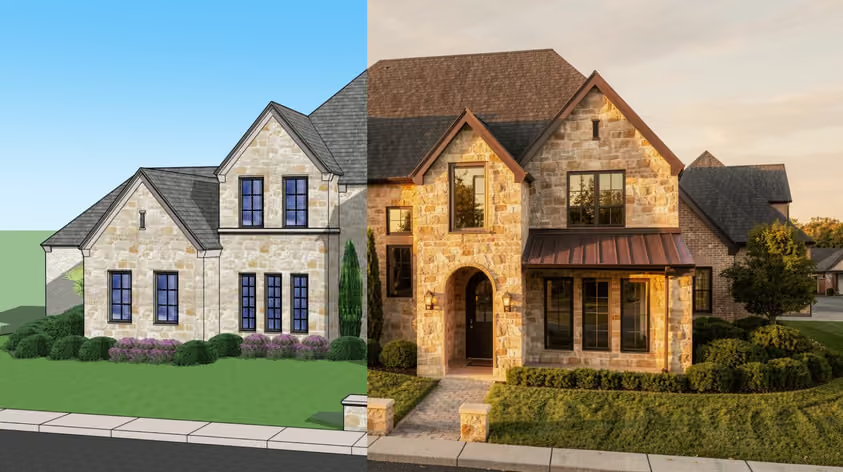
Magnific vs. Topaz is a fair fight for photos and AI art, less so for anyone upscaling architectural or interior visualizations from CAD exports. We'll show you why, and where MyArchitectAI's enhancer fits in.
Search for a way to make an interior render sharper or more realistic, and these two names top the results. Both promise to add detail and resolution to any image.
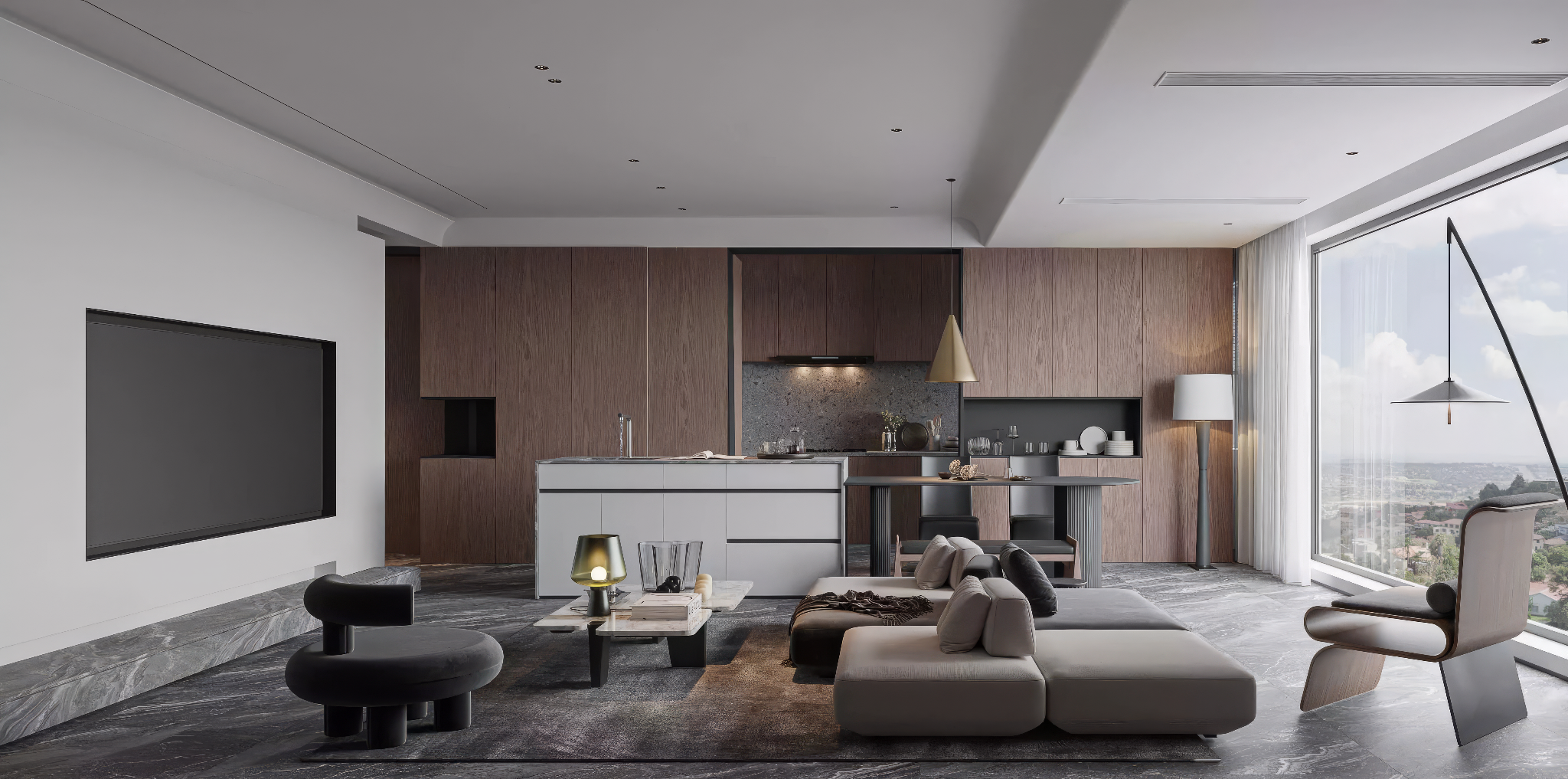
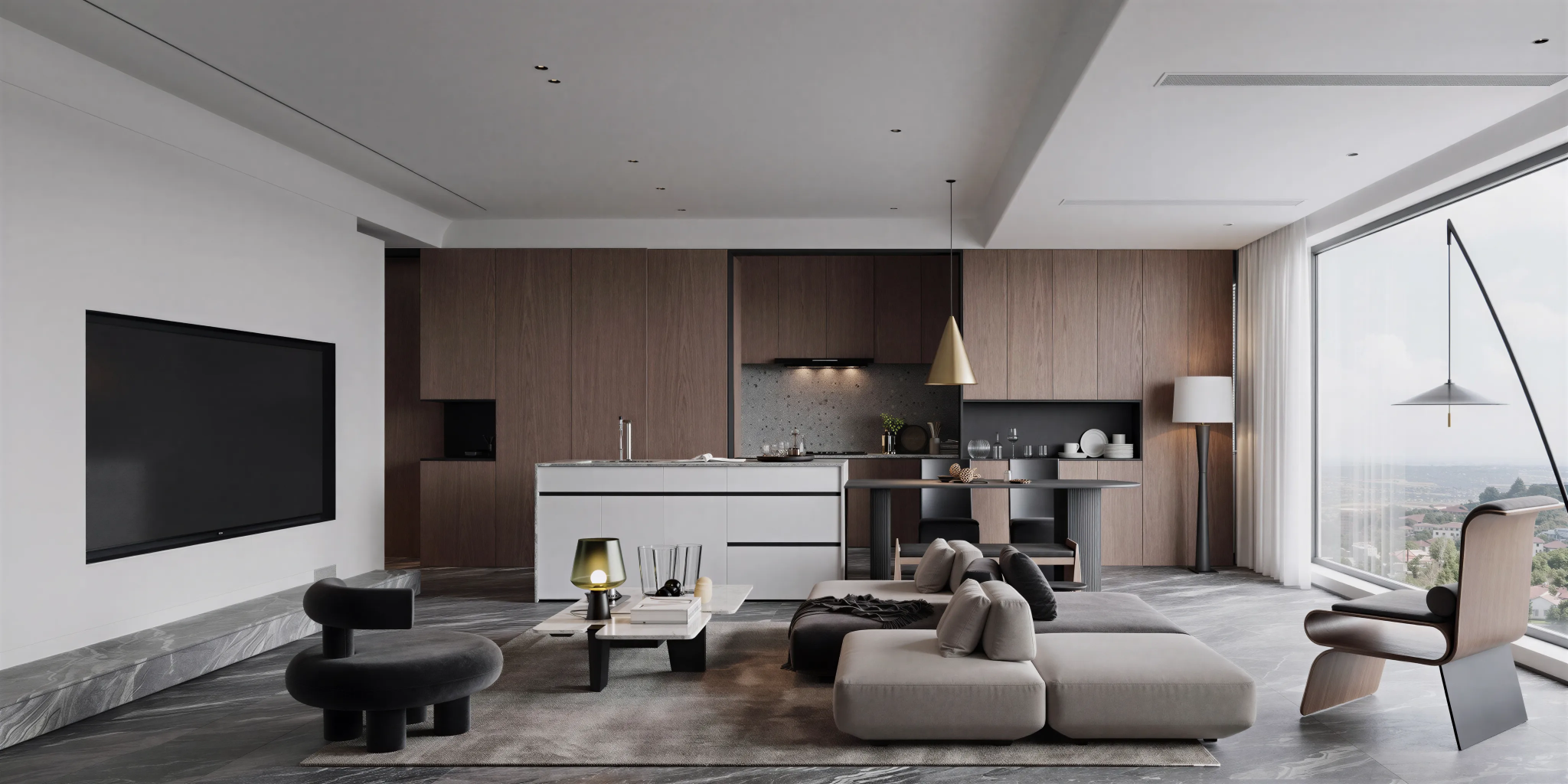
So we ran the same finished living room render through all three. Magnific handed back a bigger, crisper file that barely looked enhanced and quietly swapped the backsplash stone. Topaz returned the same image, sharper but with the same flat lighting.
One caveat: we ran one render once per tool, at the settings shown under each image. Treat it as an illustrative test, not a controlled benchmark. The supplied test record lists Magnific's Style, Engine and slider settings, but does not identify the mode or product version used. Its result should therefore not be treated as evidence of how Creative or Precision mode always behaves.
Most Magnific vs. Topaz comparisons argue about output quality, yet the more useful question is what each engine assumes you gave it.
Magnific treats your upload as raw material for reinvention. Its own documentation describes Creative mode as reimagining textures and adding details beyond simple interpolation. The higher the Creativity slider goes, the more likely the tool invents architecture of its own.
Topaz's core models rebuild your image at a higher resolution, so your geometry stays put. The catch shows up with CAD exports: a flat SketchUp view has no photorealism hiding inside to recover, so you just get a crisper version.
MyArchitectAI's enhancer is optimized for architecture and design. It adds material, texture, lighting, and atmosphere as you would manually in V-Ray, just faster, while respecting your layout.
Best for: Finishing AI-generated concept art and stylized visuals.
Magnific built a loyal following among designers. When a small AI illustration needs poster-size printing, it invents plausible texture to get there.
Two recent changes matter if you're weighing Magnific AI vs. Topaz. Freepik acquired Magnific in 2024 and renamed its whole platform Magnific on April 28, 2026. Upscaling now sits inside the platform plans. Premium costs $20 a month, or $14.50 a month billed annually, and includes Magnific image and video upscalers. Premium+ costs $45 a month and also includes the Topaz upscalers.
The platform now carries 30+ AI models, stock assets, video tools, and audio generation, so finding and configuring the upscaler can confuse first-time users.
Creative offers 13 style categories, 3D Renders among them, so the tool anticipates rendered input. But it reimagines textures as it works, which is where your architecture can drift.
Precision is the faithful mode: what you put in comes back bigger and sharper, with only sharpness and grain controls. That fork is the real problem for visualizations.
Monthly plan credits reset each month and unused credits do not roll over. Annual plans provide the full year's credits upfront and reset yearly.
This is where CAD users get caught: you need to know which mode protects your geometry before you spend credits finding out.
Best for: Upscaling real photographs and archival restoration.
Topaz Labs comes at this from photography. Gigapixel and Topaz Photo were built to rescue real images, and they excel at it.
Topaz documentation recommends the core Art & CG model for non-photographic images, renders included. Older Gigapixel versions also had a legacy Lines model tuned for architecture's long straight lines.
That's where the Topaz vs. Magnific split gets interesting for CAD users. Topaz also ships generative models such as Redefine, which invent detail the way Magnific does, with creativity from Low to Max. One user on Topaz's forum reported lines and distorted dots in backgrounds at higher Redefine settings.
Hardware matters too. On Windows, Gigapixel's generative models need 8GB of VRAM, and every setup needs 16GB of RAM. Hardware requirements vary by platform. Apple Silicon Macs are supported with an M-series processor and 16GB RAM, while generative models require macOS 14 or newer. On Intel Macs, generative models use cloud rendering.
Topaz now sells new Gigapixel licenses through subscriptions rather than new perpetual licenses. Gigapixel Personal costs $29 month to month or $149 billed annually; the full Topaz Studio bundle is $69 month to month.
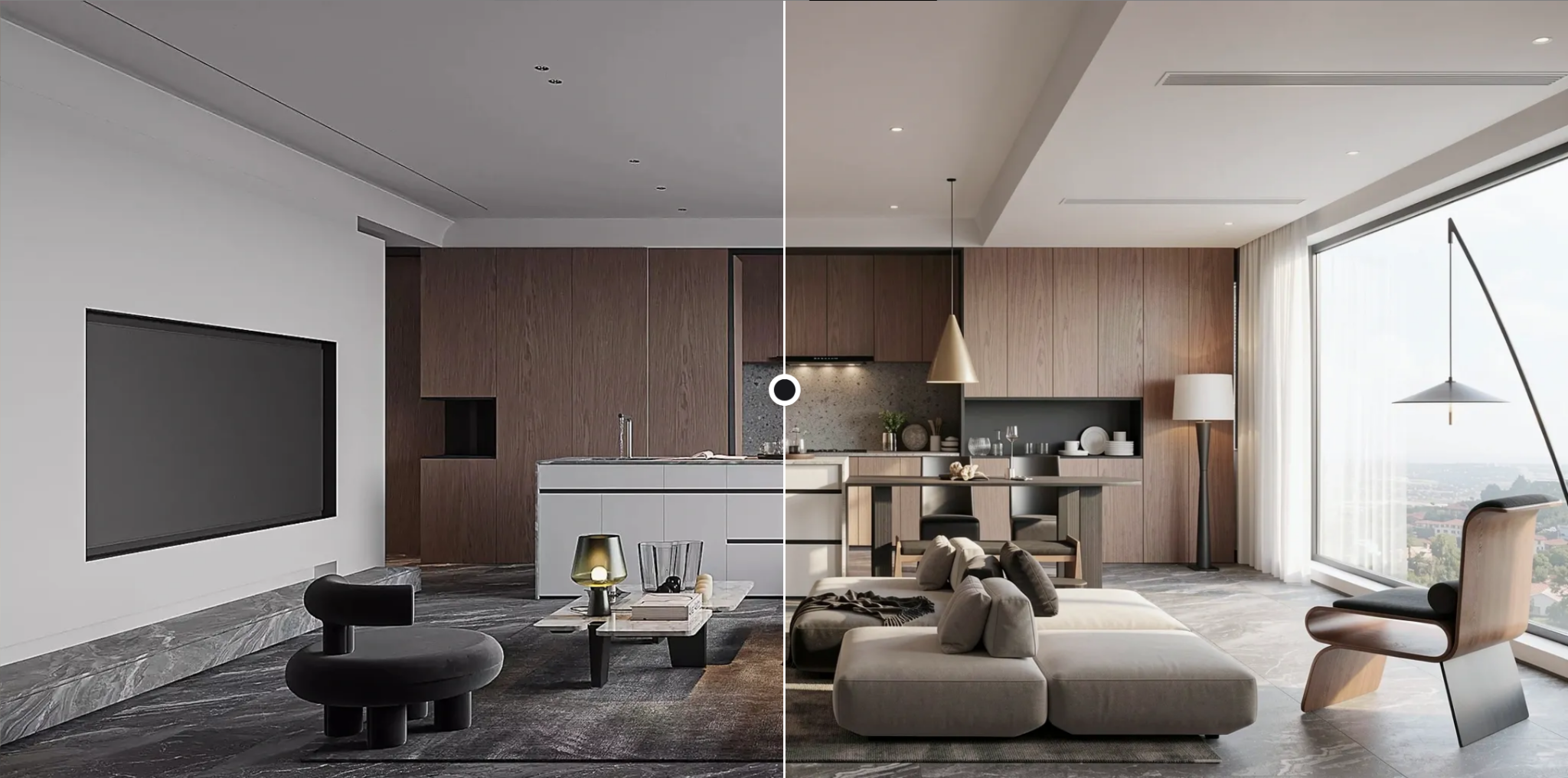
Best for: Polishing V-Ray or Enscape output.
Our own render enhancer is optimized for architecture and interiors, so it enhances what's already in your render instead of redesigning the room.
The main interface has four options: Render, Edit, Animate, and Enhance, the one we're using today.
Upload an image in the browser and run Enhance. MyArchitectAI says the enhancer improves textures, lighting, reflections, colors, depth and resolution, with an average enhancement time of about 26 seconds.
What MyArchitectAI does to your image:
Everything runs in the browser on any device, with no GPU or installation needed.
Every paid plan includes unlimited enhancements, so there's no credit math. Plans start at $29 a month, and new accounts get 10 free enhancements. The same plan covers photorealistic rendering from screenshots or exports of your SketchUp models.
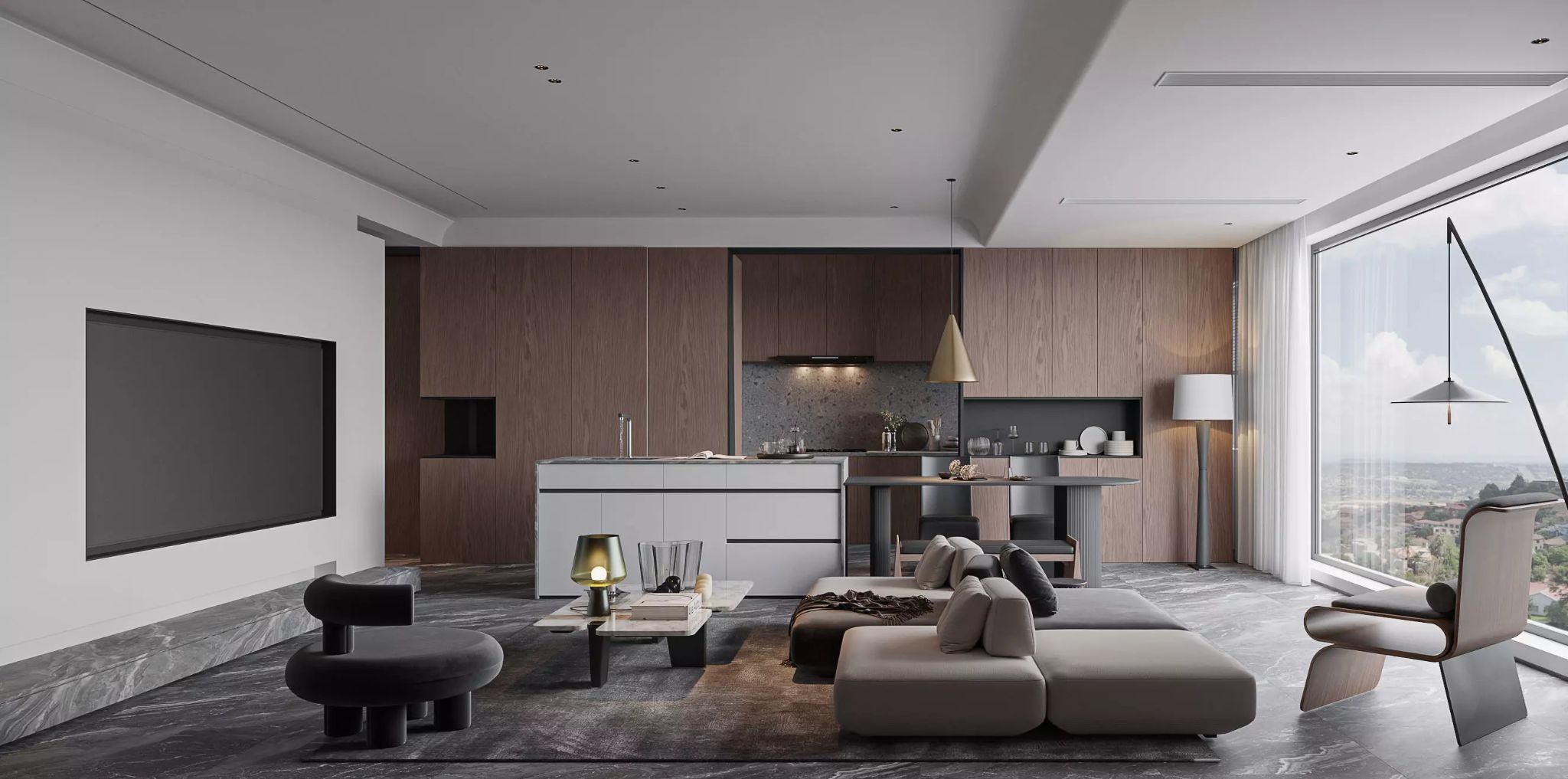
Original image
Here's the finished living room render we used, with each tool's settings in its caption.
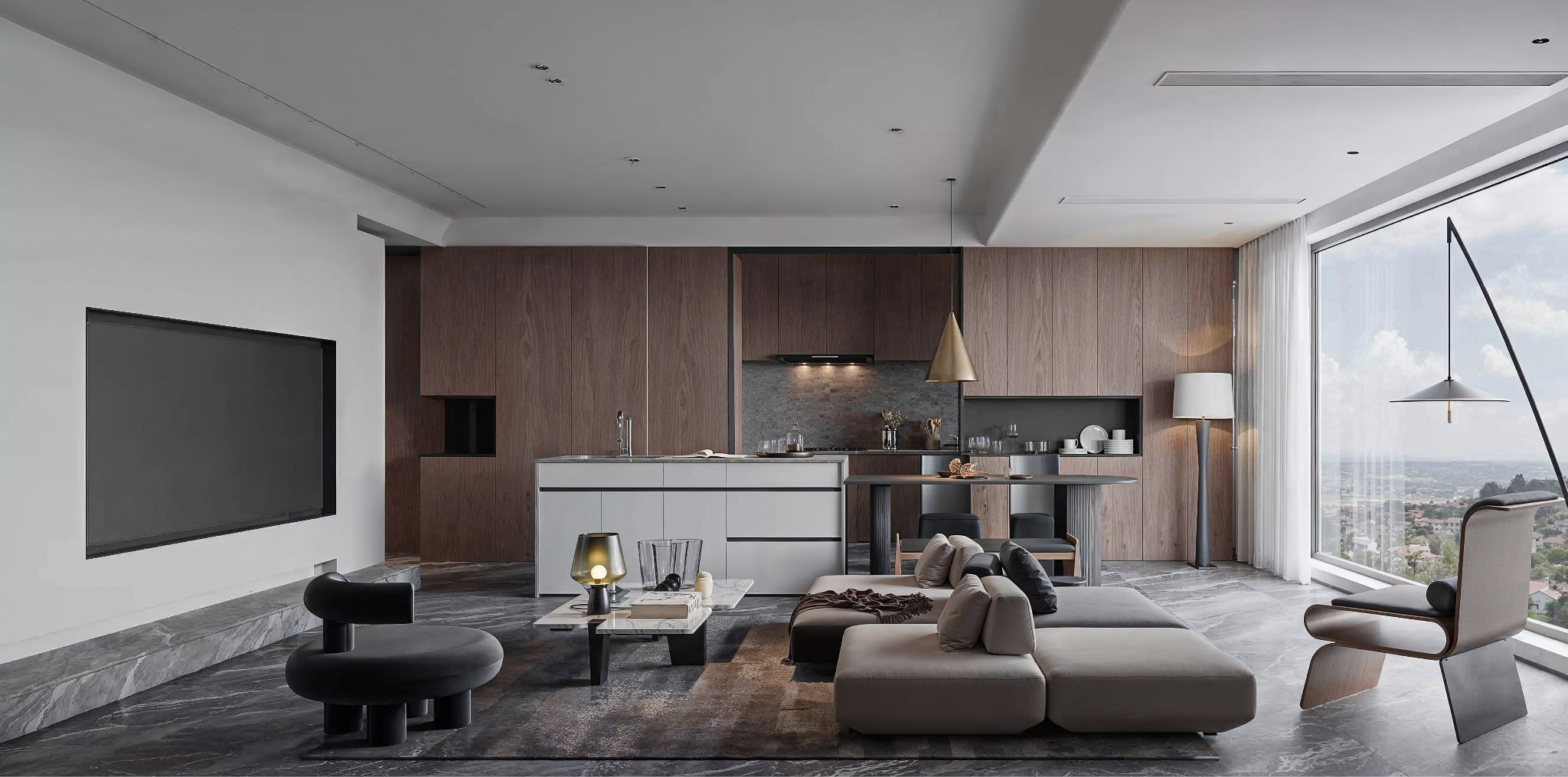
Style: Standard; Engine: Automatic; everything else at zero (slider in the middle)
The wood texture is slightly refined and the resolution higher, but little else improved. The backsplash also changed from terrazzo to stacked stone, a small case of the tool inventing material.
Model: Standard V2; Sharpness & Denoise 50%
A very similar result: higher resolution, minimal change to depth or lighting.
Model: Refine; Intensity: 50%
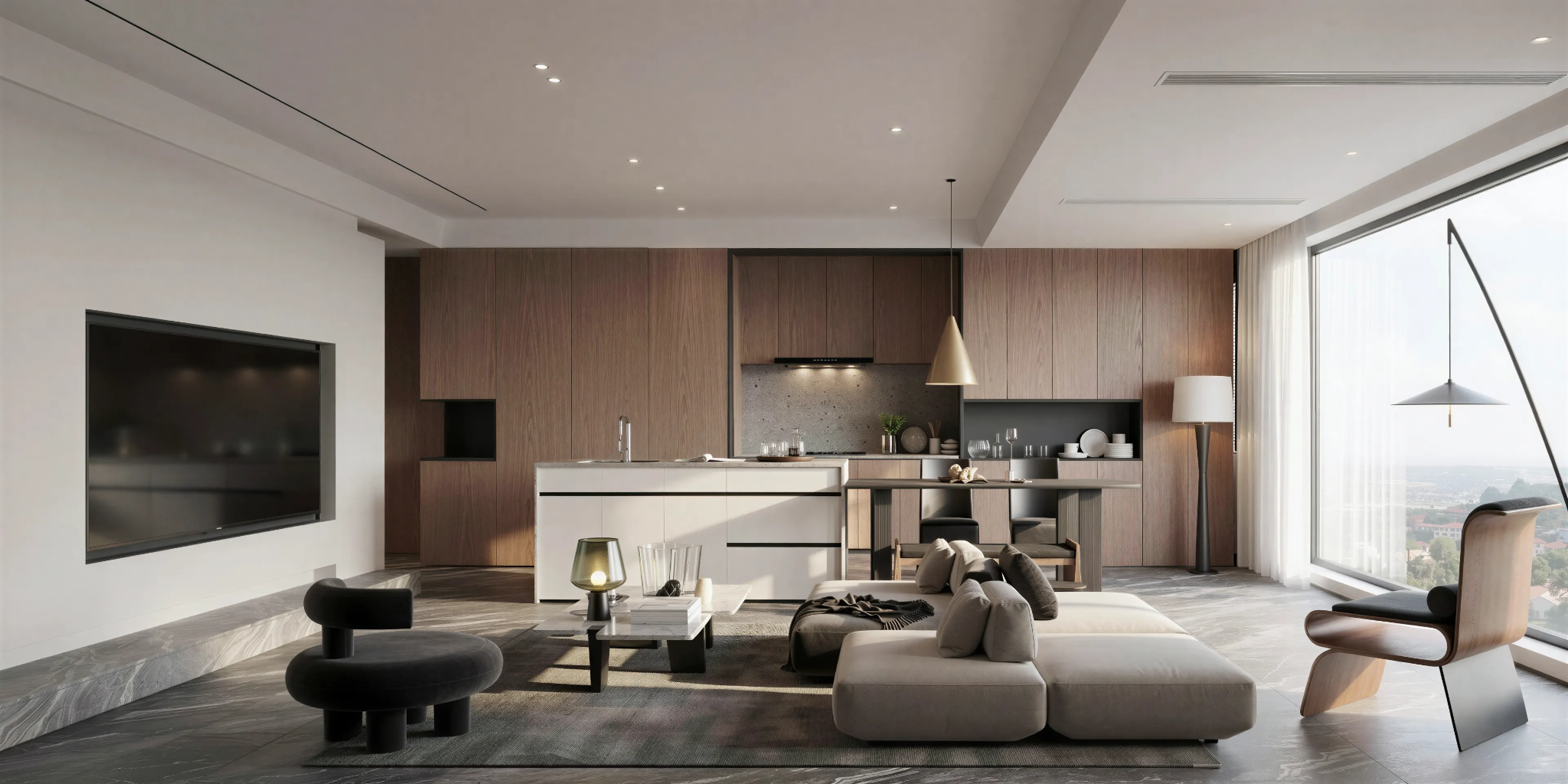
Model: Rebuild; Intensity: 50%
In this test, Refine stayed faithful while sharpening textures. Rebuild went further: textures gained depth, details sharpened, and the light improved most. It also squared off the curved ceiling edge above the TV wall.
Take none of this on faith: save one architectural render as a 1920px-wide PNG and run that file through all three.
These steps also cover the modes our test skipped.
That side-by-side will settle the Magnific vs. Topaz question for your own work faster than any review.
Credit systems are the thing to watch in any Magnific vs. Topaz cost comparison: Magnific credits reset monthly or yearly, depending on billing, and don't roll over. USD prices observed in September 2026; taxes and regional pricing may vary.
Magnific is the right call when you're finishing AI-generated art and want the machine to invent beautiful detail.
Go with Topaz for a real photograph that needs to get bigger while staying true to the original, or when you'd rather process images locally.
MyArchitectAI makes sense when the image starts life in CAD software or you're enhancing an architectural render and need the geometry to survive. In our test, it was the only tool that noticeably improved the room's light.