
Since Chief Architect dropped perpetual licenses in January 2023, you're now looking at $1,995/year for Premier. That's a hard pill to swallow if you only design occasionally or need stronger BIM tools for commercial projects.
The good news is, there are plenty of capable chief architect alternatives on the market, each built for a different kind of work.
Before you start comparing feature lists, ask yourself what features matter most to you. If you are:
| Software | Best for | Starting annual price | License type |
|---|---|---|---|
| SketchUp | Fast 3D modeling and client presentations | $399/year for Pro | Subscription |
| Revit | Large-scale BIM coordination | $3,005/year | Subscription |
| Archicad | Architect-focused BIM workflows | $2,414/seat/year | Subscription |
| Vectorworks Architect | Flexible 2D and 3D hybrid work | $1,530/year | Subscription |
| HighArc | Production homebuilders | Contact for pricing | Subscription |
| FreeCAD | Budget-conscious users who want BIM | Free | Open source |
| SketchUp Free | Hobbyists and personal projects | Free | Web-based |
Best for: Designers who want quick modeling with a manageable learning curve.
.avif)
SketchUp is the most popular 3D modeling tool in the design world, and it tops most lists of Chief Architect alternatives for a good reason. It's a natural fit if Chief Architect feels too rigid for your workflow.
In SketchUp, you model with the push-pull method and pull components from the 3D Warehouse. When you need more power, you add plugins from the Extension Warehouse.
On the (possible) downside, and unlike Chief Architect, SketchUp isn't purpose-built for residential design. You won't get automatic framing or a materials list that updates on its own. What you get instead is speed plus a massive plugin ecosystem that lets you adapt it to almost any design task.
Pricing: Go is $129/year (web and iPad only). Pro is $399/year with desktop apps and LayOut. Studio is $819/year and adds V-Ray rendering.
For a detailed side-by-side comparison, check our SketchUp vs Chief Architect guide.
Best for: Firms working on commercial or large-scale projects with multiple disciplines.
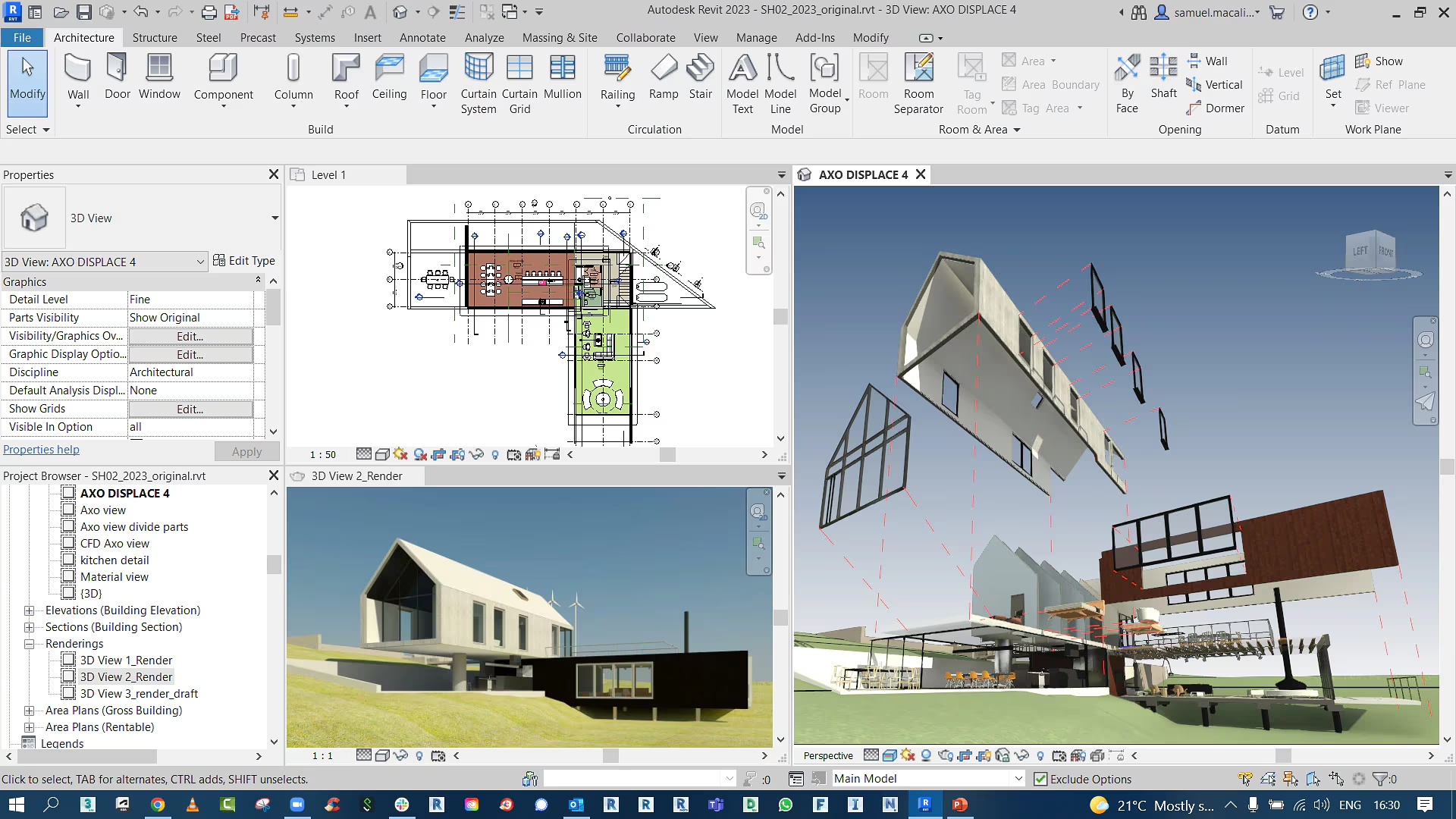
If you've outgrown residential and need serious BIM firepower, Revit is the industry default and one of the most capable Chief Architect alternatives for commercial work. It's built for full coordination between architecture and engineering disciplines like structure or MEP. A single model drives all your floor plans, sections, schedules, and documentation. Change something in one place, and everything updates.
Revit is overkill for stuff like kitchen remodelling projects, and the learning curve is steep. But if your firm deals with commercial buildings or institutional projects like hospitals and schools, it's what most of your collaborators and consultants will be using.
Pricing: $251/month, $3,005/year, or $9,020 for 3 years. Also available as part of the AEC Collection at $3,675/year, which bundles AutoCAD, Civil 3D, Navisworks, 3ds Max, and more.
Best for: Architects who want BIM without Revit's complexity.
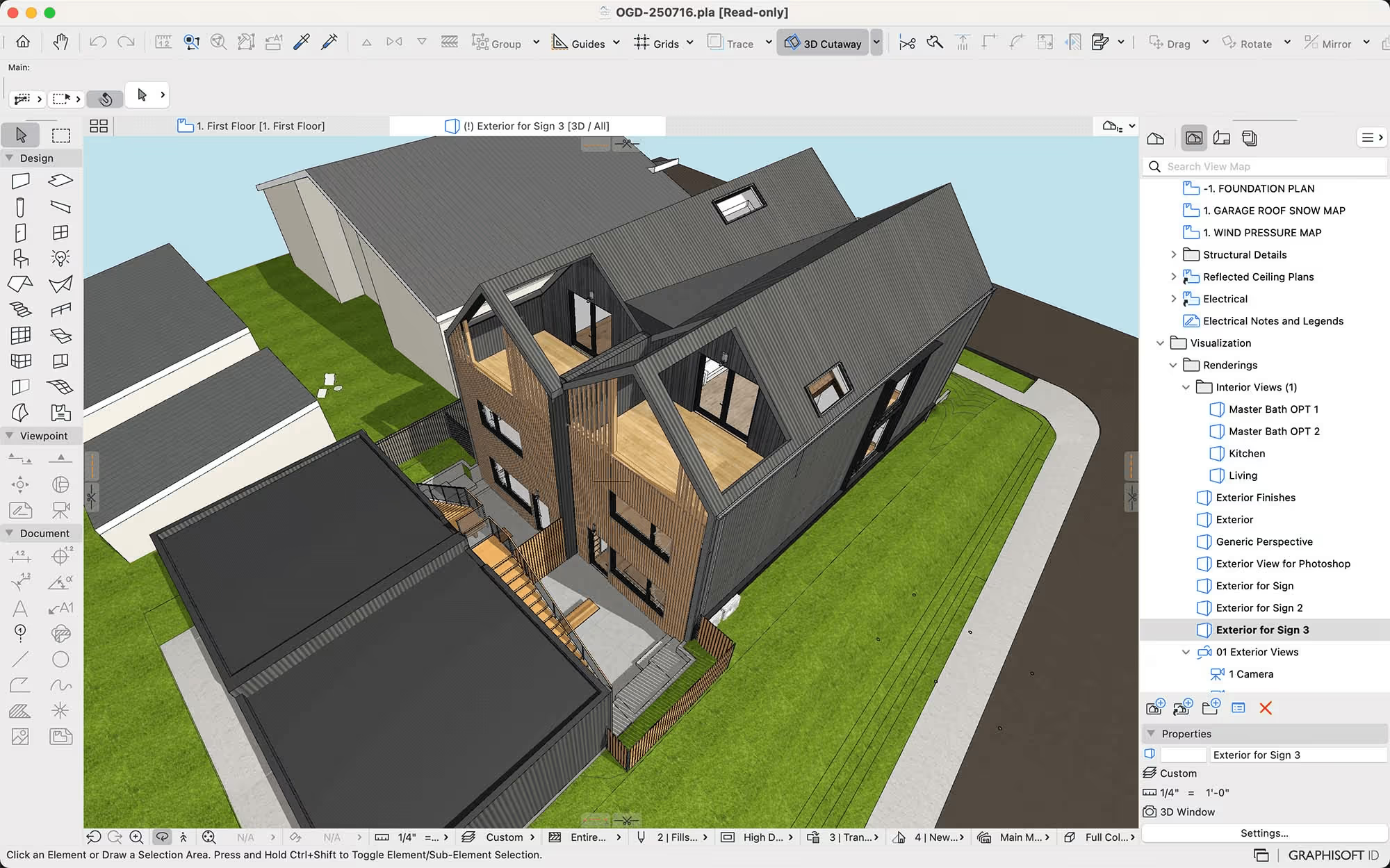
Archicad from Graphisoft is the main rival to Revit in the BIM world. Many architects prefer it because the interface feels more design-friendly and less engineering-heavy. It handles IFC exchange well, which matters a lot when you're coordinating with consultants on OPEN BIM projects.
Also worth knowing: starting in 2026, subscription is the only way to buy Archicad; perpetual licenses are done. The subscription model now splits between the Archicad Studio and Archicad Collaborate.
Choose Studio if you want Archicad mainly as a design/BIM replacement for Chief Architect. But if you need cloud-hosted teamwork, or you regularly coordinate across firms and disciplines, look for Collaborate. It bundles the core modeler with BIMcloud and BIMx for real-time team collaboration and client walkthroughs.
Pricing: From $201/month, or roughly $2,414/seat/year on annual billing for Studio. Pricing varies by market, so contact Graphisoft directly for a quote.
Best for: Designers who bounce between 2D drafting and full BIM depending on the project.

Vectorworks is the flexible middle-ground option among the chief architect competitors on this list. You can use it purely as a 2D drafting tool on small jobs, then switch into full BIM mode when a project demands it. That flexibility is rare in the current market.
It runs on both Windows and Mac, plus the rendering is solid thanks to built-in Cinema 4D integration.
The DNA here, however, leans more toward design expression than the construction-doc-factory approach of Revit.
Pricing: $170/month, or $1,530/year when billed annually.
Best for: Production homebuilders managing plan libraries across multiple communities.
.png)
HighArc is built for a very specific buyer. It targets high-volume residential builders who are tired of redrawing the same plans in legacy CAD.
Most Chief Architect alternatives on this list are general-purpose design tools, but HighArc is different. It's cloud-based and AI-native. The platform uses generative design to keep every plan option and configuration connected inside a single 3D model.
If you're a production builder, that connected (and automated) approach counts. This tool is not really a replacement for Chief Architect in a small design studio, but for builders doing 40,000 homes a year (which HighArc's customer base does collectively), the scale is fundamentally different.
Pricing: Custom, based on your operation. You'll need to book a demo through higharc.com.
Best for: Technically-minded users who want real BIM without paying.

FreeCAD is a Chief Architect free alternative that actually holds up for serious work. The 1.0 release in late 2024 was a major milestone, and version 1.1 (March 2026, current stable release) shipped with over 1,700 changes. It's open source and runs on every major OS. What's more, its BIM Workbench is designed for architectural modeling with IFC import/export.
Walls in FreeCAD understand their structural role, and windows or doors automatically cut openings. You can also tag elements with materials and thermal properties.
As for the cons, FreeCAD is not as polished as paid Chief Architect alternatives, so expect some rough edges in the UI and occasional crashes. But for a free tool with real BIM capabilities, it's hard to beat.
Pricing: Free, forever. Available at freecad.org.
Best for: Hobbyists and students just starting out in 3D design.
.png)
SketchUp Free is the browser-based version of SketchUp, with no download required. You get the core modeling experience that made SketchUp famous, plus access to the 3D Warehouse. It's perfect for sketching out a deck or planning a room layout before you commit to paid software like Chief Architect.
The catch is that it's personal use only, so no commercial work; you can't use extensions or plugins, and there's no offline mode. CAD file import and export are locked behind the paid tiers. Also, no LayOut, so construction documentation is off the table.
Pricing: Free for personal use. Requires a Trimble account.
Chief Architect's value is in its residential automation. Most alternatives don't replicate that automation natively. Here's what you keep and what you lose with each tool:
| Feature | SketchUp | Revit | Archicad | Vectorworks | FreeCAD |
|---|---|---|---|---|---|
| Auto framing | No | Manual | No | No | No |
| Auto roof generation | Plugin | Yes | Yes | Yes | No |
| Material takeoffs | Plugin | Yes | Limited | Limited | No |
| Kitchen/bath library | 3D Warehouse | Limited | Limited | Yes | No |
The gap is clearest on auto framing. Chief Architect is the only tool on this list that generates wall, floor, and roof framing automatically as you design. If framing automation drives your workflow, none of these alternatives match it directly. You'd need to frame manually or use third-party framing tools.
Roof generation and construction documents are well-covered by the BIM tools (Revit, Archicad, Vectorworks). Material takeoffs work differently in each platform but are functional in Revit and partially in the others. Kitchen and bath libraries are strongest in Chief Architect's own ecosystem. SketchUp's 3D Warehouse is the closest substitute for sheer variety.
Chief Architect's .plan files are proprietary. No other competitor reads them directly. If you're switching, here's what the migration actually looks like:
What exports cleanly: DWG and DXF floor plans transfer to any tool on this list. PDF sheets carry over for reference. 3DS exports work for basic 3D geometry.
What you lose: automatic framing data, material lists, cabinet specifications, and roof construction logic all live inside the .plan format. They don't survive a DWG export. You'll rebuild these in your new tool.
Library catalogs don't transfer. Chief Architect's cabinet, fixture, and material libraries are proprietary. SketchUp has the 3D Warehouse as a substitute. Revit has manufacturer-provided families. Archicad and Vectorworks have their own object libraries. None import Chief Architect content directly.
Retraining timeline by tool:
Budget for the transition: a 5-person firm moving to a Chief Architect alternative typically loses 2-3 weeks of reduced productivity during the ramp, plus the cost of rebuilding template files and library catalogs. That cost is real but one-time.
The decision comes down to what kind of work you actually do most of the time:
Most of these alternatives offer free trials. If you're leaning toward SketchUp, Revit, Archicad, or Vectorworks, grab a trial and test it on a real project for a week. A week on a real project will tell you whether the workflow fits.
FreeCAD and SketchUp Free cost nothing, and they'll teach you enough about your own workflow to make a smarter paid decision later.
If you're a residential designer or remodeler working on projects week in, week out, Chief Architect Premier is worth the $1,995/year. The automatic framing and roof generation will save you hours on every project, and the material takeoffs update themselves as your design evolves.
It's not worth it if you only design occasionally or need strong BIM coordination with outside consultants. In those cases, one of the alternatives above will serve you better.
For residential work, yes. Chief Architect is purpose-built for houses. Roofs generate automatically. Framing rebuilds itself as you change walls, and material takeoffs tie directly to what's on your construction drawings. Revit can do residential, but it takes much more setup to get there.
For commercial projects or anything involving multiple disciplines, Revit wins hands down. Its BIM coordination and consultant interoperability are in a completely different league.
They solve different problems. Chief Architect is an all-in-one residential design package with automated building tools and construction documentation baked in. SketchUp is a general-purpose 3D modeler that can do residential work well but relies on plugins for rendering and advanced features.
If you want a complete residential workflow out of the box, Chief Architect is better. If you want flexibility plus a smoother learning curve at a lower price, SketchUp is the stronger choice. Many designers actually use both: Chief Architect for construction drawings and SketchUp for concept modeling.
For paid options, SketchUp Go at $129/year is the lowest entry point, though it's web-only and lacks desktop features. SketchUp Pro at $399/year is the most practical paid alternative for residential designers. For zero cost, FreeCAD offers real BIM capabilities and SketchUp Free covers basic 3D modeling.
No. Chief Architect offers a 30-day free trial of Premier, but there's no permanently free tier. If you need a free tool, FreeCAD (with its BIM Workbench) is the closest free alternative with architectural modeling capabilities. SketchUp Free covers basic 3D modeling for personal use.

