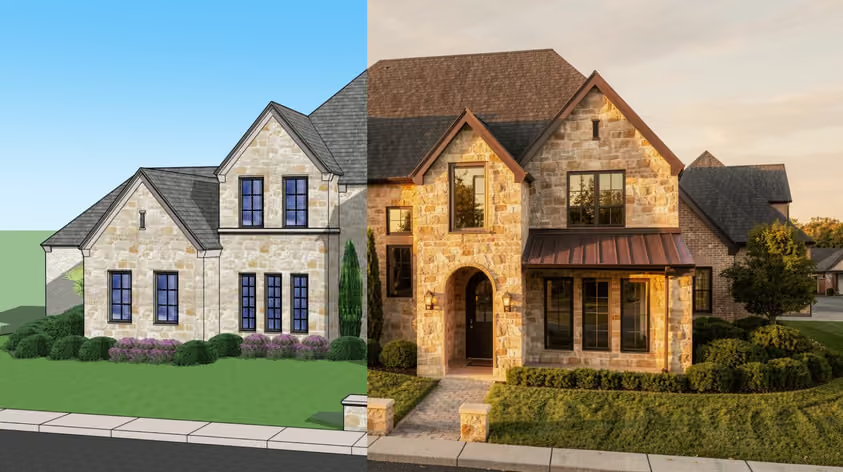
AI video tools have come a long way, but two names dominate the conversation whenever creators want to turn a still image into motion: Kling AI and Runway.
Both deliver animations impressively close to real footage. Both released major model upgrades this year. And both have loyal fans who will tell you theirs is the best. So which one earns your money? That is what this Kling AI vs. Runway comparison sorts out.
We looked at where each tool shines and slips, and what you actually pay once you move past the sticker price. Near the end, we’ll also point you to a faster option optimized for architecture and interior design animations, just in case that’s your specific field.
Kling AI comes from Kuaishou, the Chinese company behind one of the world's biggest short-video apps. It launched in 2024 and has since grown into a broad multimedia platform. Its current flagship, Kling 3.0, landed in February 2026 with native 4K output and built-in audio.
Runway is a New York research company that has been building video models since the early Gen days. Its flagship is Gen-4.5. Netflix has used Runway in production, and the company partners with NVIDIA and Lionsgate.
Here is a quick side-by-side before we get to the details.
| Feature | Kling AI | Runway |
|---|---|---|
| Developer | Kuaishou | Runway AI, Inc. |
| Flagship model | Kling 3.0 | Gen-4.5 |
| Entry paid plan | $10/mo (Standard) | $12/mo billed yearly (Standard) |
| Free option | 66 credits daily | 125 one-time credits |
| Top resolution | Native 4K | 4K (upscale on entry, native higher up) |
| Native audio | Yes, multilingual lip-sync | Yes, via built-in audio tools |
| In-video editing | Limited | Yes, Aleph 2.0 |
| Camera control | Motion Brush, cinematic moves | Motion controls and camera direction |
| Other models in app | Kling family | Kling, Veo 3.1, and more |
| Best for | Lifelike human motion | Editing depth |
Now, with the basics down, let's compare them piece by piece.
Winner: tie
This round is close. Put a clip from each side by side, and both hold up.
Kling 3.0 is known for smooth, believable human motion. Faces and the way people move through a space tend to look natural, which is why so many creators reach for it when there are people in the shot.
Runway's Gen-4.5 is especially good at maintaining a character or style across different shots, from one reference image.
Does each stumble somewhere noticeably? Not really; both can still warp hands or faces during fast motion, and busy crowd scenes remain tricky for either model. All you can do is generate a few takes and pick the cleanest.
In this case, honestly, your prompt and your source image matter more than the logo on the tool. Both produce footage good enough for client work, so use other parameters to judge what makes a better fit.
Winner: Runway, slightly
This is another point where the divide runs small. Runway AI vs Kling AI comes down to a slight edge for Runway on precision here, for general video work at least. If you want to direct the camera, both of these tools give you ways to do it.
Kling has a Motion Brush. You paint over the parts of the frame that should move and leave the rest still, which gives you fine control over, say, a flag waving while the building stays locked. It also handles cinematic camera moves once you spell them out in your prompt.
Runway leans hard into camera direction, with controls for moves such as pans, orbits, tracking shots, and dollies, on top of its motion tools.
However, if you animate architecture or interior renders, neither tool ships with camera presets tuned for buildings and rooms. You’ll just end up describing the same dolly or orbit by hand, take after take. That is the exact gap MyArchitectAI fills (we will get to it).
Winner: depends on your subject
Image-to-video is where most of you will spend your time. On this front, the choice really depends on what you are animating.
Kling is a strong pick for photorealistic motion and longer clips; it also handles busy scenes with people well. The movement feels grounded.
Runway gives you more ways to refine the result afterward, which helps when a first pass comes out almost right.
Here’s a quick tip that applies to both: A clean, well-lit source image gives the AI less to guess at, so your first take comes out stronger. Blurry or cluttered stills will most likely produce wobbly motion, so remember to run your images through an enhancer first.
Winner: Kling AI
Sound used to be the weak spot in AI video not so long ago, but that changed fast. That said, we’ve got to the first area where the comparison has a clear answer.
Kling 3.0 generates audio straight from your text prompt, including lip-synced dialogue across several languages and dialects. You can skip sourcing a separate audio file for talking scenes and save real time.
Runway offers audio too, including text-to-speech and custom voice creation on its Pro plan. It can generate sound effects as well. But while the setup works fine, its out-of-the-box dialogue and lip-sync trail Kling's native generation.
Winner: Runway
When it comes to production work, editing is where the scale of the story tilts toward Runway. If your workflow involves reshaping and fixing clips after the fact, this is the single biggest reason creators go for this one.
Its headline tool is Aleph 2.0, an in-video editor. You can change the lighting, swap an object, add an element, or shift the mood of a clip you already made, just by describing the change in words. The rest of the frame stays consistent, so you avoid regenerating the whole video to fix one detail.
Runway has also become a model marketplace. A single subscription gets you Gen-4.5 alongside outside models like Kling 3.0 and Google Veo 3.1, all from one dashboard.
Kling doesn’t fall far behind still, as it brings its own extras, like Digital Humans for presenter-style clips and multi-shot storyboarding in the Omni model. Its toolkit leans strongly toward generation, though, with lighter options once a clip exists.
Winner: Kling AI, by a close call
Both tools live in your browser, so there is nothing to say about installs or which GPU to buy.
Kling feels friendlier for newcomers. You write a prompt and set your options, then generate. The free daily credits also let you learn the ropes before you spend anything.
Runway is deeper, but that depth at the same time brings more menus and a longer learning curve. Power users love having the extra control. If you just want a quick clip, expect a little more clicking around to find your footing.
Winner: Kling AI on entry price
You cannot talk about Kling AI or Runway pricing without noting how fast both drain credits as you raise resolution or length. Turning on audio pushes the cost up again. The headline price is only half the story, so keep that in mind.
Here is how the consumer plans stack up across both ways to pay. These are list prices, with no discount applied.
| Tier | Kling: subscription | Kling: per credit | Runway: subscription | Runway: per credit |
|---|---|---|---|---|
| Free | $0, 66 credits/day | n/a | $0, 125 one-time credits | n/a |
| Entry | $10/mo, 660 credits | $0.0152 | $15/mo, 625 credits | $0.0240 |
| Mid | $37/mo, 3,000 credits | $0.0123 | $35/mo, 2,250 credits | $0.0156 |
| Higher | $92/mo, 8,000 credits | $0.0115 | $95/mo, 9,500 credits | $0.0100 |
| Top | $180/mo, 26,000 credits | $0.0069 | Custom (Enterprise) | n/a |
| Pay as you go | Spirit Unit packs, $5 to $1,200 | $0.0152 flat | None, subscription required | $0.0100 (API) |
*Kling changes its prices often, so check them out before you make your decisions.
The per-credit columns show you what each credit effectively costs you at that tier, and the bottom row is the pay-as-you-go route if you skip a subscription. Kling sells standalone credit packs called Spirit Units, valid for two years, while Runway's only per-credit option runs through its developer API.
Both tools cut the price for annual billing. Kling's annual rate brings Standard down to about $6.60 a month, and Runway's yearly plans save 20% across the board. Kling's Ultra remains monthly-only, while Runway's Max plan rolls unused credits over for one month.
Kling's Standard plan covers around 15 to 20 short pro-quality clips a month before you top up. Runway's Standard buys about 52 seconds of its top Gen-4.5 model, or far more if you stick to the faster Gen-4 Turbo.
One budgeting tip for either tool: Plan on three to five generations per finished clip. AI video is trial and error, so your real cost per usable video lands higher than a single generation suggests.
Winner: close, by use case
If you’re building video generation into your own app or pipeline, then the API matters more than the subscription. This is yet another point where the math shifts. Both tools bill per use, and the rates differ from the consumer plans.
Runway keeps it clean. API credits cost $0.01 each, and you pay per second of video by model.
| Runway model | API cost |
|---|---|
| Gen-4 Turbo (fastest) | 5 credits/sec ($0.05) |
| Gen-4.5 (top quality) | 12 credits/sec ($0.12) |
| Aleph 2.0 (in-video edit) | 28 credits/sec ($0.28) |
| Veo 3.1 (no audio) | 20 credits/sec ($0.20) |
So, a 5-second Gen-4.5 clip through Runway's API costs about $0.60, while the same clip on Gen-4 Turbo runs around $0.25.
Kling's developer pricing sits on its own platform, separate from the consumer membership. The official Kling 3.0 guide lists per-second credit costs by resolution and audio mode.
| Kling 3.0 mode | API cost |
|---|---|
| 720p, silent | 6 credits/sec |
| 1080p, silent | 8 credits/sec |
| 720p, with native audio | 9 credits/sec |
| 1080p, with native audio | 12 credits/sec |
| Voice control add-on | +2 credits/sec |
At those rates, a 10-second 1080p clip lands near 80 credits, roughly $0.32.
What you need to watch on Kling's side is that official API access has come as prepaid packages with a steep jump between tiers, plus some packages expire after 90 days. Third-party resellers offer pay-as-you-go Kling routes from around $0.075 a second if you prefer consumption billing.
For light or occasional use, Kling's per-clip cost can come in cheaper. For steady per-credit math and several models behind one key, Runway is the easier one to budget.
As usual with tool comparisons of this kind, the matchup comes down to the work you do.
And if your videos are architecture and interiors, keep reading.
Kling and Runway are general-purpose tools. They will animate a render, sure, but you have to coax the camera into doing what you want, take after take.
MyArchitectAI was built for this one job. It is the easiest image-to-video tool for architecture and interior design, and the reason is simple: camera presets made for spaces.
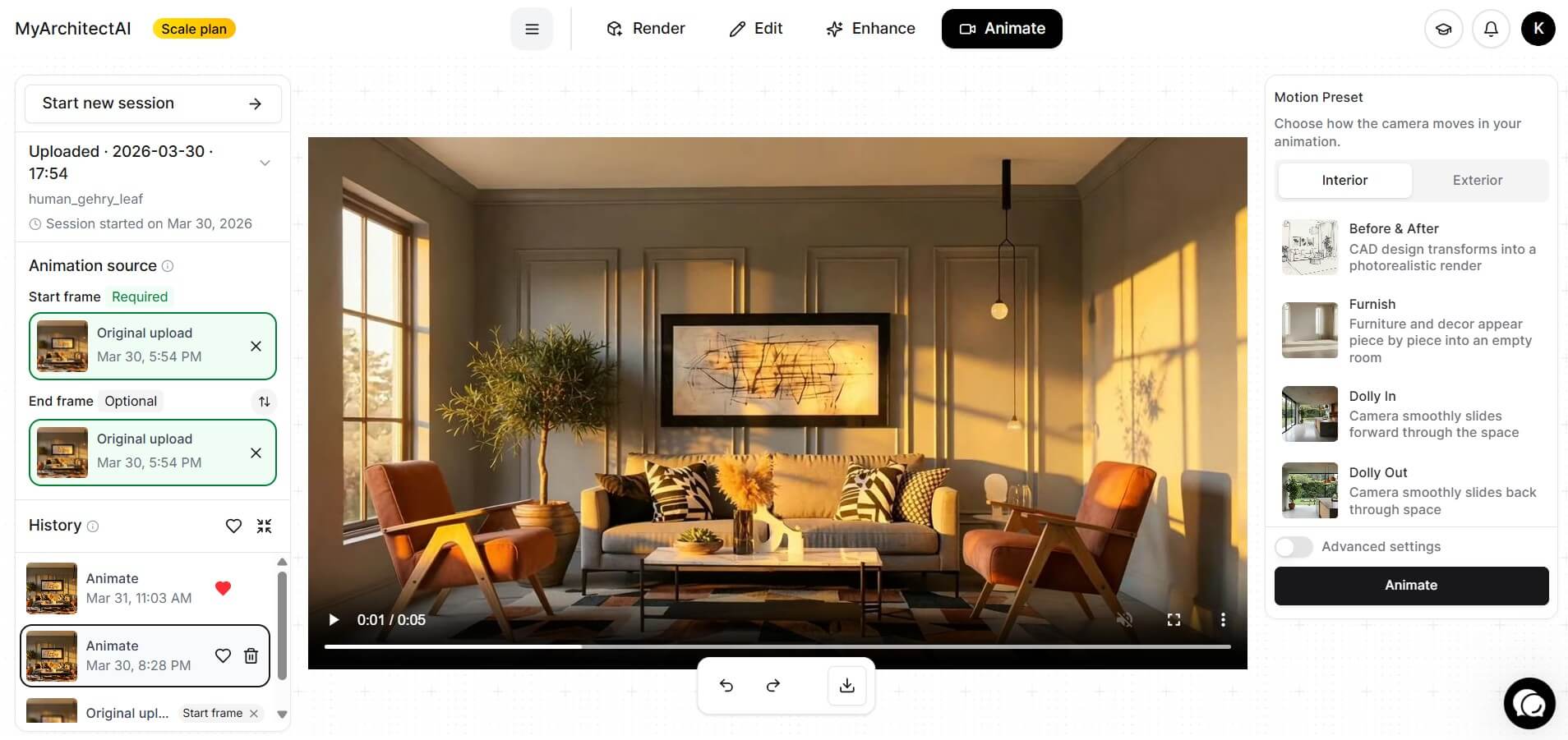
Here is the whole workflow:
Thanks to the presets tuned for spaces, the camera moves the way an architectural reel should, with steady motion and clean parallax.
This tool runs fully in your browser on any device, Macs and tablets included. You can create a free account and animate your first renders in a couple of minutes.
There is no single winner in the Kling AI vs Runway debate, and that is good news for you. Both tools are excellent, so the right call really depends on your footage and/or your budget.
Reach for Kling when you want lifelike motion and audio at a friendly price. Reach for Runway when you want character consistency and deep editing. And when the subject is architecture or interiors, let MyArchitectAI handle the camera work so you can focus on the design.
Whichever you pick, the barrier to cinematic video keeps dropping. A year ago, this kind of output meant a workstation and a week of effort, but today it takes as little as a browser tab and a good prompt.
Kling tends to be the gentler start. The interface is simple, and the free daily credits let you practice before paying. Runway rewards a bit more patience with deeper controls.
On entry price, Kling wins. Its Standard plan is $10 a month (about $6.60 billed yearly), while Runway's Standard is $12 a month on annual billing. Your real monthly cost depends on your settings and how many takes each clip needs.
Yes. Kling 3.0 offers native 4K output. Runway supports 4K too, with upscaling on its entry plan and native 4K higher up the tiers.
Both do. Kling gives you 66 watermarked credits a day that refresh every 24 hours. Runway gives you 125 one-time credits that do not renew. In a Runway AI vs. Kling AI free-tier face-off, Kling's daily refresh stretches further for ongoing testing.
For buildings and interiors, MyArchitectAI is the easiest option. It turns a still render into a cinematic clip in 90 to 120 seconds using ready-made camera presets, so you do not have to prompt a camera path from scratch.