
KeyShot has long been the go-to rendering software for product designers and industrial engineers. Its reputation for photorealistic output and relatively simple interface has made it a standard in automotive, consumer electronics, and product visualization.
But KeyShot pricing has changed significantly in recent years. Luxion (now part of the KeyShot brand) discontinued perpetual licenses entirely in 2023, forcing everyone onto subscription plans. Combined with recent price increases, many professionals are now questioning whether the KeyShot cost makes sense for their workflow.
This guide breaks down every KeyShot pricing tier, explains what you actually get at each level, and helps you decide if it's the right investment.
We'll also look at when you might be better served by more affordable alternatives—especially if your work focuses on architectural visualization rather than product renders.
KeyShot now operates on a subscription-only model. Here's how much KeyShot costs in 2026:
All prices are for single-user, named licenses. The 3-year subscription offers a modest 5% discount, bringing the total subscription cost down to $3,385.80.
The KeyShot license cost for professionals is $1,299 per year. This is the standard tier that most designers use, and it includes everything you need for 3D product visualization.
KeyShot Studio Professional includes:
What's not included:
For solo product designers working on standard visualization projects, the base KeyShot license price covers most needs. But once you start adding VR or network rendering, the total climbs fast.
Is KeyShot free for students? Not quite, but the KeyShot student price is heavily discounted at $95 per year—a 93% reduction from the standard rate.
Education licenses include:
Limitations:
If you're enrolled full-time at an accredited institution, this is one of the best deals in professional rendering software. Just remember that you'll need to upgrade to a commercial license once you graduate or start taking paid projects.
The base KeyShot pricing only tells part of the story. A product design firm wanting VR capabilities and network rendering could easily spend $2,500+ annually per seat. Here's what the add-ons cost:
The subscription fee doesn't capture everything you'll spend. Here's what else affects the real KeyShot cost:
KeyShot works on both CPU and GPU, but the experience varies dramatically based on your hardware:
Minimum specs:
In practice: 4 GB RAM and a weak GPU will very likely hamper performance severely. Official docs themselves recommend 16 GB RAM as baseline for smooth operation.
For GPU rendering:
So, if you're serious about GPU rendering or using the new AI tools, budget $2,000–$4,000 for a capable graphics card. Without one, you're limited to CPU rendering, which works in most cases but takes significantly longer.
Learn more about KeyShot's system requirements in our other guide.
KeyShot markets itself as easy to learn, and compared to V-Ray or Arnold, it is. But "easy" is relative:
Most designers can produce decent output quickly. Creating the photorealistic product shots for which KeyShot is known takes considerably more practice.
At $1,299/year, KeyShot isn't cheap, especially for users who remember when perpetual licenses cost around $1,000 as a one-time purchase. However, several factors drive the current KeyShot license cost:
Whether the price is justified depends on how central rendering is to your workflow. For industrial design firms billing $150+/hour, KeyShot pays for itself quickly. For architects who render occasionally, the math looks different.
By now, you might be wondering: how does KeyShot compare to other rendering options? KeyShot pricing sits at the premium end, and is justified mainly by its product visualization specialization. For architectural work, other tools often deliver better value though.
KeyShot delivers strong ROI in specific scenarios:
If product visualization is your core business, KeyShot's price is competitive with the value it delivers.
KeyShot pricing becomes harder to justify when:
You focus on architectural visualization. KeyShot can render buildings, but it's optimized for products. Tools like Enscape, Lumion, or AI-powered MyArchitectAI are built specifically for archviz workflows.
You render occasionally. $1,299/year for monthly use doesn't pencil out. Consider project-based alternatives.
Hardware upgrades aren't feasible. KeyShot's GPU features require serious graphics cards. If upgrading isn't in the budget, browser-based tools bypass the issue entirely.
Speed matters more than control. KeyShot offers extensive material and lighting control. If you need quick, professional results without the setup time, AI-powered alternatives deliver faster.
For architects and designers focused on buildings and not products, MyArchitectAI offers a fundamentally different approach.
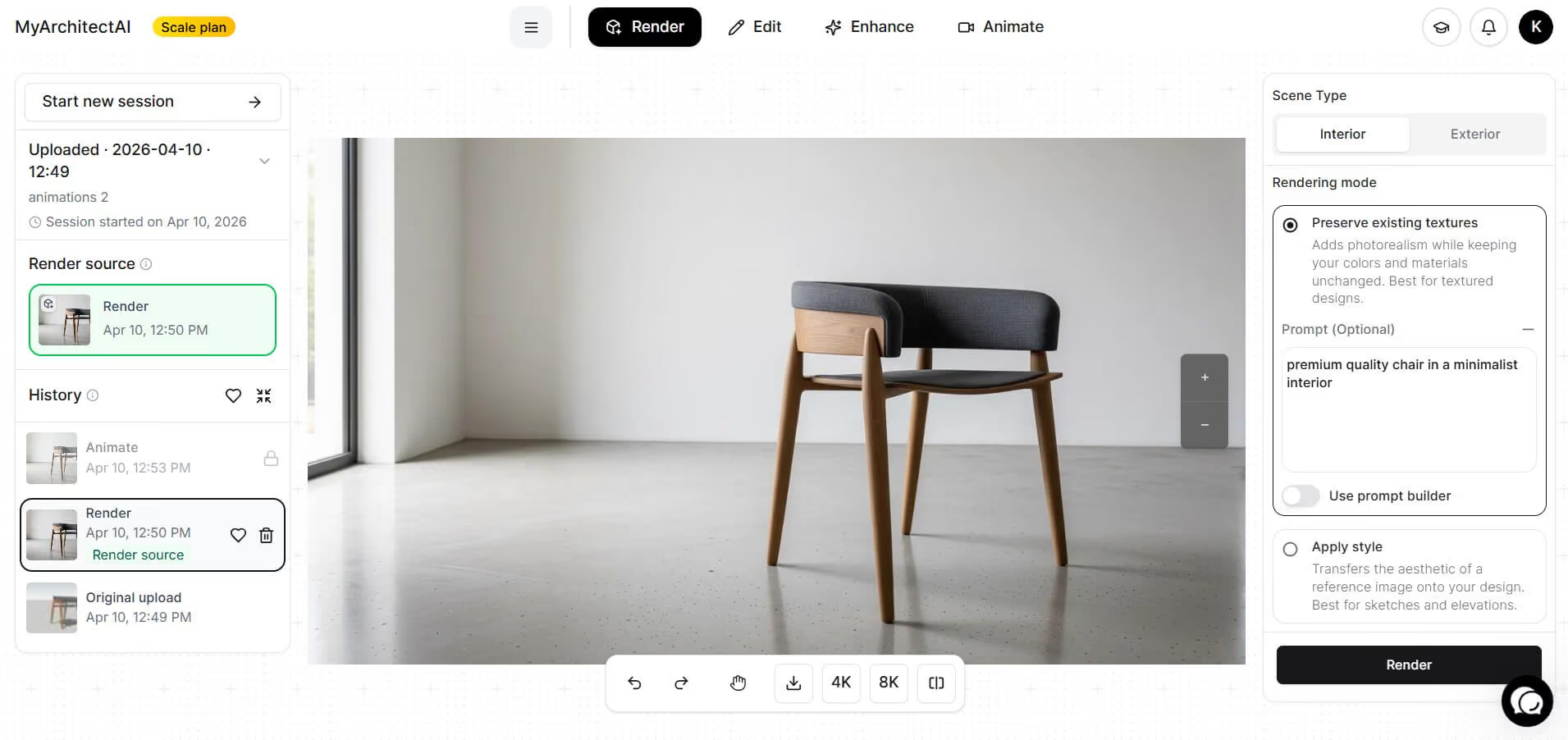
Where MyArchitectAI differs from KeyShot:
KeyShot remains the industry standard for product visualization, and its $1,299/year price reflects that position. For industrial designers and product firms, the investment pays off through workflow efficiency and output quality.
But not everyone needs KeyShot's level of control. If you're working in architectural visualization, rendering occasionally rather than daily, or simply want professional results without the learning curve, lighter alternatives—especially AI-powered ones—offer better value.
The right choice depends on what you're rendering and how often. Don’t decide on reputation alone; match the tool to the task.
For product designers and industrial engineers who render daily, yes. Material accuracy, integration ecosystem, and relative ease of use justify the KeyShot pricing packages for professionals in those fields. For occasional users or architects, simpler alternatives often deliver better ROI.
No. KeyShot offers a 14-day free trial with full features, but there's no free tier.
KeyShot Studio Professional costs $1,299 per year. The 3-year subscription is $3,385.80 (5% discount). Educational licenses cost $95/year for students and faculty. Add-ons like VR ($1,188/year) and Web viewing ($468/year) increase the total.
Not free, but heavily discounted. The KeyShot student price is $95/year—93% off the professional rate. You'll need to provide a valid student ID or enrollment documentation, and the license is restricted to non-commercial, educational use only.

