Generatore di texture AI gratuito

Upscale Flux images to 4K in under 15 seconds. Also available in API.
Flux is a family of image models from Black Forest Labs. MyArchitectAI is not affiliated with, endorsed by, or connected to Black Forest Labs in any way. This tool upscales images from any Flux model or any other AI image generator.

How to upscale Flux images

01

Upload your image

Drag in a JPG, PNG, or WebP file, or click to browse. There are sample renders if you just want to test it. No account needed.
02

Pick the upscale factor

2x doubles each dimension, which covers most screen and presentation use. 4x takes a 1024px Flux output to 4096px, enough for print.
03

Download the result

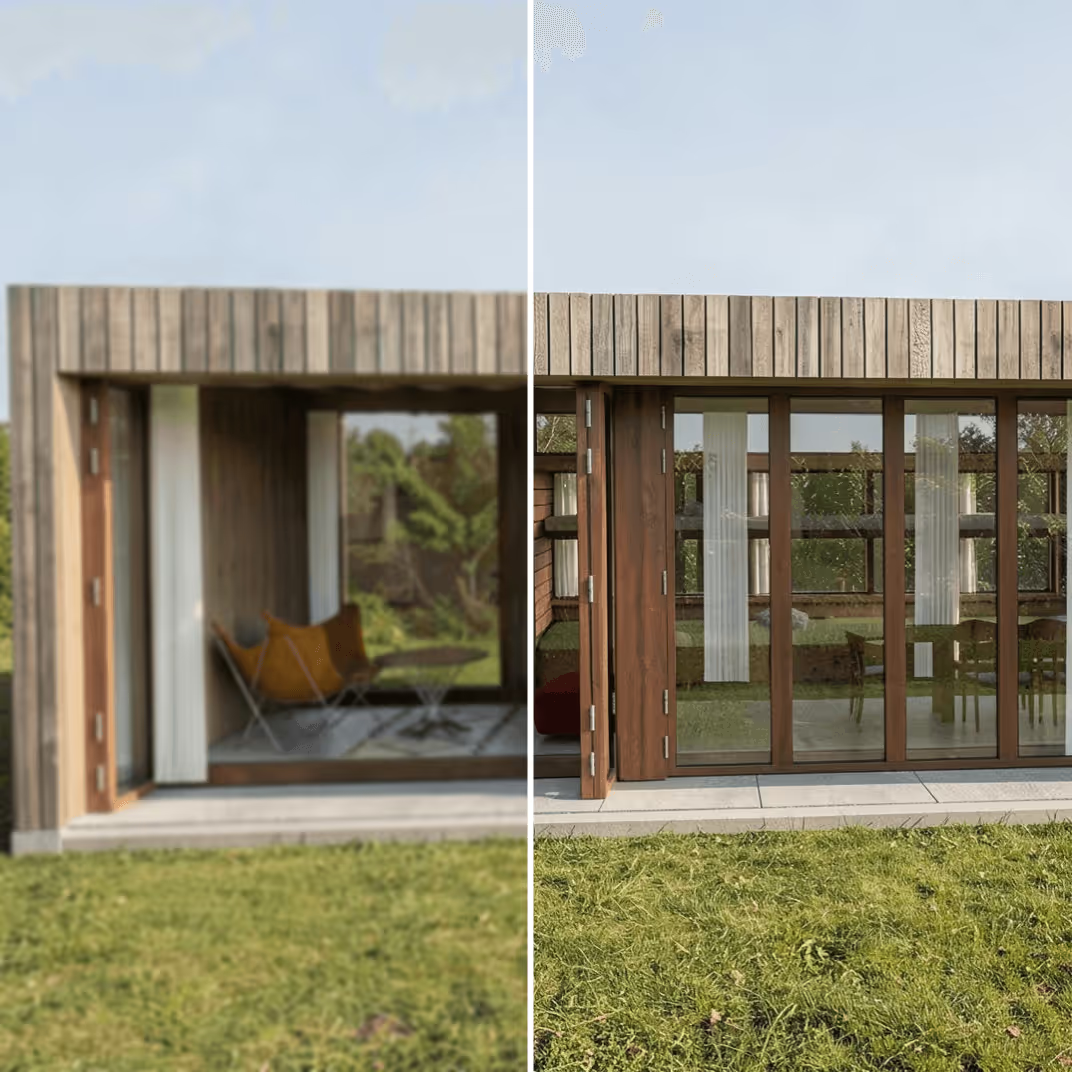
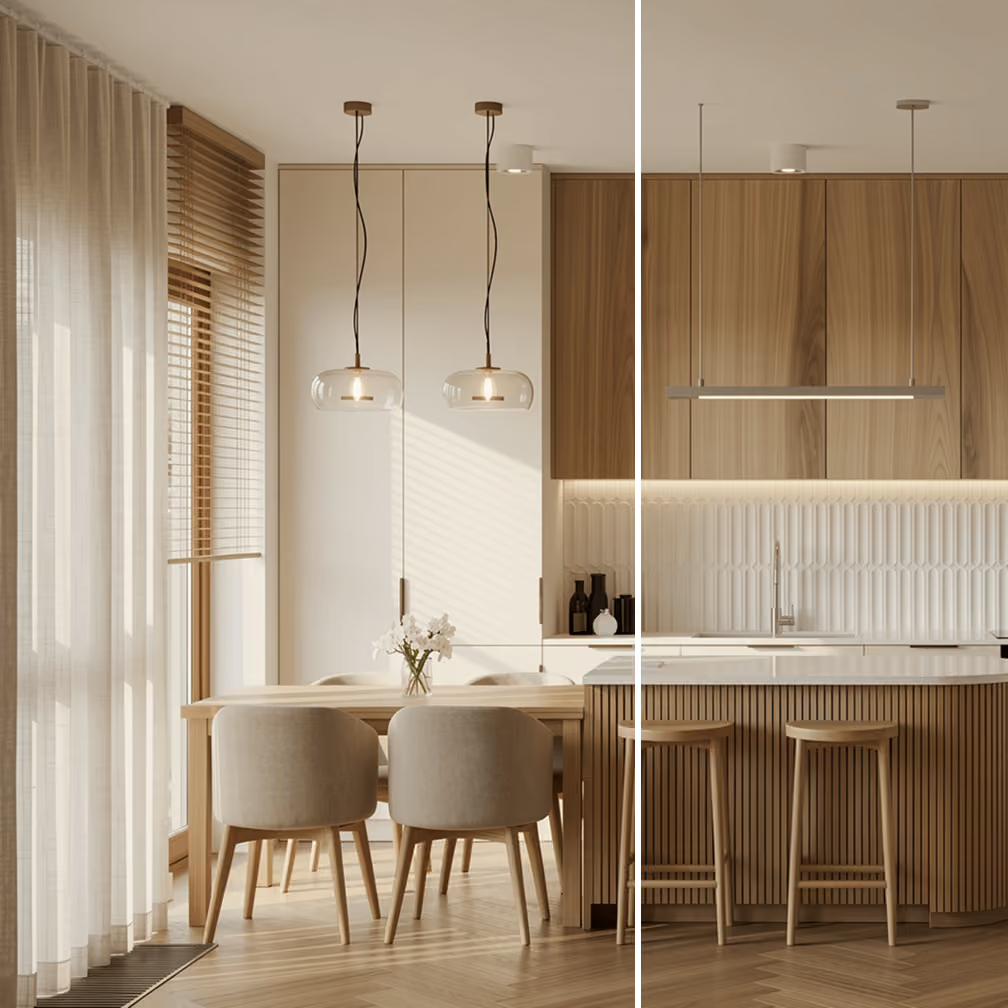
It takes about 15 seconds to upscale your image. Compare before and after with the slider, then download the full-resolution file. The first one is free, no signup.

Come usare il generatore di texture AI

Quindi, puoi applicare la texture generata dall'intelligenza artificiale al tuo design quando

Even 4MP has a catch. Black Forest Labs’ own issue tracker documents a 32-pixel grid artifact that gets worse at large sizes, and generating at 4MP raises the pixel count without raising the detail to match. The workflow that holds up in practice: generate at the model’s sweet spot, then upscale. That’s the step this page does. Upload, pick 2x or 4x, download. Nothing to install, no VRAM to budget.

Renders and concept art are a special case. Hard edges and glazing reflections are exactly what smears at low resolution, and simple bicubic interpolation can’t bring them back.

Best practice per i prompt

SketchUp model

Adds detail instead of stretching pixels

The AI upscaler model was trained on of low- and high-resolution images, so it fills in texture and edge detail rather than averaging neighboring pixels. You can see the difference in things like grout lines and wood grain, which stay crisp instead of blurring out.
MyArchitectAI app interface

Generates a style-faithful output

The upscaler sharpens what’s already there without repainting anything. Color and composition stay put. Your image comes back as a cleaner version of itself.
AI rendered image

Optimized for architecture and interior design

MyArchitectAI's upscaler handles renders from SketchUp, Lumion, Enscape, and Twinmotion, plus anything straight out of Gemini and Flux. Hard geometry and linework stay intact instead of getting the “oil painting” softening that general-purpose upscalers apply.

What people use it for

Most Flux users who end up here fall into one of these situations.

Client presentations and pitch decks

A 1024px image looks soft on a 4K screen or when projected in a boardroom. Upscaling before you export the PDF means the renders hold up where it matters.

Print portfolios and brochures

A4 print at 300 DPI needs roughly 2480 × 3508px. A 1024px image printed that large looks pixelated. 4x upscaling closes that gap without a reshoot.

Real estate listings

Property portals penalize low-resolution photos in their ranking. An upscaled interior or exterior render reads better than the same image at 1K, especially on listing detail pages.

Competition boards

Architecture competitions usually specify minimum image sizes. If your Flux renders came out at 1K, upscaling to 4K before compositing into the board avoids quality mismatches.

Social media and editorial

Instagram, Behance, and design publications prefer images at 2048px or wider. Upscaling your Flux outputs means it fills the frame instead of getting centered with white bars.

Pre-press and signage

Banners and site hoardings print at low DPI but at very large sizes, so the pixel count still needs to be high. 4x from 1K covers most mid-size signage.

Integra il generatore di texture AI di MyArchitectAI nella tua app

Offri agli utenti un'esperienza di generazione e rendering di texture velocissima senza complessità o tempi di attesa con una singola chiamata API. Effettua l'integrazione in meno di un'ora.

Rendering Archicad di una villa moderna

Altri generatori di intelligenza artificiale gratuiti

Z-Image Upscaler

Midjourney AI Upscaler

Qwen Image Upscaler

Twinmotion AI Enhancer

SketchUp architectural rendering of an apartment building

KeyShot AI Enhancer

Nano Banana Upscaler

Generatore di architettura AI

Rendering architettonico con SketchUp di un condominio

Enscape AI Enhancer

Design della cucina generato dall'AI — un design di esempio

Generatore di design per camere da letto AI

Rendering architettonico con SketchUp di un condominio

Frequently asked questions

What resolution do Flux images generate at?
FLUX.1 dev and schnell, and the open FLUX.2 klein models, default to 1024×1024, about 1MP. The paid API tiers go higher: FLUX 1.1 Pro Ultra and FLUX.2 pro generate up to 4MP, which is 2048×2048. That 4MP ceiling is a generation setting, and no Flux model goes past it.
Can Flux upscale an existing image?
No. There’s no upscale endpoint anywhere in the Flux family or the Black Forest Labs API; the 4MP Ultra mode is generation-time, not a post-processing step. Upscaling a Flux output means an external pass, either a ComfyUI workflow or a third-party tool like this one.
Is this the official Flux upscaler?
No. This tool is made by MyArchitectAI and has no connection to Black Forest Labs, and BFL doesn’t offer an upscaler of its own. Ours works on outputs from any Flux model or any other generator.
What upscaling model does this run?
Our own custom-trained super-resolution model, running at 2x or 4x. It does faithful upscaling: it sharpens what’s there rather than re-diffusing the image, so your composition doesn’t drift.
Is it really free?
Your first upscale is free, full-resolution download included, with no account. Both 2x and 4x are available on that first use. After that you need a subscription. Most tools in this category make you sign up for credits before you see anything; here you can test the quality on your own image first.
How does this compare to a ComfyUI upscale workflow?
If you already run a ComfyUI pipeline with Real-ESRGAN or Ultimate SD Upscale nodes, you can get good results locally. This page is for the times you don’t want to: no VRAM, no node graph, works from a laptop or a phone. Diffusion-refinement pipelines can invent extra detail; this stays faithful to the input.
Can I use upscaled images commercially?
From our side, yes. We claim no rights to anything you upload or download. Whether the underlying Flux image can be used commercially depends on which model made it: schnell and FLUX.2 klein-4B are Apache 2.0, while the dev models carry a non-commercial license. Check Black Forest Labs’ terms for your case.
Does it work on renders from SketchUp, Revit, or Lumion?
Yes. It handles renders exported from SketchUp, Revit, Lumion, Enscape, or Twinmotion, plus Nano Banana, Midjourney, and Stable Diffusion outputs. The page name aside, it isn’t limited to Midjourney images. Renders are actually one of the better use cases because hard geometry and glazing survive the process instead of getting softened.