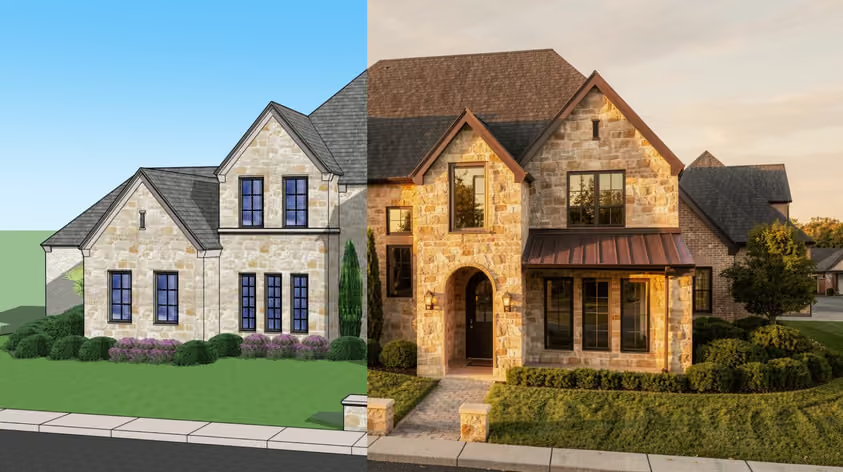
Higgsfield made its name with cinematic camera moves and a big menu of video models in one place.
It looks slick, but is it the only option and does it provide the best value?
This guide walks through Higgsfield alternatives that cover every budget, from free tools you can try today to premium models built for client work.
Most complaints come down to money and predictability. Here is the short version of how Higgsfield’s credit system works, since it sits at the root of nearly all of them.
Every generation spends credits. The amount depends on which model you pick and how long the clip runs, and higher resolutons cost more too. A Kling animation might cost a handful of credits, while a single Veo or premium clip can eat ten times that. So your monthly budget yields very different outputs depending on what you make.
A few things catch people off guard:
That is the backdrop. Now let us get into the Higgsfield alternatives worth your time.
One thing worth saying up front: Higgsfield is mostly an aggregator. It bundles models like Veo and Kling and adds its own camera presets on top. That matters, because several tools below give you those same models with clearer pricing, and a couple give you something Higgsfield cannot.
Best for: Turning architecture and interior renders into video, the easy way.
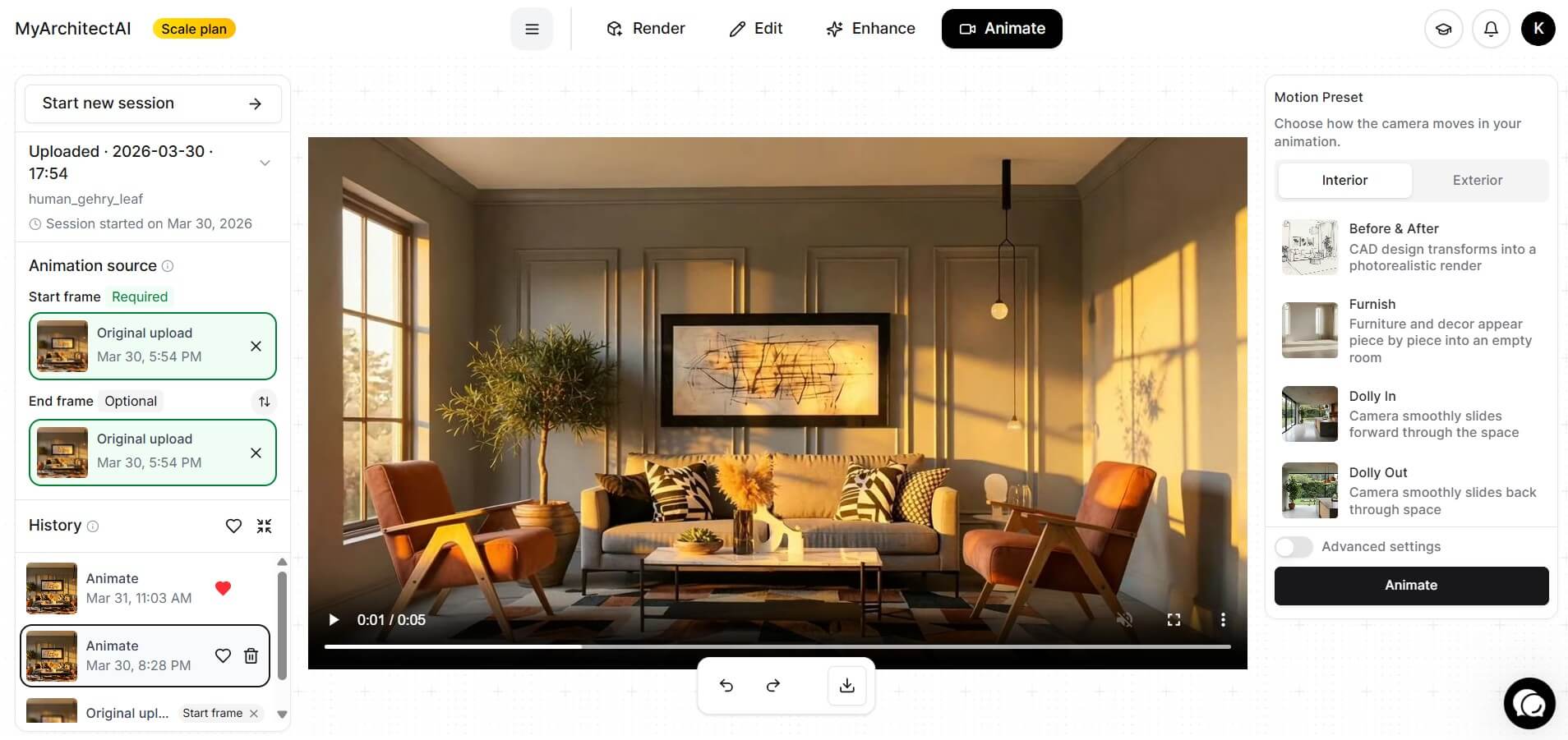
Here is the one built for the architecture and interior design world. MyArchitectAI Animate takes a still render and turns it into a cinematic clip in about 90 to 120 seconds, with no 3D model and no powerful workstation needed. You upload a JPG or PNG, pick a camera move, and download an MP4 ready for clients or social.
What sets it apart for architects and interior designers is the preset library. More than 30 camera movements are made specifically for buildings and rooms, so you skip the prompt-wrangling that general video tools demand. Aerial Reveal mimics a drone; Day to Night is a timelapse for interiors; there is also Assemble, where the building constructs itself piece by piece from an empty site (great for social media!), and more.
The same account renders and enhances your CAD views, so it doubles as a full visualization tool. For an average SketchUp user who wants a client-ready walkthrough feel without learning a video model, this is the gentlest path on the list.
Last but not least, MyArchitectAI doesn't train their AI models on your data, which shouldn't be taken for granted these days.
Pricing: A free account includes 10 renders. Studio at $49/month includes 50 animations; Team bumps that to 200 for $99/month. The $29 Starter plan covers unlimited renders but skips animations.
Best for: Photorealism and sound baked into the same clip.

Veo 3.1 is the model to beat when you want output that looks shot on a real camera. Google trained it to handle physics and lighting convincingly, and it generates synchronized audio in the same pass, so dialogue and ambient sound arrive with the video. That last part is rare, and it saves you a whole second tool for voiceovers.
It’s available through Google’s Gemini app for quick prompts and the Flow studio for longer projects. Developers can also call it through the API. Clips cap at 8 seconds, so longer pieces mean chaining shots together and accepting a little drift between them.
Pricing: Google AI Plus is $7.99/month for Veo 3.1 Fast. Google AI Pro is $19.99/month with roughly 90 Fast clips. Google AI Ultra starts at $99.99/month for the full model and a much larger allowance. Any Google account can also generate 10 Veo 3.1 clips per month free inside Google Vids.
For video generators with similar output quality but more affordable cost, check our list of Veo 3 alternatives.
Best for: Strong motion at the lowest commercial price.
.jpg)
Kling, made by Kuaishou, keeps topping the quality benchmarks for motion and consistency, and its entry plan is the cheapest way to get watermark-free, commercial-ready video anywhere. Version 3.0 added native 4K and clip lengths up to 15 seconds. It also generates audio with lip-sync across several languages.
The free tier hands you enough credits to test prompts before you commit. Some users find it worth flagging that Kling runs under Chinese data rules, so weigh that if your projects involve confidential client material. There are plenty of Kling AI alternatives that don't train their models on your data though.
Pricing: Free credits for new users. Both subscriptions and credit packs are available. Both options include two higher tiers. Check the membership page before paying, since Kling reprices often.
Best for: Creative control with a full editing suite.
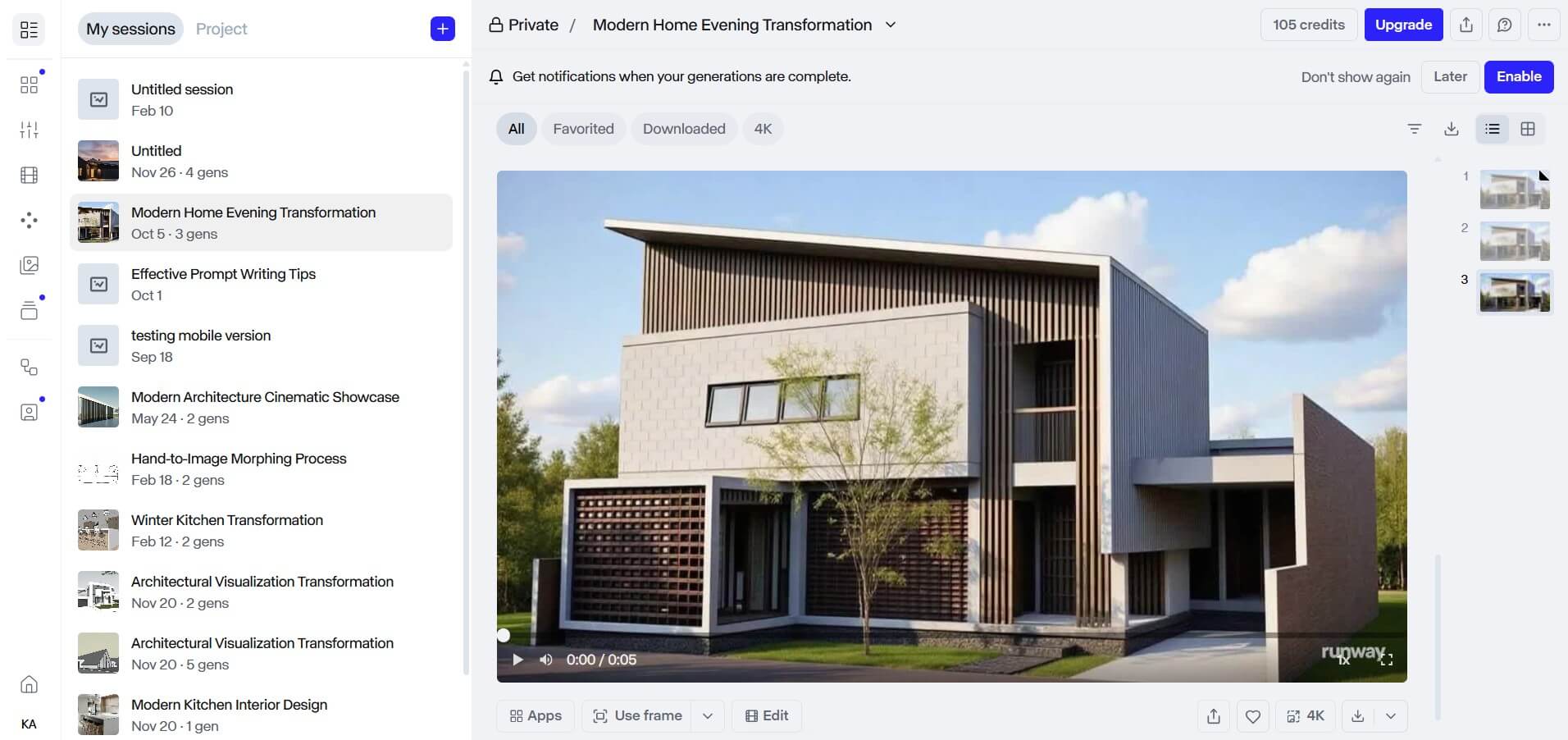
Runway is the closest thing here to a complete production studio. Beyond its own Gen-4.5 model, you get motion brushes and a proper editing timeline that the pure generators skip. It doubles as a marketplace of sorts, bundling other models alongside its own Gen-4.5.
This “smart hub” approach can ease your life if you like to keep generation and post-production under one roof. The trade-off is the credit math, because Gen-4.5 looks gorgeous but costs a lot per second, so heavy iteration burns through an allowance quickly.
Pricing: Free gives you 125 one-time credits. Standard is $12/month for 625 credits. Pro is $28/month for 2,250 credits. Max is $76/month for 9,500 credits, all on annual billing.
Best for: Director-level control with many reference inputs.

ByteDance’s Seedance 2.0 is the choice when you want to steer every shot. You can feed it up to 12 reference files at once. Even when blending still images with video clips, it holds the character looks steady across a scene. It also syncs generated video to a music track you upload, which is rare among major models.
Output 480p/720p natively (with 1080p available on some API/platform wrappers) while the clips run up to 15 seconds and have native audio and lip-sync built in. The access, however, can be a hassle, because the cleanest routes run through Dreamina and CapCut, and a few still ask for a Chinese phone number.
Pricing: Free daily credits on Dreamina cover light testing. Official Dreamina membership starts around $9.60/month; the cleaner third-party API and platform routes run higher, roughly $60 to $200/month. Annual discounts and pay-as-you-go credits are available.
Best for: Fast drafts and believable physics.

Hailuo, from MiniMax, is the speed demon of this list. It returns clips in well under two minutes, and it ranks at the top for physics, so liquids and fabric behave the way they should. Creators reach for it when they want to iterate quickly or land a tricky motion shot.
It tops out around 1080p with clips of 6 to 10 seconds. Paid plans bundle bigger models similarly to Veo and Seedance, which turns Hailuo into another small multi-model suite. As with other Chinese tools, your data may be processed in China.
Pricing: A free trial tier lets you test with a watermark. Standard runs about $9.99/month for 1,000 credits, scaling up to a $199.99 Max plan.
Best for: Natural camera motion and clean physics.
.png)
Luma’s Dream Machine, powered by the Ray3 model, earns its fans through smooth, believable camera movement. Its roots in 3D capture show up in how naturally the camera glides through a space, which is handy for product shots and anything that needs to feel grounded. However, Ray3 itself does not generate audio, so plan to add sound separately.
Luma has also grown into a bundle through its Agents layer, pulling in Ray plus outside models like Veo and Kling under one credit pool.
Important note: Another, standalone tool website exists, named Lumadreammachine.com, which is not a part of Luma Labs.
Pricing: Free access for trial. Paid plans: $30/month (Plus), $90 (Pro), $300 (Ultra). Annual payment discount 17%.
Best for: A cleaner aggregator with a real-time canvas.
.jpg)
If you like the all-models-in-one idea but want it done better, Krea is the standout. This one bundles more than 64 image and video models behind one tidy interface, and its Realtime Canvas renders what you sketch almost instantly. Big brands use it, so it is production-ready.
For anyone shopping Higgsfield AI alternatives specifically to escape a messy credit menu, Krea’s unified setup is an easy upgrade.
Pricing: A free tier lets you try it without commercial rights. Paid plans start at $9/month for Basic, which unlocks the commercial license.
Best for: Playful effects and quick social clips.

As for free alternatives to Higgsfield AI, Pika’s daily-refresh tier and the open-source models lower down both cost nothing to start. It is one of the cheapest paid options around; casual creators can get a lot here without having to commit to a plan.
Pika also leans into fun. Its Pikaffects and Pikaframes tools let you morph footage and add eye-catching effects that short-form content thrives on. Clips run short and resolution sits below the cinematic models, so it shines for quick ideas or social posts.
Pricing: Free with daily refresh. Weekly plan starts from $8.99/week. Standard is around $10/month, with larger plans above that.
Best for: Free with unlimited generation off-cloud
If you have a capable NVIDIA GPU and do not mind a setup session, open-source image-to-video models such as Wan, LTX, or HunyuanVideo give you video generation with zero per-clip cost and full privacy, since nothing leaves your machine.
You need to handle the setup and the troubleshooting yourself, and generation is slower than the cloud. For studios producing at volume, though, the math often wins.
Pricing: Free and open source. Your only cost is the hardware and the electricity.
Higgsfield’s pitch is convenience. One login gives you access to many video models and fancy camera presets. That is genuinely useful when you bounce between models a lot. Most of the Higgsfield alternatives above run on the same underlying engines, so this choice really comes down to convenience versus cost. The real question is whether the markup and the credit quirks are worth it for the way you actually work.
Going direct usually wins on price. Buy Runway from Runway, and you pay Runway's own rates with no aggregator margin, and you can see exactly what each clip costs. That way you also dodge the 90-day credit expiry as well as the busy-hour throttling (but each provider still has its own quotas and throughput limits).
Going through an aggregator wins when you genuinely model-hop and value the camera controls; a single bill and one interface can save real friction. As for the credit maths, you can still lean on the cheaper models for your drafts.
But there is also a middle path. Tools like Runway and Krea bundle multiple models too, often with clearer pricing than Higgsfield, so you keep the convenience and trim the cost.
There is no single best Higgsfield AI alternative, because the right one depends on the job in front of you. This could guide your decision, though:
The Higgsfield alternatives above almost all have a free tier or trial, so the smartest move is to test two or three with the same prompt and compare the results yourself. Pay attention to the real cost per usable clip beyond the headline price, because iteration is where budgets quietly (and quickly) disappear.
And if your work lives in architecture or interior design, MyArchitectAI gives you camera-ready clips without the prompt gymnastics. Start with the free renders, then move up once you see how much time it saves on a single client pitch.
Yes. Higgsfield itself is closed, but several Higgsfield alternatives are open models that handle the core job for free if you can run them locally. Wan from Alibaba is the most flexible and runs on modest hardware. LTX-2 from Lightricks generates 4K with audio. HunyuanVideo from Tencent has the highest quality but wants a beefy 24GB GPU. You will usually drive them through ComfyUI, and once you are set up, there is no per-clip fee.
A few things stack up. Premium models like Veo cost many times more credits than a basic Kling clip, so a handful of high-end generations can drain a plan. On top of that, AI video usually takes several tries to get right, and every attempt spends credits whether you keep the result or not. Higher resolutions cost more as well. Add the fact that monthly credits do not roll over and top-ups expire after about 90 days, and it is easy to feel like the meter is always running. If this is your main gripe, going direct to a single model or picking a flatter-rate tool helps a lot.
Kling, yes, easily. Just sign up at Kling’s own site and use it directly, with a free daily tier to start. Sora is a different story. OpenAI shut down the Sora consumer app on April 26, 2026, and the Sora 2 API is set to close on September 24, 2026. So for most creators, using Sora the way you used to is no longer really an option, through Higgsfield or anywhere else. If Sora’s look was what drew you in, Veo 3.1 and Kling 3.0 are the closest durable replacements.